
GabrielAlva.-.Swift-Prompts
Documents how to install, adopt, display, dismiss and customize a reusable Swift prompt view with delegate callbacks.
What this file does
Documents how to install, adopt, display, dismiss and customize a reusable Swift prompt view with delegate callbacks.
When to use it
- Adding a custom alert or prompt to an iOS app
- Replacing UIAlertController with a swipe-dismissable view
- Learning CocoaPods or Carthage integration for a UI component
- Implementing a delegate pattern for prompt interactions
Assumes this stack




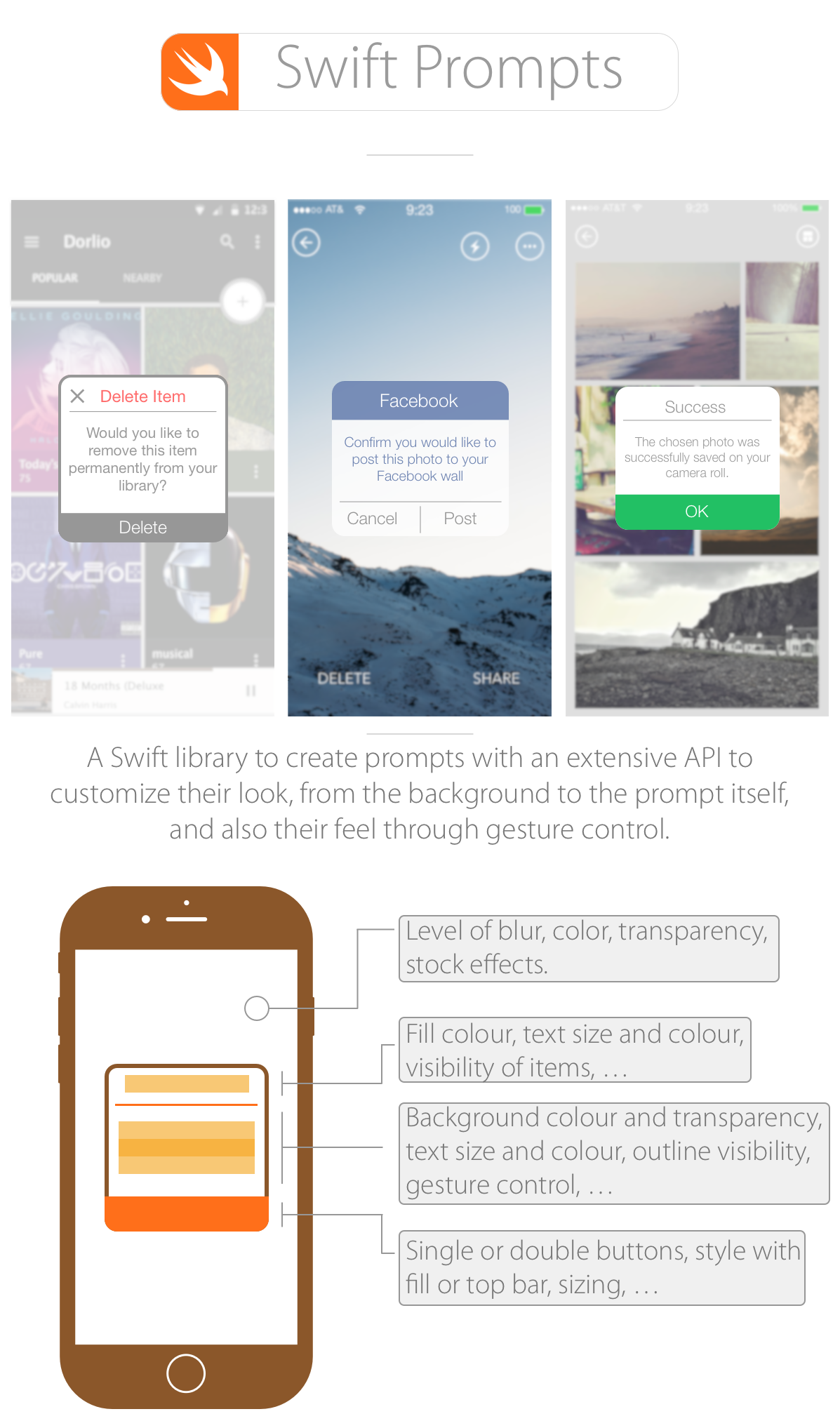 <br />
<br />
<br />
Installation
CocoaPods
Install with CocoaPods by adding the following to your Podfile:
source 'https://github.com/CocoaPods/Specs.git'
platform :ios, '8.0'

use_frameworks!

pod 'Swift-Prompts', '~> 1.0.0'
Note: We follow http://semver.org for versioning the public API.
Carthage
Using Carthage:
github "GabrielAlva/Swift-Prompts"
Manually
- Just include the three .swift files found on the
Swift Promptsfolder on the demo Xcode project.
Usage
Using Swift Prompts is very simple and fast.
Adopting the prompt's delegate
In your class declaration, after specifying the type of class write SwiftPromptsProtocol as shown here:
class ViewController: UIViewController, SwiftPromptsProtocol
Now, depending on the type of prompt, you can use any of the optional delegate functions
func clickedOnTheMainButton() {}
func clickedOnTheSecondButton() {}
func promptWasDismissed() {}
Displaying a prompt
First you need to declare a var outside of a function:
var prompt = SwiftPromptsView()
Next, where you would like to trigger the prompt (e.g. in the action function of a button):
prompt = SwiftPromptsView(frame: self.view.bounds)
prompt.delegate = self

//Customization

self.view.addSubview(prompt)
Dismissing a prompt
To dismiss the prompt, you can write this line in one of the delegate functions or in a different one:
prompt.dismissPrompt()
Alternatively, the dismissal by gesture is enabled by default so you can dismiss a prompt by moving it up or down until it dims completely. Dismissal by gesture will trigger the promptWasDismissed() delegate function.
Customization
Once you have your assigned the frame and delegate, you can customize the look and feel of your prompt and its background. You can customize almost every aspect of it as shown above including the width and height. The demo app is well documented for you to use any function of the customization API. To see the full list you can navigate to the SwiftPromptsView class and look for the API pragma mark.
Example
You can find a full example on usage and customization on the Xcode project attached to this repository.
License
Source code of this project is available under the standard MIT license. Please have a look at the license file.
What's inside
5 sections: Installation (3 methods), Usage (3 delegate functions, display/dismiss code), Customization, Example, License.
Change this for your project
- Replace
pod 'Swift-Prompts', '~> 1.0.0'with your own pod name and version - Replace
github "GabrielAlva/Swift-Prompts"with your own Carthage repository - Replace
class ViewController: UIViewController, SwiftPromptsProtocolwith your own class name
Where it goes
A prompt collection. Copy the individual prompts you need rather than the whole file.
Worth borrowing
- Optional delegate functions let adopters handle only the callbacks they need
- Gesture-based dismissal as a built-in alternative to programmatic dismiss
Related Documents
starProject
Lists 120+ starred open-source projects across AI, DevOps, Flutter, and web development for discovery and inspiration.
midjourney-expert
Serves as a reference for Midjourney V7/Niji 7 prompting, covering parameters, reference systems, editing tools, and moderation workarounds.
🎣 Hooks & Headlines Generator
Generates 20, 30 headline variations across 10 proven formulas, with psychological reasoning and platform-specific best practices.
Daily Agent Tasks Framework
Gives you a daily structure for assigning strategic work to Claude and development work to Codex, organized by project priority and current sprint.