
Back to Blog googleadk
 kubernetes
 ai
ai typescript
 showdev
 ai
ai agents
Multi-Agent A2A with the Agent Development Kit(ADK), Amazon ECS Express, and Gemini CLI
xbill April 17, 2026
0 views
Leveraging the Google Agent Development Kit (ADK) and the underlying Gemini LLM to build Multi-Agent...
---
title: Multi-Agent A2A with the Agent Development Kit(ADK), Amazon ECS Express, and Gemini CLI
published: true
series: AWS
tags: googleadk,a2aprotocol,geminicli,aws
---
Leveraging the Google Agent Development Kit (ADK) and the underlying Gemini LLM to build Multi-Agent Applications with A2A protocol support using the Python programming language deployed to AWS ECS Express.
#### Aren’t There a Billion Python ADK Demos?
Yes there are.
Python has traditionally been the main coding language for ML and AI tools. The goal of this article is to provide a multi-agent test bed for building, debugging, and deploying multi-agent applications.
#### Rock and roll ain’t noise pollution
So what is different about this lab compared to all the others out there?
This is one of the first deep dives into a Multi-Agent application leveraging the advanced tooling of Gemini CLI. The starting point for the demo was an existing Codelab- which was updated and re-engineered with Gemini CLI.
The original Codelab- is here:
[Building a Multi-Agent System | Google Codelabs](https://codelabs.developers.google.com/codelabs/production-ready-ai-roadshow/1-building-a-multi-agent-system/building-a-multi-agent-system#0)
#### Python Version Management
One of the downsides of the wide deployment of Python has been managing the language versions across platforms and maintaining a supported version.
The **pyenv** tool enables deploying consistent versions of Python:
[GitHub - pyenv/pyenv: Simple Python version management](https://github.com/pyenv/pyenv)
As of writing — the mainstream python version is 3.13. To validate your current Python:
```console
python --version
Python 3.13.13
```
#### Amazon ECS Express
[Amazon ECS Express Mode](https://www.google.com/search?q=Amazon+ECS+Express+Mode&rlz=1CAIWTJ_enUS1110&oq=what+is+amazon+ecs+express&gs_lcrp=EgZjaHJvbWUyBggAEEUYOTIJCAEQIRgKGKAB0gEIMzI0MWowajeoAgCwAgA&sourceid=chrome&ie=UTF-8&mstk=AUtExfAELWySw4fS4VoaovwdGE8MUNcOltEQ-lyCKwxY4t3OArbcxO8JX30JpX02tjJDKML-JgcQEQDIaZjDgUHMoJTycp046hy8F-_Y_zxJ9Bo0rZyERUQ6geXGT9MPUb02ZLA7LpFjGlcpRgGkURGERCNHTKdtI2kGtm-bh5XT5dS4hpo&csui=3&ved=2ahUKEwiu_YSzptWTAxVPF1kFHY8nLbwQgK4QegQIARAB) (announced Nov 2025) is a simplified deployment feature for Amazon Elastic Container Service (ECS) designed to rapidly launch containerized applications, APIs, and web services on AWS Fargate. It automates infrastructure setup — including load balancing, networking, scaling, and HTTPS endpoints — allowing developers to deploy from container image to production in a single step.
More details are available here:
[Amazon ECS Express Mode](https://docs.aws.amazon.com/AmazonECS/latest/developerguide/express-service-overview.html)
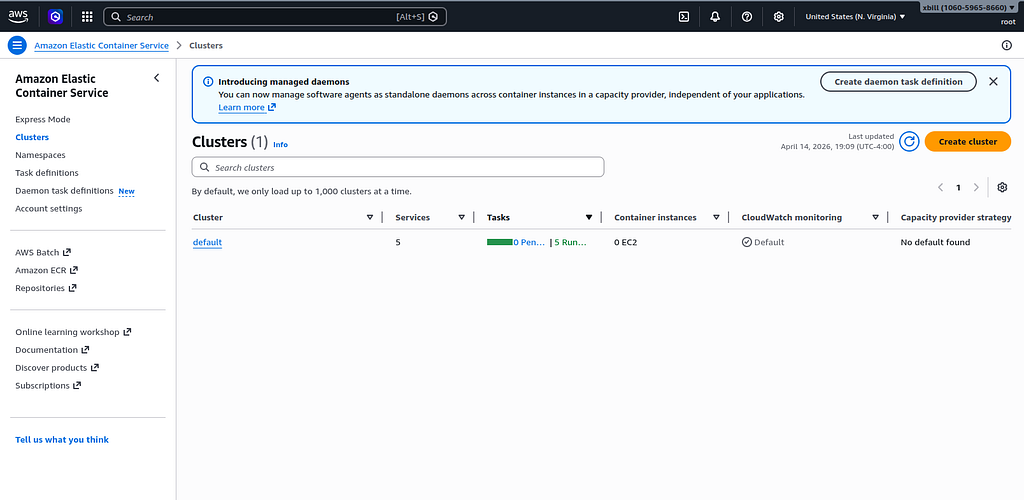
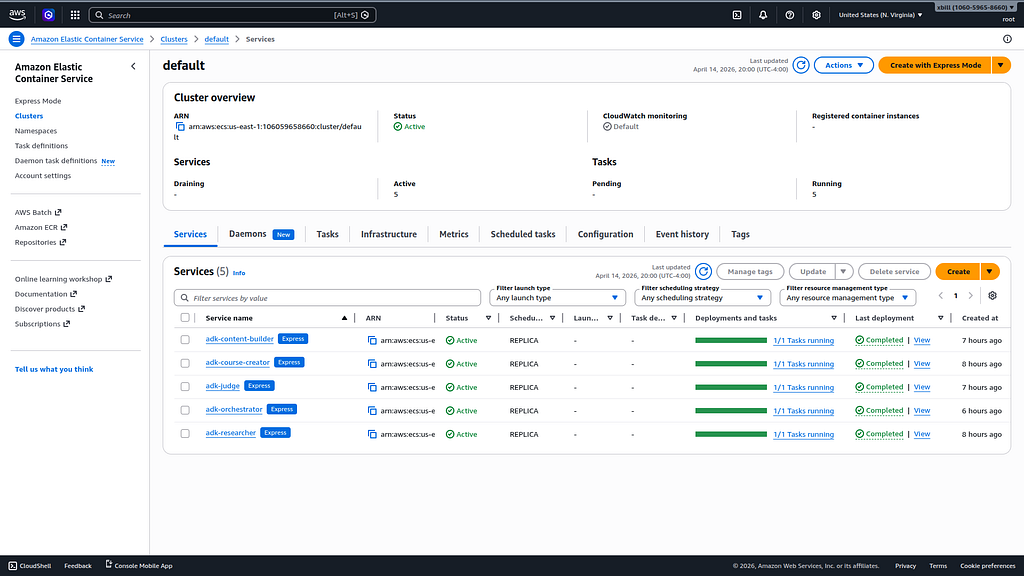
The ECS status is visible from the AWS Console:
#### Gemini CLI
If not pre-installed you can download the Gemini CLI to interact with the source files and provide real-time assistance:
```shell
npm install -g @google/gemini-cli
```
#### Testing the Gemini CLI Environment
Once you have all the tools and the correct Node.js version in place- you can test the startup of Gemini CLI. You will need to authenticate with a Key or your Google Account:
```plaintext
▝▜▄ Gemini CLI v0.33.1
▝▜▄
▗▟▀ Logged in with Google /auth
▝▀ Gemini Code Assist Standard /upgrade no sandbox (see /docs) /model Auto (Gemini 3) | 239.8 MB
```
#### Node Version Management
Gemini CLI needs a consistent, up to date version of Node. The **nvm** command can be used to get a standard Node environment:
[GitHub - nvm-sh/nvm: Node Version Manager - POSIX-compliant bash script to manage multiple active node.js versions](https://github.com/nvm-sh/nvm)
#### Agent Development Kit
The [Google Agent Development Kit](https://www.google.com/search?q=Google+Agent+Development+Kit&rlz=1CAIWTJ_enUS1114&oq=what+is+the+adk+google&gs_lcrp=EgZjaHJvbWUyBggAEEUYOTIICAEQABgWGB4yCAgCEAAYFhgeMggIAxAAGBYYHjIICAQQABgWGB4yCAgFEAAYFhgeMggIBhAAGBYYHjIKCAcQABgKGBYYHjINCAgQABiGAxiABBiKBTIKCAkQABiABBiiBNIBCDMxODlqMGo3qAIAsAIA&sourceid=chrome&ie=UTF-8&mstk=AUtExfB5Oo7ZHHcDEHu7aqZiPBA2l1c-QGh5dB7xkkDPIiYcn8O1Imt2IHNR7bzA6JnyDCSDCUGpGWTeBW14namlN_QqzJLLI5-px1BE9jfSxwli6njPDPERjm5pRqNP3uC6HhUKiRcTJ1T8x5LHQrCkVxylw7QWg0N8B4dQDIcWpnVX9Gc&csui=3&ved=2ahUKEwjYu-G8p-uSAxXrv4kEHUbpLo0QgK4QegQIARAB) (ADK) is an open-source, Python-based framework designed to streamline the creation, deployment, and orchestration of sophisticated, multi-agent AI systems. It treats agent development like software engineering, offering modularity, state management, and built-in tools (like Google Search) to build autonomous agents.
The ADK can be installed from here:
[Agent Development Kit (ADK)](https://google.github.io/adk-docs/)
#### Agent Skills
Gemini CLI can be customized to work with ADK agents. Both an Agent Development MCP server, and specific Agent skills are available.
More details are here:
[Agent Development Kit (ADK)](https://adk.dev/tutorials/coding-with-ai/)
To get the Agent Skills in Gemini CLI:
```shell
> /skills list
Available Agent Skills:
```
and the ADK documentation:
```plaintext
> /mcp list
Configured MCP servers:
🟢 adk-docs-mcp (from adk-docs-ext) - Ready (2 tools)
Tools:
- mcp_adk-docs-mcp_fetch_docs
- mcp_adk-docs-mcp_list_doc_sources
```
#### Where do I start?
The strategy for starting multi agent development is a incremental step by step approach.
First, the basic development environment is setup with the required system variables, and a working Gemini CLI configuration.
Then, ADK Multi-Agent is built, debugged, and tested locally. Finally — the entire solution is deployed to Google Cloud Run.
#### Setup the Basic Environment
At this point you should have a working Python environment and a working Gemini CLI installation. All of the relevant code examples and documentation is available in GitHub.
The next step is to clone the GitHub repository to your local environment:
```shell
cd ~
git clone https://github.com/xbill9/gemini-cli-aws
cd multi-ecsexpress
```
Then run **init2.sh** from the cloned directory.
The script will attempt to determine your shell environment and set the correct variables:
```shell
source init2.sh
```
If your session times out or you need to re-authenticate- you can run the **set\_env.sh** script to reset your environment variables:
```shell
source set_env.sh
```
Variables like PROJECT\_ID need to be setup for use in the various build scripts- so the **set\_env** script can be used to reset the environment if you time-out.
Login to the AWS console:
```shell
aws login --remote
```
Finally install the packages and dependencies:
```make
make install
```
#### Verify The ADK Installation
To verify the setup, run the ADK CLI locally with the researcher agent:
```console
xbill@penguin:~/gemini-cli-aws/multi-eks/agents$ adk run researcher
/home/xbill/.local/lib/python3.13/site-packages/google/adk/features/_feature_decorator.py:72: UserWarning: [EXPERIMENTAL] feature FeatureName.PLUGGABLE_AUTH is enabled.
check_feature_enabled()
Log setup complete: /tmp/agents_log/agent.20260412_164250.log
To access latest log: tail -F /tmp/agents_log/agent.latest.log
{"asctime": "2026-04-12 16:42:50,986", "name": "root", "levelname": "INFO", "message": "Logging initialized for researcher", "filename": "logging_config.py", "lineno": 54, "service": "researcher", "log_level": "INFO"}
{"asctime": "2026-04-12 16:42:50,987", "name": "researcher.agent", "levelname": "INFO", "message": "Initialized researcher agent with model: gemini-2.5-flash", "filename": "agent.py", "lineno": 85}
{"asctime": "2026-04-12 16:42:50,988", "name": "google_adk.google.adk.cli.utils.envs", "levelname": "INFO", "message": "Loaded .env file for researcher at /home/xbill/gemini-cli-aws/multi-eks/.env", "filename": "envs.py", "lineno": 83}
{"asctime": "2026-04-12 16:42:50,988", "name": "google_adk.google.adk.cli.utils.local_storage", "levelname": "INFO", "message": "Using per-agent session storage rooted at /home/xbill/gemini-cli-aws/multi-eks/agents", "filename": "local_storage.py", "lineno": 84}
{"asctime": "2026-04-12 16:42:50,988", "name": "google_adk.google.adk.cli.utils.local_storage", "levelname": "INFO", "message": "Using file artifact service at /home/xbill/gemini-cli-aws/multi-eks/agents/researcher/.adk/artifacts", "filename": "local_storage.py", "lineno": 110}
{"asctime": "2026-04-12 16:42:50,988", "name": "google_adk.google.adk.cli.utils.service_factory", "levelname": "INFO", "message": "Using in-memory memory service", "filename": "service_factory.py", "lineno": 266}
{"asctime": "2026-04-12 16:42:50,993", "name": "google_adk.google.adk.cli.utils.local_storage", "levelname": "INFO", "message": "Creating local session service at /home/xbill/gemini-cli-aws/multi-eks/agents/researcher/.adk/session.db", "filename": "local_storage.py", "lineno": 60}
Running agent researcher, type exit to exit.
[user]:
```
#### Test The ADK Web Interface
This tests the ADK agent interactions with a browser:
```console
xbill@penguin:~/gemini-cli-aws/multi-eks/agents$ adk web --host 0.0.0.0
/home/xbill/.local/lib/python3.13/site-packages/google/adk/features/_feature_decorator.py:72: UserWarning: [EXPERIMENTAL] feature FeatureName.PLUGGABLE_AUTH is enabled.
check_feature_enabled()
2026-04-12 16:43:14,152 - INFO - service_factory.py:266 - Using in-memory memory service
2026-04-12 16:43:14,153 - INFO - local_storage.py:84 - Using per-agent session storage rooted at /home/xbill/gemini-cli-aws/multi-eks/agents
2026-04-12 16:43:14,153 - INFO - local_storage.py:110 - Using file artifact service at /home/xbill/gemini-cli-aws/multi-eks/agents/.adk/artifacts
/home/xbill/.local/lib/python3.13/site-packages/google/adk/cli/fast_api.py:198: UserWarning: [EXPERIMENTAL] InMemoryCredentialService: This feature is experimental and may change or be removed in future versions without notice. It may introduce breaking changes at any time.
credential_service = InMemoryCredentialService()
/home/xbill/.local/lib/python3.13/site-packages/google/adk/auth/credential_service/in_memory_credential_service.py:33: UserWarning: [EXPERIMENTAL] BaseCredentialService: This feature is experimental and may change or be removed in future versions without notice. It may introduce breaking changes at any time.
super(). __init__ ()
INFO: Started server process [32675]
INFO: Waiting for application startup.
```
Then use the web interface — either on the local interface **127.0.0.1** or the catch-all web interface **0.0.0.0** -depending on your environment:
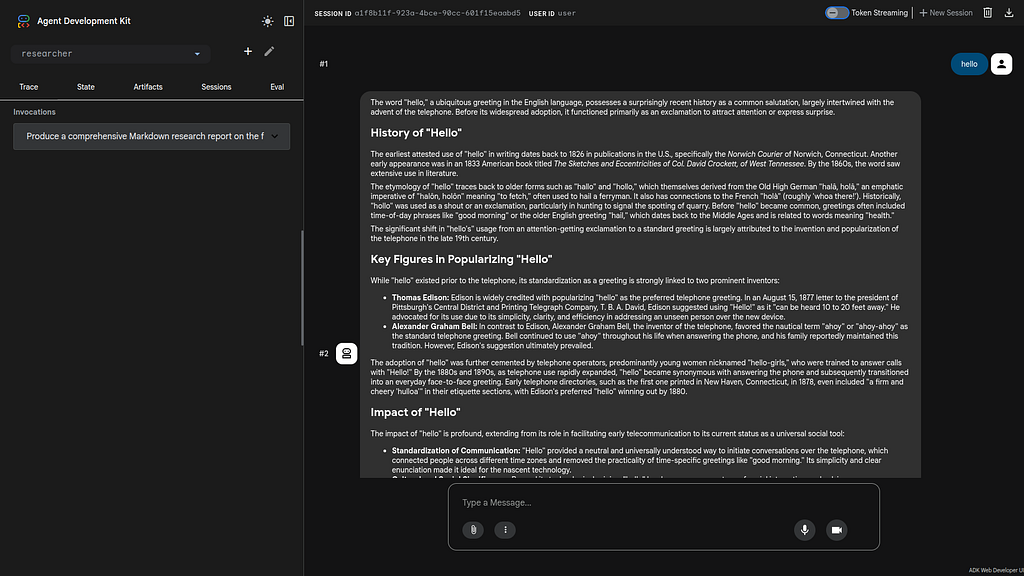
Special note for Google Cloud Shell Deployments- add a CORS **allow\_origins** configuration exemption to allow the ADK agent to run:
```shell
adk web --host 0.0.0.0 --allow_origins 'regex:.*'
```
#### Multi Agent Design
The multi-agent deployment consists of 5 agents:
- Researcher
- Judge
- Orchestrator
- Content Builder
- Course Builder
For a detailed analysis of the multi-agent architecture- this article provides the background information:
[Multi-Agent A2A with the Agent Development Kit(ADK), Cloud Run, and Gemini CLI](https://xbill999.medium.com/multi-agent-a2a-with-the-agent-development-kit-adk-cloud-run-and-gemini-cli-52f8be838ad6)
#### Running/Testing/Debugging Locally
The main Makefile has been extended with extensive targets for managing the agents on the local development environment.
The key targets include:
```plaintext
xbill@penguin:~/multi-agent$ make help
Available commands:
install - Install all dependencies for root, agents, and app
start - Start all services locally (alias for start-local)
stop - Stop all local services (alias for stop-local)
run - Start all services locally (alias for start-local)
local - Show local service URLs
start-local - Start all local services in background
stop-local - Stop all local processes
test - Run all tests (pytest)
test-researcher - Test the Researcher agent directly
test-judge - Test the Judge agent directly
test-orchestrator - Test the Orchestrator logic
lint - Run linting checks (ruff)
deploy - Deploy all services to Cloud Run
destroy - Delete all Cloud Run services
clean - Remove caches and logs
```
First check for local running agents:
```console
xbill@penguin:~/gemini-cli-aws$ make status
Checking status of locally running agents and servers...
--- Network Status ---
No services listening on expected ports (8000-8004, 5173).
--- Process Status ---
No matching processes found.
```
Then all the agents can be started together:
```plaintext
✦ The frontend has been built and all local services (Researcher, Judge, Content Builder, Orchestrator, App Backend, and Frontend dev server) have
been started in the background.
- Frontend: http://localhost:5173 (http://localhost:5173)
- Backend: http://localhost:8000 (http://localhost:8000)
Logs for each service are available in the project root: researcher.log, judge.log, content_builder.log, orchestrator.log, backend.log, and
frontend.log.
```
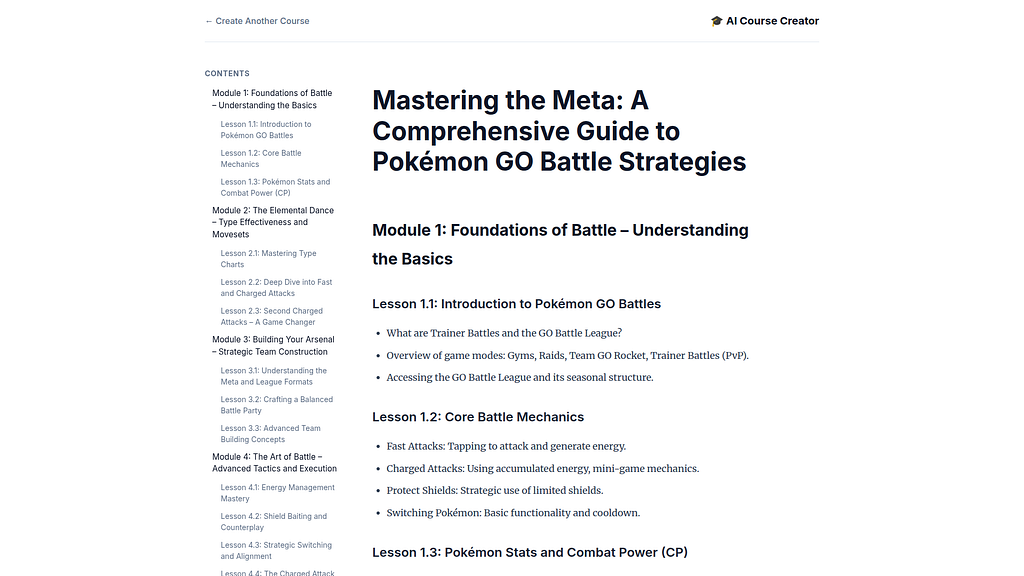
Then connect to the front end locally:
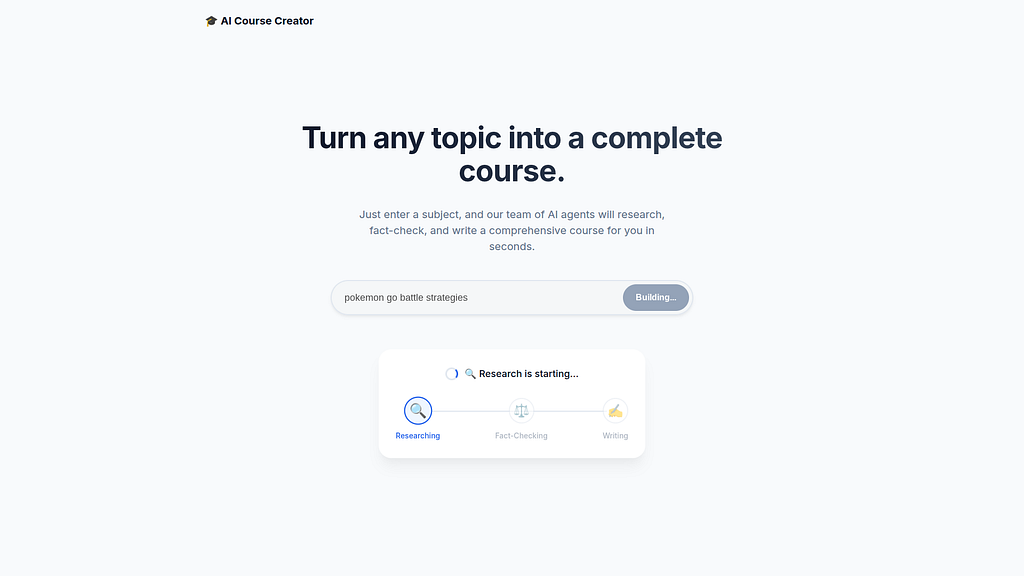
And the entire agent system will run in the local environment:
#### Local Logging / Debugging
Gemini CLI has full access to the local agent logs for debugging and troubleshooting:
```plaintext
> review the local logs for the multi-agent run
✦ I will check run_local.sh and the project structure to determine where logs are stored or how they are generated.
```
This will verify the local operation of the code:
```plaintext
✦ The local logs confirm a successful multi-agent run for the topic "the history of the internet." Here is a summary of the execution flow:
* Orchestrator (orchestrator.log): Successfully managed the pipeline. It captured the topic, coordinated the Research-Judge loop, and escalated to
content generation after the first iteration.
* Researcher (researcher.log): Gathered approximately 9.2KB of research data using the google_search tool. It completed its task with a 200 OK
response.
* Judge (judge.log): Evaluated the findings and gave a "pass" status. The judge noted that the research was "comprehensive, accurate, and
well-structured," making it an "excellent foundation for educational content."
* Content Builder (content_builder.log): Successfully transformed the validated research into a structured Markdown course module and finished
execution.
* Backend & Frontend (backend.log, frontend.log): The FastAPI backend (port 8000) and Vite frontend (port 5173) are running and communicating with
the orchestrator as expected.
Notable Observation:
* A minor warning appeared in researcher.log: Researcher callback: 'response' not found or has no parts. However, this did not impact the
successful completion of the research or the overall pipeline.
All services are currently active and logged at the DEBUG level as specified in run_local.sh.
```
#### Deploying to Amazon Elastic Container Service (ECS)
The project level Makefile has targets for managing the Agent deployment to serverless endpoints. You can submit the build for ECS Express deployment:
```plaintext
make deploy
✦ The deployment was successful, and all 5 services are active on AWS ECS Express. You can access the Web App at the following URL:
Web App (Course Creator): https://ad-65d6861112ff49099782001efe5e2721.ecs.us-east-1.on.aws
The other microservices are also deployed and integrated:
- Researcher: https://ad-8779b3dc720e4d9e9ca9b1091499084a.ecs.us-east-1.on.aws
- Judge: https://ad-ab123be1fad04a9390e1d918f9b8ec04.ecs.us-east-1.on.aws
- Content Builder: https://ad-622b8527fd1f41668624714f62deee0f.ecs.us-east-1.on.aws
- Orchestrator: https://ad-c0f70b2d021744ec9761c2e54ca60287.ecs.us-east-1.on.aws
```
Once the containers are deployed- you can then get the endpoint:
```plaintext
✦ The Web App (Course Creator) endpoint is:
https://ad-65d6861112ff49099782001efe5e2721.ecs.us-east-1.on.aws
```
The service will be visible in the AWS console:
And the entire system can be tested:
```plaintext
> make e2e-test-ecsexpress
✦ The end-to-end test of the AI Course Creator on AWS ECS Express was successful. The system, comprising 5 microservices, correctly researched
"The History of the Internet," evaluated the findings, and generated a structured 4-module course. The public URL for the Web App is:
https://ad-65d6861112ff49099782001efe5e2721.ecs.us-east-1.on.aws
```
#### Running the Web Interface
Start a connection to the Cloud Run deployed app:
```http
http://a27c61bc6fb3c425ca13d862e0fe4aed-865627292.us-east-1.elb.amazonaws.com
```
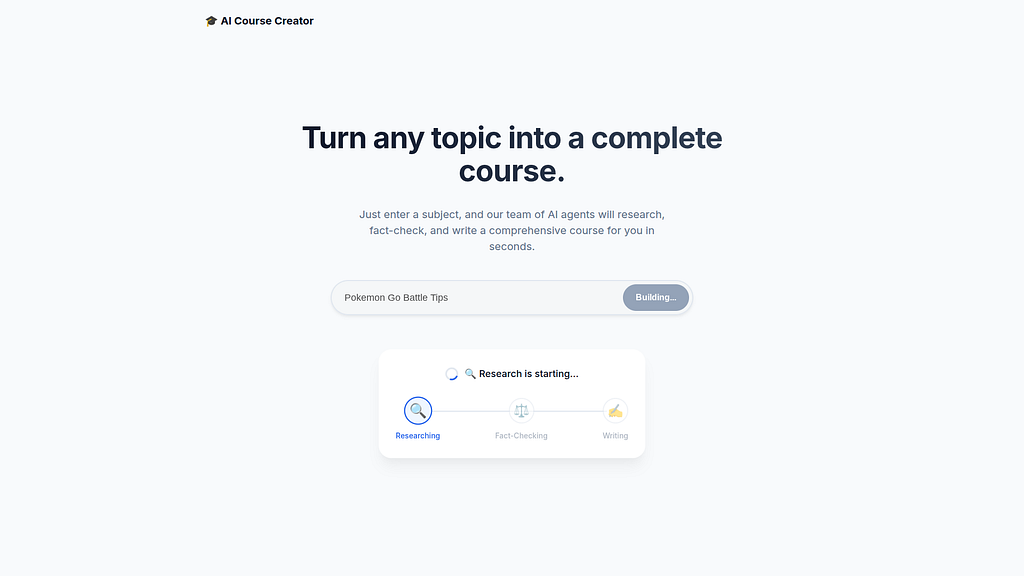
Then connect to the app :
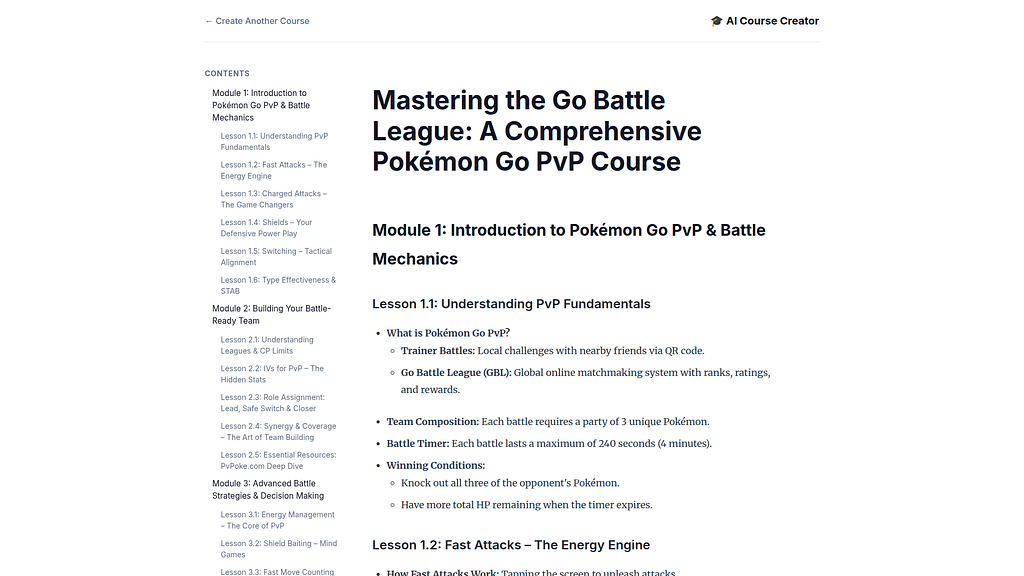
Then use online course generator:
#### Final Gemini CLI Code Review
As a final step — Gemini CLI was used for a full code review of the project:
```plaintext
✦ This multi-agent project is a well-engineered application of ADK 2.5 and the A2A protocol. The separation of specialized agents (Researcher,
Judge, Content Builder) coordinated by a central Orchestrator demonstrates a mature microservice-oriented design.
Key Strengths
* Coordinated Orchestration: The use of SequentialAgent and LoopAgent creates a robust, iterative research-judge cycle.
* Resilient State Flow: The strategy of passing data through event content and "recovering" it via before_agent_callback heuristics is a clever
way to handle state across distributed, independent session stores.
* Polished Streaming: The web app's SSE implementation, specifically the greedy overlap deduplication (merge_strings) and system message
cleanup, ensures a high-quality user experience despite the inherent noise in multi-agent LLM streams.
* Cloud-Native Readiness: Using Identity Tokens for authenticated service-to-service communication and middleware for dynamic A2A URL rewriting
makes the system ready for production deployment on Cloud Run.
```
#### Summary
The Agent Development Kit (ADK) was used to build a multi-agent system with A2A support using the Gemini Flash LLM Model. This application was tested locally with Gemini CLI and then deployed to AWS ECS Express. Finally, Gemini CLI was used for a complete project code review.
Comments
More Blog
View allkubernetesMinimalist EKS: The Easy Way
Amazon EKS manages the Kubernetes control plane, but you remain responsible for provisioning the...
J
Joaquin MenchacaaiNever forget to enter the Stern Grove lottery again!
Browser automation with Playwright, Python, GitHub Actions, and Entire to auto-enter San Francisco Stern Grove concert lotteries each week!
L
Lizzie SiegletypescriptA Free Screenshot Editor That Never Uploads Your Image
A free screenshot and image editor that runs entirely in your browser. Keeping every edit reversible and handling big phone photos, in plain TypeScript and Canvas2D.
M
Martin StarkshowdevI built a CLI to break my highlights out of Apple Books
A macOS CLI + MCP server that exports Apple Books highlights to Markdown and gives AI assistants direct access to your reading notes.
A
Andrey KorchakaiA Developer's Guide to Agent Hooks in Antigravity CLI
Motivation To be quite honest, "Hooks"—the shell commands we trigger at specific points...
T
TanaikeagentsTactical vs. Strategic Agentic AI Development — A Playbook for Developers
The Strategic Engineer: Why Writing Code Is No Longer Your Most Valuable Skill ...
A
Adewumi Saheed Adewale