
Back to Blog javascript
 kubernetes
 ai
ai typescript
 showdev
 ai
ai agents
Mastering Template Literals in JavaScript: Say Goodbye to String Concatenation Nightmares
Ritam Saha April 24, 2026
0 views
Introduction Imagine you're building a dynamic dashboard for your full-stack app. You need...
## Introduction
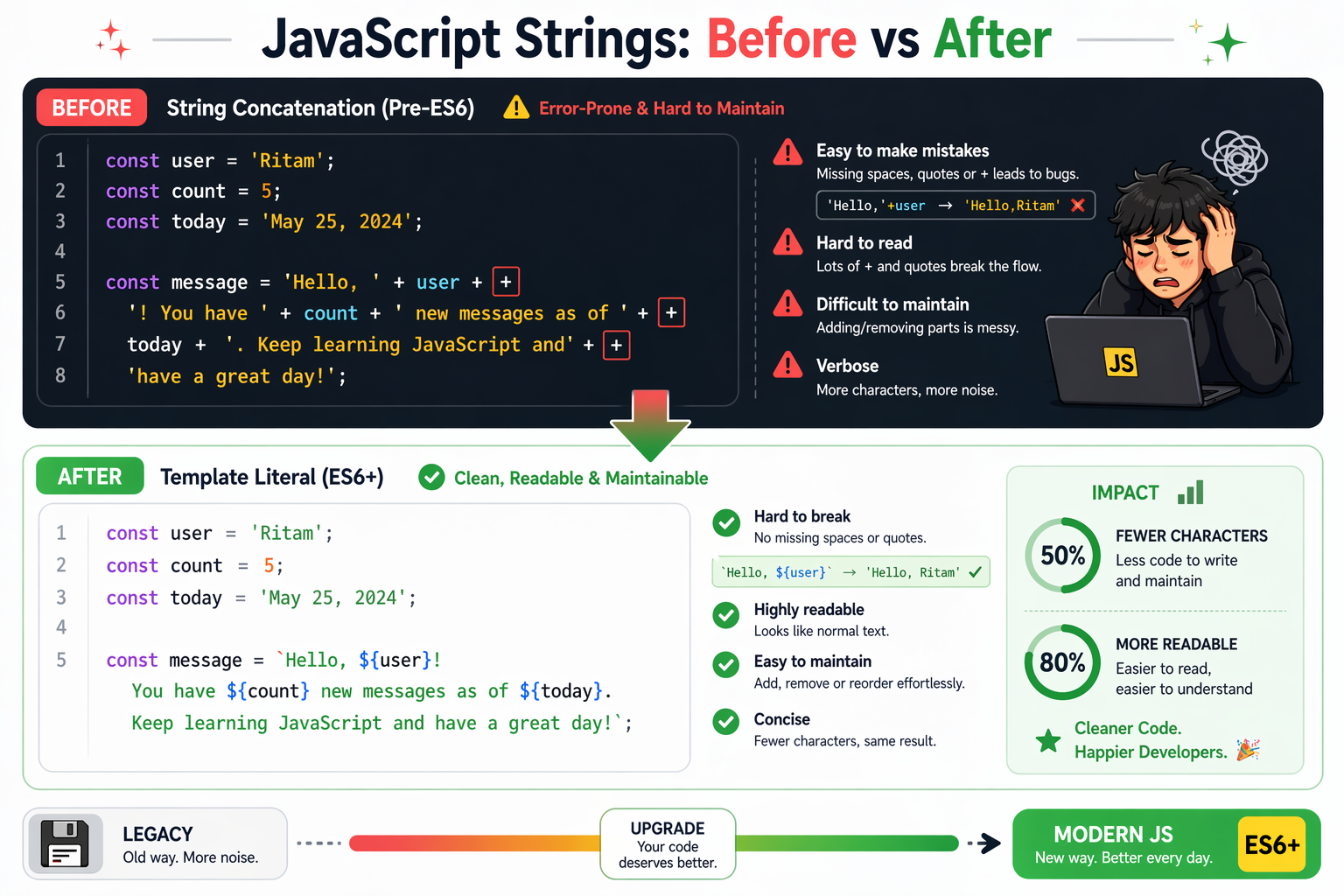
Imagine you're building a dynamic dashboard for your full-stack app. You need to greet users like "Welcome back, Ritam! Your last login was on April 24, 2026, at 4:28 PM IST." In the old days, you'd glue strings together with plus signs, escaping quotes, managing calculated spaces and praying for no typos. It quickly turns into a headache—unreadable for devs also, error-prone, and a maintenance nightmare.
Now enters **template literals**, JavaScript's elegant solution since ES6. They make string building feel natural, boosting your code's readability and productivity. Let's dive in and see why they're a game-changer.
---
## The Pain of Traditional String Concatenation
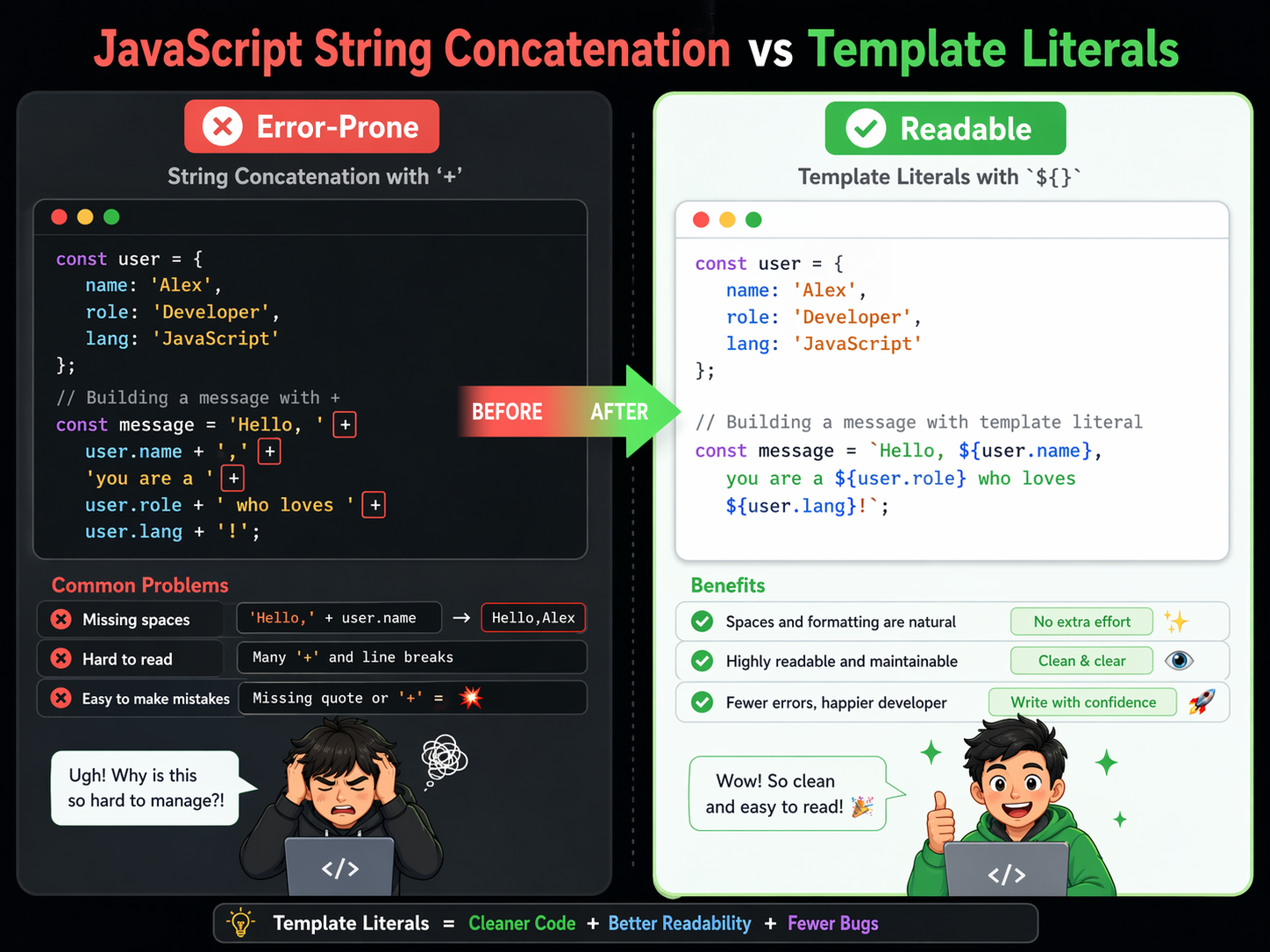
Before template literals, we relied on concatenation with `+` or arrays joined by `join('')`. It works, but it's clunky and wasn't a good experience for the developers.
**Example: Old-school greeting**
```javascript
const name = 'Ritam';
const lastLogin = 'April 24, 2026, 4:28 PM IST';
const greeting = 'Welcome back, ' + name + '! Your last login was on ' + lastLogin + '.';
// Output: "Welcome back, Ritam! Your last login was on April 24, 2026, 4:28 PM IST."
```
Problems abound:
- Readability suffers as strings grow;
- spotting variables amid quotes is tough.
- Easy to miss spaces or add extra ones (e.g., `'back,' + name` vs. `'back, ' + name`).
- No native multi-line support—forces ugly escape-sequence `\n` or `+` across lines.
- Debugging? Typos in long chains are brutal.
This scales poorly in real apps, like API responses or HTML generation.
---
## Template Literal Syntax: Backticks Unlock the Magic
Template literals use **backticks (`)** instead of single (`'`) or double (`"`) quotes. Key features:
- **Interpolation**: Embed expressions with `${expression}`.
- **Multi-line**: Spans lines without escapes.
- **Expression support**: `${}` evaluates anything—variables, functions, math.
const greeting = `Hello, world!`; // Simple string
---
## Embedding Variables: String Interpolation Made Simple
Interpolate with `${}`—JavaScript evaluates and inserts the result/expression. It's dynamic and concise.
const name = 'Ritam';
const city = 'Kolkata';
const greeting = `Welcome back to your dashboard, ${name} from ${city}!`;
// Output: "Welcome back to your dashboard, Ritam from Kolkata!"
**Technical Breakdown:**
- `${name}` calls `toString()` on `name` implicitly.
- Even supports complex expressions: `${name.toUpperCase()}` or `${2 + 2}` yields "RITAM" or "4".
Compare with concatenation:
const oldGreeting = 'Welcome back to your dashboard, ' + name + ' from ' + city + '!';
// Template literal (clean and readable)
const newGreeting = `Welcome back to your dashboard, ${name} from ${city}!`;
Template literals win on readability—scan for `${}` to spot variables instantly.
---
## Multi-Line Strings: No More Escapes
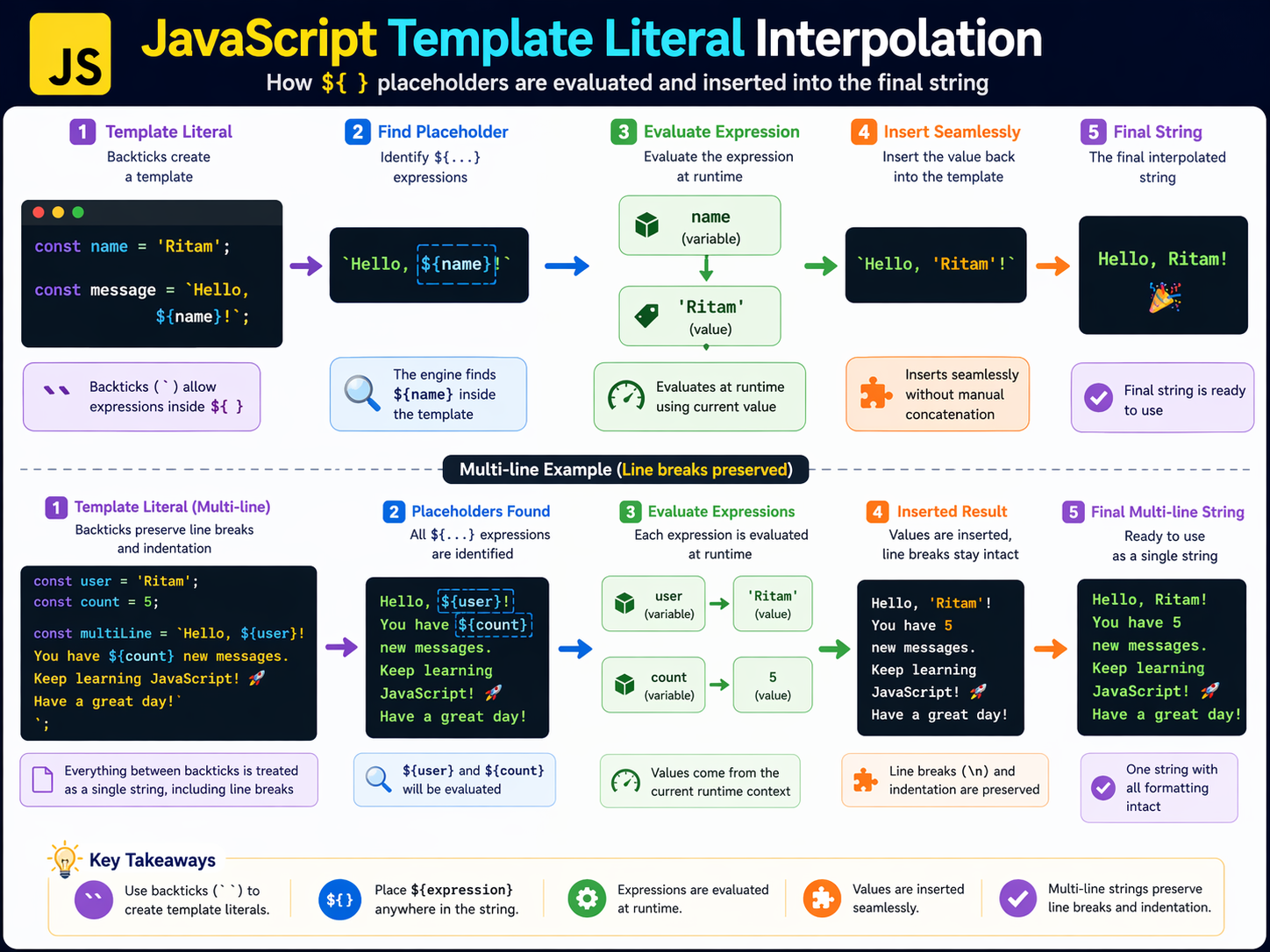
Need formatted text, like emails or SQL? **Backticks handle newlines naturally**.
const user = 'Ritam';
const emailBody = `
Dear ${user},
Your portfolio project deployed successfully on Vercel.
Next steps:
- Review PR on GitHub
- Test Node.js backend
Happy coding!
Team
`;
// Output preserves exact formatting, including indents.
---
## Use Cases in Modern JavaScript
Template literals shine in full-stack dev:
- **API Responses**: `const response = `User ${userId} logged in at ${new Date().toISOString()}`;`
- **HTML Templating** (pre-React): ``<div>Hello, ${name}!</div>`` (sanitize for security).
- **Tagged Templates** (advanced): Libraries like styled-components use them for dynamicity, e.g., `styled.div`Hello ${name}``.
- **Debug Logs**: `console.log(`Error in ${functionName}: ${error.message}`);`
- **SQL Builders**: ``SELECT * FROM users WHERE id = ${userId}`` (use params to prevent injection).
---
## Conclusion: Level Up Your JS Strings Today
Template literals transform string handling from a chore to a joy—readable, flexible, and modern. Ditch concatenation; embrace backticks for cleaner code that scales with your projects. Next time you're building that portfolio app or prepping for interviews, reach for `${}`. Your future self (and teammates reviewing your PRs) will thank you.
Comments
More Blog
View allkubernetesMinimalist EKS: The Easy Way
Amazon EKS manages the Kubernetes control plane, but you remain responsible for provisioning the...
J
Joaquin MenchacaaiNever forget to enter the Stern Grove lottery again!
Browser automation with Playwright, Python, GitHub Actions, and Entire to auto-enter San Francisco Stern Grove concert lotteries each week!
L
Lizzie SiegletypescriptA Free Screenshot Editor That Never Uploads Your Image
A free screenshot and image editor that runs entirely in your browser. Keeping every edit reversible and handling big phone photos, in plain TypeScript and Canvas2D.
M
Martin StarkshowdevI built a CLI to break my highlights out of Apple Books
A macOS CLI + MCP server that exports Apple Books highlights to Markdown and gives AI assistants direct access to your reading notes.
A
Andrey KorchakaiA Developer's Guide to Agent Hooks in Antigravity CLI
Motivation To be quite honest, "Hooks"—the shell commands we trigger at specific points...
T
TanaikeagentsTactical vs. Strategic Agentic AI Development — A Playbook for Developers
The Strategic Engineer: Why Writing Code Is No Longer Your Most Valuable Skill ...
A
Adewumi Saheed Adewale