
Back to Blog a11y
a11y kubernetes
 ai
ai typescript
 showdev
 ai
ai agents
Accessibility question: is nesting interactive elements bad?
Christian Heilmann May 27, 2026
0 views
Is it confusing to have links inside labels? Does it break in some screenreaders?
---
title: Accessibility question: is nesting interactive elements bad?
published: true
description: Is it confusing to have links inside labels? Does it break in some screenreaders?
tags: accessibility,html,forms,a11y
cover_image: https://dev-to-uploads.s3.amazonaws.com/uploads/articles/jhyzichhk0ehaysc92qy.png
# published_at: 2026-05-27 14:06 +0000
---
I am currently writing a gallery script for myself and ran into an interesting accessibility question. I have a list of galleries with links to each of them. I also wanted to provide a checkbox to allow users to select several galleries and merge or download them. The HTML I use is the following. An unordered list with labels and checkboxes and links inside the label.
```html
<ul>
<li><label>
<input type="checkbox" name="edit" value="Cats">
<a href="index.php?gallery=Cats">Cats</a>
</label></li>
</ul>
```
Given the right CSS and some breathing space this works well with a mouse and keyboard. You can click next to the link to check the checkbox and on the link to navigate to the gallery. It also works using a keyboard. You can tab through the list and check/uncheck using the space bar. The following screencast shows what that looks like.
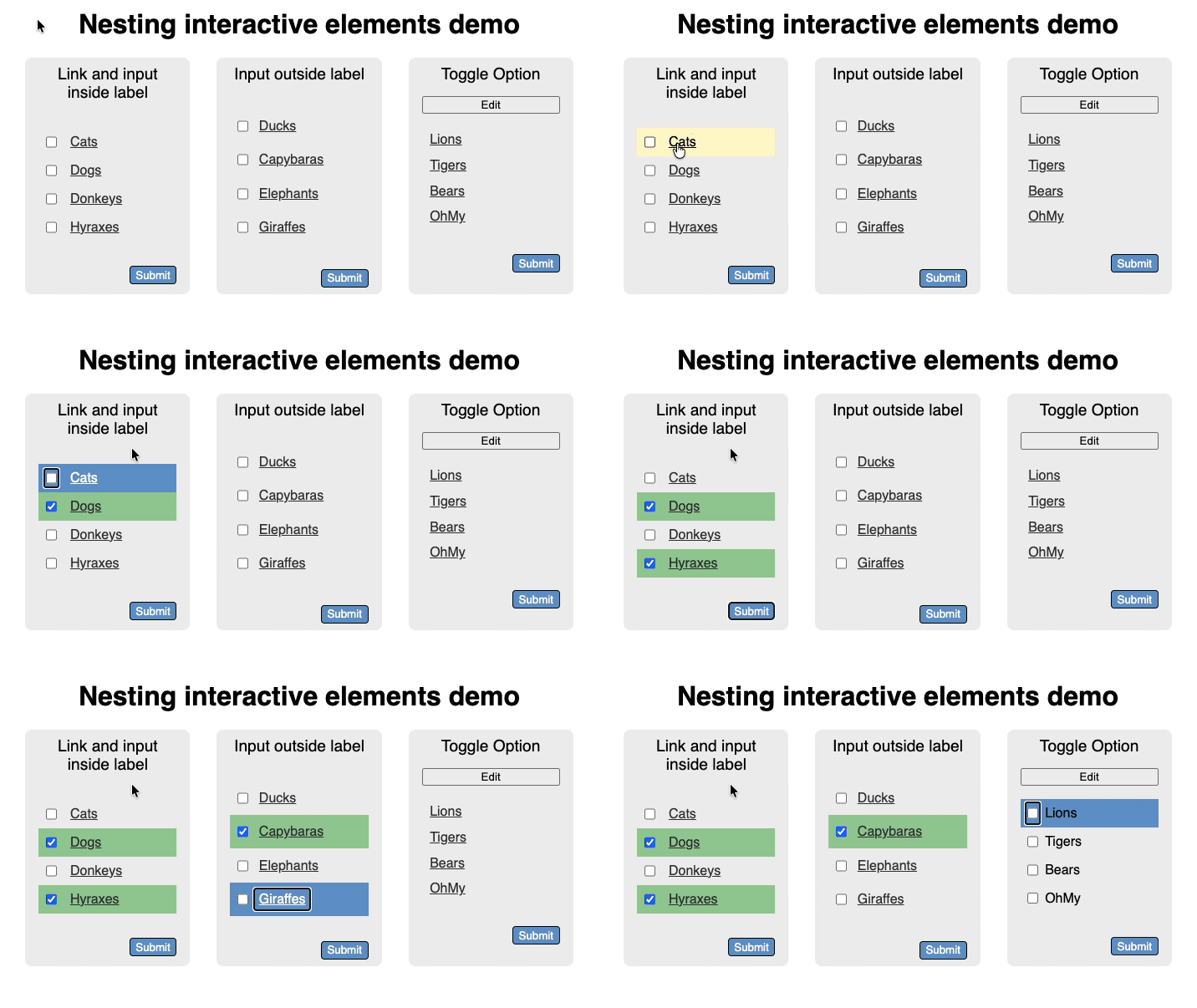
Now, it feels wrong though. I am mixing two interaction modes here, navigation and selection, one being link based and the other form based. I am wondering if that creates any issues for screenreader users. The other thing I am wondering about is if there is an issue with nesting all in the label as some older assistive technology didn't like that. I can work around that using `for` and `ids`:
```html
<ul>
<li>
<input id="CBDucks" type="checkbox" name="edit" value="Ducks">
<label for="CBDucks">
<a href="index.php?gallery=Ducks">Ducks</a>
</label>
</li>
</ul>
```
The question though is if that is still an accessibility issue and if it doesn't make more sense to show the navigation as links and create a toggle to switch to the selection use case? What do you think?
You can [play with the demo page here](https://codepo8.github.io/nesting-interactive-elements/).
Comments
More Blog
View allkubernetesMinimalist EKS: The Easy Way
Amazon EKS manages the Kubernetes control plane, but you remain responsible for provisioning the...
J
Joaquin MenchacaaiNever forget to enter the Stern Grove lottery again!
Browser automation with Playwright, Python, GitHub Actions, and Entire to auto-enter San Francisco Stern Grove concert lotteries each week!
L
Lizzie SiegletypescriptA Free Screenshot Editor That Never Uploads Your Image
A free screenshot and image editor that runs entirely in your browser. Keeping every edit reversible and handling big phone photos, in plain TypeScript and Canvas2D.
M
Martin StarkshowdevI built a CLI to break my highlights out of Apple Books
A macOS CLI + MCP server that exports Apple Books highlights to Markdown and gives AI assistants direct access to your reading notes.
A
Andrey KorchakaiA Developer's Guide to Agent Hooks in Antigravity CLI
Motivation To be quite honest, "Hooks"—the shell commands we trigger at specific points...
T
TanaikeagentsTactical vs. Strategic Agentic AI Development — A Playbook for Developers
The Strategic Engineer: Why Writing Code Is No Longer Your Most Valuable Skill ...
A
Adewumi Saheed Adewale