
Back to Blog webdev
 kubernetes
 ai
ai typescript
 showdev
 ai
ai agents
Building a browser-only tool to turn QR codes into Lego bricks
Drazen Bebic June 17, 2026
0 views
How I built a 100% client-side React app that converts data into optimized Lego QR code blueprints and exports BrickLink XMLs.
---
title: Building a browser-only tool to turn QR codes into Lego bricks
published: true
description: How I built a 100% client-side React app that converts data into optimized Lego QR code blueprints and exports BrickLink XMLs.
tags: webdev, react, typescript, showdev
cover_image: https://dev-to-uploads.s3.amazonaws.com/uploads/articles/wl3z7vt4jh3y1n0yczrm.png
---
Some time ago I built our home WiFi password QR code with Lego bricks. I ordered a white 32x32 baseplate and manually mapped the tiles from the QR code on my phone, then ordered the flat tiles from Lego Pick a Brick. It was a bit of a tedious process, especially making sure I optimized the parts list so I wasn't just buying hundreds of 1x1 tiles.
Since I'm a developer, I really wanted to build a website that would help others do this faster and easier. I bought the domain about a year ago, and last weekend, with a little help from Claude to speed up the boilerplate, I finally built it:
[brickcodes.com](https://www.brickcodes.com)
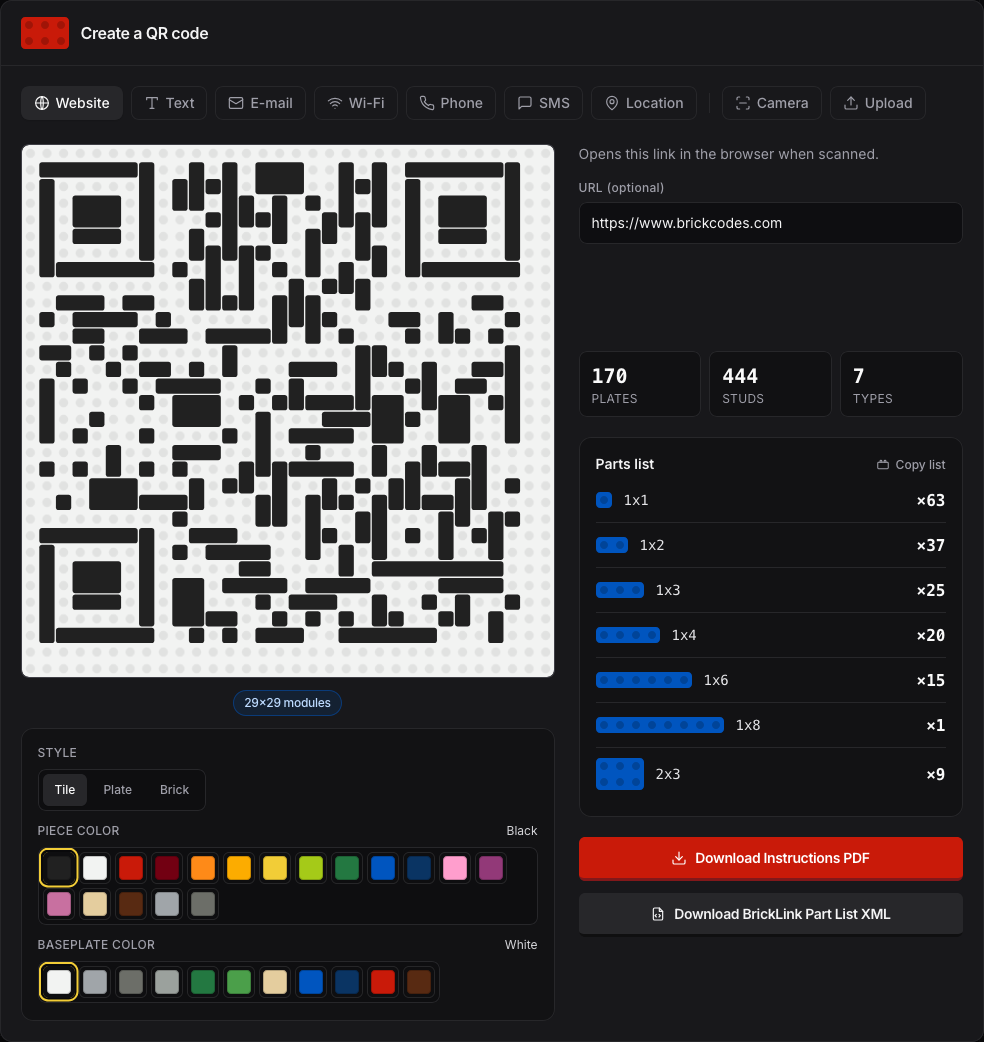
The technical approach:
- Everything happens in the browser. Nothing is sent to a backend or saved in a database anywhere.
- The app takes the encoded URL/text, generates the matrix, and maps it specifically for a 32x32 grid.
- The coolest part is that it calculates an optimized parts list and exports a valid BrickLink XML file. You can just upload it to BrickLink and immediately order exactly what you need. It also generates a visual instruction guide for the build.
The tool is entirely free. I'm not gonna tell you what you can do, play around with it - it's fun. It's just a little side project built with React and TypeScript that I hope will be useful to some fellow makers.
PS: I'm looking for frame recommendations that would fit these 32x32 baseplates nicely. If you know a website that has some good frames (or a solid IKEA hack), let me know in the comments.
Thoughts, critique, and general feedback are more than welcome!
Comments
More Blog
View allkubernetesMinimalist EKS: The Easy Way
Amazon EKS manages the Kubernetes control plane, but you remain responsible for provisioning the...
J
Joaquin MenchacaaiNever forget to enter the Stern Grove lottery again!
Browser automation with Playwright, Python, GitHub Actions, and Entire to auto-enter San Francisco Stern Grove concert lotteries each week!
L
Lizzie SiegletypescriptA Free Screenshot Editor That Never Uploads Your Image
A free screenshot and image editor that runs entirely in your browser. Keeping every edit reversible and handling big phone photos, in plain TypeScript and Canvas2D.
M
Martin StarkshowdevI built a CLI to break my highlights out of Apple Books
A macOS CLI + MCP server that exports Apple Books highlights to Markdown and gives AI assistants direct access to your reading notes.
A
Andrey KorchakaiA Developer's Guide to Agent Hooks in Antigravity CLI
Motivation To be quite honest, "Hooks"—the shell commands we trigger at specific points...
T
TanaikeagentsTactical vs. Strategic Agentic AI Development — A Playbook for Developers
The Strategic Engineer: Why Writing Code Is No Longer Your Most Valuable Skill ...
A
Adewumi Saheed Adewale