
Back to Blog githubactions
 kubernetes
 ai
ai typescript
 showdev
 ai
ai agents
Still Storing AWS Access Keys in CI/CD? There’s a safer way.
Keme Kenneth June 23, 2026
0 views
Does your GitHub Actions or GitLab CI pipeline contains these secrets: AWS_ACCESS_KEY_ID or...
Does your GitHub Actions or GitLab CI pipeline contains these secrets: `AWS_ACCESS_KEY_ID` or `AWS_SECRET_ACCESS_KEY`? That's considered a vulnerable bad practice.
It means if someone gains access to your repository secrets or CI environment, they potentially have AWS credentials that remain valid until you manually rotate them.
A much better approach is OIDC (OpenID Connect).
Instead of storing credentials, your pipeline proves its identity to AWS and AWS issues temporary credentials that expire automatically.
Think of it like this:
> ❌ Traditional approach = Permanent office key
> ✅ OIDC = Visitor pass that's valid for only a short time
**So what is OIDC?**
OIDC is an identity protocol.
GitHub Actions and GitLab CI can generate a signed identity token that says who they are and AWS verifies that identity and, if it matches your configured rules, allows the workflow to assume an IAM Role using temporary credentials.
_No access keys or secrets stored in your repository._
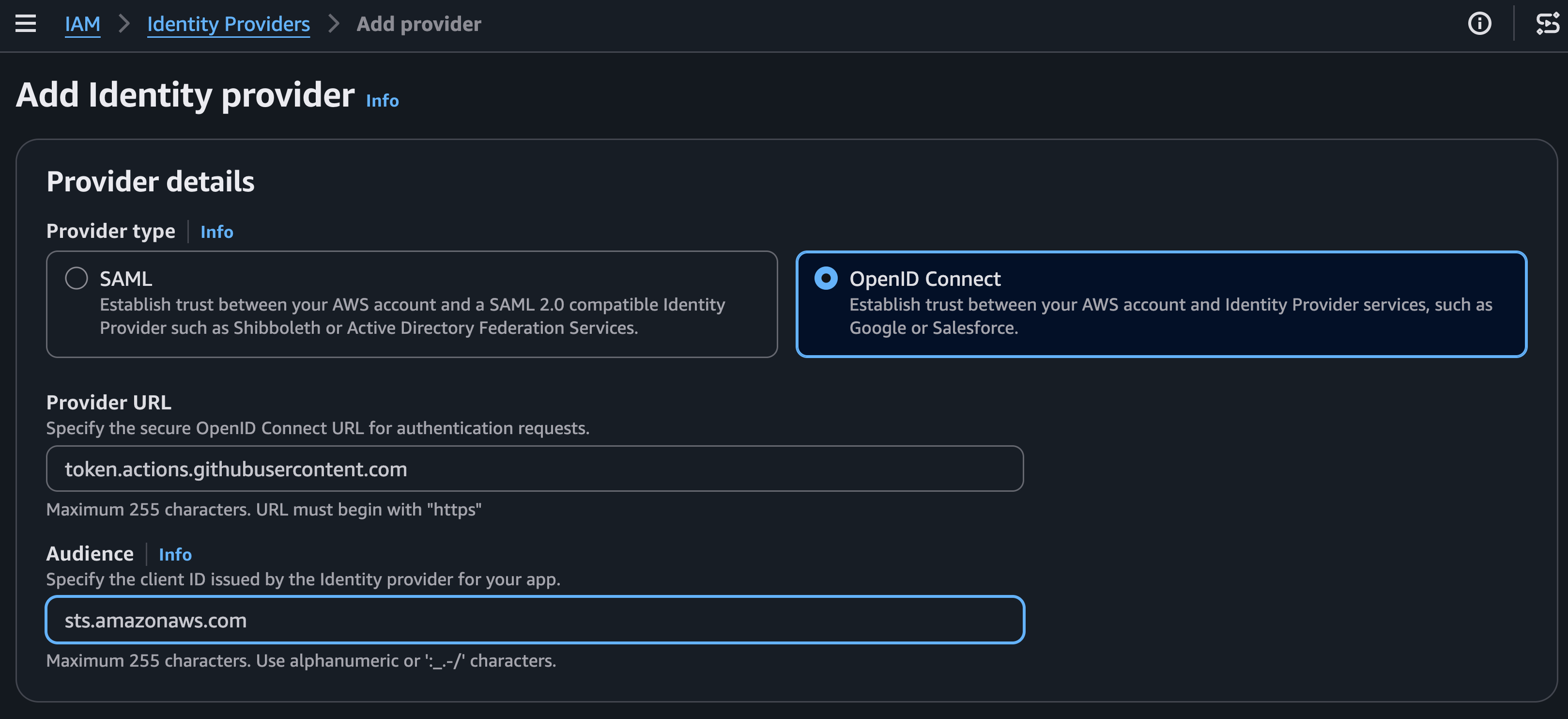
_Register GitHub (token.actions.githubusercontent.com) or GitLab (gitlab.com or your self-managed instance) as a trusted OIDC Identity Provider._
**How does the authentication actually work?**
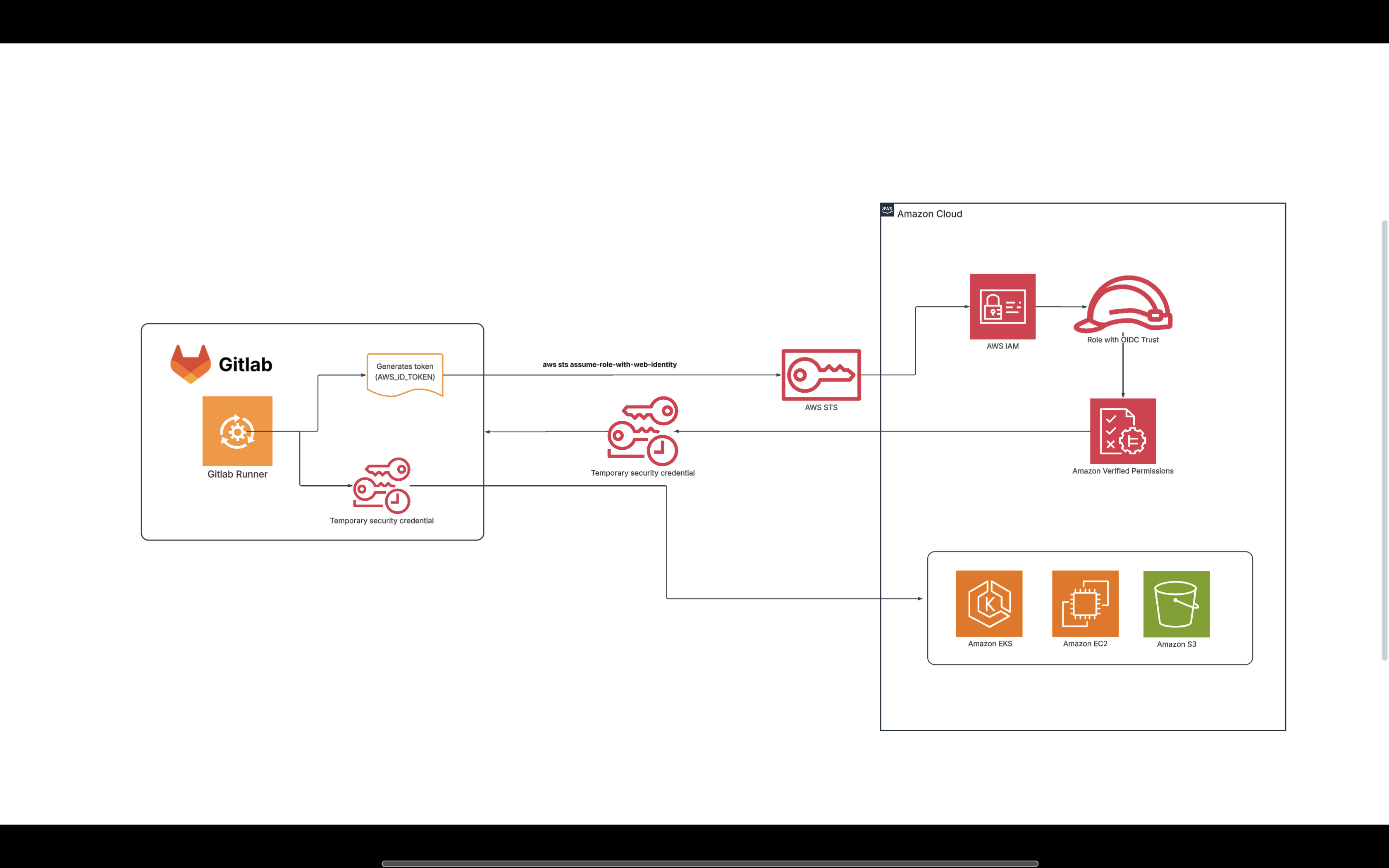
When the pipeline is triggered the runner generates JWT token with issuer, audience, etc, and make validation request to AWS.
AWS validates token against role and returns temporary credentials
Runner can now access AWS resources per what the role allows.
_The pipeline exchanges its identity for temporary AWS credentials._
**Step 1: Configure AWS**
First, create an OIDC Identity Provider in AWS IAM.
For GitHub:
`https://token.actions.githubusercontent.com`
For GitLab:
`https://gitlab.com`
_(or your self-managed GitLab URL)_
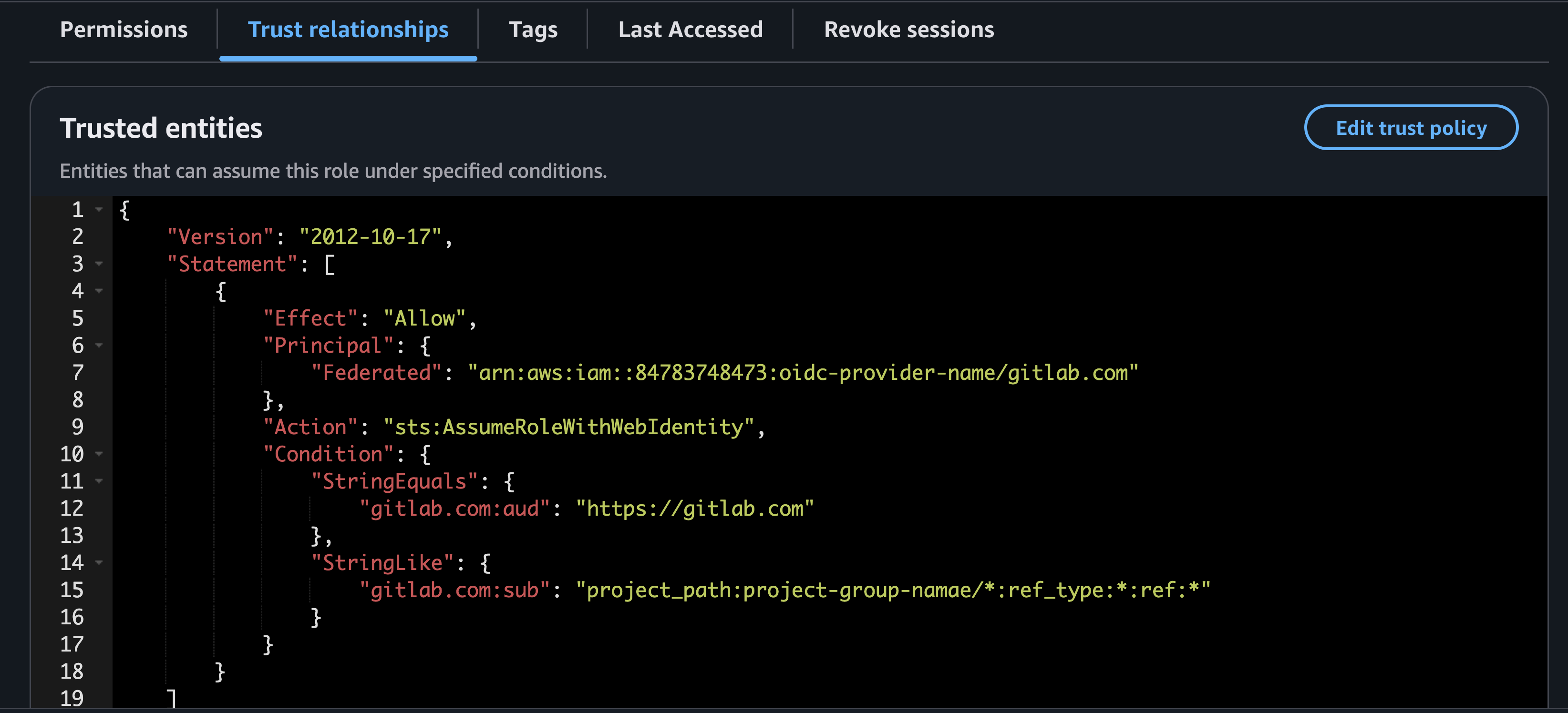
Next, create an IAM Role that trusts this provider.
The trust policy can also restrict access so that only a specific group, project, repository or branch can assume the role.
Restricting any other repository from accessing AWS using that IAM role.
_Restrict role assumption to specific repositories, branches, or environments for least-privilege access._
**GitHub Actions example**
```yaml
name: Deploy
on:
push:
branches:
- main
permissions:
id-token: write
contents: read
jobs:
deploy:
runs-on: ubuntu-latest
steps:
- uses: actions/checkout@v4
- name: Configure AWS Credentials
uses: aws-actions/configure-aws-credentials@v4
with:
role-to-assume: arn:aws:iam::123456789012:role/github-deploy-role
aws-region: eu-west-1
- name: Verify identity
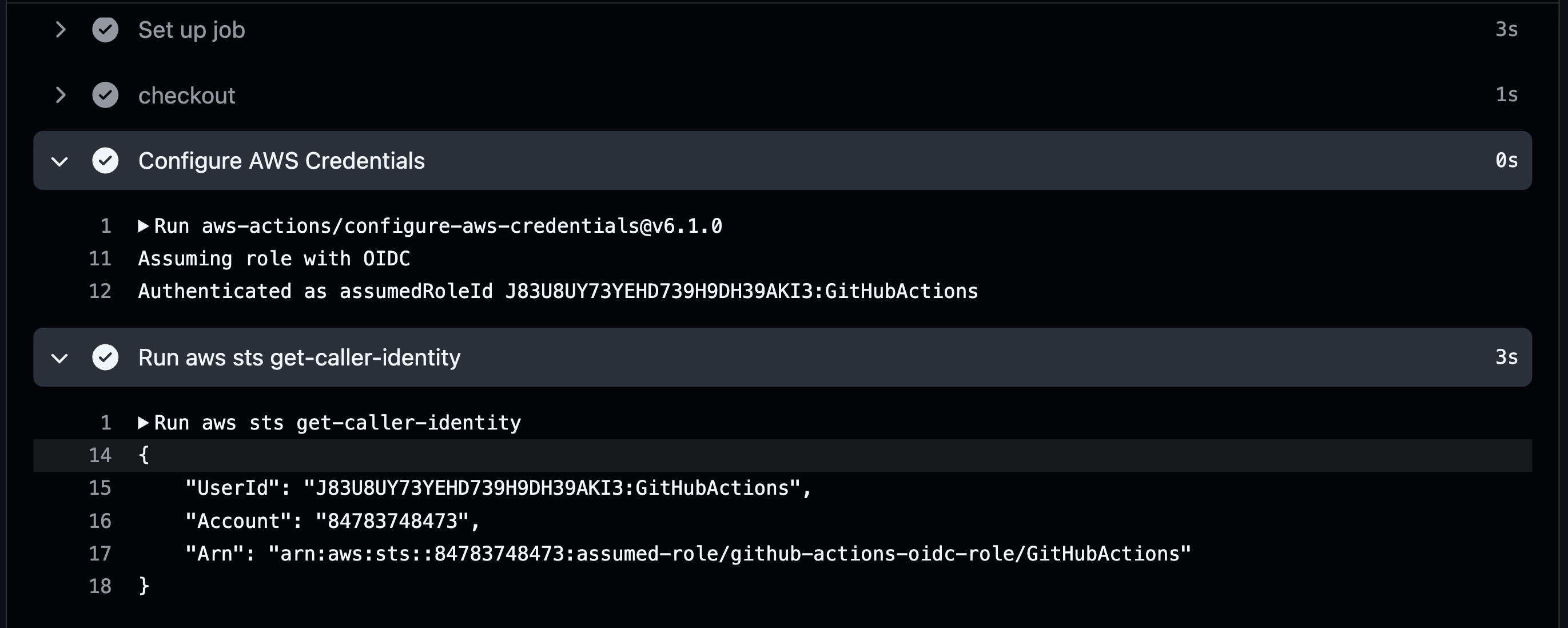
run: aws sts get-caller-identity
- name: Deploy
run: aws s3 ls
```
_GitHub exchanges its OIDC identity for temporary AWS credentials._
One important requirement is enabling OIDC permissions:
```yaml
permissions:
id-token: write
contents: read
```
Then simply configure AWS credentials:
**GitLab CI example**
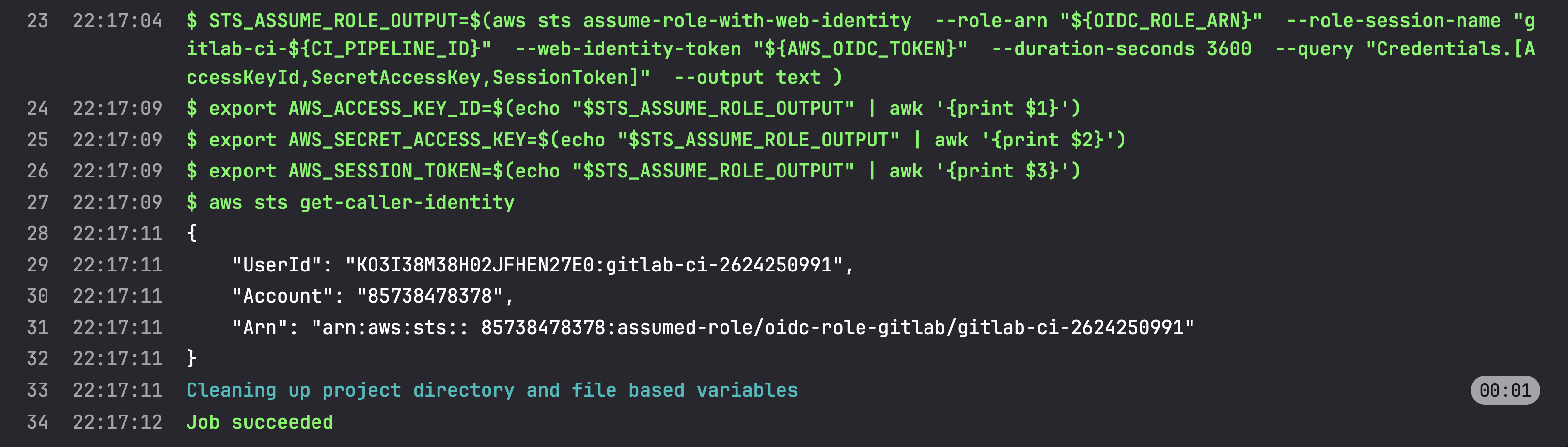
GitLab also supports OIDC by issuing an identity token to the job.
```yaml
stages:
- aws-configure
aws-configure:
stage: aws-configure
image:
name: amazon/aws-cli:latest
entrypoint: [""]
id_tokens:
AWS_OIDC_TOKEN:
aud: https://gitlab.com
script:
- >
STS_ASSUME_ROLE_OUTPUT=$(aws sts assume-role-with-web-identity
--role-arn "${OIDC_ROLE_ARN}"
--role-session-name "gitlab-ci-${CI_PIPELINE_ID}"
--web-identity-token "${AWS_OIDC_TOKEN}"
--duration-seconds 3600
--query "Credentials.[AccessKeyId,SecretAccessKey,SessionToken]"
--output text
)
- export AWS_ACCESS_KEY_ID=$(echo "$STS_ASSUME_ROLE_OUTPUT" | awk '{print $1}')
- export AWS_SECRET_ACCESS_KEY=$(echo "$STS_ASSUME_ROLE_OUTPUT" | awk '{print $2}')
- export AWS_SESSION_TOKEN=$(echo "$STS_ASSUME_ROLE_OUTPUT" | awk '{print $3}')
- aws sts get-caller-identity
```
Here, AWS STS returns temporary credentials that expire automatically after the configured duration.
_GitLab authenticates using OIDC and receives short-lived credentials from AWS STS._
**Why is this considered a best practice?**
- No long-lived AWS secrets stored in CI/CD
- Credentials expire automatically
- Easy to restrict access by repository, branch, or environment
- Follows the principle of least privilege
- Eliminates the operational burden of rotating access keys
Modern cloud authentication is moving away from "Who knows the secret?" toward "Can you prove who you are?"
OIDC is one of the simplest ways to adopt that model for your CI/CD pipelines.
`#AWS #DevOps #DevSecOps #CloudSecurity #GitHubActions #GitLabCI #OIDC #IAM #STS #CICD`
Comments
More Blog
View allkubernetesMinimalist EKS: The Easy Way
Amazon EKS manages the Kubernetes control plane, but you remain responsible for provisioning the...
J
Joaquin MenchacaaiNever forget to enter the Stern Grove lottery again!
Browser automation with Playwright, Python, GitHub Actions, and Entire to auto-enter San Francisco Stern Grove concert lotteries each week!
L
Lizzie SiegletypescriptA Free Screenshot Editor That Never Uploads Your Image
A free screenshot and image editor that runs entirely in your browser. Keeping every edit reversible and handling big phone photos, in plain TypeScript and Canvas2D.
M
Martin StarkshowdevI built a CLI to break my highlights out of Apple Books
A macOS CLI + MCP server that exports Apple Books highlights to Markdown and gives AI assistants direct access to your reading notes.
A
Andrey KorchakaiA Developer's Guide to Agent Hooks in Antigravity CLI
Motivation To be quite honest, "Hooks"—the shell commands we trigger at specific points...
T
TanaikeagentsTactical vs. Strategic Agentic AI Development — A Playbook for Developers
The Strategic Engineer: Why Writing Code Is No Longer Your Most Valuable Skill ...
A
Adewumi Saheed Adewale