 CoPilot
Back to Blog aws
aws
 opensource
![[Dev Log][Python] Create short videos from photos and clips with Gemini 3.7 Flash: ReelCraft](https://media2.dev.to/dynamic/image/width=1200,height=627,fit=cover,gravity=auto,format=auto/https%3A%2F%2Fdev-to-uploads.s3.us-east-2.amazonaws.com%2Fuploads%2Farticles%2F7mbo2bfkglblo44jev8w.png) ai
ai flutter
 discuss
 ai
ai gemini
Running Gemma 4 on EC2 G5g: Graviton2 AMD with NVIDIA GPU
xbill August 13, 2026
0 views
A field report on serving Gemma 4 E2B under vLLM on AWS G5g — the only aarch64 + SM 7.5 hardware there is. No published build covers that combination, AWS quietly solves half of it, and the thing that actually blocks you is 64 KiB of shared memory.
title: "Running Gemma 4 on EC2 G5g: Graviton2 AMD with NVIDIA GPU" published: true series: Gemma4 description: "A field report on serving Gemma 4 E2B under vLLM on AWS G5g — the only aarch64 + SM 7.5 hardware there is. No published build covers that combination, AWS quietly solves half of it, and the thing that actually blocks you is 64 KiB of shared memory." tags: aws, vllm, cuda, machinelearning
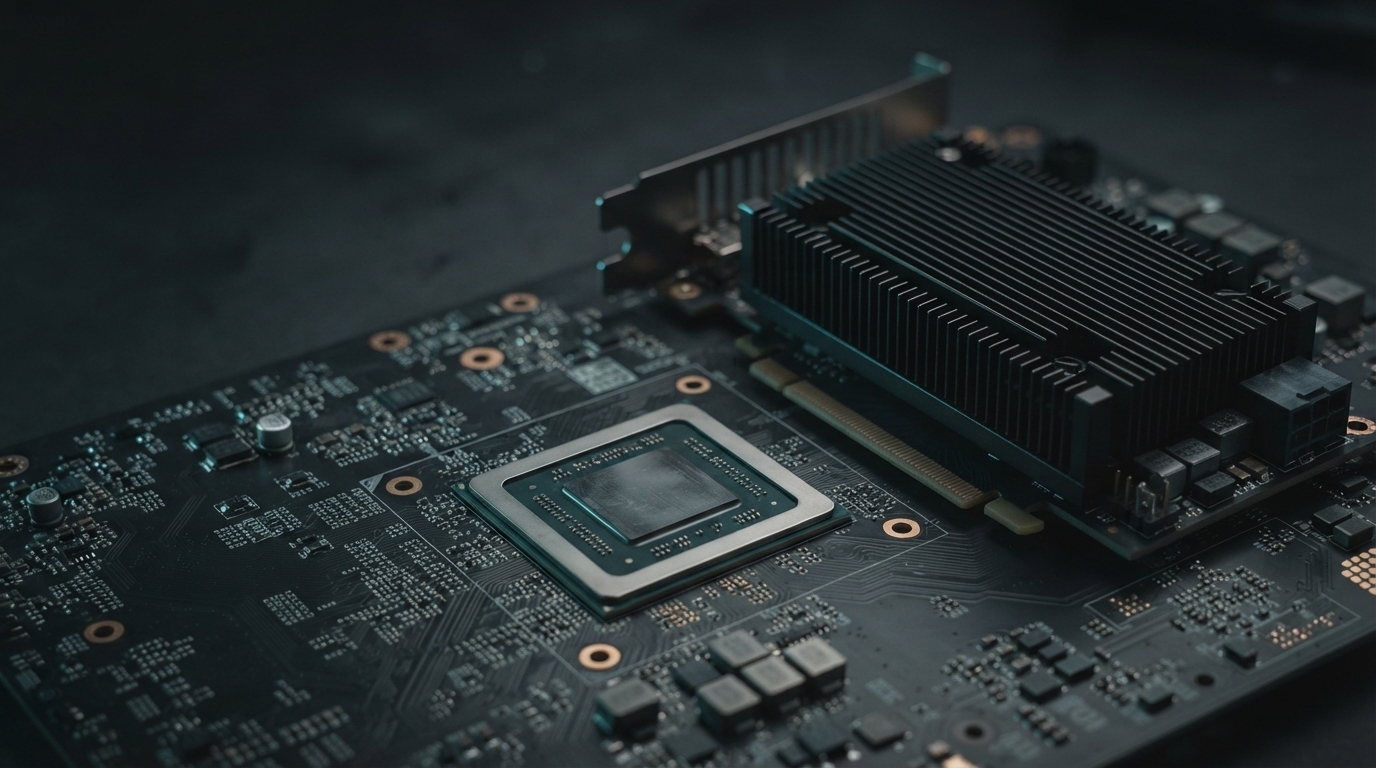
A field report on serving Google's Gemma 4 E2B on AWS EC2 G5g — a Graviton2 (aarch64) host with an NVIDIA T4G (Turing, SM 7.5) GPU. Three obstacles: an arch list nobody publishes for this combination, a version floor that only the newest vLLM clears, and 64 KiB of shared memory that stops the model dead. Plus the seven things I documented wrong before I had a box.
| Model | google/gemma-4-E2B-it (reference bf16 release) |
| Hardware | AWS EC2 g5g.4xlarge — Graviton2 + 1x NVIDIA T4G, compute capability 7.5, 15,360 MiB |
| Base image | Deep Learning ARM64 AMI OSS Nvidia Driver GPU PyTorch 2.12 (Ubuntu 24.04) |
| Software | torch 2.12.0+cu132 · CUDA 13.2 · vLLM v0.27.2rc0 built from source for sm_75 |
| Result | 43.1 tok/s single-stream greedy, 329,579-token KV cache — after one patch to vLLM |
G5g is the only instance AWS has ever shipped that puts an NVIDIA GPU behind a Graviton host. It launched in 2020, it never got a successor, and Graviton is now on its fifth generation without one.
That matters more than it sounds. The Arm-plus-CUDA world moved on to NVIDIA's own Arm CPU — Grace, paired with SM 9.0 and 10.0 parts. Turing stayed well supported, on x86. G5g is the only hardware that is aarch64 and compute capability 7.5, and almost nobody publishes a build for that combination.
I put a rig on one anyway. The packaging problem was the quick part. Everything after it — a compiler that was not there, a version floor I did not expect, and 32 KiB of shared memory — took far longer, because none of it fails where you are looking.
No published build covers aarch64 and SM 7.5 together
Start with the obvious candidate. vllm/vllm-openai:v0.27.1 publishes both platforms under
one tag, and you can read the arch lists straight out of the image config without pulling a
layer:
docker buildx imagetools inspect vllm/vllm-openai:v0.27.1 --format '{{json .Image}}'
linux/amd64   7.5 8.0 8.6 8.9 9.0 10.0 12.0
linux/arm64       8.0 8.7 8.9 9.0 10.0 11.0 12.0
The one architecture this hardware needs is the only entry the two images disagree on. The arm64 list is Ampere and up, because that is what ships as an Arm-plus-NVIDIA system: A100, Jetson Orin, GH200, Blackwell. Turing is not on that list and never will be.
Normally a missing target degrades to JIT from embedded PTX. Not here. The Dockerfile says so, with a comment:
# Do not add +PTX here: vLLM filters torch's top-level PTX flag when it
# converts global gencode flags into per-kernel arch lists.
So it does not run slowly. It fails outright, with no kernel image is available for execution on the device.
The rest of the ecosystem splits the same way. Check before you plan anything:
| Artifact | 7.5 on arm64 | State |
|---|---|---|
vllm/vllm-openai arm64 | no | Current. Never had it. |
nvcr.io/nvidia/pytorch arm64 | through 24.10 | Dropped by 24.12. |
drikster80/vllm-aarch64 | yes | Abandoned Sept 2024. vLLM 0.6.1, far too old for Gemma 4. |
| PyPI torch aarch64 | no | Built for 9.0 / 10.0 / 12.0. |
| AWS ARM64 GPU DLAMI | yes | Maintained. PyTorch 2.2 through 2.12. |
AWS ships the one PyTorch that still has Turing
This is the finding that saves the whole exercise, and I nearly wrote it off. I had assumed
PyTorch's aarch64 CUDA wheels lacked sm_75 and that a from-source PyTorch build was
coming. That is true of the PyPI wheels. It is not true of AWS.
Read on two different DLAMIs, on the box:
torch 2.7.0+cu128    ['sm_75', 'sm_90', 'sm_100', 'sm_120']
torch 2.12.0+cu132   ['sm_75', 'sm_80', 'sm_90', 'sm_100', 'sm_110', 'sm_120']
AWS sells G5g, so AWS keeps Turing in the build — right through PyTorch 2.12 on CUDA 13.2, an image cut three months ago. PyTorch never needs building. Only vLLM's own kernels do, and CMake takes the arch list without argument:
-- CUDA target architectures: 7.5
CMake Warning: Pytorch version 2.11.0 expected for CUDA build, saw 2.12.0 instead.
That warning is worth reading twice, and I come back to it below.
The PyTorch DLAMI has no compiler
Two things the DLAMI does not give you, neither of them documented anywhere I could find.
There is no nvcc. The image ships the driver and a torch built against CUDA, not the
toolkit. You need the keyring and cuda-toolkit-13-2 from NVIDIA's sbsa repo — not the
x86 one, which is an easy reflex to get wrong on an Arm box.
And vLLM now wants Rust. Its vllm-rs frontend needs setuptools_rust plus a toolchain,
and the failure is a bare ModuleNotFoundError: No module named 'setuptools_rust' thrown
from metadata generation, several minutes in.
The newest vLLM was the only one that worked
No vLLM tag pins torch 2.12. They go 2.11, then jump to 2.13. I reasoned that building older code against a newer runtime was the safer direction, took v0.26.0, and spent an hour being wrong about it.
It builds fine. It then dies on model load:
transformers.integrations.heterogeneity.configuration_utils.AmbiguousGlobalPerLayerAttributeError:
'head_dim' is a per-layer attribute and may vary across layers.
Gemma 4's head_dim is not one number, and current transformers refuses to hand out a
global value for it. vLLM's config converter was still doing a flat
getattr(config, "head_dim", 0). The per_layer_config handling that copes with it landed
in v0.27.2rc0 — not v0.27.1, which I also checked. The newest tag was the only one that
worked.
If you take one process lesson from this: reach for the latest release first, and make the constraint say out loud what stopped you when you fall back.
Gemma 4's attention heads are not one size
With the build working the server still would not start, and this failure has nothing to do with Arm or packaging. It is this model against this chip.
Gemma4 model has heterogeneous head dimensions
{'sliding_attention': 256, 'full_attention': 512}.
FA4 not available, forcing TRITON_ATTN backend.
Read that as a chain, because every link is load-bearing:
- Gemma 4's sliding layers are 256 wide. Its global layers are 512.
- Only FA4 or Triton support heterogeneous head dims at all.
- FA4 is not available, so vLLM forces
TRITON_ATTN. - That choice is not yours to make.
VLLM_ATTENTION_BACKENDis not a recognised variable in v0.27 — it logsUnknown vLLM environment variable detectedand carries on. I set it twice before I read the warning. - Triton's unified attention kernel at
head_size=512wants about 96 KiB of shared memory per block.
64 KiB is the whole problem
Turing's shared memory is two numbers, and both are real. The default static limit per block
is 48 KiB — that is what torch.cuda.get_device_properties().shared_memory_per_block reports,
49,152 bytes. A kernel that needs more has to opt in through the dynamic shared-memory
attribute, and even then it tops out at 64 KiB. Ampere and later have 164 KiB and up.
Triton opts in, so it is measuring against the 64 KiB ceiling. It still does not fit:
triton.runtime.errors.OutOfResources: out of resource: shared memory,
Required: 98304, Hardware limit: 65536
Refused outright. Not slow, not degraded — the kernel will not launch, and it takes the engine down during CUDA graph capture, which is late enough that you have already watched the weights load and the KV cache get sized.
The fix is small. Shrink the KV tile until the query block and the K/V tiles fit inside the budget, and drop the software pipeline to one stage. Gate it on pre-Ampere so it is a no-op on every other card:
if current_platform.get_device_capability()[0] < 8:
    _smem_budget = 60000
    _esz = q.element_size()
    def _fits(t): return (BLOCK_M + 2 * t) * head_size * _esz <= _smem_budget
    while TILE_SIZE_PREFILL > 16 and not _fits(TILE_SIZE_PREFILL): TILE_SIZE_PREFILL //= 2
    while TILE_SIZE_DECODE  > 16 and not _fits(TILE_SIZE_DECODE):  TILE_SIZE_DECODE  //= 2
    launch_num_stages = 1
With that in vllm/v1/attention/ops/triton_unified_attention.py, graphs capture, the engine
comes up in 76 seconds, and the model serves. This is not upstream. It lives on my
instance and has to be reapplied on any vLLM upgrade, which makes it the obvious thing to
send back.
Most of the build is kernels that can never load
67 minutes on a g5g.4xlarge at MAX_JOBS=12, and the majority of it is FlashAttention.
vLLM compiles FA2 and FA3 regardless of TORCH_CUDA_ARCH_LIST — I watched it grind
through hundreds of sm90 Hopper instantiations on a build targeting 7.5 only. FA2 needs
sm80, FA3 needs sm90. Neither can ever load on this card.
Constraining VLLM_FA_CMAKE_GPU_ARCHES should cut that dramatically. I did not try it,
because by the time I understood what I was looking at the build was 45 minutes in and
interrupting it would have cost more than finishing.
What I got wrong before I had hardware
I wrote the rig's documentation before provisioning anything. Seven claims in it were wrong, and every correction came off the machine rather than out of an argument. This is the part I would keep if I kept nothing else.
| What I wrote | What the box said |
|---|---|
PyTorch aarch64 lacks sm_75 | AWS DLAMI has it, on both versions I checked |
| bfloat16 is a hard failure here | Torch upconverts; vLLM logs Casting torch.bfloat16 to torch.float16 and proceeds |
| The backend is XFORMERS | TRITON_ATTN, forced, not selectable |
VLLM_ATTENTION_BACKEND picks it | Not a recognised variable. I had shipped dead config. |
| w4a16 needs sm80+ Marlin | The build compiled sm75_kernel_float16_u4b8_float16.cu.o |
| The GPU has 16 GB | 15,360 MiB |
/v1/completions returns an empty body | It returns ': ok: ok: ok: ok' — garbage, not silence |
That last one has teeth. If you health-check by testing for an empty response, this endpoint
passes while producing nonsense. Use /v1/chat/completions and read the text.
One claim is still standing only because I never tested it: whether g5g.xlarge's 8 GiB of
host RAM can stage 9.5 GiB of weights. Safetensors loading is mmap-backed, so I suspect it
can. It is labelled untested rather than stated as fact, which is where it should have been
all along.
What it does once it runs
content: 'Site Reliability Engineering (SRE) is a discipline that applies
          software engineering principles to infrastructure and operations
          problems to create highly reliable, scalable, and efficient systems.'
finish_reason: stop      usage: 19 prompt / 32 completion / 51 total
| Measure | Value |
|---|---|
| Throughput, single stream greedy | 42.9 tok/s @ 64, 43.1 @ 256 |
| KV cache | 2.95 GiB, 329,579 tokens |
| Concurrency at 16k context | 20.12x |
| GPU memory while serving | 13,501 / 15,360 MiB |
| Engine init | 76.4 s, graph capture 17 s |
| Memory bandwidth, measured | 277.0 GB/s read · 234.3 GB/s copy (320.1 theoretical) |
Before reading too much into 43 tok/s, note what the memory does. The T4G has GDDR6, not HBM — 256-bit bus at 5,001 MHz, so 320 GB/s theoretical. I measured 277 GB/s on a streaming read (87% of peak) and 234 GB/s on a read-modify-write. Decode is bandwidth-bound, so 277 is the real ceiling. For scale, a TPU v5e is about 859 GB/s normalized and a v6e about 1,638 — this part has roughly a third of one and a sixth of the other. It is a bandwidth-limited card behaving like a bandwidth-limited card.
Single run, single stream, no repeats and no variance figure. One sample per cell, and taken with the clamped tiles, so it is a floor rather than a characterisation. My Inferentia port measured about 44 tok/s for E2B on one core, which is the same neighbourhood — but that is a different harness on different silicon and I would not put the two in one table.
Troubleshooting quick reference
| Symptom | Cause |
|---|---|
no kernel image is available | Stock arm64 image. No 7.5, no PTX. Build from source. |
OutOfResources: shared memory | Turing's 64 KiB against a 512-wide head. Clamp the tiles. |
AmbiguousGlobalPerLayerAttributeError | vLLM older than v0.27.2rc0. |
No module named 'setuptools_rust' | Missing Rust toolchain for vllm-rs. |
nvcc: not found | PyTorch DLAMI has no toolkit. Install cuda-toolkit-13-2 (sbsa). |
Unknown vLLM environment variable | You set VLLM_ATTENTION_BACKEND. It does nothing. |
| Healthy endpoint, nonsense output | You checked /v1/completions. Use chat completions. |
The short version
Take the AWS ARM64 GPU PyTorch DLAMI — it is the only maintained aarch64 stack that still
carries sm_75. Add cuda-toolkit-13-2 from the sbsa repo and a Rust toolchain, because the
image ships neither. Build vLLM v0.27.2rc0 or newer from source with
TORCH_CUDA_ARCH_LIST=7.5 and use_existing_torch.py, and patch the Triton attention kernel
to fit Turing's shared memory before you try to start it. Serve with --dtype float16 and
--kv-cache-dtype auto.
Nothing here failed loudly, and nothing failed where I was looking. The packaging gap I built the rig around was already solved by AWS; the thing that actually stopped me was 32 KiB of shared memory and a model whose global attention heads are twice as wide as its sliding ones. Hardware this far off the mainstream will keep producing that shape of surprise — the fix is not to reason harder about it, but to get to a box sooner and let it tell you.
Measured on EC2 g5g.4xlarge spot, us-east-1a. NVIDIA T4G, compute capability 7.5,
15,360 MiB, driver 595.71.05. Deep Learning ARM64 AMI OSS Nvidia Driver GPU PyTorch 2.12
(Ubuntu 24.04). torch 2.12.0+cu132, CUDA 13.2. vLLM 0.27.2rc1.dev0+g7f7a32cfe built from
v0.27.2rc0.
Comments
More Blog
View allopensourceReviving Open Source Giants: How I Brought Weave Scope Back with Multi-Platform Docker Support in One Afternoon Using Antigravity
How to rescue abandoned open-source projects, modernize build systems, and generate multi-architecture Docker images (x86_64, ARM64) in a single afternoon with Antigravity.
M
Mario Ezquerroai[Dev Log][Python] Create short videos from photos and clips with Gemini 3.7 Flash: ReelCraft
Preface: It all started with a misunderstanding. I noticed a new page in the Gemini API...
E
Evan LinflutterDart 3.13 Primary Constructors + BlocSignal: Boilerplate-Free Reactive Architecture
Discover how Dart 3.13 primary constructors, 'this' constructor bodies, and constructor shorthands transform BlocSignal into the cleanest state management architecture in Flutter.
R
Randal L. SchwartzdiscussMy (not so pretty) journey in tech
Ever since I joined the platform, I wanted to post about a topic I was really passionate about....
I
isha singhaiI Stopped Trusting AI Agents With Tools. So I Built a Gatekeeper.
Update 08/15 0.2.0 Released github.com/deghosal-2026/agent-tooltrust · pip install agent-tooltrust...
D
Debashish GhosalgeminiVibecoding EventMatch, built with Antigravity, ADK, and Gemini
Every week I get invited to more AI events than I can attend. Bond AI, Founders Bay, AI Collective,...
S
Sireesha PulipatiReady-made automations for this
Workflows from the Neura Market marketplace related to this CoPilot resource
- Generate AI Viral Videos with NanoBanana & VEO3, Shared on Socials via Blotaton8n · $24.99 · Related topic
- Build Comprehensive Entity Profiles with GPT-4, Wikipedia & Vector DB for Contentn8n · $24.99 · Related topic
- Build AI Agents with Think-Plan-Act Architecture Using Llama-4 Reasoningn8n · $24.99 · Related topic
- Build Custom Workflows Automatically with GPT-4o, RAG, and Web Searchn8n · $24.99 · Related topic