 CoPilot
Back to Blog aws
aws
 devchallenge
 mlhacks
 discuss
 gemma
gemma ai
ai ai
ai
Gemma 4 Inference on AWS: Bedrock, SageMaker, GPUs, Inferentia and Trainium Behind One Strands Agent
xbill October 6, 2026
0 views
A step by step survey of six ways to serve a model on AWS, from a managed API to your own Neuron chip, driven by one Strands agent and measured on the same day with the same prompts.
title: "Gemma 4 Inference on AWS: Bedrock, SageMaker, GPUs, Inferentia and Trainium Behind One Strands Agent" published: true description: "A step by step survey of six ways to serve a model on AWS, from a managed API to your own Neuron chip, driven by one Strands agent and measured on the same day with the same prompts." tags: aws, ai, machinelearning, gemma cover_image: https://raw.githubusercontent.com/xbill9/aws-inference-strands/main/docs/article/devto-cover.f3c999ed.jpg
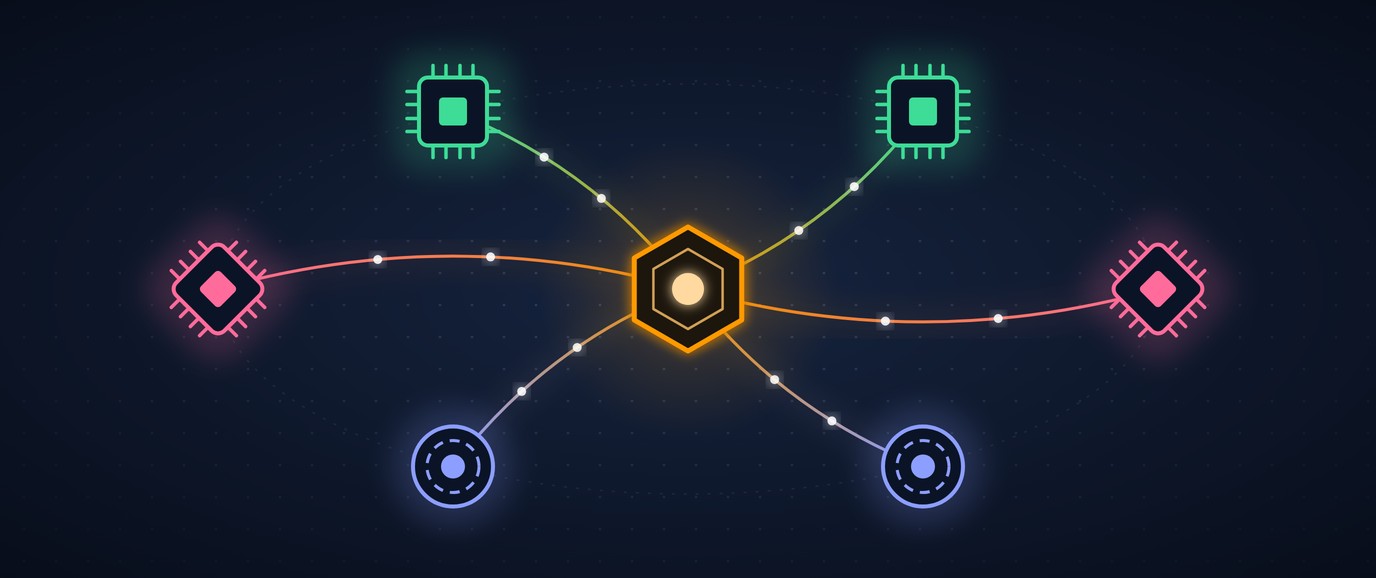
This article provides a step by step survey of LLM inference on AWS: Amazon Bedrock, a SageMaker real-time endpoint, vLLM on two EC2 GPU families, and a hand-ported Gemma 4 on AWS Inferentia2 and Trainium. A Strands agent drives all six backends, and every number below comes from two complete runs on the same day with the same prompts.
https://github.com/xbill9/aws-inference-strands
What Is the Problem?
AWS offers a model as an API call, as a managed endpoint, as a GPU you rent by the hour, and as two families of its own accelerator chips. Each path has its own setup, its own failure modes and its own price, and most comparisons cover one or two of them.
This survey puts all of them behind one agent. The same Strands code talks to Bedrock, to SageMaker, to vLLM on EC2, and to a Neuron server, and the same scripts grade the answers and time the requests.
Which Backends?
| Backend | What serves the model | Model |
|---|---|---|
| Amazon Bedrock | managed API | us.amazon.nova-micro-v1:0 |
| EC2 g6.xlarge (NVIDIA L4) | vLLM 0.30 | xbill9/gemma-4-E2B-it-qat-q4_0-w4a16-ct-text-emb4 |
SageMaker ml.g6.xlarge | AWS vLLM 0.30 container | the same repack |
| EC2 g5g.2xlarge (Graviton2 + T4G) | vLLM 0.27.2rc0, patched for sm_75 | google/gemma-4-E2B-it, fp16 |
| EC2 inf2.xlarge (Inferentia2) | hand-ported Gemma 4, xbill9/gemma4-optb:slim | Gemma 4 E2B, compiled for Neuron |
| EC2 trn1.2xlarge (Trainium) | the same image, unchanged | the same build |
The g6 and SageMaker rows run the same weights on the same GPU, one as a VM and one as a managed endpoint. The inf2 and trn1 rows run the same compiled image on two different AWS chips.
At This Point You Should Have…
- An AWS account with the AWS CLI configured and Bedrock model access for Amazon Nova Micro.
- An instance profile with
AmazonSSMManagedInstanceCore, and a security group with no inbound rules. - Python 3 with
pip install 'strands-agents[openai,sagemaker]' boto3. - The Session Manager plugin for the AWS CLI, used for port forwarding.
Step 1 — Check Quota, Then Check Capacity
Quota is permission to ask. Capacity is whether AWS has the machine. Both decide whether a run happens today.
us-east-2	Running On-Demand Trn instances	8.0
us-east-2	All Trn Spot Instance Requests	0.0
us-east-2	Trn spot request: CASE_OPENED	8.0	2026-10-04T21:36:11.599000-04:00
Eight vCPUs of on-demand Trainium buys exactly one trn1.2xlarge. Spot starts at zero. A request for eight vCPUs of spot in each of the four US regions opened a support case in each one, and none was approved automatically. The instance type itself is offered in one zone of the three regions checked: us-east-2c.
An inf2.xlarge launch in us-east-2a, with 80 vCPUs of Inferentia quota free, returned:
An error occurred (InsufficientInstanceCapacity) when calling the RunInstances operation: We currently do not have sufficient inf2.xlarge capacity in the Availability Zone you requested (us-east-2a).
The same launch in us-east-2b succeeded.
Step 2 — Bedrock Needs Nothing Started
Bedrock is the reference point: no instance, no endpoint, an IAM permission and a model id. The inference profile id (us.amazon.nova-micro-v1:0) is the one to use; the bare model id returns a validation error for on-demand throughput.
from strands.models import BedrockModel
model = BedrockModel(model_id="us.amazon.nova-micro-v1:0", region_name="us-east-1", temperature=0.0)
Step 3 — vLLM on an EC2 g6 With Tool Calls
The g6 serves the 4-bit embedding repack of Gemma 4 E2B with vLLM's OpenAI server. Tool calls need two flags; without them the agent's tools are ignored.
docker run -d --gpus all --ipc=host -p 8000:8000 vllm/vllm-openai:v0.30.0 \
  --model xbill9/gemma-4-E2B-it-qat-q4_0-w4a16-ct-text-emb4 \
  --max-model-len 8192 --gpu-memory-utilization 0.90 \
  --enable-auto-tool-choice --tool-call-parser gemma4
g6 (vLLM 0.30, emb4): launch 2026-10-05T02:02:48+00:00 healthy 2026-10-05T02:16:46+00:00 -> 14.0 min
Strands reaches it with the OpenAI provider:
from strands.models.openai import OpenAIModel
model = OpenAIModel(client_args={"base_url": "http://localhost:8001/v1", "api_key": "unused"},
                    model_id="xbill9/gemma-4-E2B-it-qat-q4_0-w4a16-ct-text-emb4")
Step 4 — Arm and CUDA on an EC2 g5g
The g5g pairs a Graviton2 Arm host with an NVIDIA T4G: Arm and CUDA in an instance that costs $0.556 an hour. vLLM's arm64 image ships without the T4G's sm_75 kernels, and Gemma 4's 512-wide attention heads need more shared memory than Turing has, so this row runs a vLLM 0.27.2rc0 built from source for sm_75 with a shared-memory patch, from a prebuilt AMI. The same two tool flags go on its command line.
(EngineCore pid=2128) INFO 10-05 02:55:22 [default_loader.py:430] Loading weights took 520.97 seconds
(APIServer pid=1651) INFO 10-05 02:58:21 [parser_manager.py:37] "auto" tool choice has been enabled.
The 521 seconds of weight loading come from the first read of a fresh volume restored from the AMI snapshot.
Step 5 — The Same Weights Behind a SageMaker Endpoint
The SageMaker row uses the AWS vLLM container on ml.g6.xlarge, the same GPU as the EC2 g6, with vLLM flags passed as SM_VLLM_* environment variables:
{
    "SM_VLLM_ENABLE_AUTO_TOOL_CHOICE": "true",
    "SM_VLLM_MODEL": "xbill9/gemma-4-E2B-it-qat-q4_0-w4a16-ct-text-emb4",
    "SM_VLLM_TOOL_CALL_PARSER": "gemma4"
}
# SageMaker emb4 endpoint: make deploy returned at epoch 1791166343, InService at epoch 1791166834 (aws sagemaker wait) -> 8.2 min
Strands reaches it with SageMakerAIModel, which signs invoke_endpoint calls instead of opening a URL:
from strands.models.sagemaker import SageMakerAIModel
model = SageMakerAIModel(endpoint_config={"endpoint_name": "gemma-4-e2b-emb4-strands", "region_name": "us-east-2"},
                         payload_config={"max_tokens": 512, "stream": False, "temperature": 0.0})
Step 6 — Gemma 4 on Inferentia2
No vLLM release serves Gemma 4 on Neuron, so this row runs a hand-ported Gemma 4: a torch_neuronx graph compiled ahead of time and baked into a container with an OpenAI-compatible server.
docker run -d --ipc=host --device=/dev/neuron0 -p 8000:8080 docker.io/xbill9/gemma4-optb:slim
inf2.xlarge (optb slim): launch 2026-10-05T02:02:59+00:00 healthy 2026-10-05T02:17:18+00:00 -> 14.3 min
The graph is traced at a fixed size, 512 tokens in total and 128 for the prompt, and the server ignores tool definitions. A Strands agent's system prompt and tool schemas do not fit in 128 tokens, so the Neuron rows take part as tools of another agent (Step 10).
Step 7 — The Same Image on Trainium
Trainium1 and Inferentia2 report the same accelerator layout: two NeuronCore-v2 cores and 32 GiB of device memory per chip. The image compiled for inf2 runs on a trn1.2xlarge without a rebuild:
READY in 121.2s — serving on :8080 (SLIM host, peak RSS 19.53 GB)
[req] pt=17 ct=94 38.1tok/s 2.47s finish=stop
[req] pt=18 ct=107 36.2tok/s 2.96s finish=stop
The 26B mixture-of-experts build made for a single inf2.xlarge runs unchanged too:
READY in 220.1s — slim int8-squeeze, ModelBuilder TP=2, MAX=512 BUCKET=128
[req] pt=21 ct=101 prefill=0.31s decode=5.5tok/s e2e=5.4tok/s 18.6s finish=length
The difference is the host. A trn1.2xlarge has 8 vCPUs and 32 GiB of RAM against the inf2.xlarge's 4 and 16, so the 19.53 GB peak while loading E2B fits in memory without a swapfile.
Step 8 — Reach the Instances Through SSM
The instances accept no inbound traffic. A port forward per instance puts each server on localhost:
aws ssm start-session --region us-east-2 --target <instance-id> \
  --document-name AWS-StartPortForwardingSession \
  --parameters '{"portNumber":["8000"],"localPortNumber":["8001"]}'
8001 200
8002 200
8003 200
Step 9 — Demo 1: One Agent, Every Backend That Can Call Tools
The same Strands agent asks how many of eleven ids are 10 or more. Its only tool, count_ids(op, value), returns the exact count, minimum and maximum, so the model chooses a filter and quotes a number. A run is graded on the answer and on the filter it sent: an agent that sends id > 10 gets 7 back, and saying 8 anyway is right by accident.
python3 demo1_counting.py --runs 20 --json results/demo1-engine.json
backend     runs  correct  right-filter  errors  median s  filters sent
bedrock       20   20/20          20/20       0       1.1  id >= 10
g6            20   20/20          20/20       0      0.41  id >= 10
sagemaker     20   20/20          20/20       0      0.58  id >= 10
backend     runs  correct  right-filter  errors  median s  filters sent
g5g           20   20/20          20/20       0      2.26  id >= 10
With --tools rows, the tool returns the eleven ids and the model counts them itself. All four backends answered 8 in 20 of 20 runs.
Step 10 — Demo 2: A Bedrock Agent That Calls Every Backend
The Neuron servers cannot drive an agent, but any server can answer a question. Here a Strands agent on Bedrock gets one tool per backend, ask_<name>(prompt), plus scoreboard(). Each ask_ tool times its own request in code; scoreboard() sorts and formats the table; the agent is told to quote it as is.
python3 demo2_orchestrator.py
| Backend | Answer | Seconds | Tokens/s |
|---------|--------|---------|----------|
| vLLM on EC2 g6 (L4) | Paris | 0.154 | 13.0 |
| Trainium (trn1, hand-ported) | Paris | 0.196 | 5.1 |
| Inferentia2 (inf2, hand-ported) | Paris | 0.242 | 4.1 |
| Amazon Bedrock | Paris | 0.51 | 3.9 |
| SageMaker endpoint (vLLM, L4) | Paris | 0.569 | 3.5 |

All backends have correctly identified the capital of France as "Paris". The fastest response came from the Trainium (trn1, hand-ported) backend.

[harness] 5 backend calls made; not asked by the agent: none
Every backend answered in all three runs. In this run the table, computed in code, puts the g6 first, and the agent's own closing sentence names Trainium. The table is the result; the sentence is the model's reading of it.
Step 11 — Same Prompt, Every Backend
A one-word answer is too short to time decoding, so a separate script sends "Write a short paragraph about the ocean." with a 100-token limit, five times per backend, timing each request in code:
python3 bench_chat.py --repeats 5 --json results/bench-chat.json
backend     median s  median tok/s  tok/s range     tokens
bedrock        0.894         111.9    87.7-128.0    100-100
g6             0.639         131.5   130.9-131.7    84-84
sagemaker       0.79         106.3    92.3-110.5    84-84
inf2           2.583          36.4    33.1-36.6     94-94
trn1           2.534          37.1    35.7-37.4     94-94
backend     median s  median tok/s  tok/s range     tokens
g5g            2.607          37.2    36.9-37.3     97-97
Tokens per second here includes the network path and the prompt, measured from the laptop through each port forward or AWS endpoint.
Step 12 — Run It Again From One Script
The second run brought every backend up from scripts in the repository's stage/ directory, then ran every demo again at full size:
stage/up.sh 2>&1 | tee stage/up.log        # launch g6, inf2, trn1, g5g and the SageMaker endpoint
stage/forward.sh && source stage/demo.env   # SSM port forwards and the backend variables
python3 stage/check.py --wait 1500          # one answer and one tool call per backend
up.sh tries every zone in a region, then the next region. inf2 found no capacity anywhere in us-east-2 or us-east-1:
strands-demo-inf2: no capacity in us-east-2 (subnet-0880f3d5ac599127d), trying the next zone
strands-demo-inf2: no capacity in us-east-1 (subnet-09e0f13c0a5b43092), trying the next zone
strands-demo-inf2: launched i-00eae995ffe871f80	us-west-2a
Launch to the first passing check:
| Backend | Launch → ready |
|---|---|
| SageMaker | 8.0 min to InService |
| trn1 | 12.8 min |
| g6 | 13.9 min |
| inf2, us-west-2 | 17.9 min |
| g5g | 23.7 min, of which Loading weights took 530.83 seconds |
Demo 1 scored 20 of 20 with the filter id >= 10 on all four tool-capable backends again, and 20 of 20 with the model counting the rows. Demo 2 ran five times; the agent asked all six backends every time, and all 30 answers were Paris. g6 was fastest in four runs and trn1 in one, by 9 ms, which is the kind of margin a model's closing sentence can misread.
The benchmark ran ten repeats per backend. Medians against the first run, computed in code:
| Backend | First run tok/s | Second run tok/s | Change |
|---|---|---|---|
| g6 | 131.5 | 132.45 | +0.7% |
| Bedrock | 111.9 | 115.85 | +3.5% |
| SageMaker | 106.3 | 105.2 | −1.0% |
| g5g | 37.2 | 35.8 | −3.8% |
| trn1 | 37.1 | 36.9 | −0.5% |
| inf2 | 36.4 | 36.6 | +0.5% |
Every self-hosted backend stayed within 4% of its first run, inf2 in a different region. At temperature 0 each self-hosted backend returned one completion across its ten repeats, and Bedrock returned 9 distinct completions in 10. g6 and SageMaker returned the same text word for word, the same weights on the same GPU type, and so did inf2 and trn1, one image digest on two chips in two regions.
Step 13 — Clean Up Four Regions
stage/down.sh does this in one command. Every instance, endpoint, endpoint configuration and model goes; the security groups and the instance profile stay for the next run. The check covers all four US regions, because a run that fails over to another zone or region leaves its resources there:
=== us-east-1 inst:[] vols:[] sm-ep:[] sm-cfg:[] sm-model:[] spot:[]
=== us-east-2 inst:[] vols:[] sm-ep:[] sm-cfg:[] sm-model:[] spot:[]
=== us-west-1 inst:[] vols:[] sm-ep:[] sm-cfg:[] sm-model:[] spot:[]
=== us-west-2 inst:[] vols:[] sm-ep:[] sm-cfg:[] sm-model:[] spot:[]
🔎 Tip: Quota Does Not Mean Availability
Quota lets you ask; the zone decides. Check which zones offer the instance type (aws ec2 describe-instance-type-offerings) before launching, keep a second zone and a second region ready, and start anything slow, such as a SageMaker endpoint or a Neuron model load, well before you need it.
On the second run inf2 was refused in five zones across us-east-2 and us-east-1 and launched in us-west-2a; stage/up.sh does that walk for you.
🔎 Tip: Debug With the Small Model
Every path here was brought up with E2B first: it loads on Neuron in about two minutes, against close to four for the 26B. Wiring, flags, port forwards and tool parsing all fail the same way on a small model as on a large one, and a small model fails in minutes. The 26B went to Trainium after the E2B run had already answered.
🔎 Tip: Check the Numbers, and the Filter
Let code count, time and rank, and have the model quote the result. Then check what the model sent as well as what it said: demo 1 grades the filter, and demo 2's agent once quoted a correct table and then summarised it wrong.
🔎 Tip: Keep IAM Loose While You Build
One instance profile with SSM access served every EC2 instance in this survey, and one SSM-only security group per region served every launch in it. Broad roles and reusable groups keep the next run to a single run-instances call; tighten them before anything faces users.
🔎 Tip: Strands and the SageMaker vLLM Container
Strands 1.55's SageMaker provider builds its usage record from four fields, and vLLM 0.30 also returns completion_tokens_details, which raises TypeError on every call. The repository's backends.py drops the extra fields before Strands reads them; the token counts are unchanged.
🔎 Tip: vLLM on Neuron
vLLM-Neuron 0.24.0.1.1.0 and 0.21.0.1.0.0 list Trn2 and Trn3 only. The 0.5.3 line that still covers Trn1 and Inf2 pins vLLM 0.16. None of them lists Gemma, so Gemma 4 on Neuron means writing the model yourself, which is what the hand-ported image is.
Compare and Contrast
Single-request decode and on-demand price, us-east-1 list prices. Cost per million tokens is arithmetic: the hourly price divided by the measured tokens per hour.
| Backend | tok/s (median) | $/hr | $ per million tokens, one request |
|---|---|---|---|
| 🥇 EC2 g6.xlarge, vLLM | 131.5 | 0.8048 | 1.70 |
| 🥈 EC2 g5g.2xlarge, vLLM | 37.2 | 0.556 | 4.15 |
| 🥉 EC2 inf2.xlarge, hand-ported | 36.4 | 0.7582 | 5.79 |
| EC2 trn1.2xlarge, hand-ported | 37.1 | 1.3438 | 10.06 |
| Backend | Setup on the day | Tool calls | Price model |
|---|---|---|---|
| Bedrock | none | yes | per token |
| SageMaker | 8.2 and 8.0 min to InService | yes, via SM_VLLM_* | per instance hour |
| EC2 g6 | 14.0 and 13.9 min to healthy | yes | per instance hour |
| EC2 g5g | patched vLLM on a prebuilt AMI, 23.7 min to ready | yes | per instance hour |
| EC2 inf2 / trn1 | inf2 14.3 min, and 17.9 min in us-west-2; trn1 12.8 min | no | per instance hour |
So, Which One?
Start on Bedrock: nothing to run, tool calls work, and you pay per token. Move to vLLM on a g6 when you need your own weights, a specific repack, or a full GPU to yourself; it was the fastest and cheapest per token here, and the same container on SageMaker adds a managed endpoint for an hourly premium. The g5g is the Arm-plus-CUDA option, and it runs Gemma 4 only with a patched vLLM. Inferentia2 and Trainium run the same hand-ported image at the same speed, with Inferentia2 at a lower hourly price for this model size; choose them when the model already exists for Neuron, because vLLM does not provide it.
Summary
The goal of this article was to survey six ways to serve a model on AWS behind one agent. The key to the solution was one Strands agent with a model object per backend, grading and timing done in code, and a fixed prompt set on one day. The results were:
- 🟢 One Strands agent ran unchanged on Bedrock, vLLM on g6 and g5g, and SageMaker, 20 of 20 correct with the right filter on every backend.
- 🟢 The Inferentia2 Gemma 4 image runs on Trainium without a rebuild, at 37.1 tok/s against Inferentia2's 36.4, and the 26B MoE build runs too.
- 🟢 vLLM on a g6 decoded fastest, 131.5 tok/s for one request, and 132.45 in the second run.
- 🟢 A second run from one script repeated the first: every self-hosted backend within 4% of its first-run speed, and identical text from the same stack, g6 with SageMaker and inf2 with trn1.
- ⚠️ Quota did not guarantee capacity: inf2 in
us-east-2ahad none on the first run, and on the second none in any zone of us-east-2 or us-east-1, so it ran in us-west-2. - ⚠️ SageMaker needed a workaround in Strands to read vLLM 0.30's usage block.
- ❌ No vLLM release serves Gemma 4 on Neuron, so the Neuron servers cannot call tools or take long prompts.
Scope: two runs per backend on 2026-10-05, us-east-2 except the g5g in us-east-1a and the second run's inf2 in us-west-2a, on-demand instances, client on a laptop reaching EC2 through SSM port forwards. Twenty agent runs per backend in demo 1 in each run, three then five in demo 2, five then ten timed requests per backend in the benchmark. Four different models or builds were compared: Bedrock serves Nova Micro, the g6 and SageMaker rows serve the 4-bit embedding repack of Gemma 4 E2B, the g5g serves the stock E2B in fp16, and the Neuron rows serve the hand-ported E2B build, so the speed table compares serving paths with the model each path supports.
The strategy for serving Gemma 4 on AWS from Bedrock to Trainium behind one Strands agent was validated with an incremental step by step approach.
References
Comments
More Blog
View alldevchallengeCongrats to the Hacktoberfest Weekend Challenge: Build for a Friend Winners!
We are so excited to announce the winners of the Hacktoberfest Weekend Challenge: Build for a Friend,...
J
Jem 1
mlhacksCongrats to Our First MLH x DEV Writing Challenge Winner!
We just wrapped the very first month of the MLH x DEV Writing Challenge, our new way of celebrating...
J
Jem 1
discussDev Opportunity Radar #20: $2M AI Reasoning Challenge, PayPal AI Hackathon, and Coinbase Analytics Challenge
TL;DR Welcome back to Dev Opportunity Radar. This is a weekly series where I share opportunities,...
H
Hemapriya Kanagala 1
gemmaGemma 4 From E2B to 31B on an AMD MI300X: fp8 Overtakes bf16 From 12B Up
Every Gemma 4 size from E2B to 31B served on one AMD Instinct MI300X in bf16, fp8, int8 W8A8 and int4 W4A16, on the same vLLM image. fp8 goes from 0.75x bf16 for one request at E2B to 1.23x at 31B and is faster than bf16 in every cell at 12B and 31B. The mixture-of-experts 26B sits at bf16's pace, and the 4-bit builds run at 0.14x to 0.69x at every size.
X
xbill 2
aiStuart Feldman Was Right in 1976: Why Your AI Agent Needs a Makefile, Not a 20-Step Prompt
How replacing fragile linear prompt checklists with a 50-year-old declarative build graph eliminates agent amnesia, enables seamless mid-flight session resumption, and mechanizes software engineering governance.
R
Randal L. Schwartz 2
aiI got Jev to zero mistakes. I'm still using Flash-Lite.
Jev is a brilliant decision model. Gemini Flash-Lite is the model nobody talks about, and it’s fast,...
S
Swift 2
Ready-made automations for this
Workflows from the Neura Market marketplace related to this CoPilot resource
- Extract data from Outlook attachments with Koncile OCRmake · $4.99 · Uses make
- Daily WordPress blogging: automate your posts with Google Sheets + HARPAmake · $4.99 · Uses make
- Automated Revolut payment drafts from Airtable database with a Slack notificationmake · $3.99 · Uses make
- Verify meeting compliance with MeetGeek and OpenAI to get alerts in Slackmake · $4.99 · Uses make