
Back to Blog programming
 cursor
 ai
ai amazonbedrock
 ai
ai ai
ai mcp
mcp
How to Install Cursor AI Editor on Linux, Ubuntu (2025 Update)
Sonu kumar February 6, 2025
0 views
Cursor is a smart code editor designed for pair programming with AI. You can download it on Windows,...
Cursor is a smart code editor designed for pair programming with AI. You can download it on Windows, Mac, and Linux. While it's easy to install on Mac, I found it a bit tricky on Ubuntu Linux. After some research, I figured it out! Here's a simple guide to help you install Cursor on Ubuntu Linux.
The cursor lets you write code using instructions. Update entire classes or functions with a simple prompt, Intelligent, fast, and familiar, Cursor is the best way to code with AI.
#Step-by-Step Installation Guide
##Step 1: Go to the Cursor website and click on the "Download" button.
##Step 2: Once downloaded, you'll find a file ending with .AppImage in your Downloads folder.
What's an AppImage? It's a universal software package for Linux that doesn't need traditional installation.
##Step 3: Before running the file, make it executable. Open your terminal, navigate to your Downloads folder, and run:
chmod +x cursor-0.45.8-build-250201b44xw1x2k-x86_64.AppImage
Note: Replace cursor-0.45.8-build-250201b44xw1x2k-x86_64.AppImage with your file's name.
##Step 4: If you see an error about libfuse.so.2, don't worry! This means you need FUSE to run the AppImage.
##Step 5: Install FUSE by running:
sudo apt-get install libfuse2
##Step 6: Now, make the file executable again:
chmod +x cursor-0.45.8-build-250201b44xw1x2k-x86_64.AppImage
##Step 7: Run the AppImage file:
./cursor-0.45.8-build-250201b44xw1x2k-x86_64.AppImage
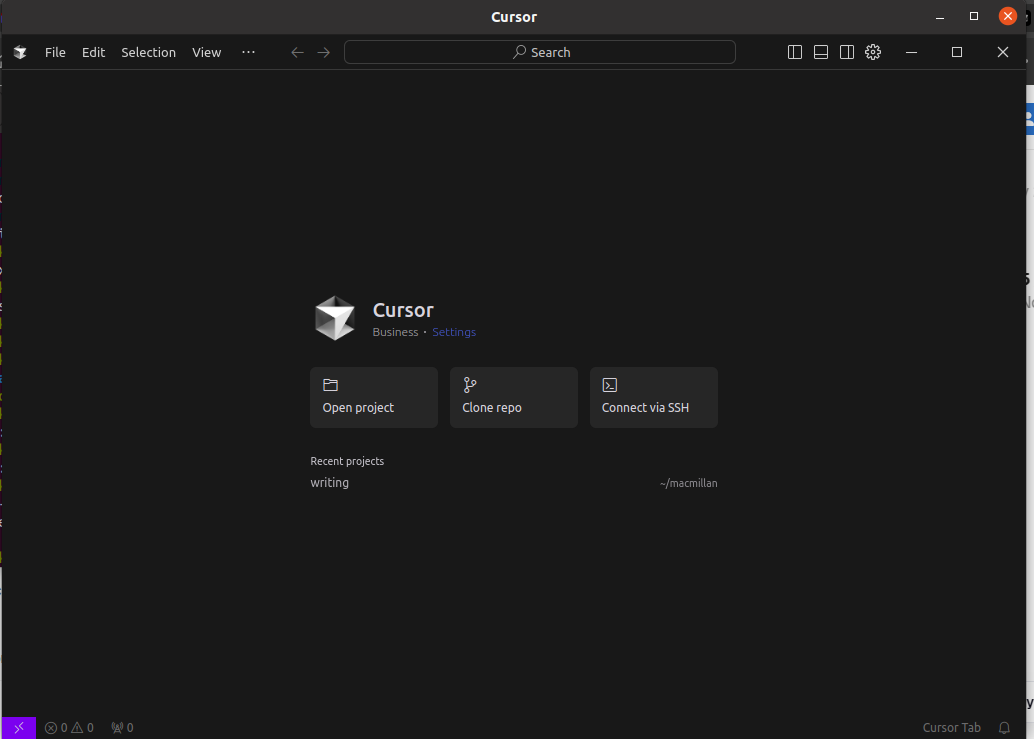
#Adding Cursor to Your Applications List To easily access Cursor, add it to your applications list:
Move the AppImage to the /opt folder:
sudo mv cursor-0.45.8-build-250201b44xw1x2k-x86_64.AppImage /opt/cursor.appimage
After move your cursor file in /opt dir you can see:
cd /opt
ls

You can also run from here with the same command like above we have run but this is not required because we have created the runnable from application but for knowledge and info I will share the details:
./cursor.appimage
Create a desktop entry:
sudo nano /usr/share/applications/cursor.desktop
Paste the following into the file:
[Desktop Entry]
Name=Cursor
Exec=/opt/cursor.appimage
Icon=/opt/cursor.png
Type=Application
Categories=Development;
Save the file by pressing Ctrl + X, then press Y, and Enter.
##Final Step: Add an icon for Cursor. Place a cursor.png image in the /opt directory.
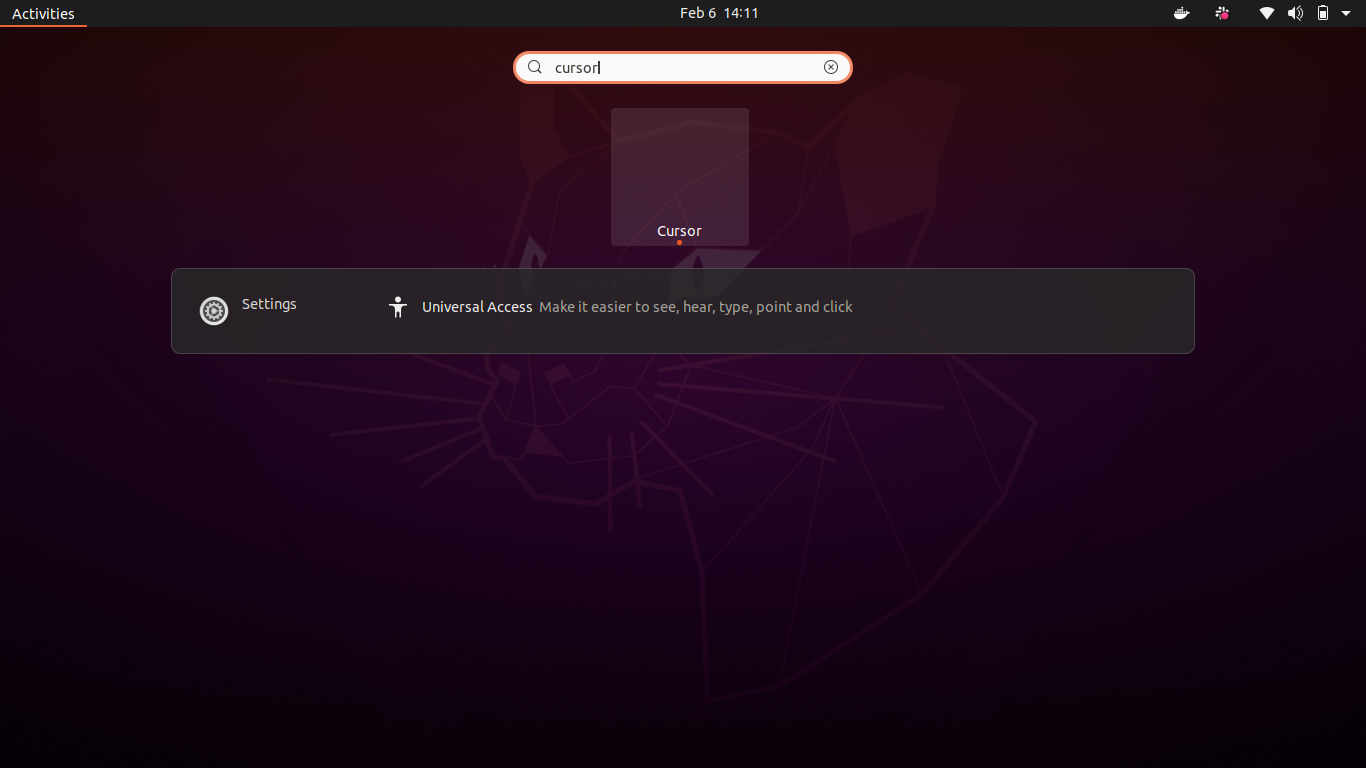
If the icon doesn't appear, try logging out and back in.
That's it! Thanks for reading, and enjoy using Cursor! 😊
Comments
More Blog
View allcursorCursor Automations in 2026: wire event-triggered coding agents to Slack, CI, and timers
Cursor Automations in 2026: wire event-triggered coding agents to Slack, CI, and...
M
Manu ShuklaaiIndex Everything, or Read Everything? The Dilemma of Feeding Specs to AI in Multi-Repo Development
The specs exist. The AI just can't see them. I've always been the type who builds hobby...
S
Shunya ShidaamazonbedrockConnect Claude Code, Cursor and Codex to Amazon Bedrock's new console (2026)
Connect Claude Code, Cursor and Codex to Amazon Bedrock's new console (2026) Summary. On 5...
M
Manu ShuklaaiSpotting AI UI is too easy
There is a weird uncanny valley with LLM-generated UI right now. The code functions perfectly, but if...
H
Harish .saiSeven ranking frameworks, one search page, zero translation tables
I went down a rabbit hole this morning reading the late-2025 Juejin AI roundups side by side, and the...
N
ninghonggangmcpZendesk MCP: Let Claude Handle Your Support Tickets
Install guide and config at curatedmcp.com Zendesk MCP: Let Claude Handle Your Support...
C
curatedmcpReady-made automations for this
Workflows from the Neura Market marketplace related to this Cursor resource
- Download and Merge Multiple PDFs from URLs with a Custom JS APIn8n · $4.99 · Related topic
- Respond with File Download to Incoming HTTP Requestn8n · $3.99 · Related topic
- Automate Torrent Search and Download with Transmission Daemonn8n · $4.99 · Related topic
- Automate PDF Download and Protection with HTTP Webhook Workflown8n · $10.9 · Related topic