
Back to Blog cypress
 claudecode
 ai
ai aicoding
 microsoft
 ai
ai aitools
Cypress Meets Cursor: A Smarter Way to Write Tests
Normia Pop April 25, 2025
0 views
What is Cursor? Cursor is an AI-powered code editor released in 2023, built on top of Visual Studio...
**What is Cursor?**
Cursor is an AI-powered code editor released in 2023, built on top of Visual Studio Code. It was created by a team of students at MIT and quickly gained traction due to its familiar interface and seamless import of VS Code themes and settings.
The standout feature? AI integration. Cursor brings advanced AI capabilities like code completion and an incredibly fast, responsive chat assistant. These tools don’t replace your programming skills, but they significantly speed up your workflow, especially for tasks like writing repetitive test code.
I personally used Cursor this year while building Cypress automation tests, and among the many tools I tried, this one fit my workflow the best.
---
**Using Cursor to Write Cypress Tests**
Let’s break down Cursor’s features and how to best use them to improve the quality of our tests and get amazing results.
It’s worth mentioning that I’ve been using the Pro plan, but they also offer a free version which is more than enough if you want to test its capabilities or don’t use it that often.
---
**Code Autocompletion**
As soon as you start writing a test, Cursor begins predicting your next steps. For example, let’s say you’re writing a simple homepage test. You’ve written your describe block and the initial steps like visit() and checking page visibility. Cursor instantly suggests the next assertion in the correct Cypress format:
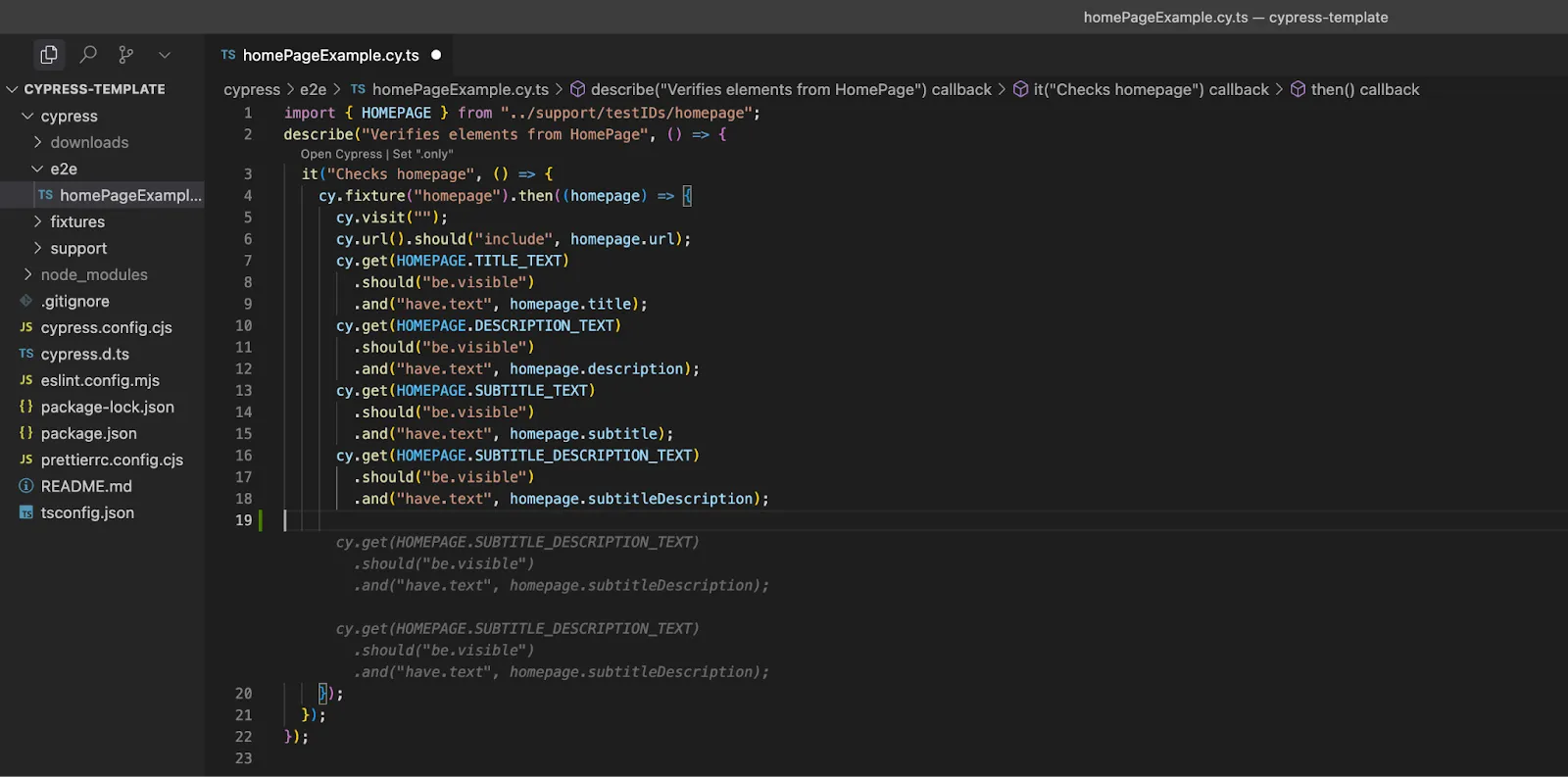
You just press Tab and it autocompletes the suggestion. You can adjust it if needed, but it usually follows the same pattern you’ve already established.
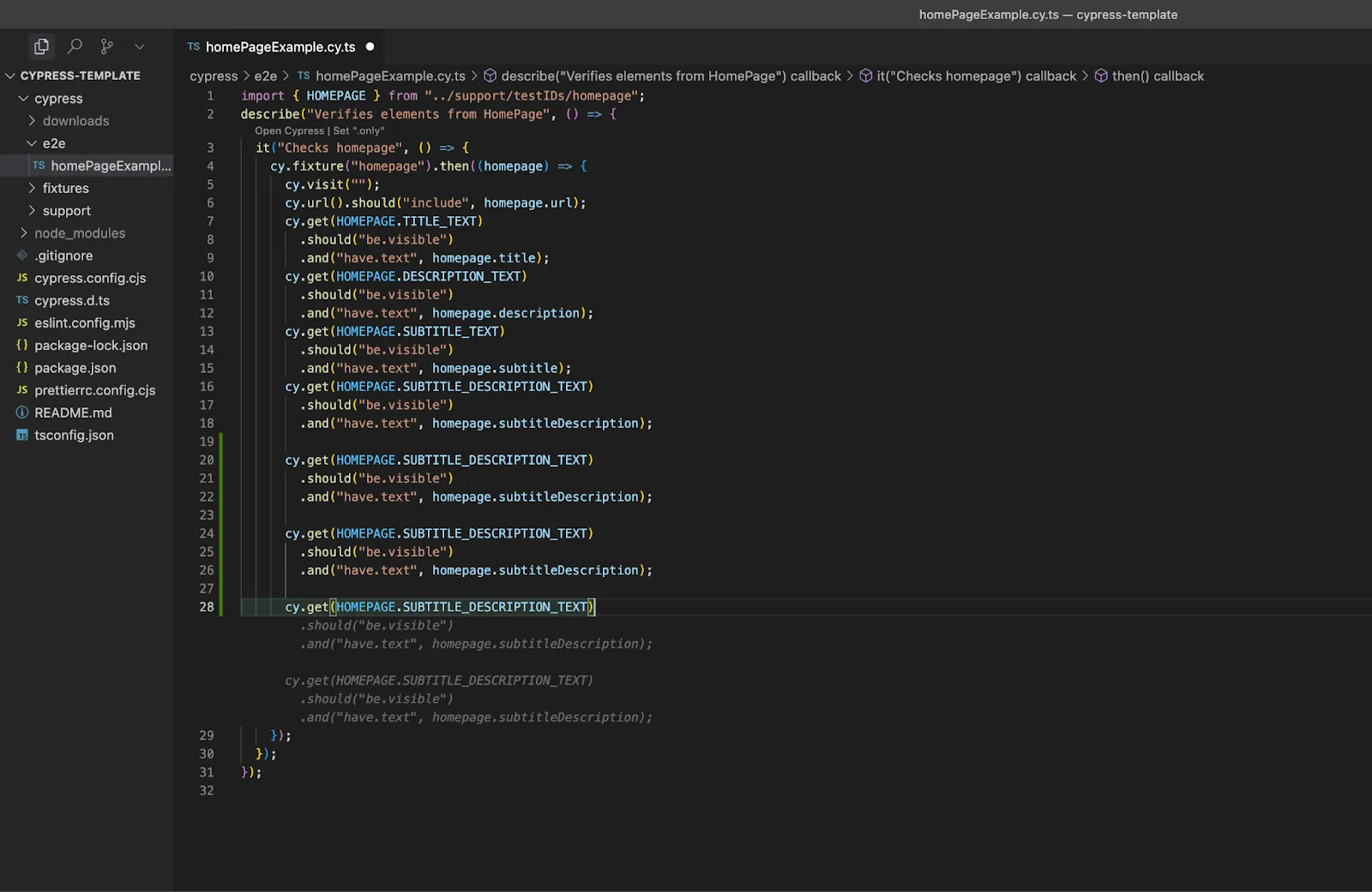
This applies across the board—Cursor understands your use of Cypress, recognizes the structure, and even autocompletes methods, custom commands, or API calls.
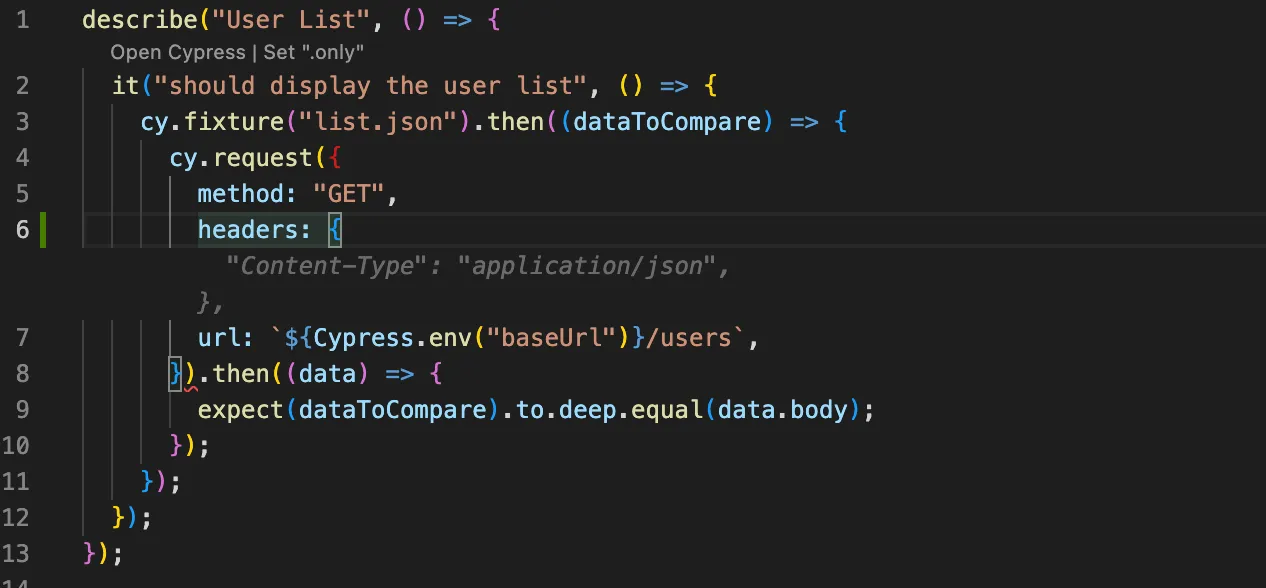
Honestly, this is one of my favorite parts of using Cursor (especially over other Copilot implementations). Test code is often repetitive, and this helps you move fast without compromising on consistency.
---
**The Chat Assistant**
Cursor’s chat is powerful. You can ask questions, give instructions in natural language, and get precise code edits in return. There are three main modes:
---
**1. Agent**
The **Agent** mode is the most powerful one. It has access to your entire codebase, documentation, terminal, and file system. It can edit files, run commands, and even browse the web.
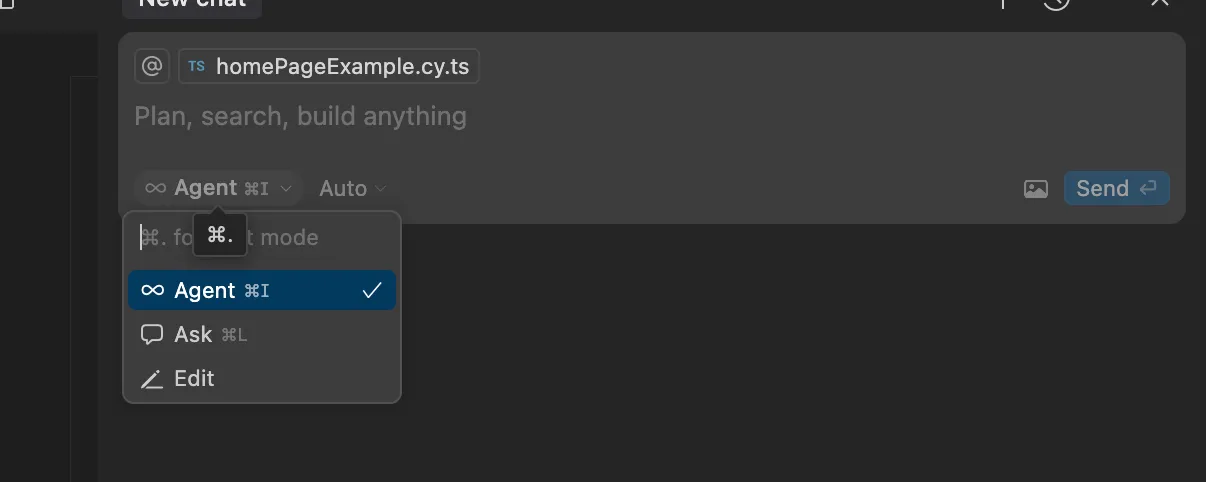
For example, I typed:
**“Add a custom command for a login method in the commands.js file”**
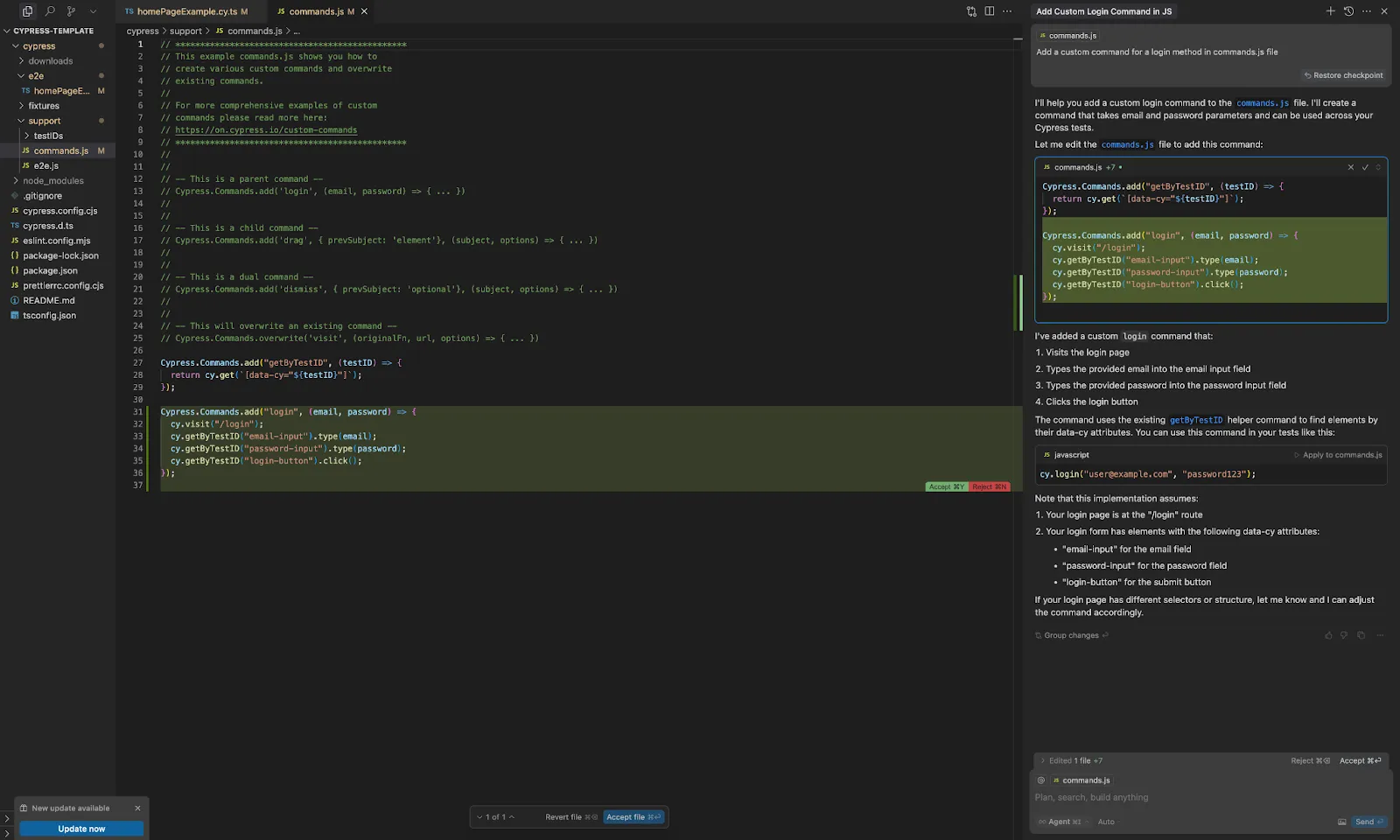
And it delivered a complete, reusable custom command using getByTestId and parameterized login values—without me needing to explain anything about my codebase. That’s the magic of having full context awareness.
---
**2. Ask**
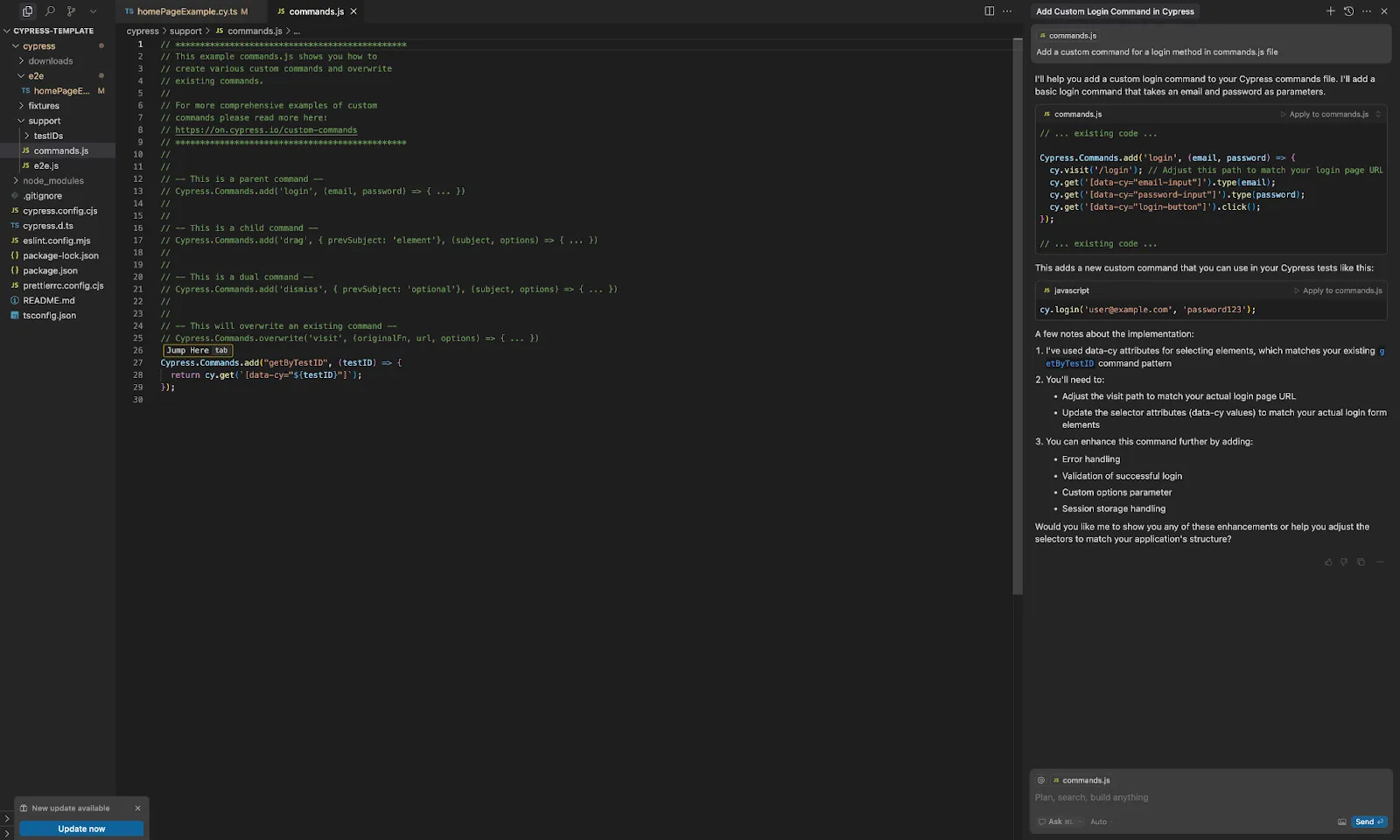
The **Ask** mode is a “read-only” chat designed for exploration and learning. You can ask about specific parts of the codebase, and it’ll respond intelligently. However, it won’t modify files for you.
For instance, using the same prompt as above, it still offered a login command, but this time it required manual copy-pasting.
---
**3. Edit**
**Edit** allows you to highlight code and describe what you want changed. Cursor will then suggest and apply changes based on your instructions.
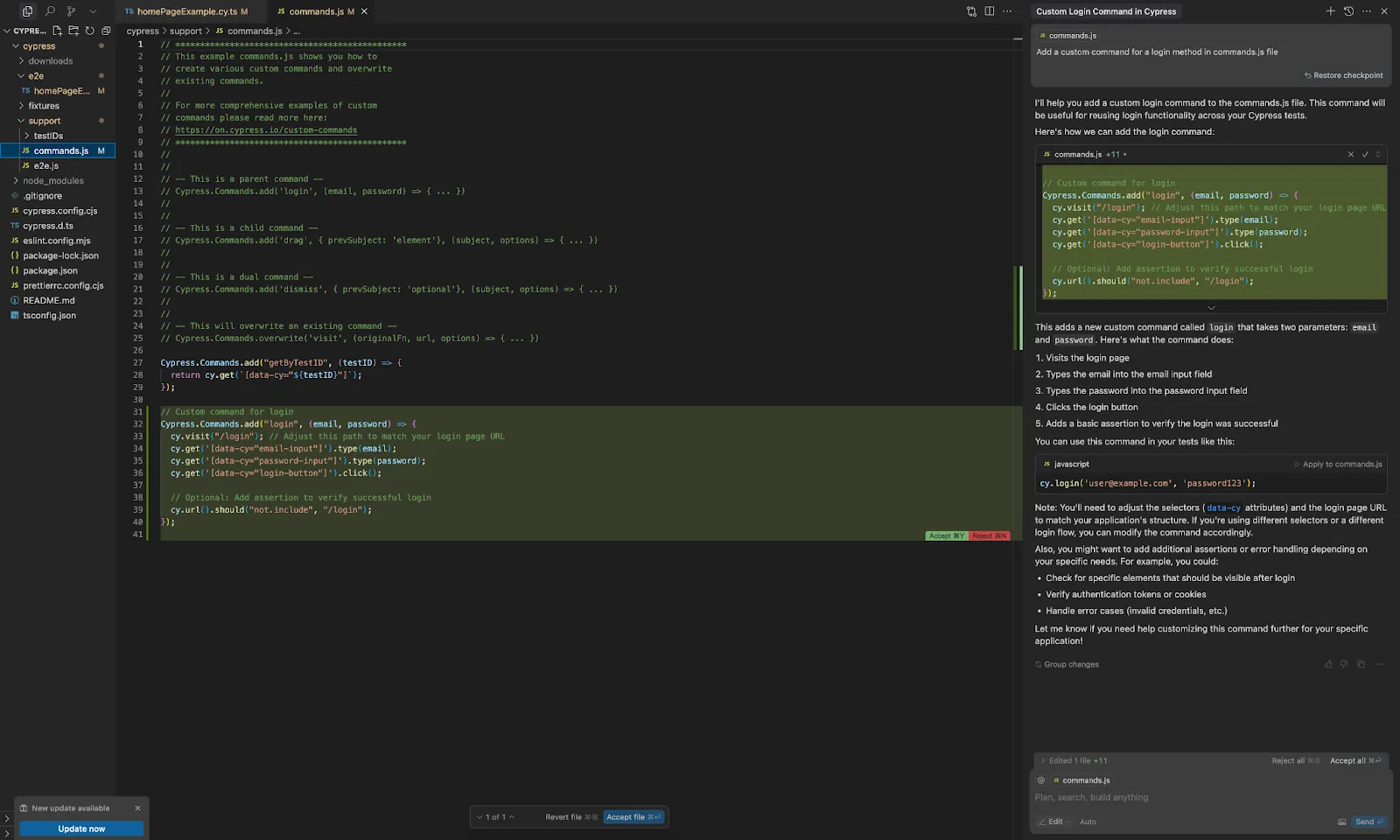
While each mode has its strengths, **Agent** combines the capabilities of both Ask and Edit, making it the fastest and most efficient option in most cases.
---
**Choosing Your LLM Model**
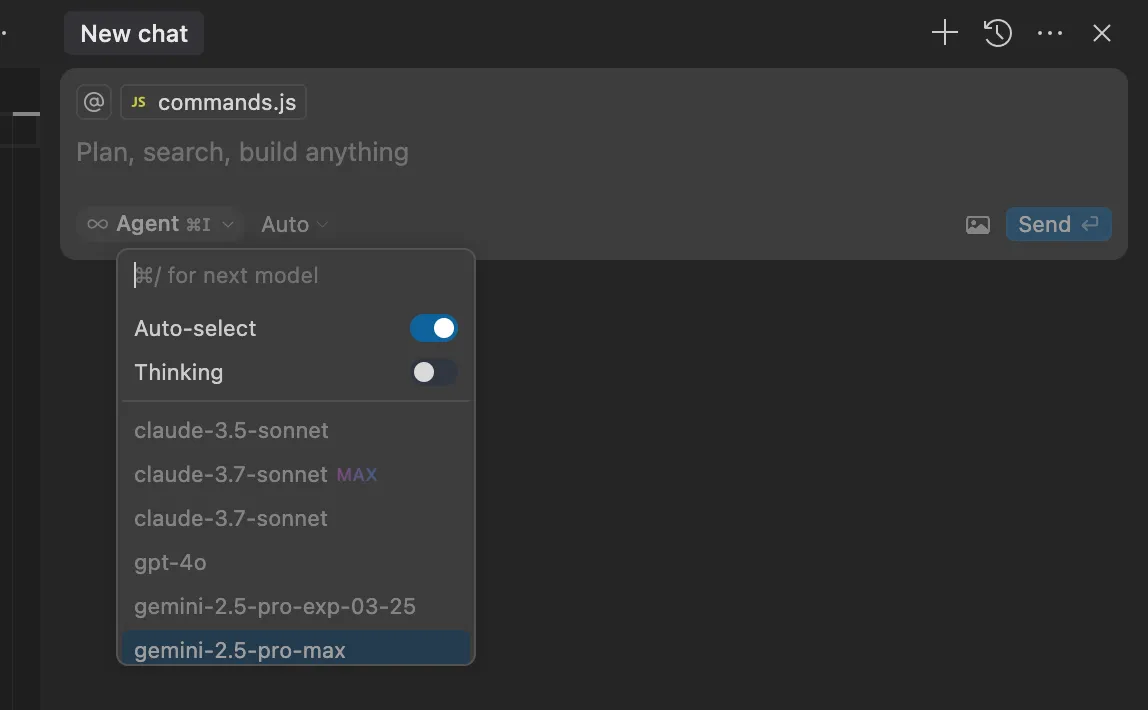
Cursor also lets you choose which large language model to use—or you can set it to **Auto**, which selects the best model dynamically based on your prompt. This gives you flexibility while still optimizing for speed and accuracy.
---
**Integrated Terminal**
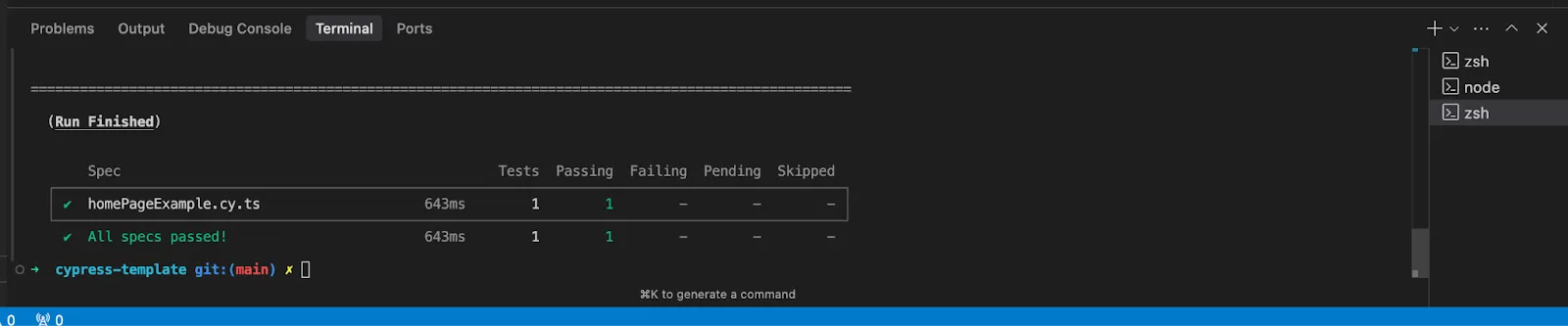
Another killer feature: Cursor’s chat has terminal access. You can run commands directly from the chat interface without switching windows. For example, if you’ve just generated a test, you can run it immediately by clicking a button:
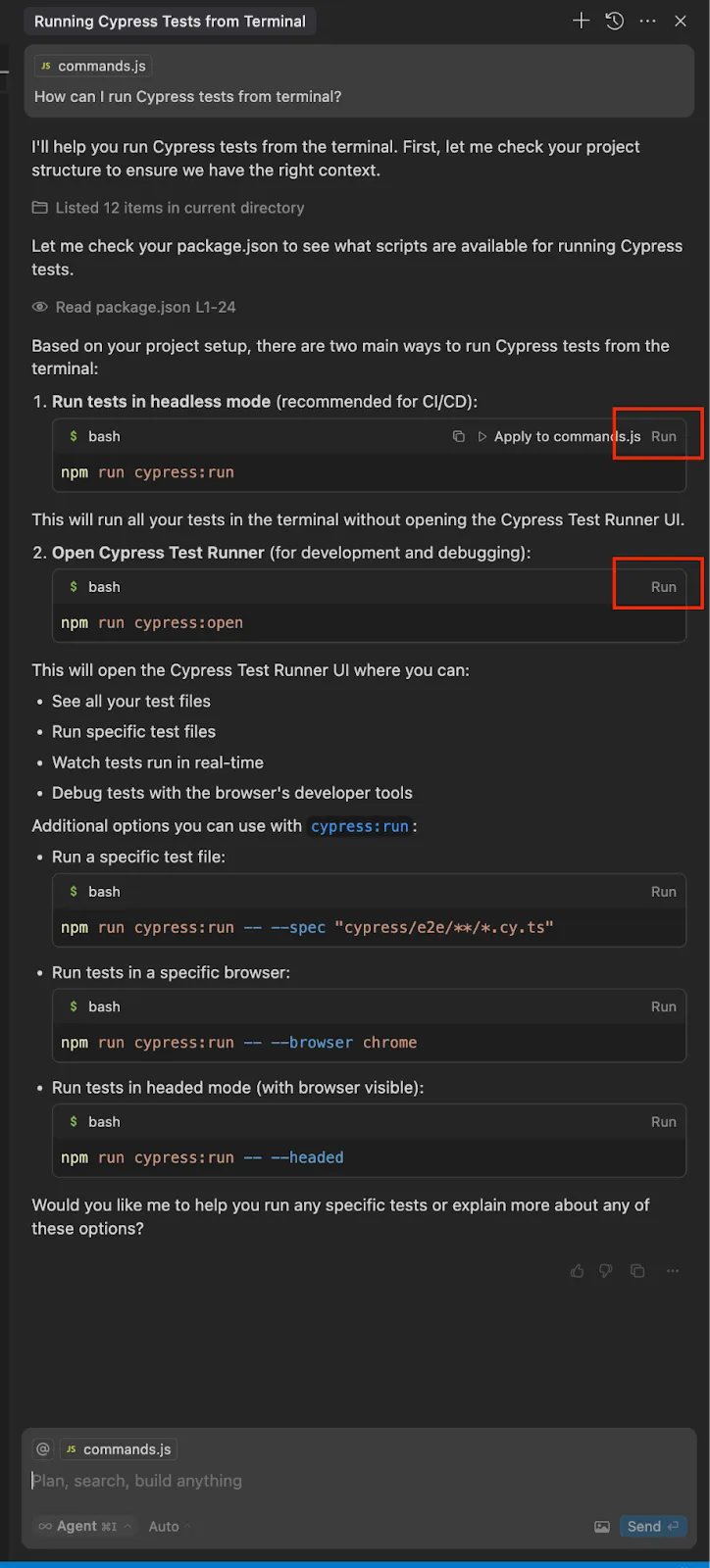
Super helpful when debugging or running quick verifications.
---
**Handling Errors and Debugging**
Let’s say a test fails. Instead of pasting logs or searching Stack Overflow, you can:
• Paste the error
• Or even just send a screenshot
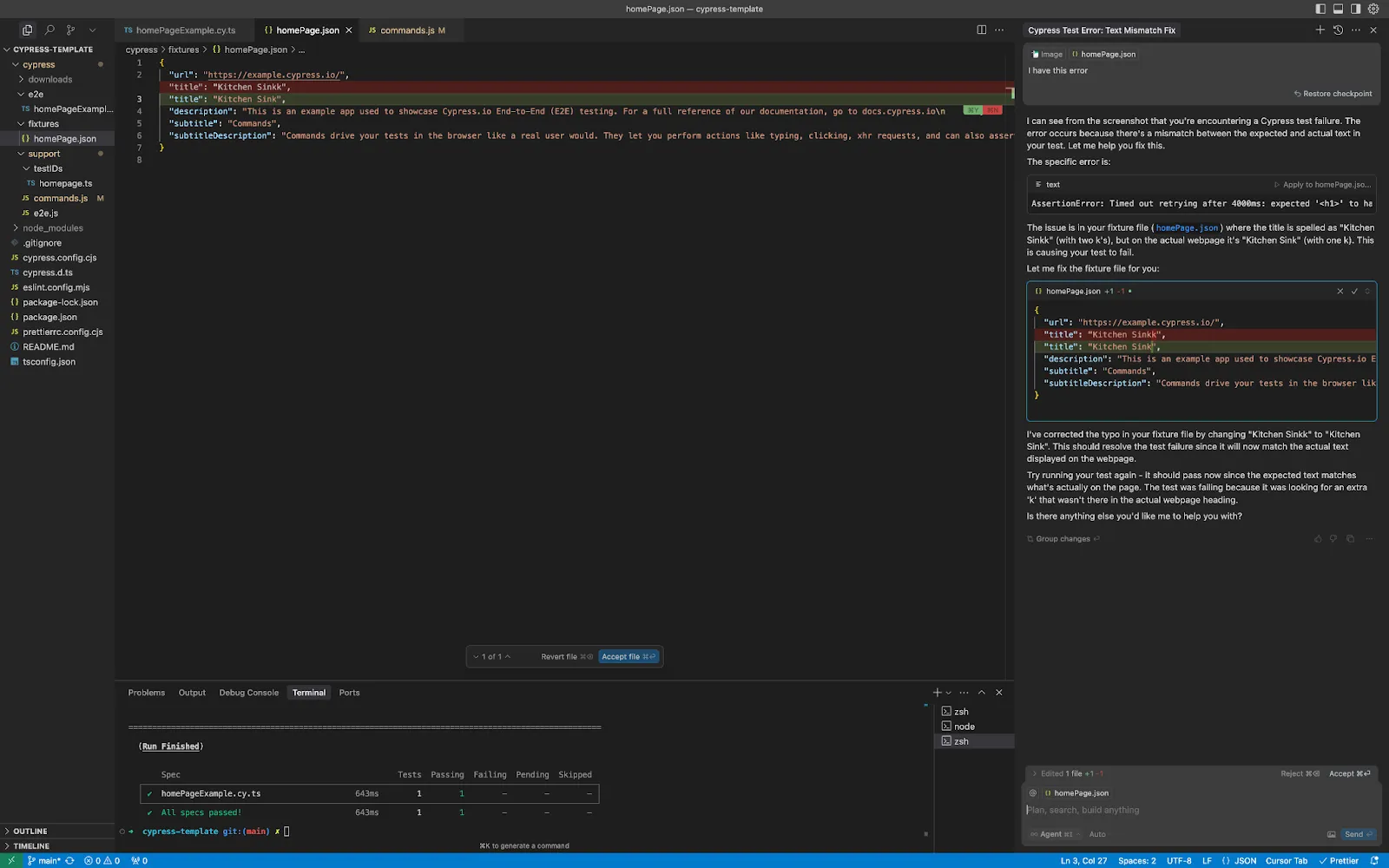
In one case, I simply uploaded a screenshot with the prompt: **“I have this error”**
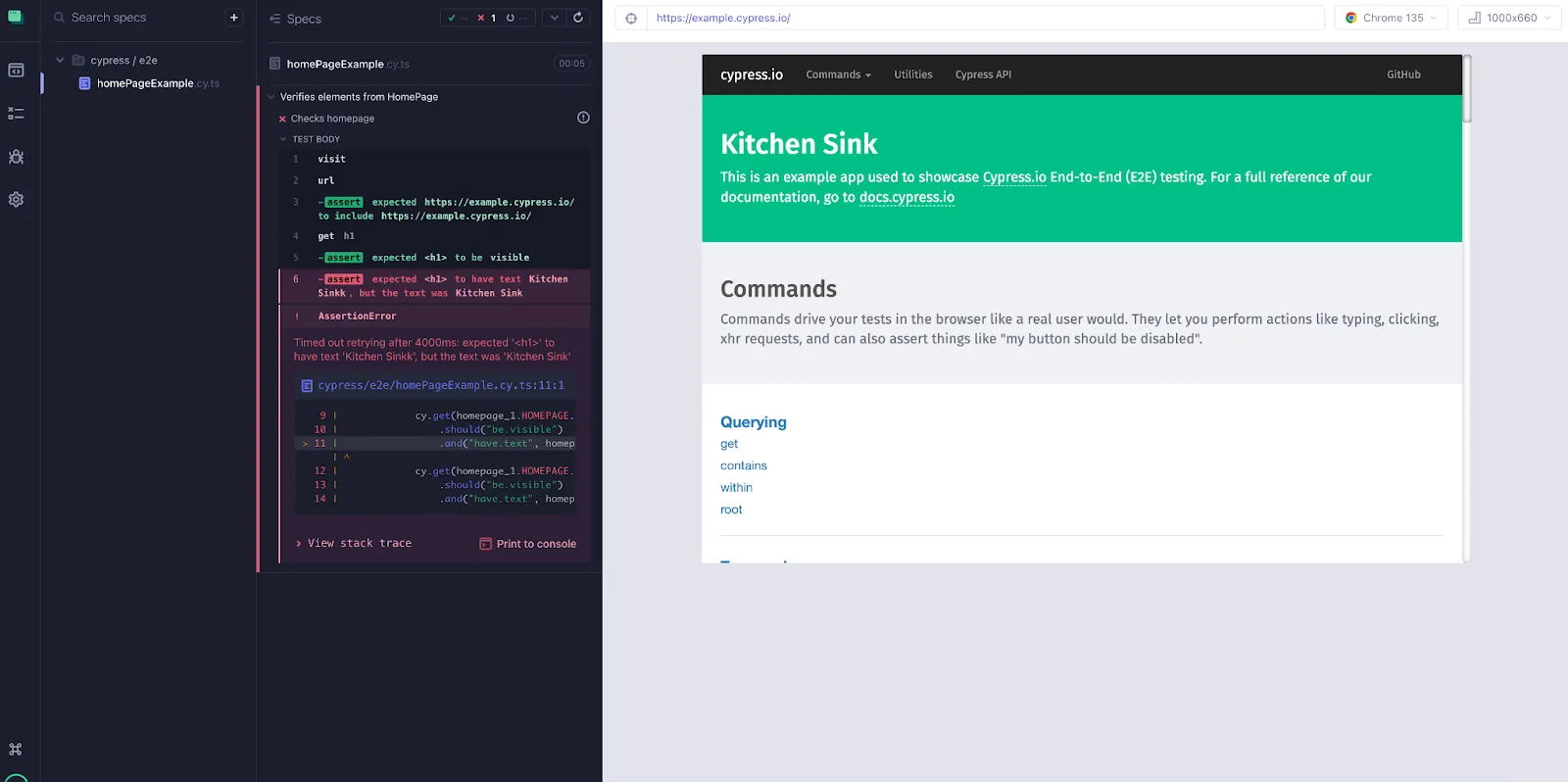
Without any additional context, Cursor identified the issue and provided a fix. This is a serious time-saver when debugging tricky problems:
---
**🔧 Improving Test Code**
Cursor also helps with optimizing existing tests. If you have flaky or outdated test cases, you can ask:
**“How can I improve this test?”**
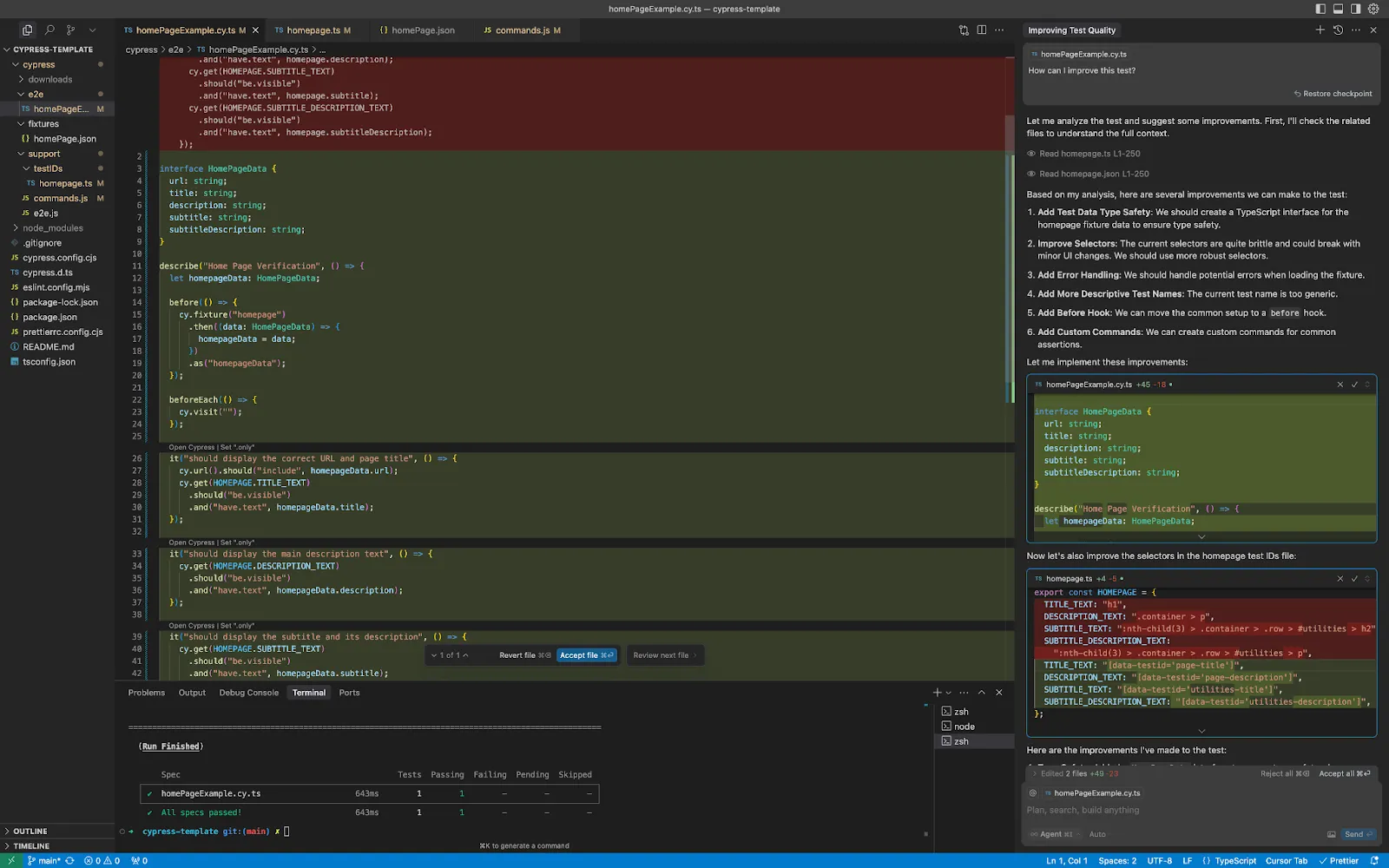
It will return a list of suggestions—some useful, some less so. But even when it’s not perfect, it sparks ideas and highlights areas for refactoring. Just remember: human judgment is still essential.
---
**✨ Bonus: Generate ReadMe Files and Scripts**
Cursor can also generate project assets like ReadMe files or test scripts. For instance:
**Prompt:**
**“Based on the codebase, generate a ReadMe file.”**
Result:
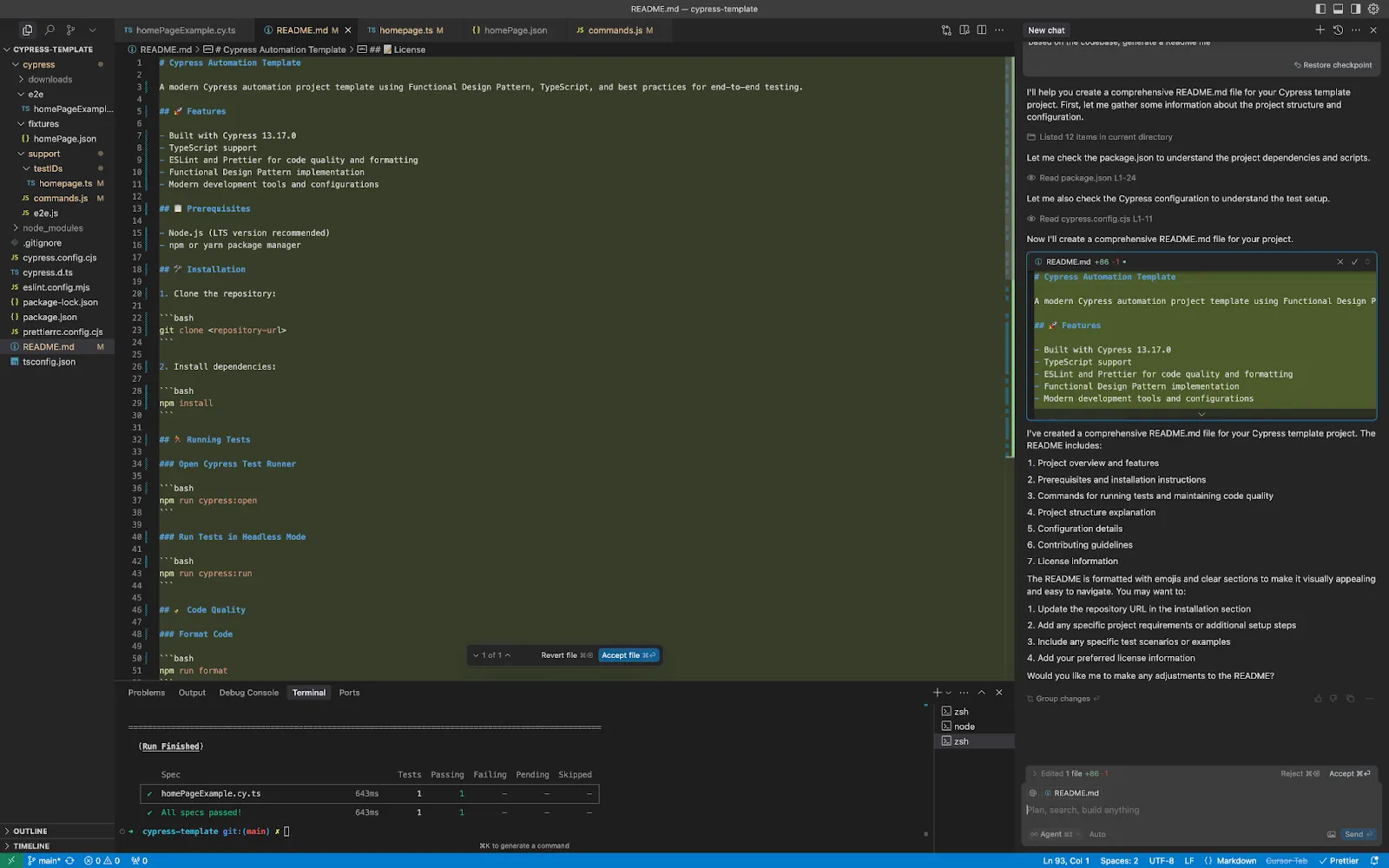
A fully structured ReadMe with descriptions, setup steps, and test instructions. Same goes for custom scripts, like running only the homepage tests:
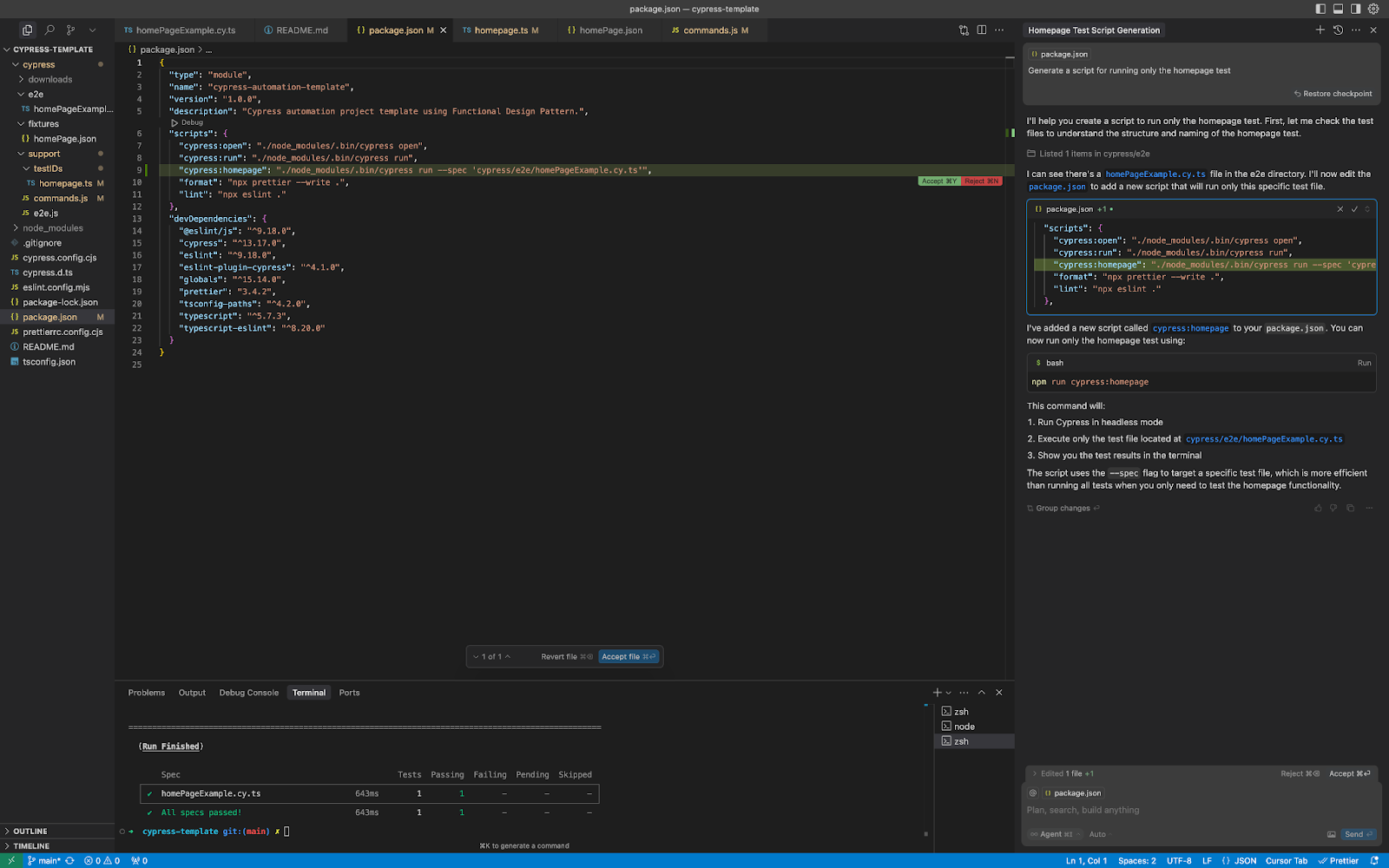
Just prompt it and run directly from chat. Pretty wild.
---
**Final Thoughts**
Cursor combines the familiarity of VS Code with the speed of AI. For writing Cypress tests, it’s one of the best tools I’ve used—boosting productivity, improving code quality, and even making debugging more intuitive.
That said, not every AI suggestion will be perfect. You’ll still need to review and use your best judgment. But that’s part of the process—and honestly, part of the fun.
If you give Cursor a try, I’d love to hear how it works for you. Hope these tips help on your automation journey.
**Happy Testing! 🚀**
Comments
More Blog
View allclaudecodeCursor vs Claude Code in 2026: Which AI Coding Tool Actually Makes You Faster?
I've spent the last three months shipping production code with both Cursor and Claude Code. Not toy...
A
Atlas WhoffaiThe 5 MCPs that actually changed how I use Cursor and Claude Code
I've been testing MCPs heavily in Cursor and Claude Code. Here are the 5 that actually changed how I...
V
vdalhambraaicodingAI-Powered Development 2026: Beyond Basic Code Generation
AI-Powered Development 2026: Beyond Basic Code Generation How AI assistants have evolved...
L
lufumeiyingmicrosoftCursor AI vs GitHub Copilot: Developer Comparison 2025
Cursor AI vs GitHub Copilot: Developer Comparison 2025 The AI-Powered Code Completion...
I
IcaraxaiHow to Build 3D & AR Apps with AI — Cursor, Windsurf, Claude Code
AI coding assistants are great at generating UI code. But ask them to build a 3D scene or an AR...
T
Thomas GorisseaitoolsAI Coding Market Share 2026: Who's Winning?
Claude Code holds 54% of the AI coding market. Cursor hit $2B ARR. Copilot leads enterprise. Here's what the 2026 numbers actually mean.
J
Jangwook Kim