
Back to Blog vscode
 cursor
 ai
ai amazonbedrock
 ai
ai ai
ai mcp
mcp
Prevent Unexpected Claude Code Costs with This VSCode/Cursor Extension
Atsushi Suzuki June 3, 2025
0 views
Recently, a CLI tool for visualizing Claude Code usage costs has been making waves in Japan. But...
Recently, a CLI tool for visualizing Claude Code usage costs has been making waves in Japan. But wouldn’t it be even more convenient to check your usage right inside your IDE—without running any commands?
That’s why I quickly built a VSCode (and Cursor) extension to do exactly that—of course, coded with Claude Code itself!
Source code and install instructions are here:
https://github.com/suzuki0430/ccusage-vscode-extension
What This Extension Can Do
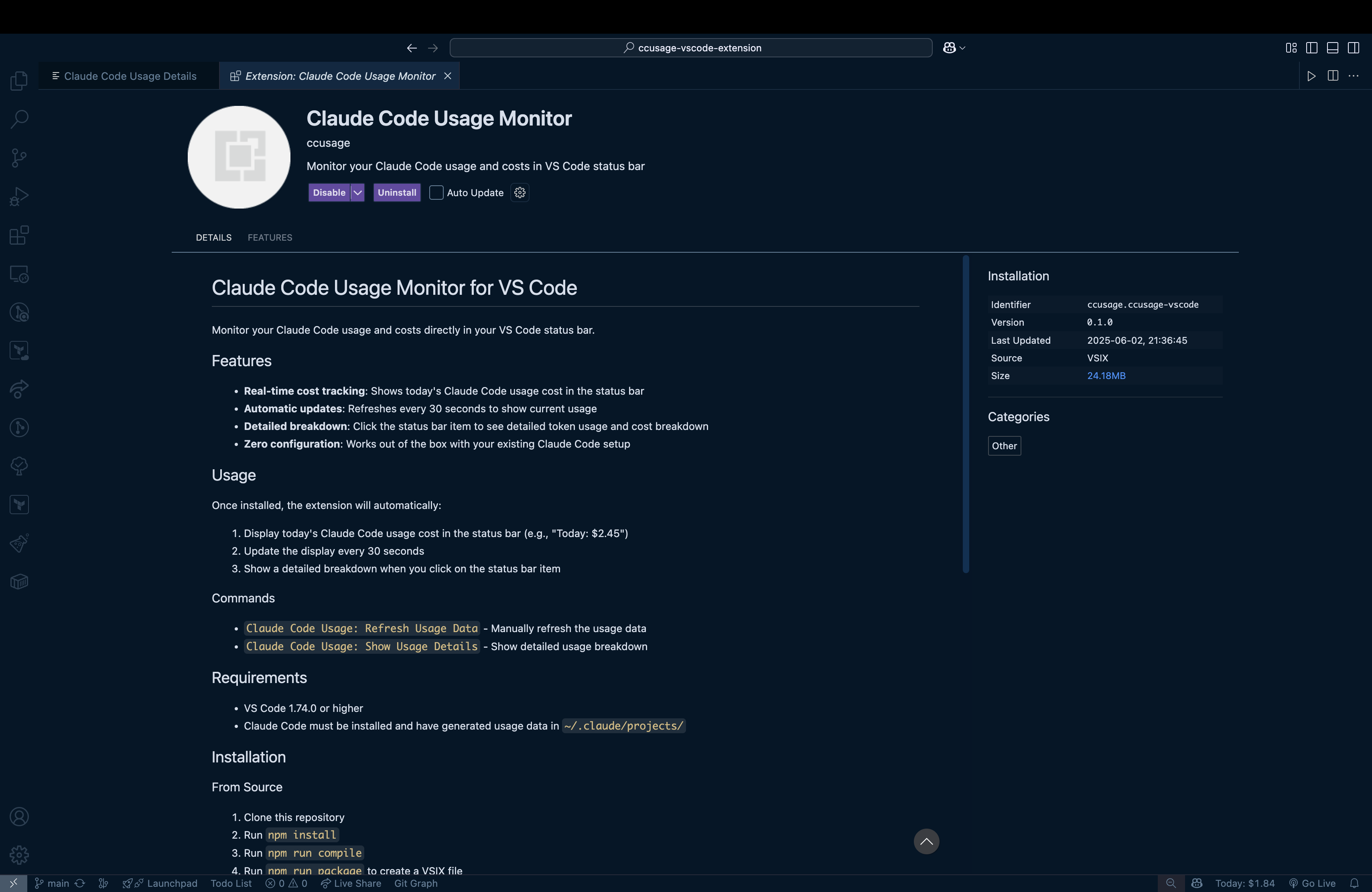
- Displays today’s Claude Code usage cost in the status bar (auto-updates every 30 seconds)
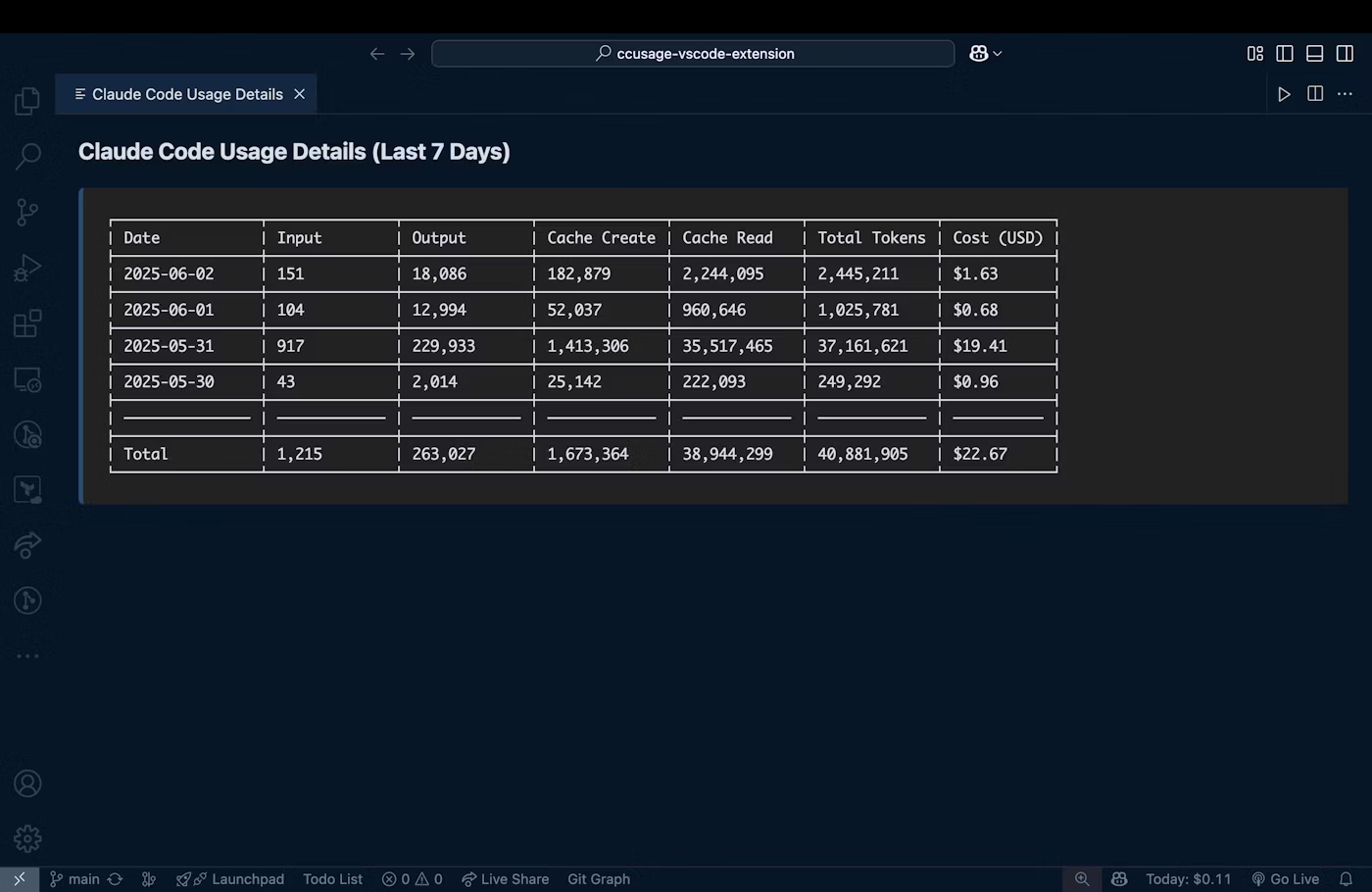
- Click to see a table of usage and token counts for the past 7 days
- Works in both VSCode and Cursor!
Here’s how it looks in action:

Click to open details:
Installation (Takes About 3 Minutes)
1. Clone & Build
git clone https://github.com/suzuki0430/ccusage-vscode-extension.git
cd ccusage-vscode-extension

# Install dependencies
npm install

# Compile TypeScript
npm run compile

# Package the extension
npm run package
This will create a file called ccusage-vscode-0.1.0.vsix in your current directory.
2. Import into VSCode
- In the EXTENSIONS tab, click the “…” menu → Install from VSIX… → select the VSIX file you just built.
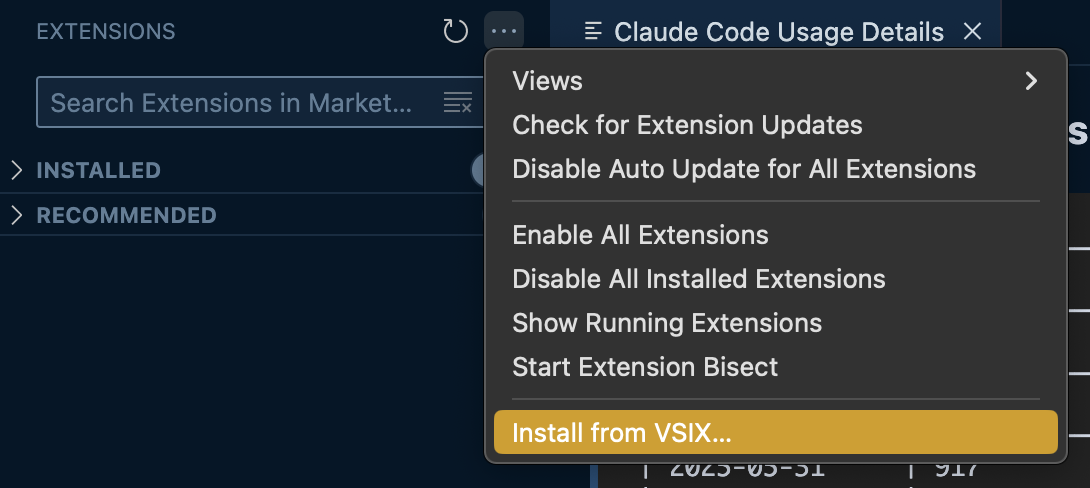
- After importing, the cost will appear in the status bar. (If it doesn’t, try restarting VSCode.)
3. Import into Cursor
- Simply drag and drop the VSIX file into the EXTENSIONS sidebar.

Why Use This?
Whether you’re worried about overusing the Claude API or just want to check if your MAX plan is worth it, this extension makes it super easy to keep an eye on your costs. Give it a try and let me know what you think!
References
Comments
More Blog
View allcursorCursor Automations in 2026: wire event-triggered coding agents to Slack, CI, and timers
Cursor Automations in 2026: wire event-triggered coding agents to Slack, CI, and...
M
Manu ShuklaaiIndex Everything, or Read Everything? The Dilemma of Feeding Specs to AI in Multi-Repo Development
The specs exist. The AI just can't see them. I've always been the type who builds hobby...
S
Shunya ShidaamazonbedrockConnect Claude Code, Cursor and Codex to Amazon Bedrock's new console (2026)
Connect Claude Code, Cursor and Codex to Amazon Bedrock's new console (2026) Summary. On 5...
M
Manu ShuklaaiSpotting AI UI is too easy
There is a weird uncanny valley with LLM-generated UI right now. The code functions perfectly, but if...
H
Harish .saiSeven ranking frameworks, one search page, zero translation tables
I went down a rabbit hole this morning reading the late-2025 Juejin AI roundups side by side, and the...
N
ninghonggangmcpZendesk MCP: Let Claude Handle Your Support Tickets
Install guide and config at curatedmcp.com Zendesk MCP: Let Claude Handle Your Support...
C
curatedmcpReady-made automations for this
Workflows from the Neura Market marketplace related to this Cursor resource
- Conversational Google Calendar Management with Claude 3.5, Haiku & Telegramn8n · $9.99 · Related topic
- Automate Chart Analysis with TradingView, Chrome Extension, and OpenAI in n8nn8n · $4.99 · Related topic
- Create a REST API for PDF Digital Signatures with Webhooksn8n · $24.99 · Related topic
- Build AI Agents with Think-Plan-Act Architecture Using Llama-4 Reasoningn8n · $24.99 · Related topic