
Back to Blog webdev
 cursor
 ai
ai amazonbedrock
 ai
ai ai
ai mcp
mcp
How We Gave Our AI Coding Agents the Context to Stop Hallucinating and Start Fixing Real Bugs
Dan Ponomarenko September 16, 2025
0 views
Let's be real: spinning up a new component or a boilerplate MVP with an AI coding assistant like...
Let's be real: spinning up a new component or a boilerplate MVP with an AI coding assistant like Cursor is the easy part. It feels like magic. The real challenge—the part that makes you want to pull your hair out—is getting it to fix a specific bug or make a small UI tweak without going completely off the rails.
You type in, "The submit button is slightly misaligned on desktop." The AI cheerfully refactors your entire form, introduces three new bugs, and somehow changes the button color to neon green. Sound familiar?
This gets 10x worse when bug reports come from non-technical folks. A ticket that just says "the login button is broken" is useless for a human dev, and it's even more useless for an AI that has no eyes, no browser, and no idea what the user was doing. It's the ultimate garbage-in, garbage-out problem.
To solve this, we at Webvizio built a tool that bridges the gap between the person reporting the issue and the AI that will (hopefully) fix it. It's all about context.
The Core Problem: AI Is Flying Blind
An AI coding agent doesn't "see" your website. When you ask it to fix a bug, you're essentially describing a visual, interactive problem to someone over the phone who has never seen your app. It's missing the critical context that a human developer takes for granted:
Visual Context: What does the UI actually look like? Where is the element on the page? Is it covered by something else?
Runtime Context: Are there any console errors? What did the network tab say? What's the state of the application?
Environmental Context: What browser, OS, and screen size is the user on?
DOM Context: What's the specific element? What are its CSS properties, its parents, its siblings? A vague description like "the blue button" isn't enough.
Without this information, the AI is just making an educated guess based on your code. And often, it guesses wrong.
Our Solution: A "Context Capture" Bridge
We built a tool to act as the eyes and ears for our AI assistant. It’s designed to let our non-technical team members report issues with zero friction while gathering all the technical data a developer (or an AI) would need.
Here’s the workflow:
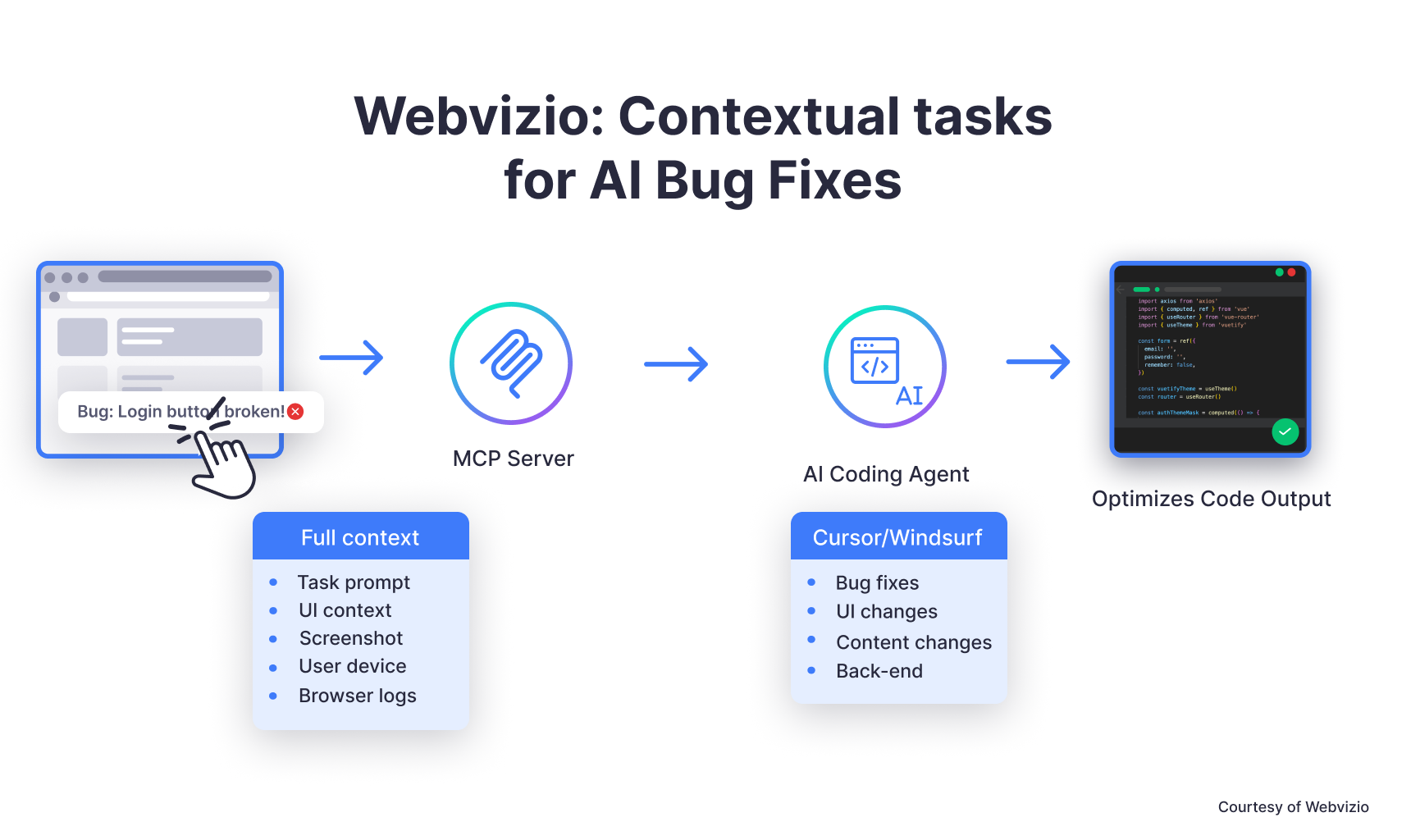
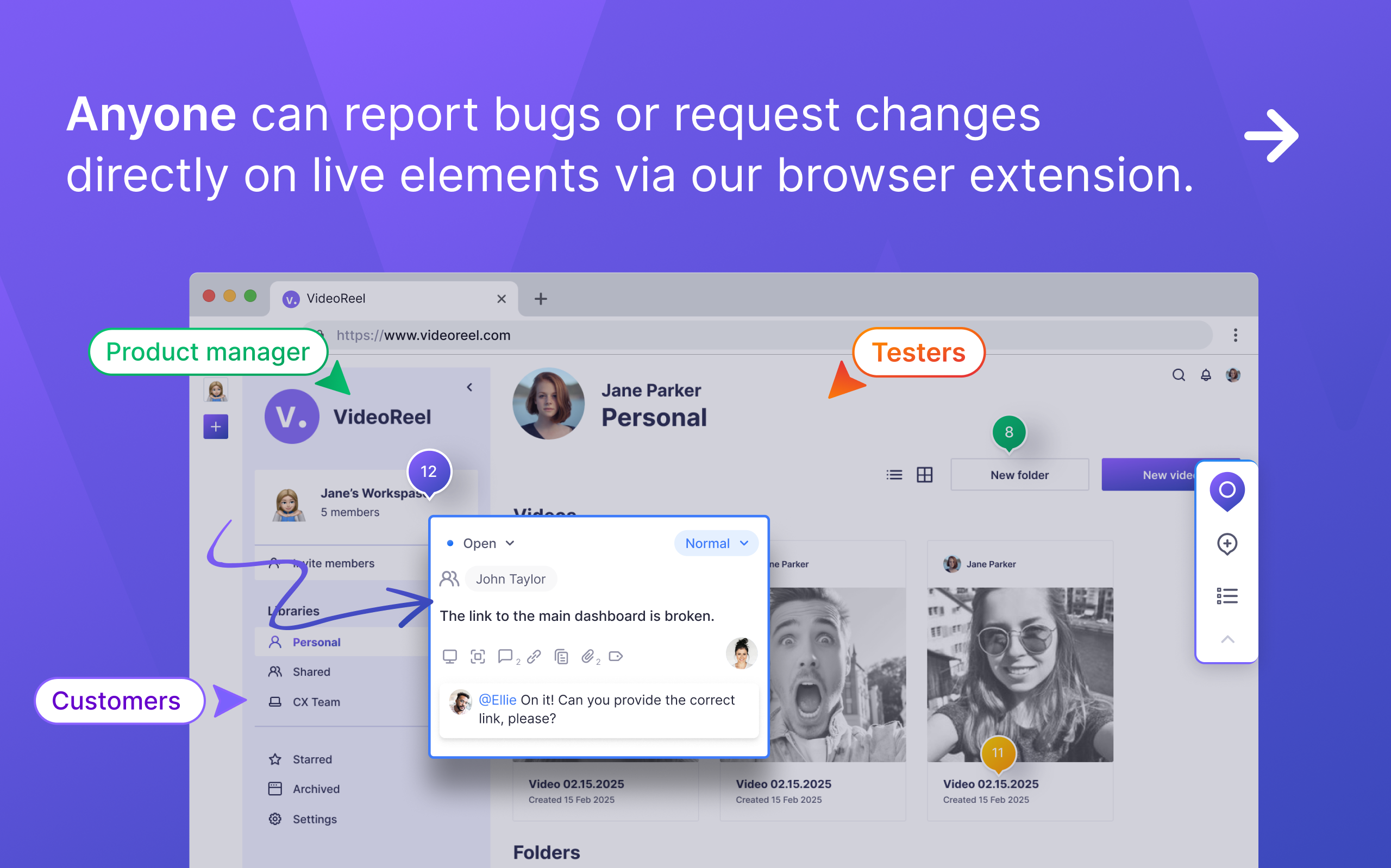
Step 1: Point, Click, and Report Non-technical team members (like our marketing team or PMs) can browse a staging or live webpage. When they spot an issue, they use our browser extension to simply point and click on the problematic element. They can leave a simple, plain-English comment like, "This button doesn't submit the form when I click it."
Step 2: The Magic Under the Hood The moment they submit that report, the extension automatically captures a rich payload of technical context. It's the digital equivalent of a developer looking over the user's shoulder. We grab:
Annotated Screenshots: A picture of what the user was seeing, with their click highlighted.
Console Output: All errors, warnings, and logs at the moment of the report.
User Actions: A breadcrumb trail of recent clicks and inputs.
Precise Element Selectors: The unique CSS selector for the flagged element and all its parents.
Technical Specs: Browser version, operating system, viewport size, etc.
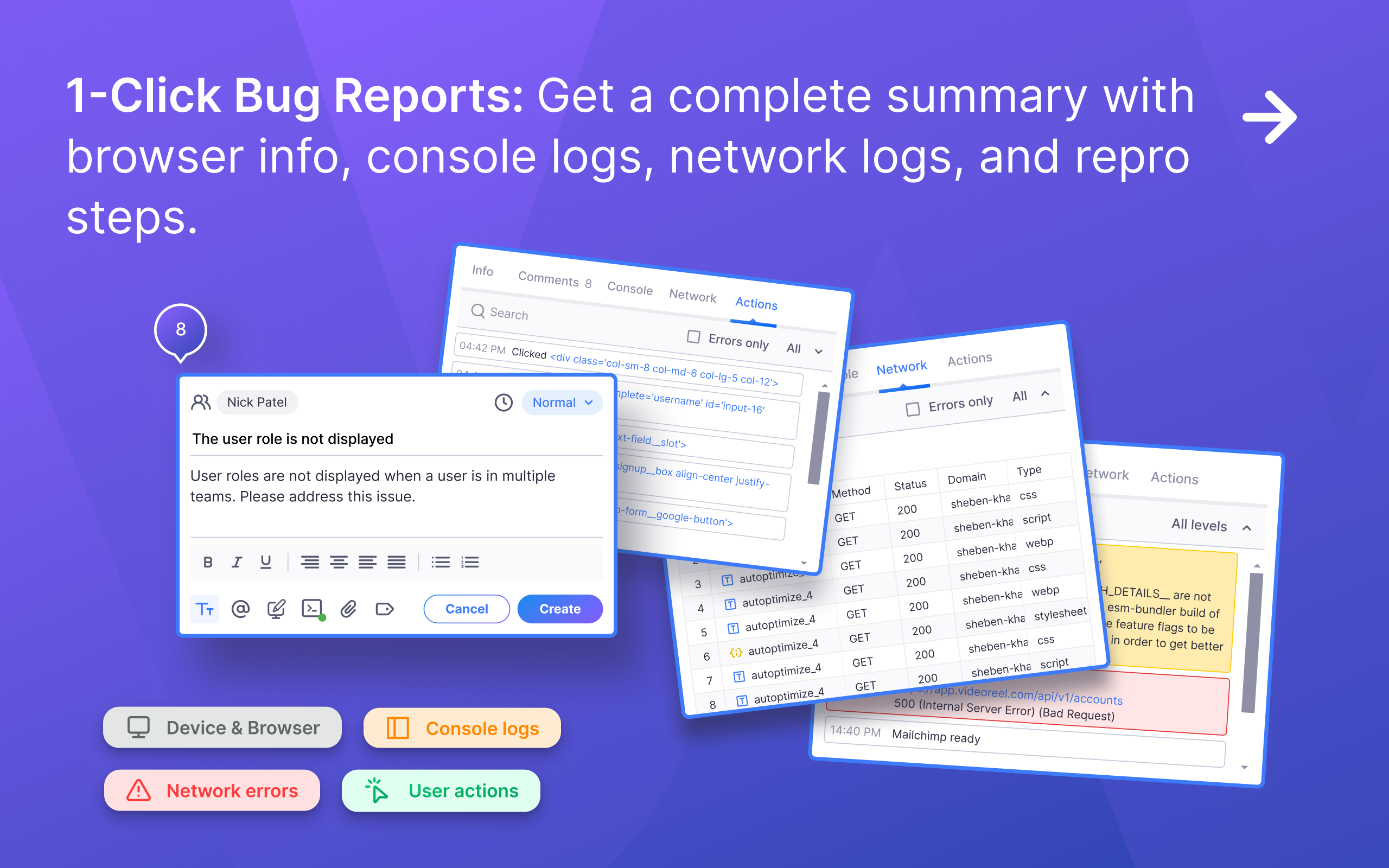
Step 3: Structuring and Storing the Context All this captured data is automatically organized into a structured task within our system. Instead of a messy email or a vague ticket, we get a comprehensive bug report where every piece of technical data is neatly categorized and linked to the user’s original comment. This creates a single source of truth for the issue.
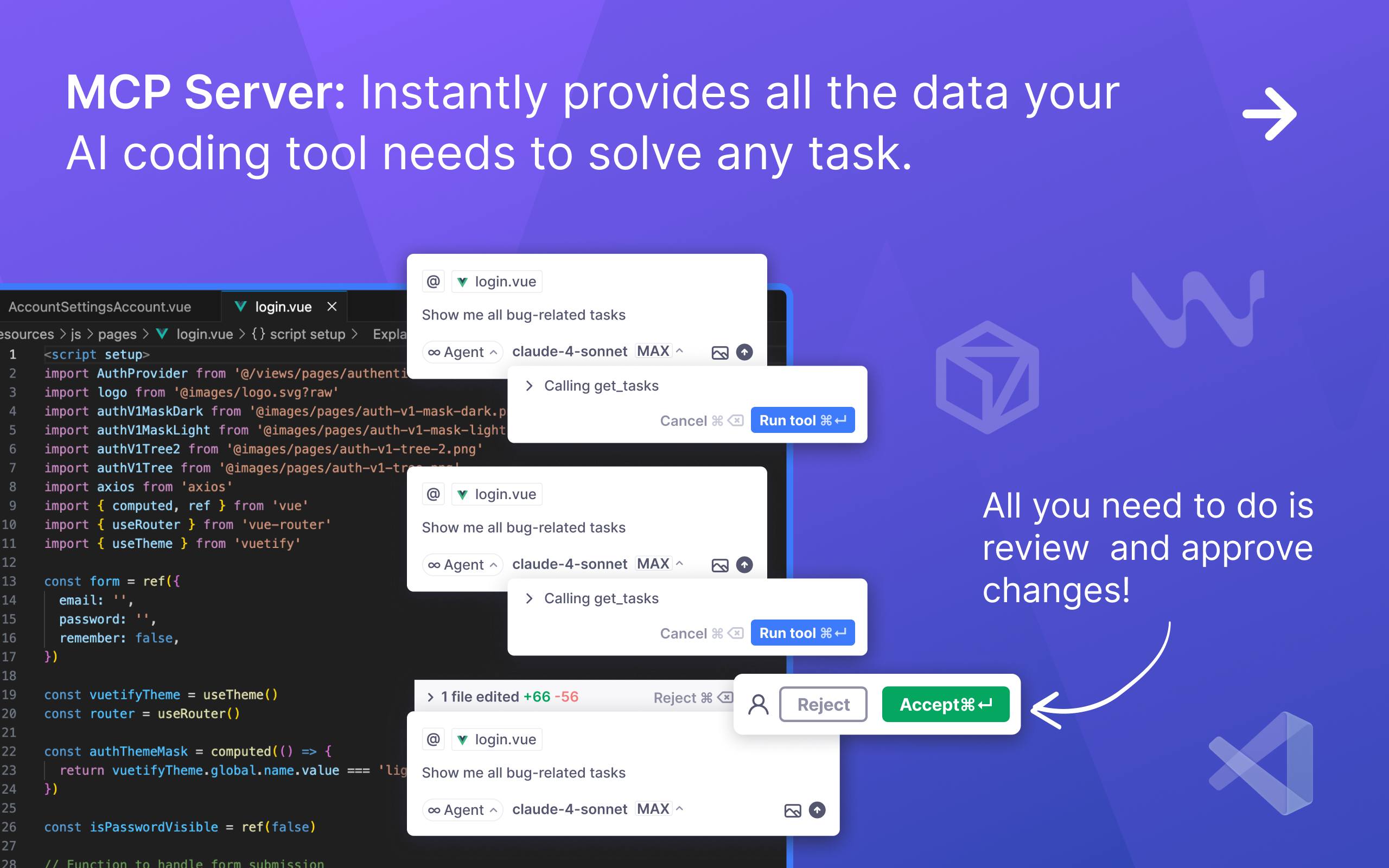
Step 4: Connecting the AI via the MCP Server This is the integration layer that makes the workflow seamless. We created our own MCP server that acts as a context provider to the AI coding agent.
When a developer is ready to address a bug, they don't copy-paste anything. They simply enquire all available tasks up to execution right in the AI agent chat. The AI receives the user's comment, screenshot, console logs, DOM selectors, and browser info in one clean API response.
The Result: From Guesswork to Precision
With this direct, automated connection, the AI has everything it needs to understand the problem deeply.
When it receives a task, it knows exactly which button the user is talking about, it sees the precise TypeError from the console, and it understands the exact context where the bug occurred.
The AI's proposed solution is now laser-focused and exponentially more likely to be correct on the first try. It’s no longer a matter of guessing; it’s about performing a diagnosis based on a rich, comprehensive dataset.
This has practically eliminated the "can you send me a screenshot of the console?" back-and-forth for us. The feedback loop is tighter, fixes are faster, and developers can focus on approving and implementing solutions instead of playing detective.
If you'd like to see it in action, we've put together a short demonstration video on YouTube:
{% embed https://youtu.be/8kscndf9oWk %}
Let's Open the Floor: How Do YOU Do It?
This is how we're tackling the context problem, but I know we're not the only ones facing it. I'm genuinely curious to hear how others are handling this, especially with non-technical teams.
- If you're a solo dev, how do you keep context straight when iterating on AI-generated code?
- If you're on a team, what's your process for turning a vague bug report from a PM or a client into an actionable task for an AI agent? Are you using templates, forms, or other tools?
Comments
More Blog
View allcursorCursor Automations in 2026: wire event-triggered coding agents to Slack, CI, and timers
Cursor Automations in 2026: wire event-triggered coding agents to Slack, CI, and...
M
Manu ShuklaaiIndex Everything, or Read Everything? The Dilemma of Feeding Specs to AI in Multi-Repo Development
The specs exist. The AI just can't see them. I've always been the type who builds hobby...
S
Shunya ShidaamazonbedrockConnect Claude Code, Cursor and Codex to Amazon Bedrock's new console (2026)
Connect Claude Code, Cursor and Codex to Amazon Bedrock's new console (2026) Summary. On 5...
M
Manu ShuklaaiSpotting AI UI is too easy
There is a weird uncanny valley with LLM-generated UI right now. The code functions perfectly, but if...
H
Harish .saiSeven ranking frameworks, one search page, zero translation tables
I went down a rabbit hole this morning reading the late-2025 Juejin AI roundups side by side, and the...
N
ninghonggangmcpZendesk MCP: Let Claude Handle Your Support Tickets
Install guide and config at curatedmcp.com Zendesk MCP: Let Claude Handle Your Support...
C
curatedmcpReady-made automations for this
Workflows from the Neura Market marketplace related to this Cursor resource
- Create a Context-Aware Slack Assistant with Google Sheets, Pinecone & GPT-4n8n · $14.99 · Related topic
- Real-time Email Tag Assistant with Gmail, OpenAI GPT, and PGVectorn8n · $9.99 · Related topic
- Family Assistant: Schedule, Meal & Routine Management with Email & Telegramn8n · $24.99 · Related topic
- WordPress Content Assistant: Article Recommendations & Q&A with Mistral AIn8n · $24.99 · Related topic