
Back to Blog nextjs
Step 6: Integrate
 cursor
 ai
ai amazonbedrock
 ai
ai ai
ai mcp
mcp
How to integrate AI Agent Skills to NextJS App & Cursor AI ?
Kelvyn Thai January 19, 2026
0 views
Hi everyone, I’m Kelvyn, a Software Engineer. Recently, I’ve been reading many articles related to...
Hi everyone, I’m Kelvyn, a Software Engineer.
Recently, I’ve been reading many articles related to React Best Practices for AI Agent Skills. This topic is being discussed widely in companies and also appears frequently in my feeds. So if you’re someone working with Cursor, React, or Next.js, and you’re curious about how to integrate AI Agent Skills into your workflow, this article is for you.
When I first started reading about this topic, I asked myself:
- What are AI Agent Skills?
- What are the real use cases?
- Even if we understand them, how do we integrate them?
- And how can we ensure they’re working as expected?
So let’s start by breaking this problem down step by step.
I. Rules vs Skills — Summary
What are Rules?
Rules define the law. Very straightforward:
- Red light → stop
- Green light → go
FYI:
Rules provide system-level instructions to an Agent. They bundle prompts, scripts, and more together, making it easy to manage and share workflows across your team.
How Rules Work
Large Language Models don’t retain memory between completions. Rules provide persistent, reusable context at the prompt level.
When applied, rule contents are included at the start of the model context, giving the AI consistent guidance for:
- generating code
- interpreting edits
- helping with workflows
Examples
- “Whenever you write TypeScript, enforce exhaustive handling for union types.”
- “UI modules must follow container/presentational separation. Presentational components must be pure (no hooks, no side effects).”
- “Enforce a maximum of 100 lines of code per UI file.”
- “Enforce
.webpformat for images.”
What Rules Are
- Standards, requirements, and guardrails
- Define what must always be true
- Shape how the AI reasons and makes decisions
Skills
What Are Skills?
Skills define the method or capability to do something.
FYI:
Agent Skills are an open standard for extending AI agents with specialized capabilities. Skills package domain-specific knowledge and workflows that agents can use to perform specific tasks.
Examples
- “How to enforce exhaustiveness in a TypeScript switch.”
- “How to refactor a component into container + presentational.”
- “How to review a module structure.”
What Skills Are
- Named capabilities or playbooks
- Teach the AI how to do something well
| Rule | Skill |
|---|---|
| Enforce exhaustive union handling | TS Exhaustive Switch Checking |
| Enforce container/presentational architecture | Container–Presentational Review & Refactor |
II. What Is React Best Practices?
React Best Practices is a structured repository for creating and maintaining React best practices optimized for AI agents and LLMs.
Imagine your team has rules for folder structure:
-
Enforcing container/presentational patterns
-
Limiting each feature to 3 files:
index.ts(exports)ComponentName.tsx(UI)ComponentName.actions.ts(logic, hooks, queries)
Normally, you’d document this in something like docs/component-structure.md.
Every time you want a code review, you’d need Cursor to re-read that document.
Another example is enforcing exhaustive switch checking for render blocks or feature flags.
So the question is:
Can we make these rules global, reusable, and automatically applied — without re-injecting context every time?
References
- Rules file format: https://cursor.com/docs/context/rules#rule-file-format
- Rules file structure: https://github.com/vercel-labs/agent-skills/tree/main/skills/react-best-practices#rule-file-structure
III. How to Integrate with a Next.js Application
Prerequisites
- Initialize a Next.js app: https://nextjs.org/docs/app/getting-started/installation
Step 1: Set Up React Best Practices
npx add-skill vercel-labs/agent-skills -y
You should see new folders created.
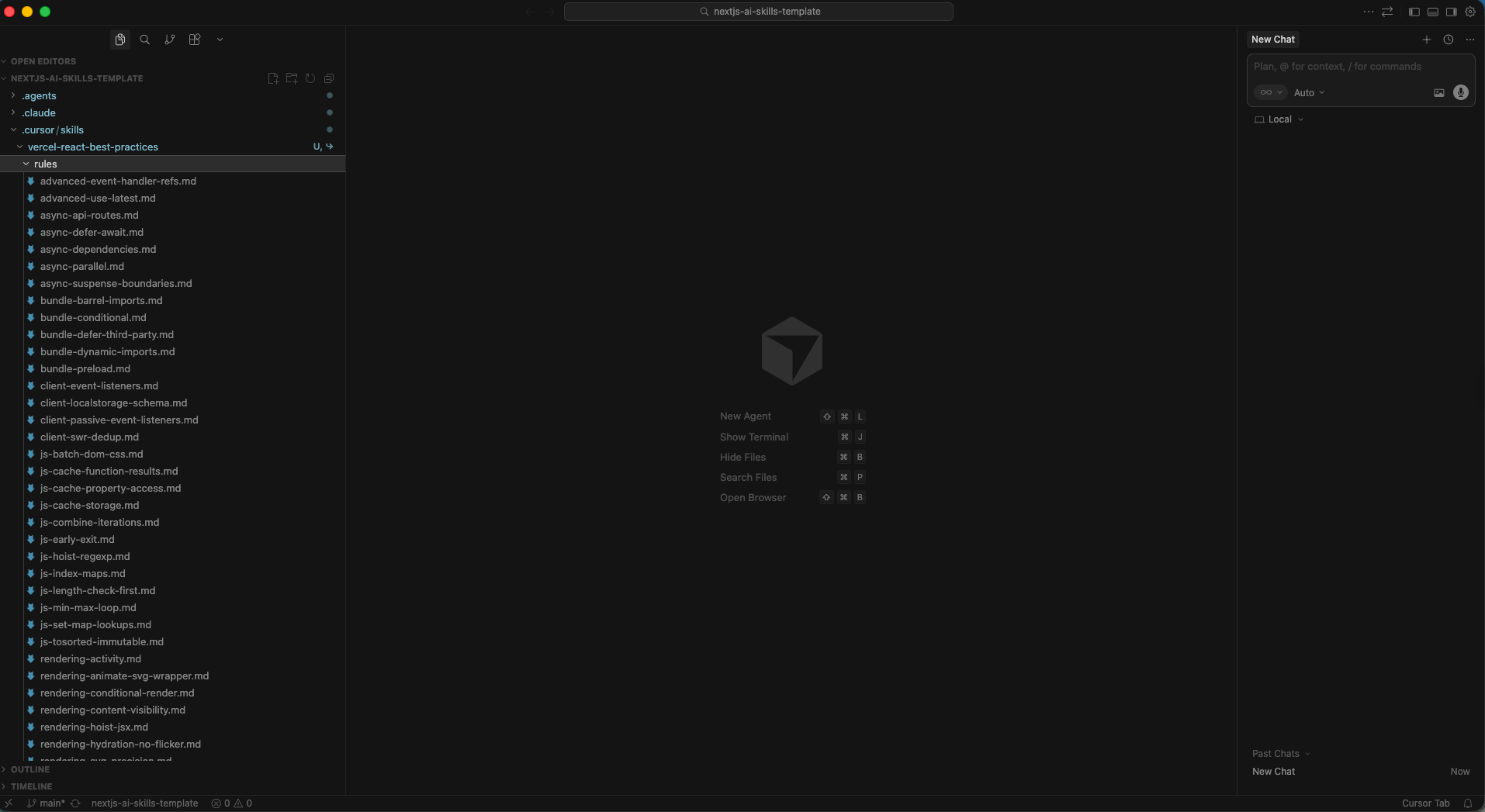
Great! The repository has been cloned successfully.
Reference: https://vercel.com/blog/introducing-react-best-practices
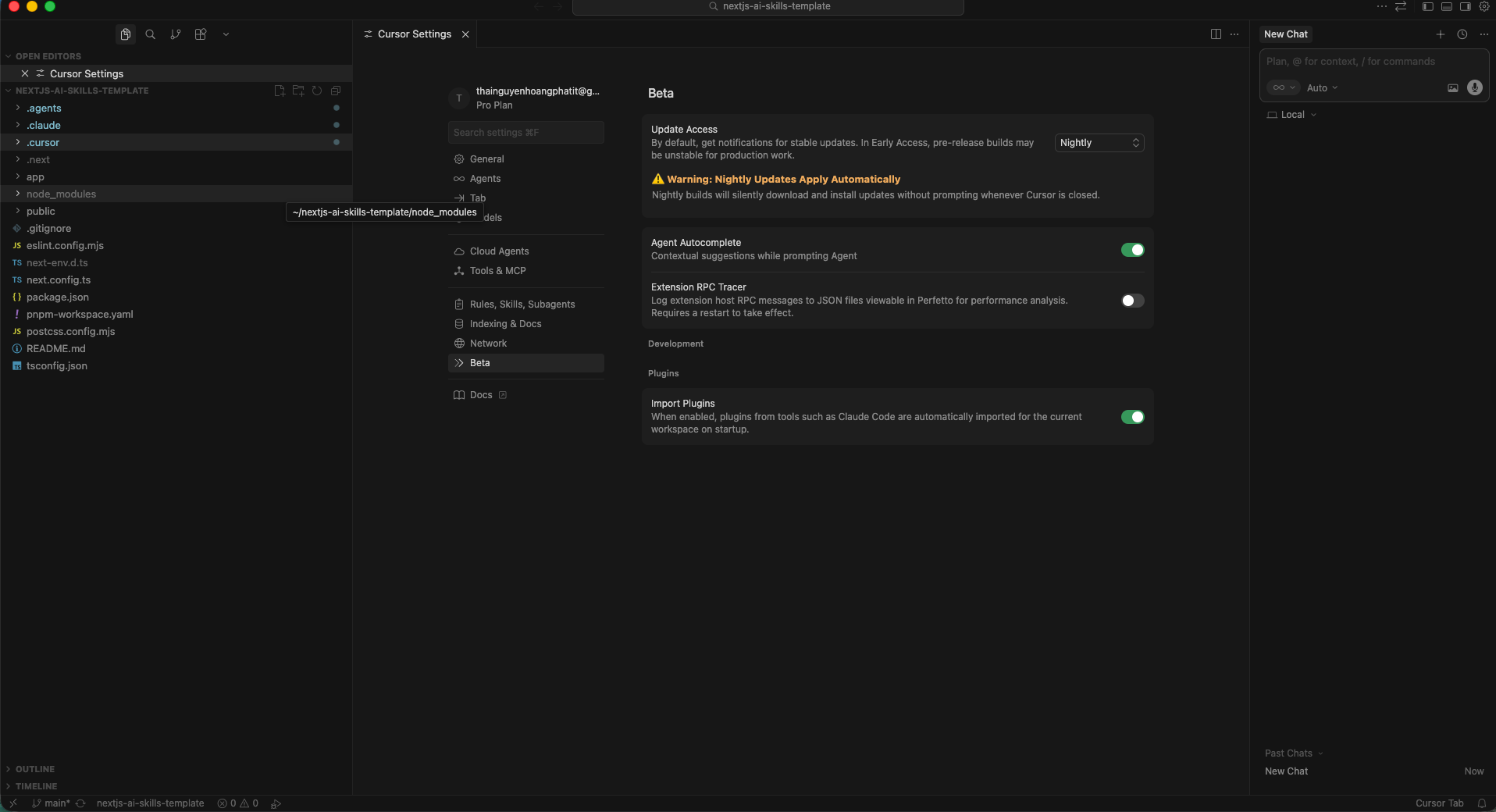
Step 2: Enable “Nightly” Mode in Cursor
-
Open Cursor Settings
- Mac:
Cmd + Shift + J - Windows/Linux:
Ctrl + Shift + J
- Mac:
-
Navigate to the Beta tab
-
Select Nightly mode
You may need to restart Cursor to ensure it’s enabled.
Step 3: Ensure Skills Are Applied
- Open Cursor Settings
- Navigate to Rules, Skills, Subagents
- Verify skills appear under Agent Decides
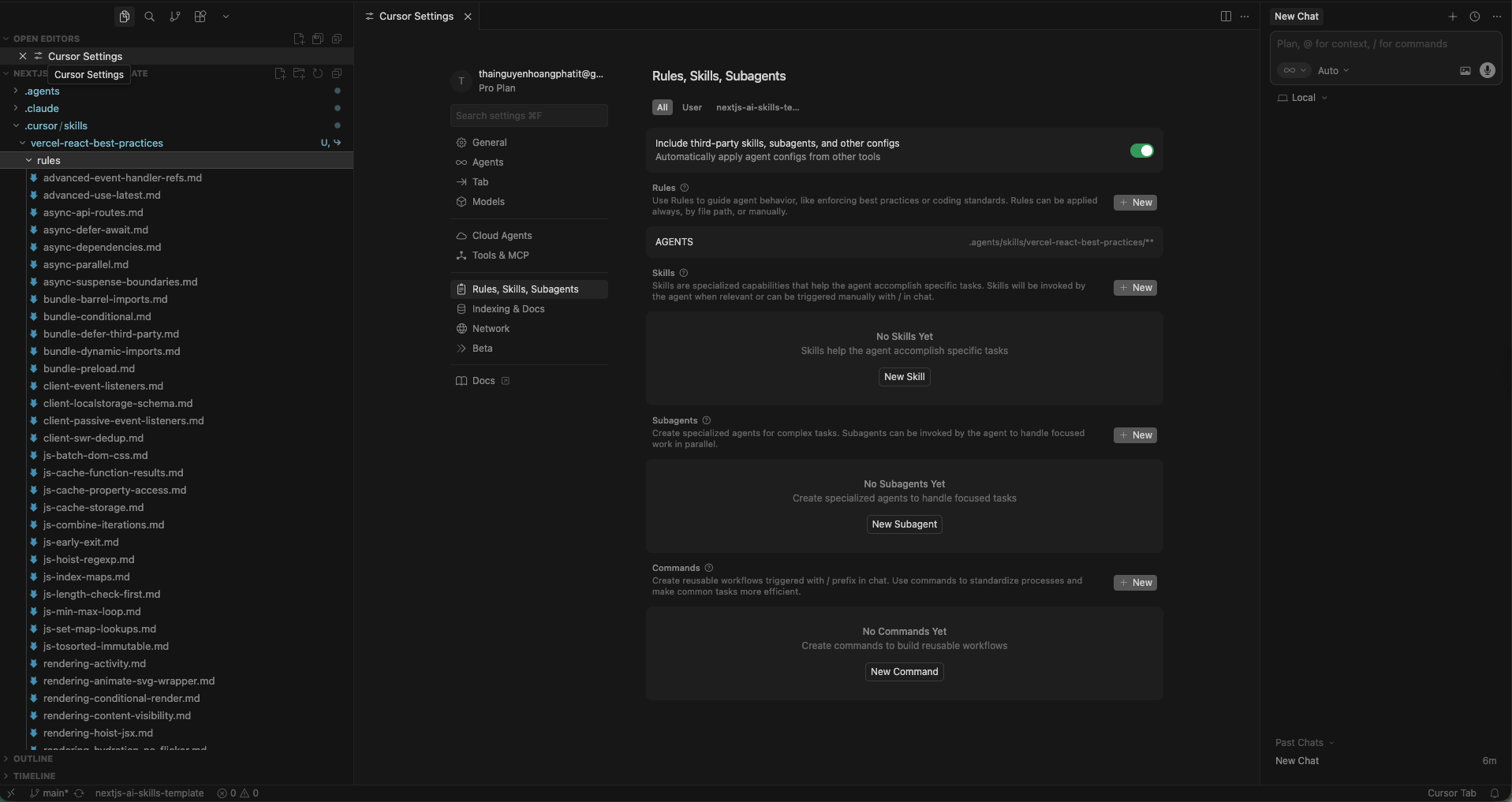
Fantastic! We’ve successfully set up AI Agent Skills for a Next.js app.
Reference: https://cursor.com/docs/context/skills
Step 4: Verify That Skills Work
Try a simple prompt:
Review this component
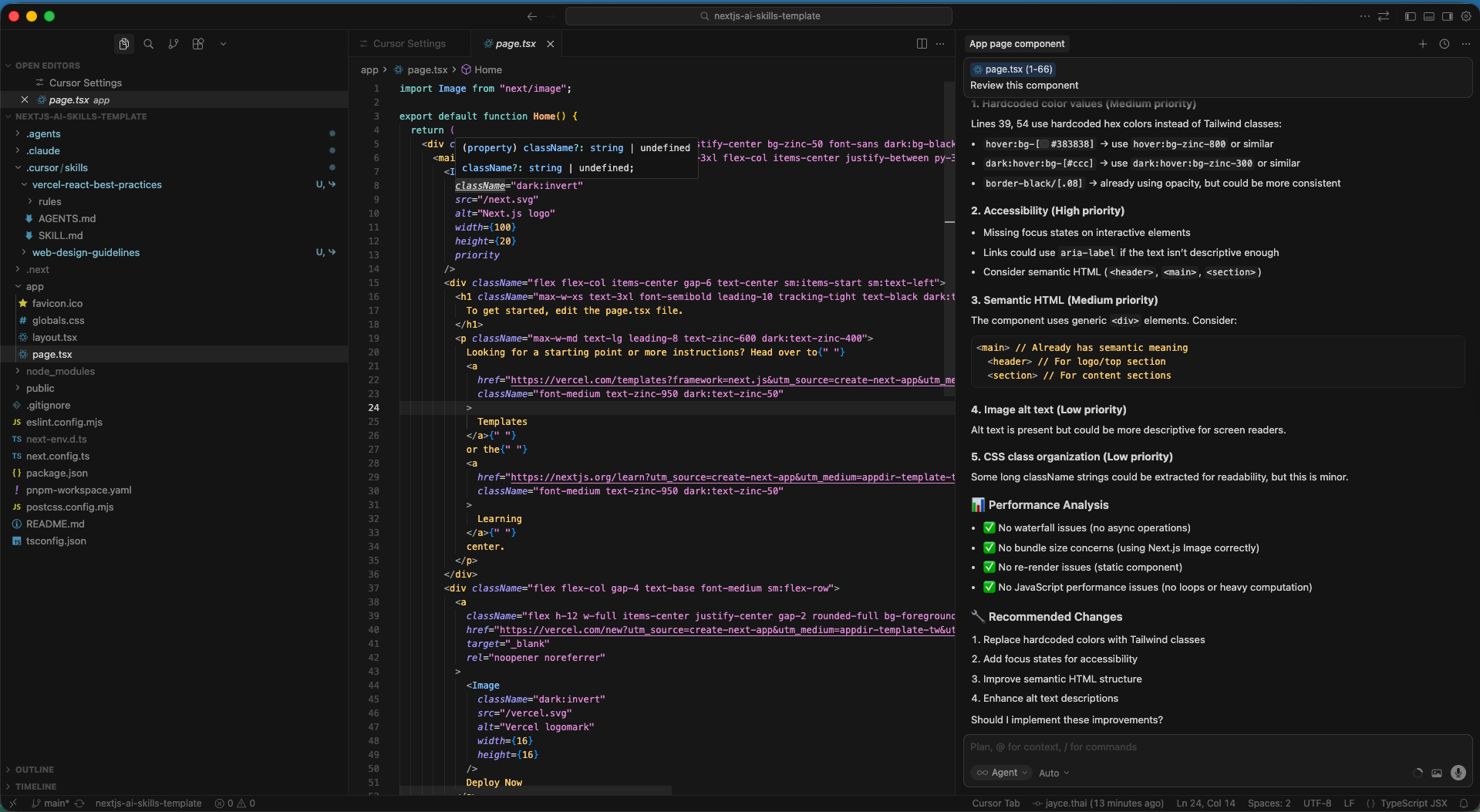
Cursor reports:
- ✅ No waterfall issues
- ✅ No bundle size concerns
- ✅ No re-render issues
- ✅ No JavaScript performance issues
Looks good — but are we fully convinced?
Step 5: Create a Rule and Test It
Now let’s add a new rule enforcing module structure:
- Max 3 files per submodule
- Kebab-case naming
- Container/presentational pattern
- UI must be pure
- Logic in
.actions.ts(x) - Re-export via
index.ts
Try again:
Review HomePage.tsx
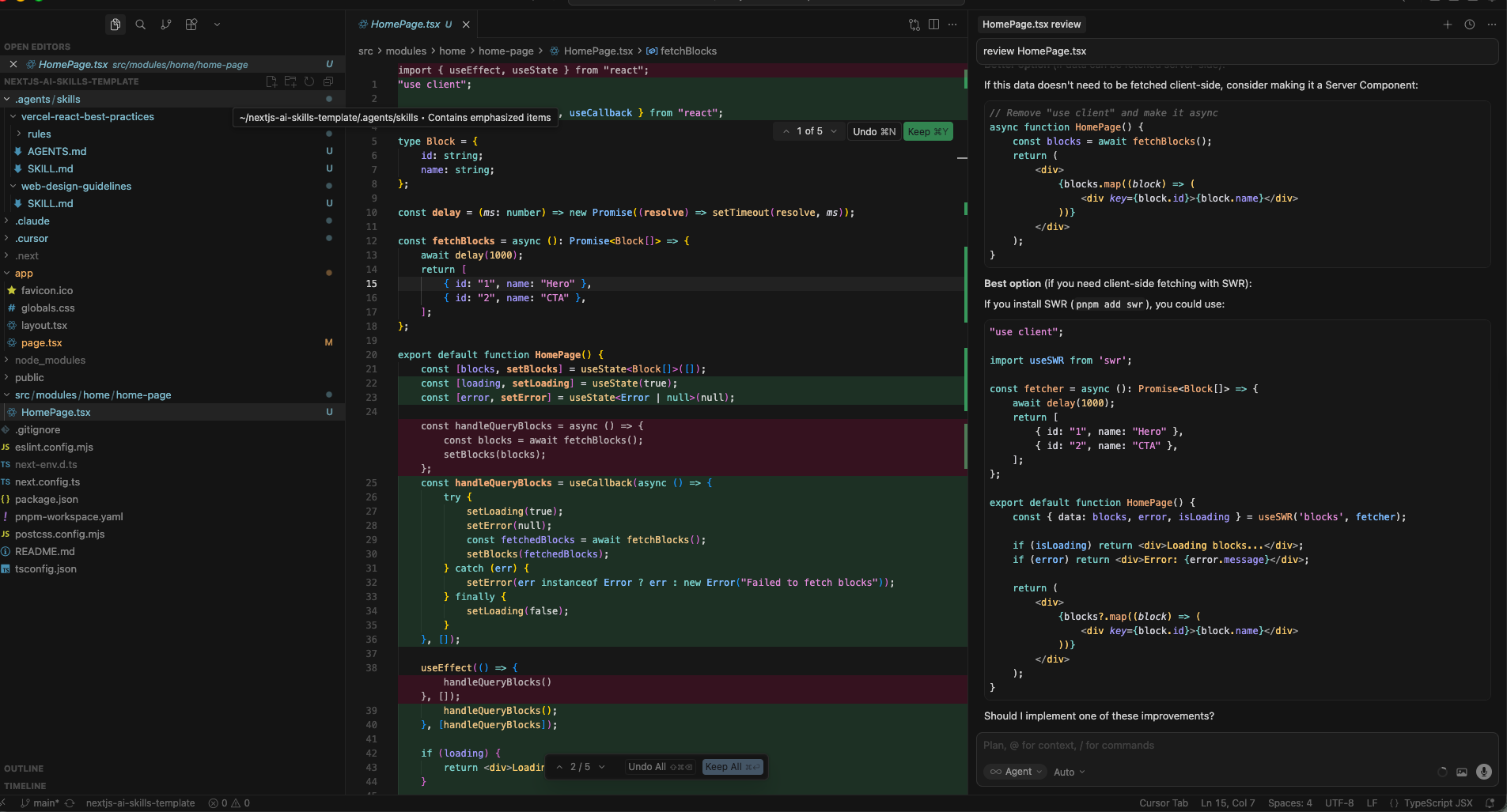
Hmm… this looks strange. It seems the new skill wasn’t applied.
Step 6: Integrate react-best-practices-build
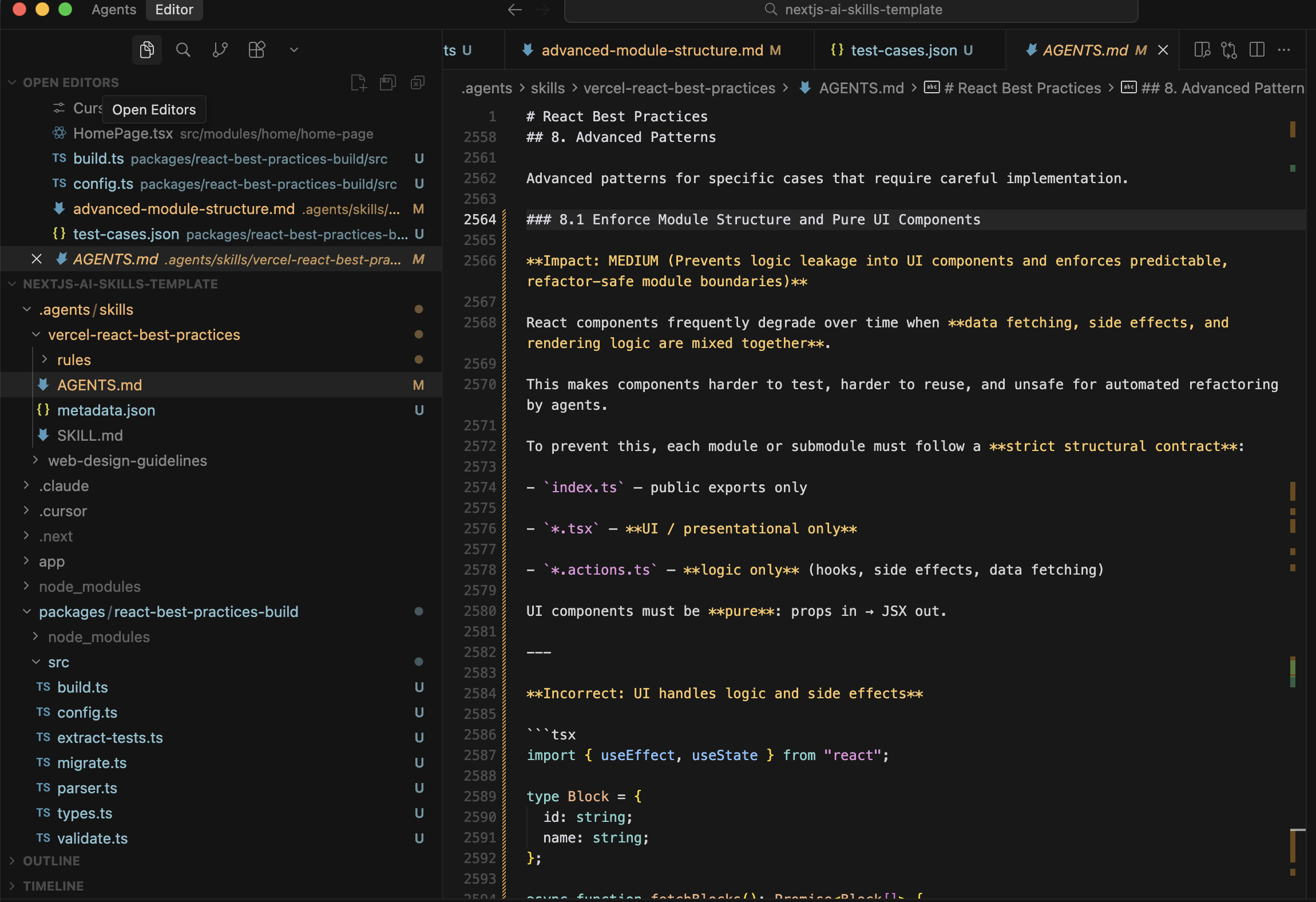
After reviewing the documentation and source code, it turns out that AGENTS.md and SKILL.md must be regenerated whenever new rules are added.
This step is not clearly mentioned in the official docs.
Clone the repo:
git clone https://github.com/vercel-labs/agent-skills.git
Move the build package into your workspace:
mkdir -p packages
cp -r agent-skills/packages/react-best-practices-build packages/
cp agent-skills/skills/react-best-practices/metadata.json .agents/skills/vercel-react-best-practices
cp agent-skills/skills/react-best-practices/rules/_sections.md \
   agent-skills/skills/react-best-practices/rules/_template.md \
   .agents/skills/vercel-react-best-practices/rules/
rm -rf agent-skills
Update pnpm-workspace.yaml:
packages:
  - packages/*
...
Install dependencies:
cd packages/react-best-practices-build
pnpm install
Update SKILL_DIR:
// packages/react-best-practices-build/src/build.ts
export const SKILL_DIR = join(
  __dirname,
  "../../..",
  ".agents/skills/vercel-react-best-practices"
);
Validate rules:
pnpm validate
Build skills:
pnpm build
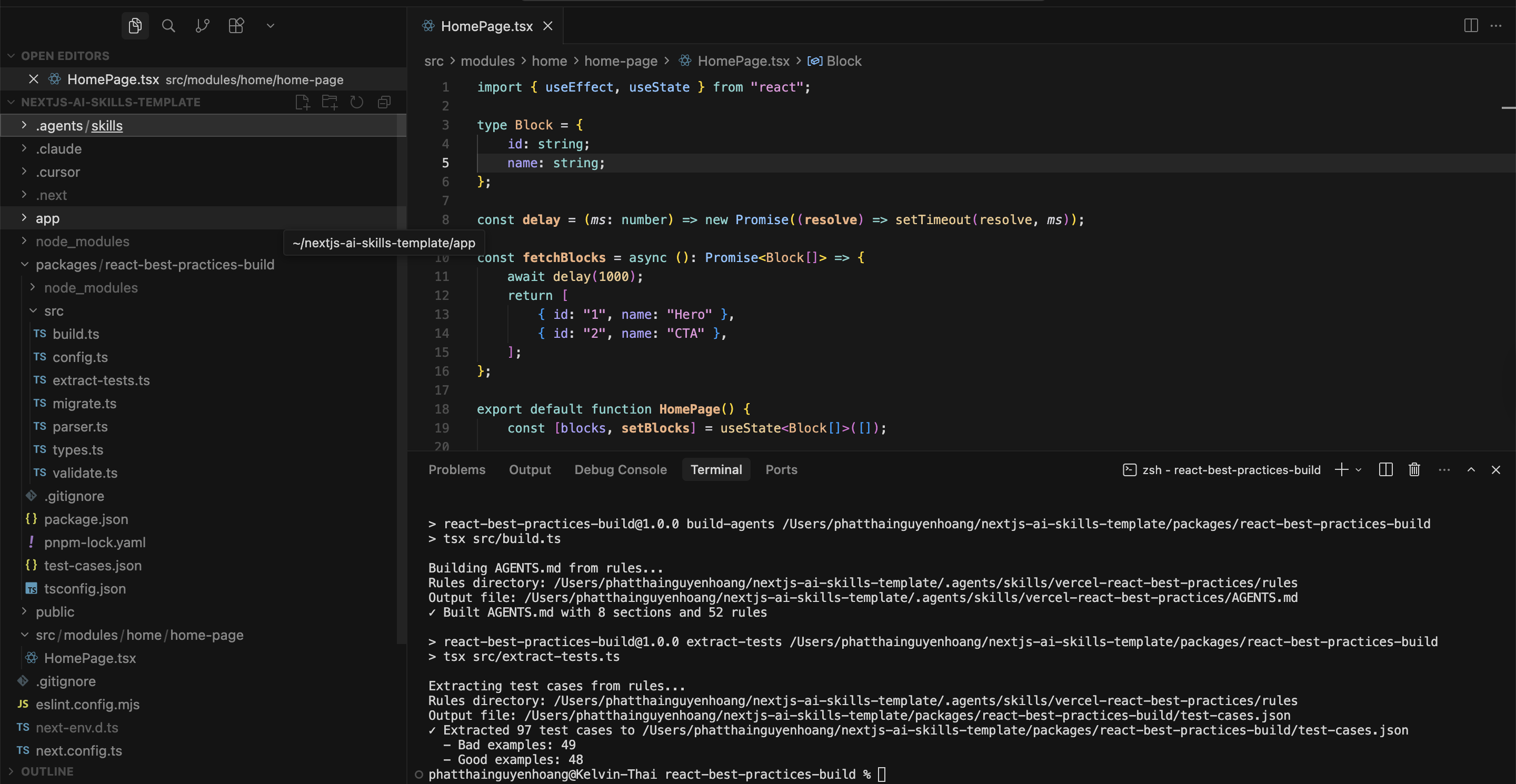
Check AGENTS.md:
Final Test
Review this component
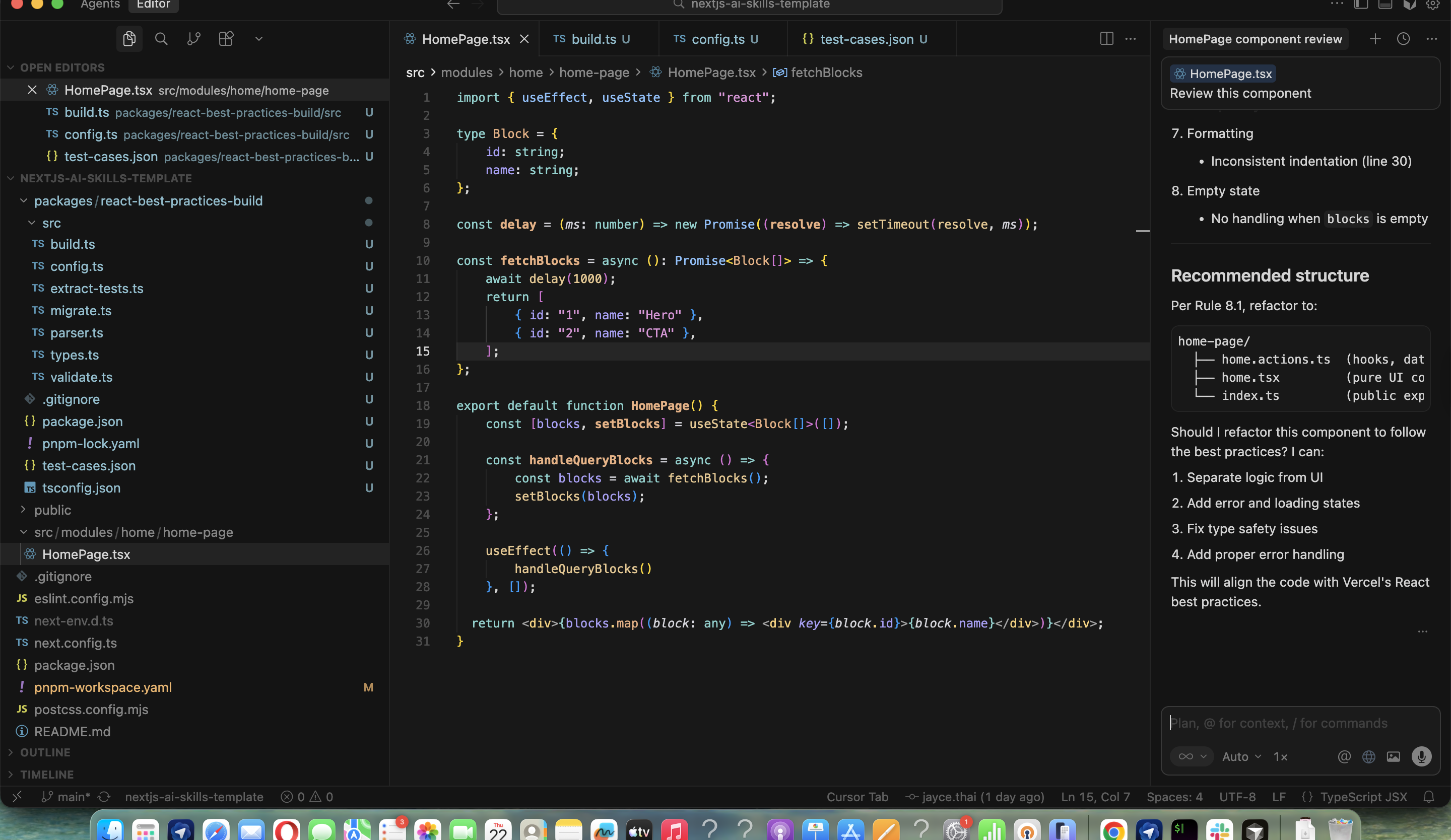
NICE! The new rule is now enforced automatically.
Summary
- Rules define what must always be true
- Skills define how the AI performs tasks
- Custom rules require rebuilding
AGENTS.md - Once set up, no extra prompting or context is needed
Full source code: https://gitlab.com/kelvyn-labs/nextjs-ai-skills-template
Comments
More Blog
View allcursorCursor Automations in 2026: wire event-triggered coding agents to Slack, CI, and timers
Cursor Automations in 2026: wire event-triggered coding agents to Slack, CI, and...
M
Manu ShuklaaiIndex Everything, or Read Everything? The Dilemma of Feeding Specs to AI in Multi-Repo Development
The specs exist. The AI just can't see them. I've always been the type who builds hobby...
S
Shunya ShidaamazonbedrockConnect Claude Code, Cursor and Codex to Amazon Bedrock's new console (2026)
Connect Claude Code, Cursor and Codex to Amazon Bedrock's new console (2026) Summary. On 5...
M
Manu ShuklaaiSpotting AI UI is too easy
There is a weird uncanny valley with LLM-generated UI right now. The code functions perfectly, but if...
H
Harish .saiSeven ranking frameworks, one search page, zero translation tables
I went down a rabbit hole this morning reading the late-2025 Juejin AI roundups side by side, and the...
N
ninghonggangmcpZendesk MCP: Let Claude Handle Your Support Tickets
Install guide and config at curatedmcp.com Zendesk MCP: Let Claude Handle Your Support...
C
curatedmcpReady-made automations for this
Workflows from the Neura Market marketplace related to this Cursor resource
- Integrate Multi-Source AI Agent with OpenAI, Perplexity, and Google Sheetsn8n · $9.99 · Related topic
- Integrate Flowise Multi-Agent Chatflows into a Custom-Branded n8n Chatbotn8n · $4.99 · Related topic
- Integrate External Processes with n8n Workflow Using Webhook Callbacksn8n · $14.99 · Related topic
- Integrate and Chat with Documents Using InfraNodus Knowledge Graphn8n · $14.99 · Related topic