
Back to Blog![[AI Practice] Building blazing-Fast AI Mac OS App with Antigravity CLI](https://media2.dev.to/dynamic/image/width=1200,height=627,fit=cover,gravity=auto,format=auto/https%3A%2F%2Fdev-to-uploads.s3.amazonaws.com%2Fuploads%2Farticles%2F0c46l59dnusxpmnao70k.png) ai
ai
 ai
ai aie
aie gemini
 ai
ai aie
aie aie
aie
[AI Practice] Building blazing-Fast AI Mac OS App with Antigravity CLI
Evan Lin June 12, 2026
0 views
Foreword: A Developer's New Collaboration Model Imagine this scenario: you are...
Foreword: A Developer's New Collaboration Model
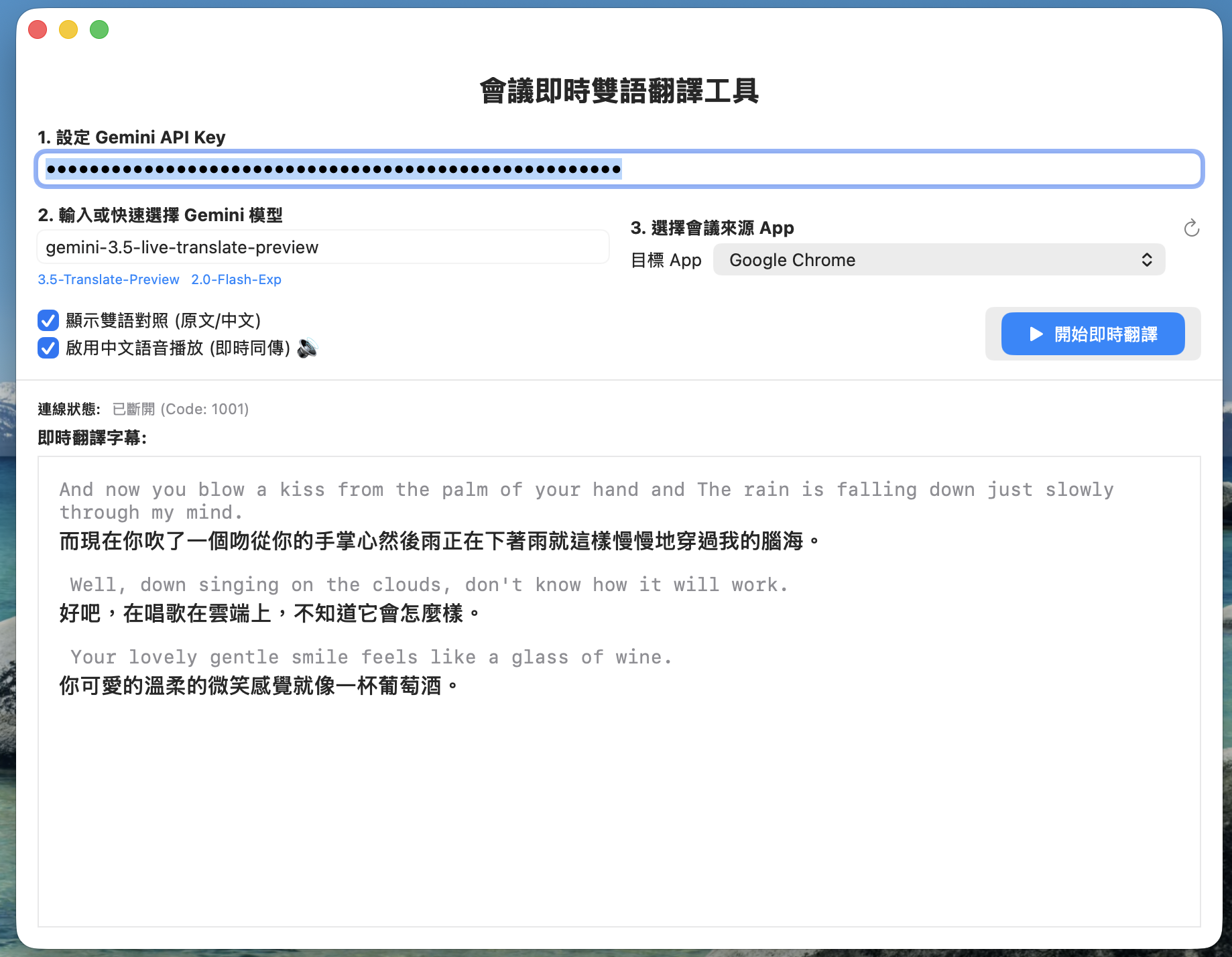
Imagine this scenario: you are developing a real-time meeting translation App that combines macOS low-level audio (CoreAudio/ScreenCaptureKit) with Gemini Live API WebSocket. During the testing phase, the program suddenly crashed with an error, and the audio stream produced a complete silence of all zeros.
In the past, your troubleshooting process might have been:
- Open the terminal and retrieve the log file.
- Copy the entire error message and relevant code.
- Switch to the browser, open an AI chat window, paste it, and ask for the reason.
- After receiving modification suggestions, copy them back to the editor and test manually.
- Repeat the above steps until fixed, then manually write
README.md, write a blog post, create a GitHub repository, commit the code, and push it.
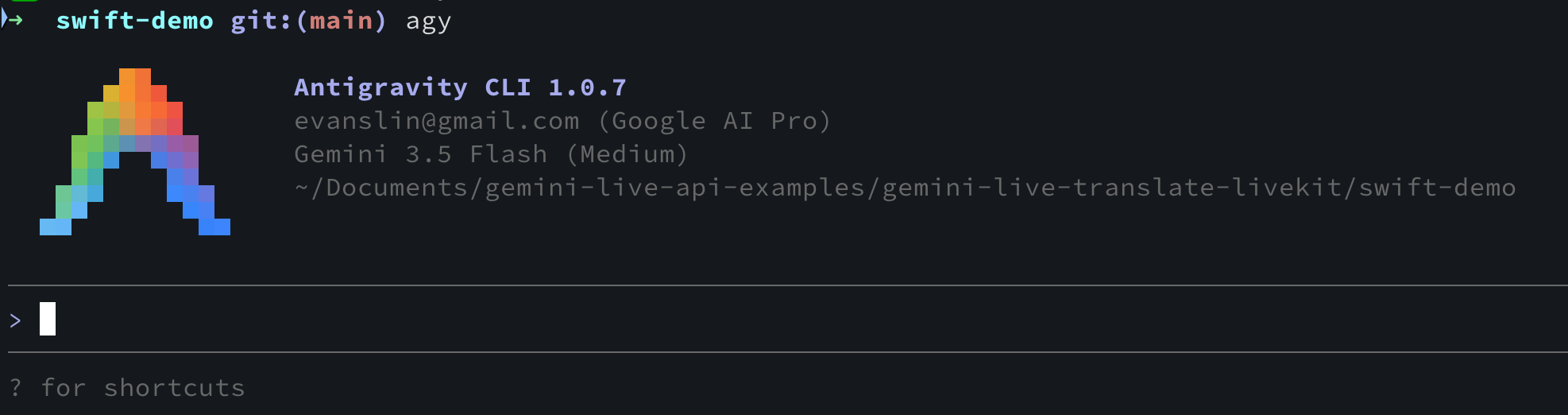
In this development cycle, we adopted the AGY CLI (Antigravity-CLI) agent designed by Google DeepMind. We were surprised to find that all the tedious context switching mentioned above could be fully automated through conversations with the intelligent agent within the terminal. This article will reconstruct the actual Prompt dialogue flow and share how we collaborated with AGY CLI to build a macOS meeting translation App from scratch.
Phase One: Idea Generation and Architecture Design
Everything originated from a development idea and a newly released Google API document. The developer pasted a URL into the terminal for AGY CLI and posed the first core question:
User : Following this example, is it possible to create a Mac OS App that can capture audio from the computer and translate it into other languages in real-time? Start helping me think about how to do this. My main goal is to be able to use it for Zoom / Google Meet meetings to directly translate other countries' languages into Traditional Chinese.
Here are other documents for your reference: https://ai.google.dev/gemini-api/docs/live-api/live-translate?hl=zh-tw
Upon receiving the instruction, AGY CLI acted as an architect, quickly analyzing and providing a set of native macOS solutions:
- No virtual sound card installation required: It recommends using Apple's ScreenCaptureKit framework, introduced in macOS 13+, to directly capture the clean audio track of selected applications (such as Zoom or Chrome) in Sandbox secure mode.
- Real-time audio resampling: Utilize
AVAudioConverterto resample multi-channel/stereo 48kHz audio in real-time to the 16kHz mono PCM format supported by Gemini Live. - Bidirectional WebSocket communication: Implement a bidirectional long connection using Swift's
URLSessionWebSocketTaskto send PCM audio chunks while receiving Traditional Chinese translation results and broadcast audio.
Phase Two: Environment Configuration and Compilation Anxiety Elimination
Before starting to write Swift code, the developer raised questions about the macOS compilation environment:
User : Do I absolutely need Xcode to compile?
User : Help me run xcode-select –install
Addressing the developer's environment anxiety, AGY CLI provided the answers:
- Although it's best to use Xcode to create standard macOS SwiftUI GUI application bundles, we don't necessarily need to manually open the Xcode IDE.
- AGY CLI helped write an automated build script
build_app.sh, which directly calls the terminal'sswiftccommand-line tool to compile all.swiftsource files and automatically packages them into a complete.appdirectory structure. - At the same time, in response to the developer's request to install Command Line Tools, AGY CLI proactively invoked the permission tool and directly ran
xcode-select --installlocally, automatically configuring the Swift compilation environment.
Phase Three: Connection Troubleshooting and Audio Bug Fixes
After the code was initially completed, the developer ran the App from the command line, but the connection status showed abnormalities, and no characters were translated:
User : Didn't see any error messages~ but the connection status is disconnected
This was the moment for AGY CLI to demonstrate its "autonomous troubleshooting" power. Upon receiving the prompt, it automatically located the debug.log file, called tail to analyze the runtime logs, and identified two critical issues:
- Incompatible model name: The original program used the standard REST model
models/gemini-3.5-flash, whereas the Live WebSocket API only acceptsgemini-3.5-live-translate-preview. - Incorrect JSON configuration level: The API documentation used the
v1alphaversion SDK, which wrappedinputAudioTranscriptionwithingenerationConfig; however, the native WebSocket'sv1betaendpoint required these two fields to be placed directly under thesetuproot directory. This was the culprit behind theCloseCode 1007crash. - Multi-channel stereo silence Bug: The multi-channel audio track captured by
ScreenCaptureKitwas truncated to complete silence (all zeros) during copying in the old code due to insufficient AudioBufferList memory allocation.
AGY CLI immediately proactively modified AudioCaptureManager.swift, introducing the "Double-Call" register allocation pointer technique, and refactored the Payload structure of GeminiLiveConnection.swift.
After the modifications were completed, the application ran smoothly, the console log finally printed 是否為靜音(全0): false (Is it silent (all 0s): false), and both real-time bilingual subtitles and real-time broadcast audio functioned correctly!
Phase Four: Automated DevOps and GitHub Delivery
Once the developer confirmed that the program was working correctly, the final step was to open-source and share the code:
User : I want to check in the swift-demo folder to my own GitHub repo. Give me a suggested repo name and write a README.md under swift-demo.
User : Help me commit all relevant changes in that folder to [email protected]:kkdai/gemini-live-translate-macos.git
AGY CLI immediately took over the final DevOps tasks:
- It recommended using
gemini-live-translate-macosas the Repo name and wrote the project's English GitHub description and topics tags. - It automatically completed the full environment preparation, Xcode Sandbox Capabilities settings, command-line script execution steps, and API troubleshooting tips in README.md.
- After obtaining the user's repository URL, AGY CLI proactively ran
git initin the background, wrote.gitignore, committed all the code, and successfully pushed it to the remote GitHub repository!
Conclusion: Development Transformation and Insights
Through this collaborative development with AGY CLI, we experienced an unprecedentedly rapid development process:
- Reduced cognitive load: Developers only need to express their intentions in natural language (e.g., "help me run the installation," "help me troubleshoot why the connection is broken"), and the AI Agent will autonomously translate them into corresponding system commands and code modifications.
- Native system-level control: AI can directly read and execute commands, synchronizing with the development environment in real-time, greatly reducing the hallucinations and environment version mismatches that often occurred with traditional Web AI Chat.
- One-stop delivery: From the first phrase "think about how to do it" to the final "Push to GitHub repository" with a single click, AGY CLI seamlessly integrated the entire software engineering lifecycle.
This practical experience proves that in the era of Agentic AI, a single developer, paired with a powerful CLI agent, can deliver a high-quality Native application involving system-level foundations and the latest APIs in an extremely short amount of time. See you next time!
Comments
More Blog
View allaiStop Your LLMs from Forgetting: How a 2016 String Algorithm Solves AI's Biggest Memory Loss Problem
Have you ever tried to read a massive pile of reports and summarize them in under 50 words? It’s...
T
TanaikeaieGoogle VP of Technology says he’s given up on coding
In his keynote on Wednesday, Benoit Schillings, vice president of Technology at Google DeepMind and...
I
Iain ThomsongeminiOmni Flash Preview with Kiro
This article covers the MCP setup and configuration for using Google Omni Preview and underlying...
X
xbillaiHow to Count Gemini Tokens Locally
✨ Overview This article explores how Gemini tokenizes data and demonstrates how to count...
L
Laurent PicardaiePlay today’s game from Issue #2 of The Daily Context!
Yesterday, we kicked off our physical newspaper, The Daily Context, at the AI Engineer World’s Fair...
J
Jess LeeaieNeed a break? Play today's game from The Daily Context.
We (at DEV and MLH) are covering AI Engineer's World Fair by printing a physical newspaper called...
J
Jess LeeReady-made automations for this
Workflows from the Neura Market marketplace related to this Gemini resource
- Automate Chinese Vocabulary Practice with Telegram Integrationn8n · $18.04 · Related topic
- Streamline PDF Processing with Adobe Developer API Workflown8n · $16.81 · Related topic
- Automate Content Collaboration with GitHub and n8nn8n · $15.99 · Related topic
- PDF Manipulation Workflow with Adobe Developer APIn8n · $4.99 · Related topic