
Back to Blog![[I/O Extended Taipei] Building with Gemini APIs: From Calls to Autonomous Systems](https://media2.dev.to/dynamic/image/width=1200,height=627,fit=cover,gravity=auto,format=auto/https%3A%2F%2Fdev-to-uploads.s3.amazonaws.com%2Fuploads%2Farticles%2Fhs22jga5dlbwf0pp9qys.png) ai
ai
 ai
ai aie
aie gemini
 ai
ai aie
aie aie
aie
[I/O Extended Taipei] Building with Gemini APIs: From Calls to Autonomous Systems
Evan Lin June 12, 2026
0 views
(Activity: Google I/O Extended 2026 Taipei / Presentation: SpeakerDeck) Context: The...
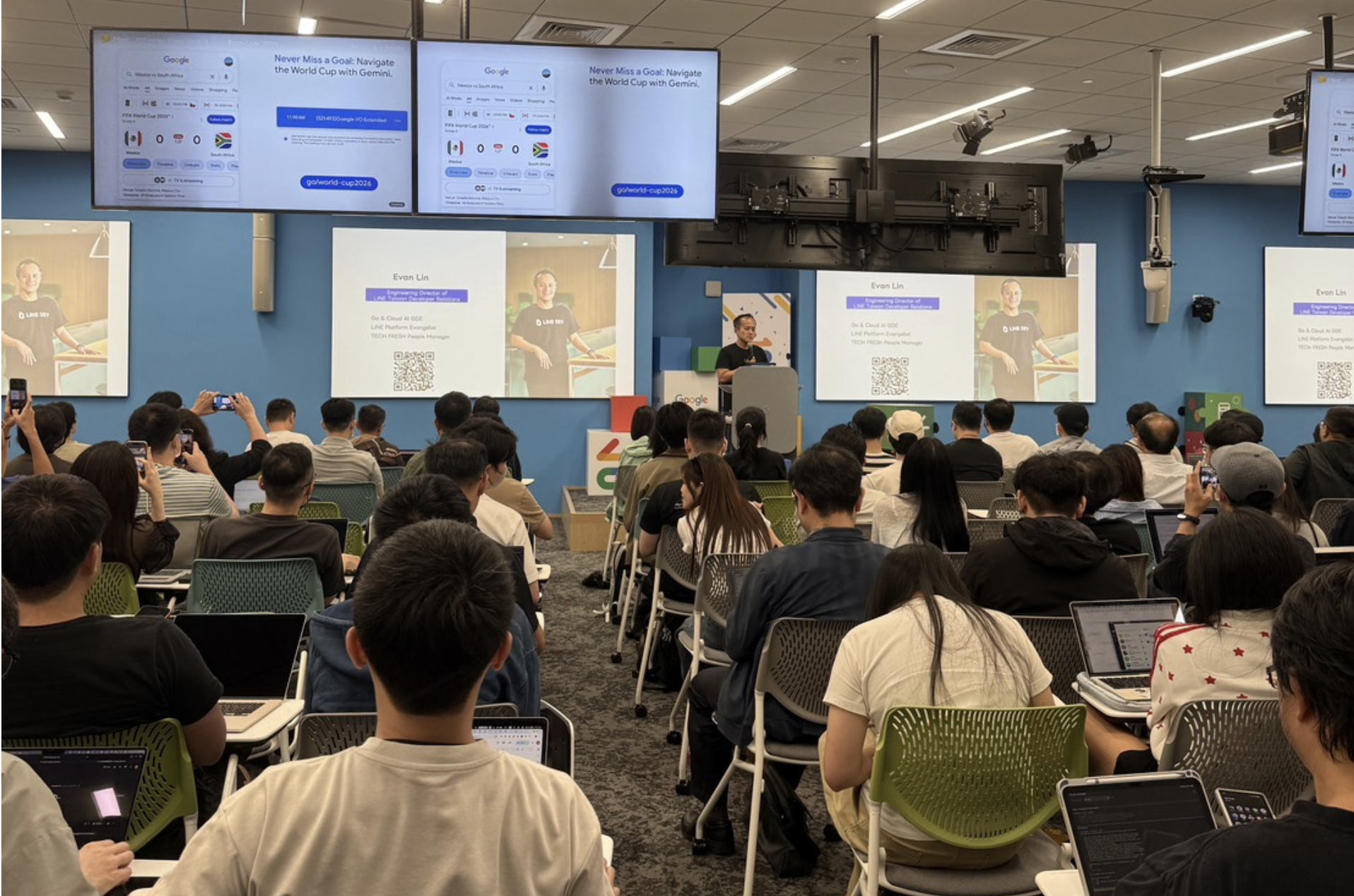
(Activity: Google I/O Extended 2026 Taipei / Presentation: SpeakerDeck)
Context: The Gemini API is no longer just "adding one more prompt"
If your impression of the Gemini API is still limited to "select a model, send a prompt, get back a piece of text," then when you see this round of updates in 2026, you'll likely suddenly realize something:
The Gemini API has evolved from a simple API interface into a complete platform that can be used to build applications, agents, and asynchronous workflows.
This content is compiled from my talk "Building Applications in the Gemini API Family" at Google I/O Extended 2026 Taipei. Evan Lin, Technical Director of LINE Taiwan Developer Relations, repeatedly emphasized a core observation at the event: what developers truly need to consider now is no longer just "Should I use Pro or Flash?", but rather "How do I string together models, retrieval, agents, callbacks, and cost control into a cohesive system?".
In other words, the focus is shifting from calling APIs to designing systems.
First, let's look at the big picture: What's new in the 2026 Gemini API family?
If we view the 2026 Gemini API as a capability map, it can broadly be divided into three layers.
Layer 1: Core Models
- Gemini 3.5 Pro: Strongest reasoning capability, suitable for complex planning, advanced analysis, and multi-step tasks.
- Gemini 3.5 Flash: Main model, best balance of speed, cost, and capability, suitable for most product traffic.
- Flash-Lite: Intent classifier and pre-classifier for high-frequency, low-cost scenarios.
- Gemini Embedding 2: Supports not only text but also multi-modal vectorization needs.
Layer 2: Key Capability Modules
- Retrieval: File Search, Google Search Grounding, URL Context.
- Agent / Async: Agents API, Webhook, Deep Research agent.
- Infrastructure: Context caching, Batch API, Live API.
Layer 3: System Design Approach
This layer is arguably the most important. Because once the above capabilities are offered as platform services, many "intermediate layers" that previously had to be built manually suddenly disappear:
- No longer necessarily need to build your own RAG pipeline.
- No longer necessarily need to maintain your own agent loop.
- No longer necessarily need to block the main server with polling while waiting for results.
Core Observation: The Gemini API upgrade is not just about "stronger models"; it's about Google absorbing the complexities that were originally at the application layer into the platform layer. This will directly change how we design AI systems.
Architectural Turning Point: Three Tools, Three Paradigm Shifts
What's most worth repeatedly digesting from this talk are the architectural changes represented by these three tools.
1. File Search: Shifting from Hand-Coded RAG to Managed RAG
Previously, when discussing enterprise knowledge Q&A, the immediate thought was:
- Chunking.
- Creating embeddings.
- Storing in a vector DB.
- Writing retrieval code.
- Then manually adding citation and permission control.
Now, with the advent of File Search, developers can focus more on "how documents are governed, how permissions are allocated, and how answers are presented," rather than repeatedly writing that foundational infrastructure.
More importantly, it doesn't just search text.
Why is this File Search particularly noteworthy?
- Images and text in the same space: Screenshots, charts, and mixed text-image layouts in PDFs are no longer just attachments, but content understandable by the model.
- Metadata filtering: Can filter by department, system, and document type, which is crucial for internal enterprise knowledge retrieval.
- Precise citation: Can refer back to specific page numbers and grounding metadata, making answers more trustworthy.
This represents a very practical shift: much of the time enterprises previously spent on LangChain, vector databases, and chunking strategies can now largely be redirected towards permission design, UX, and content governance.
2. Agents API: Shifting from Client-Side Loop to Server-Side Managed Agent
In the past, to build an agent, the common approach was to maintain your own ReAct or tool loop:
- Model decides the next step.
- Calls a tool.
- Receives results.
- Feeds back to the model.
- Repeats until completion.
The problem is that this is full of engineering details: state preservation, timeouts, retries, background execution, long-task monitoring. Ultimately, you'd find yourself spending most of your time maintaining an "agent runtime."
What the Agents API changes is that you can POST a task to Gemini, allowing it to complete the long process on the server side, even handling complex tasks that take up to 20 minutes.
The significance behind this is not just "more convenient"; it means developers can finally refocus on:
- How are tasks defined?
- Which tools can be used?
- What are the success criteria?
- How should the product integrate the results when they return?
3. Webhook: Shifting from Polling to Event-Driven
Once tasks might run for several minutes, or even more than ten minutes, traditional synchronous requests become unreasonable.
Therefore, the role of Webhook is actually crucial: it's not a minor feature, but a prerequisite for the entire agent workflow to truly enter production. When Gemini completes a task and actively POSTs the result back to your server, your system can become event-driven:
- The frontend first responds to the user with "Task received."
- The Agents API executes in the background.
- Upon completion, the result is pushed back via webhook.
- Your service then notifies the user, updates the database, or triggers the next step.
This is particularly important for high-concurrency products, as you finally don't need to hold a bunch of server connections idly waiting.
From the Perspective of a LINE Bot, How Should a Gemini Application Be Designed?
A very practical suggestion Evan gave in his talk is to place a router layer before the LLM.
This design sounds simple, but it largely determines your cost, latency, and predictability.
A Very Pragmatic Routing Approach
First, use the inexpensive Flash-Lite for intent routing:
- Quick Q&A: Directly handed over to Flash or Flash-Lite for generation.
- Query company documents: Enters File Search.
- Complex long tasks: Enters Agents API.
Doing this has three benefits:
- Cost control first: Not every query directly hits the most expensive, heaviest model.
- Latency control first: Simple requests should not mistakenly enter long processes.
- System behavior control first: Makes the overall process more stable than "throwing everything at a large model for improvisation."
If you're building a LINE Bot, customer service assistant, internal knowledge assistant, or workflow agent, this router should almost certainly be the default configuration, rather than an afterthought.
Infrastructure is Not Unimportant, But You Don't Have to Rebuild it Yourself Every Time
Another strong message from this talk is that developers' time should be reallocated.
Previously, much of the man-hours in many AI projects were actually consumed by these tasks:
- Vector database operations and maintenance
- Chunking and retrieval parameter tuning
- Long-task scheduling
- Websocket / polling / callback processes
- Token cost optimization
Now, with File Search, Agents API, Webhook, Context caching, and Batch API, the areas where we should spend more time have shifted to:
- Business rules and tool boundaries
- Document permissions and data governance
- User interaction experience
- Task decomposition and routing strategies
- Failure recovery and result interpretability
This is also why I strongly agree with Evan's underlying message: What's truly valuable is not whether you can build your own vector database, but whether you can redirect 80% of your energy back to the product's core.
Three Most Valuable Practical Takeaways
1. Place a routing layer before the LLM
Don't send all problems directly to the same model. First classify, then decide whether to generate, retrieve, or enter an agent task.
2. Embrace asynchronous operations; don't force long tasks into synchronous APIs
If a task might take more than a few seconds, you should seriously consider Agents API + Webhook. This is not an optimization; it's an architectural correctness issue.
3. Redirect RAG engineering time to permissions and experience
When File Search can handle a large amount of foundational work, developers should be more concerned with: can data be securely queried, can answers be verified, and can citations be trusted by users.
Why is this talk worth revisiting repeatedly?
Because it highlights a turning point that many teams are currently facing:
We are no longer just writing prompts for LLMs; we are designing operating systems for AI applications.
Models are certainly still at the core, but what truly differentiates products is increasingly not "which model you choose," but:
- How you decide when to use which capability.
- How you make the system run reliably for extended periods.
- How you make answers traceable, verifiable, and maintainable.
If you still understand generative AI using the 2024 approach of "a single chat endpoint for everything," then you'll easily underestimate the 2026 Gemini API family.
Postscript: From API User to AI System Designer
The most valuable aspect of this "Building Applications in the Gemini API Family" talk is not teaching you another new parameter or SDK, but reminding everyone of a more fundamental shift:
The competitiveness of the next phase will not be about who is better at calling models, but who is better at assembling models, retrieval, agents, and event flows into a truly functional system.
If you are working on a LINE Bot, enterprise knowledge base, internal assistant, customer service process, or any product requiring multi-step AI collaboration, this architectural perspective is well worth using to redraw your current system diagram.
Often, what truly needs refactoring is not the prompt, but the entire pipeline.
Comments
More Blog
View allaiStop Your LLMs from Forgetting: How a 2016 String Algorithm Solves AI's Biggest Memory Loss Problem
Have you ever tried to read a massive pile of reports and summarize them in under 50 words? It’s...
T
TanaikeaieGoogle VP of Technology says he’s given up on coding
In his keynote on Wednesday, Benoit Schillings, vice president of Technology at Google DeepMind and...
I
Iain ThomsongeminiOmni Flash Preview with Kiro
This article covers the MCP setup and configuration for using Google Omni Preview and underlying...
X
xbillaiHow to Count Gemini Tokens Locally
✨ Overview This article explores how Gemini tokenizes data and demonstrates how to count...
L
Laurent PicardaiePlay today’s game from Issue #2 of The Daily Context!
Yesterday, we kicked off our physical newspaper, The Daily Context, at the AI Engineer World’s Fair...
J
Jess LeeaieNeed a break? Play today's game from The Daily Context.
We (at DEV and MLH) are covering AI Engineer's World Fair by printing a physical newspaper called...
J
Jess LeeReady-made automations for this
Workflows from the Neura Market marketplace related to this Gemini resource
- Autonomous Vehicle Log Summarizer: Streamlining Vehicle Data Managementn8n · $4.91 · Related topic
- Autonomous AI Crawler for Financial Insightsn8n · $4.76 · Related topic
- AI-Powered Autonomous Research Workflow for Content Monetizationn8n · $4.52 · Related topic
- Autonomous YouTube to SEO-Optimized WordPress Blog Publishern8n · $24.99 · Related topic