 Grok
GrokBack to Blog ai
ai
 ai
ai docker
 opensource
 azurefabric
 googlecloudplatform
 iac
iac
Confident and Wrong
Max March 17, 2026
2 views
For a long time, I have been seeing AI in coding as something that enables me, amplifies my...
For a long time, I have been seeing AI in coding as something that enables me, amplifies my abilities, lets me do more of what I like doing. Now obviously I know that there are scenarios in which it may not be able to help me much (whether that's due to its limits or my prompting), but recently I learned another lesson: It can make it more difficult to accomplish something.
With that hook out of the way, let's dive into what I was even working on. For some reason, I had this side-project goal of putting something onto the App Store eventually. I know it's not exactly a complex goal (seeing the countless "quality" apps you can find under any search term after scrolling once or twice). But still, I never actually got to it, mainly because I wanted to create something that I actually have time to develop and maintain while still being usable and useful to at least myself.
After many ideas that ended in either the prototyping or empty Xcode-project state, I recently had an idea that I thought was pretty simple, yet somewhat useful. I also came to terms with changing my approach about this, I wanted to finally create and actually finish something so I can simply make the experience and learn from it. Better do it then plan it and so on (given the amount of thinking I did on this, I could probably also write several posts on just that).
Anyway.
At work, I often need to scan a QR code on an iPhone to test out an app we're developing. The QR code holds information on the environment the app should use, so every time I wipe the app off the test device, I need to scan one (depending on which environment I want). In itself, that's not really a big problem, we have a page where a lot of these QR codes are collected, we have a generator (or multiple, thinking about it) that can make you a QR code with whatever values you want and so on. I just create a bookmark for the page, get there quickly, problem solved. But then I thought, maybe I can over-engineer the solution actually: What if I had a widget on my Mac desktop for every QR code I commonly need?
This was somewhat trivial to achieve:
- Generate the QR code in form of a
pngor similar, - Import the image into Photos,
- Create an album for each QR code, and
- Add the Photos album widget to your desktop, each pointing to the right album

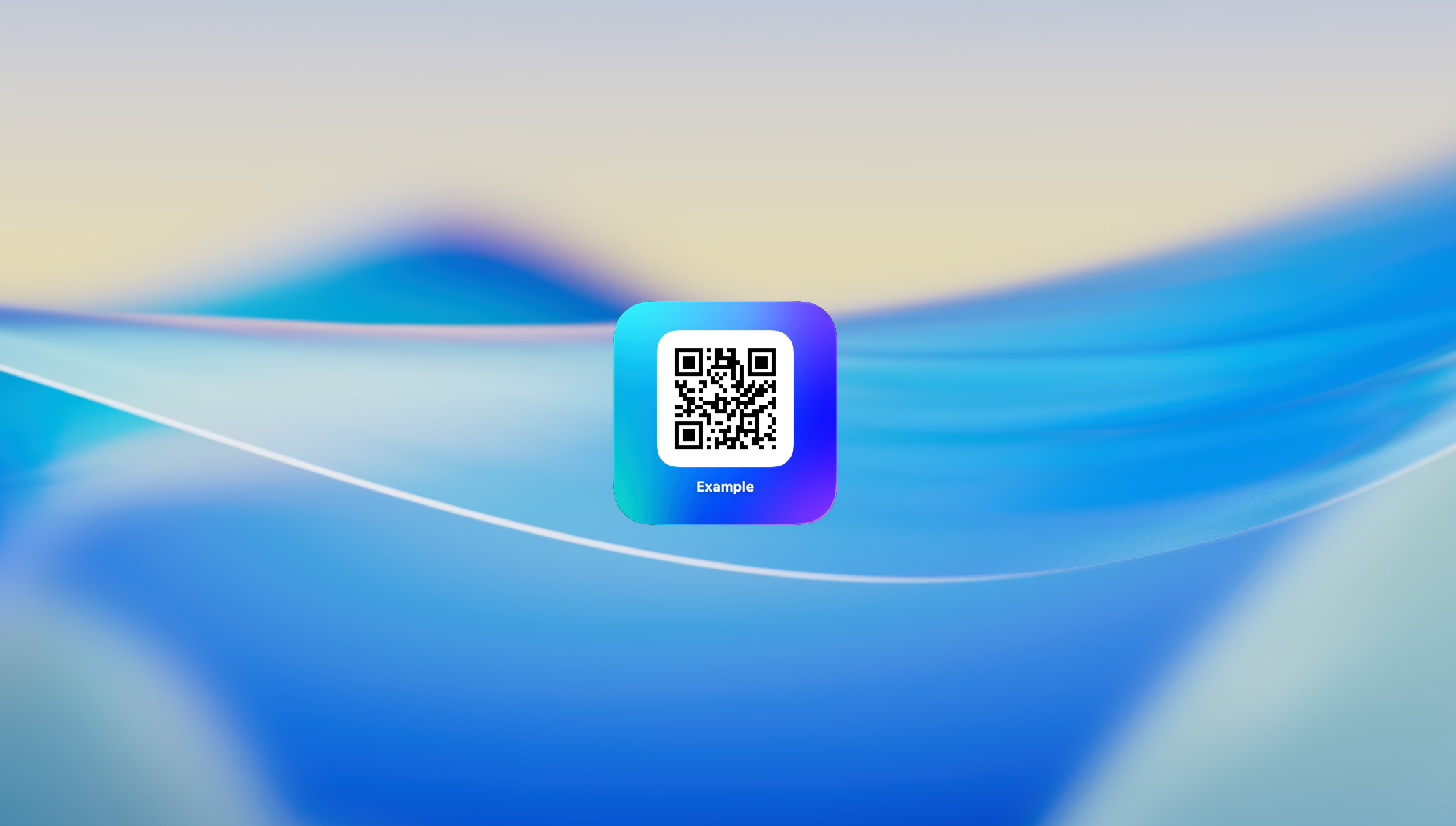
Photos App widget in foreground

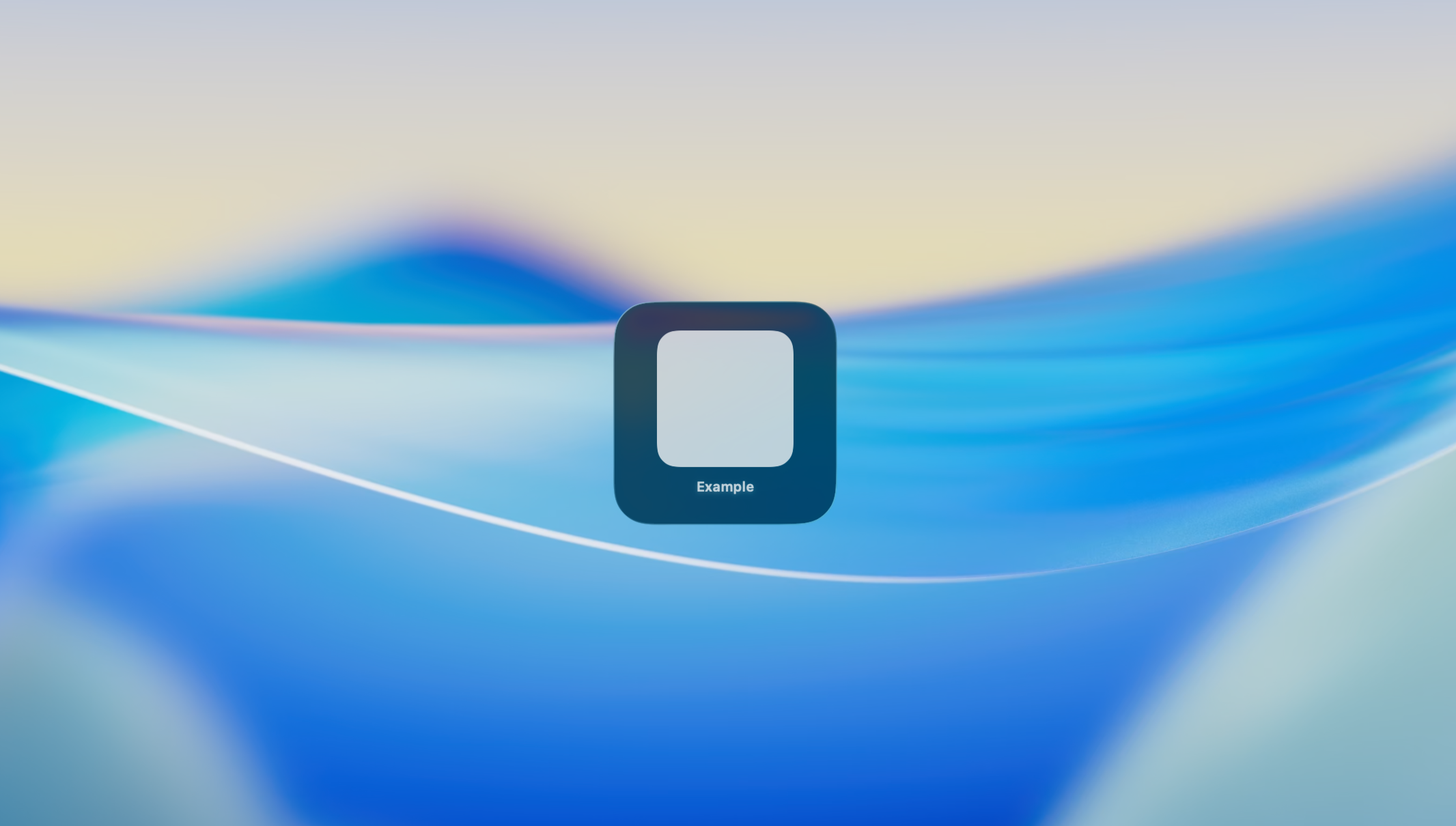
Photos App widget in background
Note: When the desktop is not in the foreground, it renders slightly more transparent altogether. Cool!
This is where I thought those widgets would be a fun idea for an app: Collect QR codes, label them and then provide widgets that the user can add to their desktop. Add some fun colors and there you go, breathtaking app.
The problem
So I get started building. At this point, I've created projects in Xcode countless times and given the simple scope of the app, I knew what I would want: Some SwiftUI, some SwiftData and some WidgetKit. When I pitched the idea to Claude to get some feedback on how difficult this project would be (to save myself from some unexpected limitation in SwiftUI or whatever), it was enthusiastic enough to just build the app right away, in the browser. It provided files, appropriately named, suggested a project structure, noted some changes needed in project settings and so on, and voilà, I had a running app.
At this point, I was missing a proper UI to add/manage QR codes and the widget itself. The scaffolding done by Claude just helped me get started right away, which let me instantly trial my app idea once I add the few missing parts. Of course, this wouldn't exactly be "my app" if I left it at that, but building a proper UI can now be the second step and I can focus on verifying whether the app/widget could be built.
Next up, I create a small widget in which I render the QR code just like the main app window does. And it works! There's a widget, there's a QR code. Perfect.
But... wait. If I go back to another app window, essentially bringing the desktop to the background... it stops working?
App widget in foreground
App widget in background
This is what I feared, that there's some very peculiar way of how widgets or SwiftUI work on Mac. But at this point, I had no idea what the reason could be. Performance? Bugs?
I go back to Claude (this time using Claude Code and full code access) and explain the situation. Then I ask Gemini, then Codex. All arrive at a very similar point:
I've analyzed the codebase and identified that the issue is caused by generating the QR code using
CIContextdirectly within the Widget's view body.When the widget is in the background or during certain system updates, the GPU-based Core Image context rendering can fail, resulting in a placeholder or empty image (the "grey box").
This was Gemini 3 Pro's assessment via Copilot after already trying more complicated rendering approaches, but all models continuously arrived at similar conclusions
The gist was: Initially, I generated the QR code using CIFilter's qrCodeGenerator, transform that to an NSImage and just render it directly via SwiftUI's Image component:
if let image = QRCodeGenerator.generate(from: content) {
	Image(nsImage: image)
		.interpolation(.none)
		.resizable()
		.frame(width: 200, height: 200)
}
Now, the SOTA AI models argue this is, for lack of a better explanation, too fragile. Something about the rendering pipeline, of which naturally I didn't know much about at this point, was not fit for the job. The rendering would need to be made more "robust" in various ways. Of course, not understanding the problem means not understanding the solution, so I let it try a few things and continuously test the widget in background. But no improvement or change in behavior.
Eventually, several models give up on the experiment and explain that the only alternative at this point would be generating images of the QR codes when they're created, storing them somewhere and then rendering those pre-generated images instead of rendering the codes on the fly. I give in and let it build a prototype implementation of that approach, although this complicated the supposedly easy app a lot.
But guess what? It still did not work! The result looked just the same. And thinking about that and all the time I already poured into this, I was pretty close to giving up. What if the Photos widget has a privileged rendering pipeline I won't be able to replicate? What if this is connected to a weird SwiftUI or macOS bug I won't even understand enough to report? Is it worth it to chase this further instead of just using the previous approach?
But then, a weird thought popped up: The Photos app widget somehow made the image transparent when the widget is rendering in the background. Isn't that... odd? How would you know exactly how an image would be rendered in a background widget, shouldn't you have control over that? Would it be the Photos app that can tell macOS how to do that?
Then, I went ahead and looked at every doc I can find related to the Image component and WidgetKit. It was then that I noticed "Yeah, I really didn't read any documentation yet". I solely relied on AI to build the product, so I would have less knowledge about how things worked under-the-hood (duh).
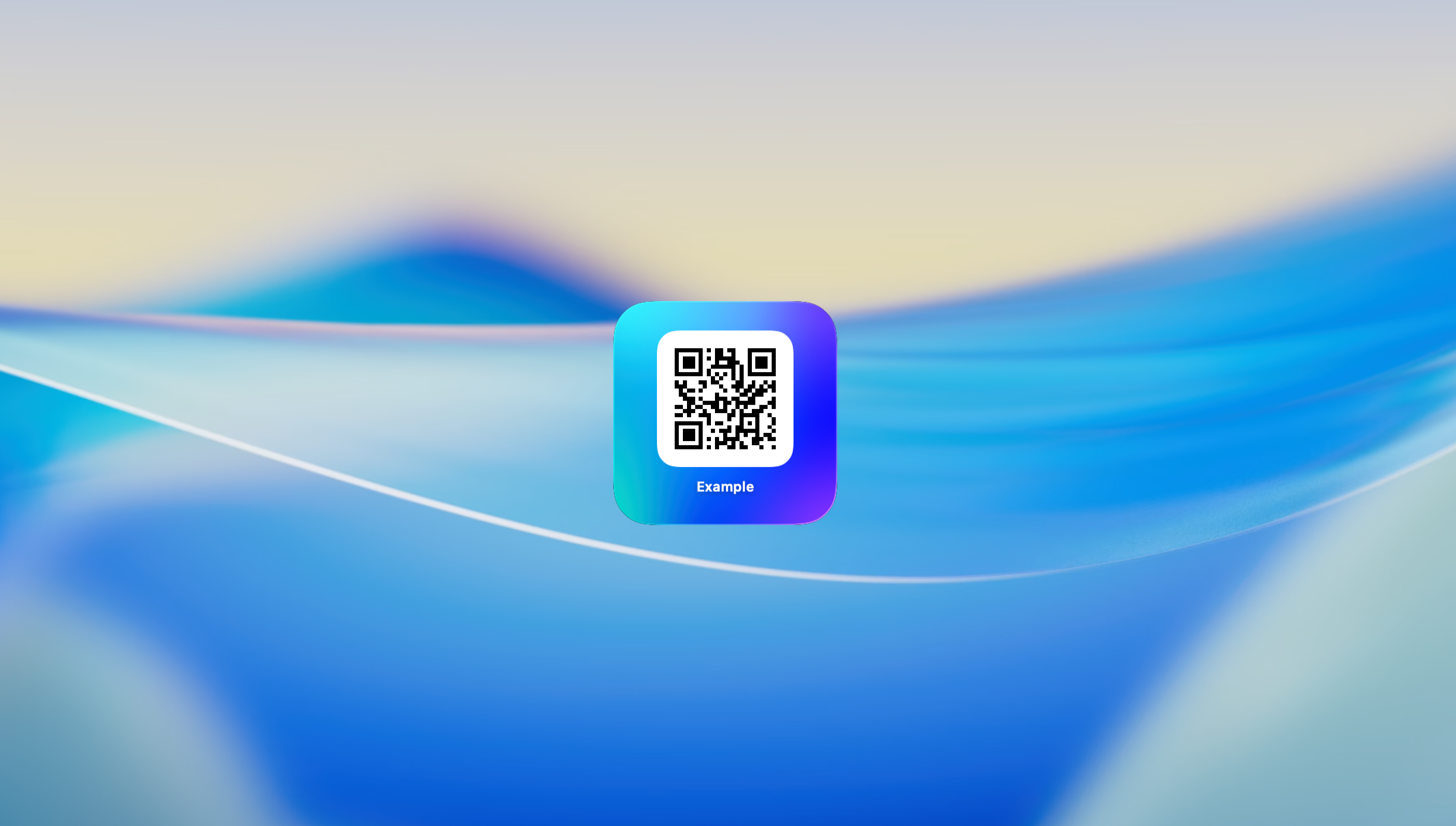
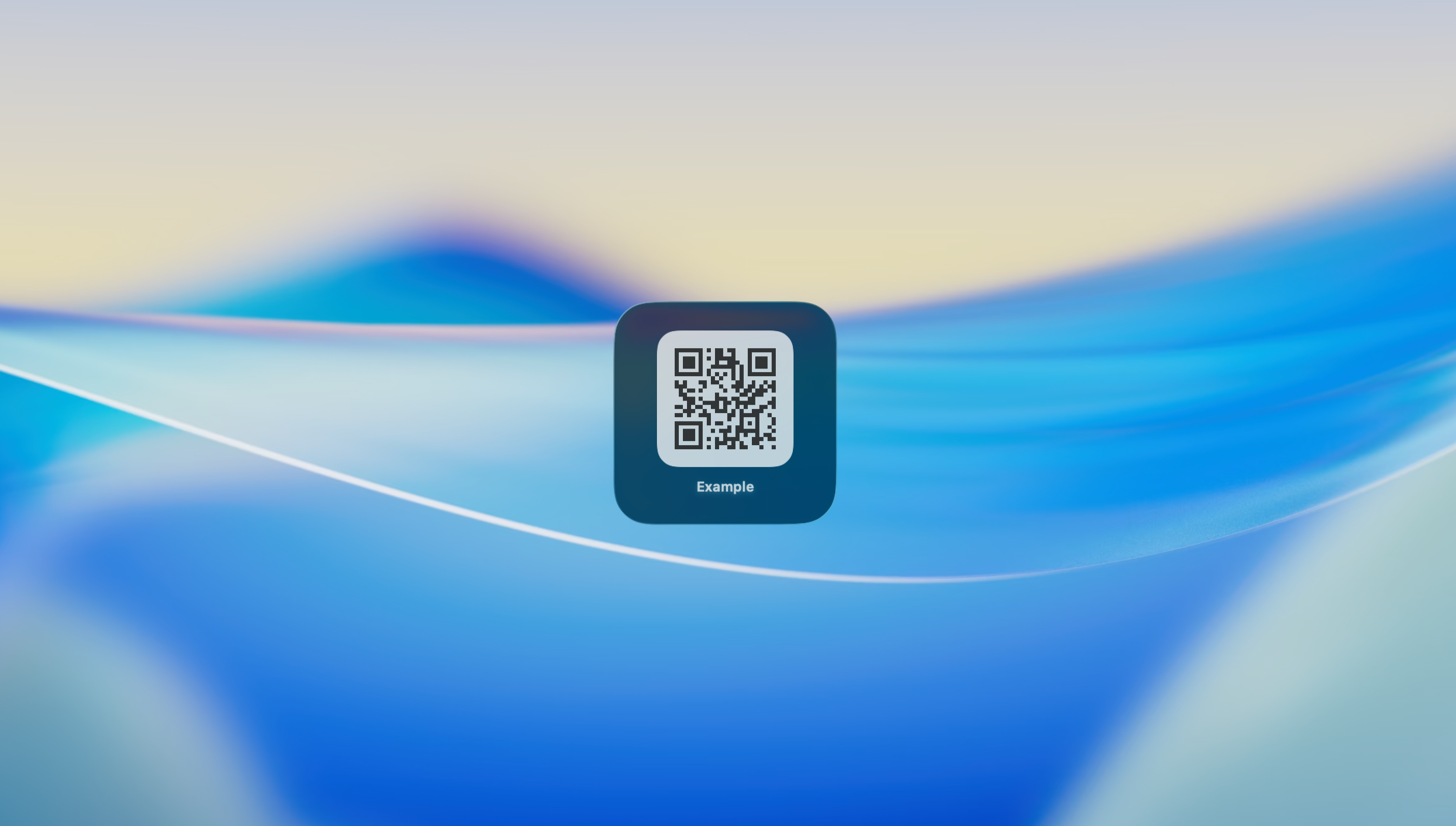
And then, there you go: The Image component has a property called "widgetAccentedRenderingMode", which is supposedly a thing for themed desktops and for widgets in the background. Ah, and there is the "fullColor" option you can pass.
And, yeah.
App widget in foreground
App widget in background
Look, I get it. I didn't read docs, I didn't set up any fancy MCP (this was before Xcode 26.3 brought one or had agentic support). Then, "the AI" not only tripped over the missing piece, it made me doubt whether this app is even do-able without significant deep-diving.
"Is it possible to implement x using Framework/language y?" and "If I do x and see y, what's the underlying reason?" are so tempting to be asked. If you're still learning the target you're developing for, if none of the documentation or commonly asked questions on the web use the same language for the problem as you intuitively do, if no compiler, linter or whatever else tells you you're doing something wrong, well, it can be difficult.
And if then multiple models through multiple interfaces tell you "oh yeah of course it doesn't work, uh rendering pipeline computer things" your first thought may be that you're obviously not knowledgeable enough to understand the problem.
In the future, I'll look for a dumb reason before a really complicated one.
Comments
More Blog
View allaiSkills Are the New CLI
Every developer tool follows the same pattern: parse flags, run logic, print output. git commit -m...
H
Helder Burato Berto 1
dockerDuct tape enough services together and you can cache APT packages
APT repositories are just HTTP file servers, doesn't seem like something that should require a custom piece of software.
D
Devin H 1
opensourceHow We Use AWS CDK to Deploy OpenClaw for Enterprise Teams — API Key Management Without the Chaos
We wanted every employee in the company to use OpenClaw — not just engineers. Product managers...
C
C.K.SunazurefabricMCP Development with Python, and Azure Fabric
Leveraging Gemini CLI and the underlying Gemini LLM to build Model Context Protocol (MCP) AI...
X
xbillgooglecloudplatformMCP Development with Gemini CLI, Python, and Azure Functions
Leveraging Gemini CLI and the underlying Gemini LLM to build Model Context Protocol (MCP) AI...
X
xbilliacMCP Development with Python, and the Azure Container Instance
Leveraging Gemini CLI and the underlying Gemini LLM to build Model Context Protocol (MCP) AI...
X
xbill 2