 Midjourney
Back to Blog kubernetes
 devchallenge
 ai
ai ai
ai claude
 devchallenge
 gemini
Automated incident triage on GKE with Gemini 4 Argon and Model Context Protocol: Correlating cluster events and VPA logs
Olivier Bourgeois October 19, 2026
0 views
Automate root-cause incident triage on GKE by combining Gemini 4 Argon multi-step reasoning with the GKE Model Context Protocol server.
title: "Automated incident triage on GKE with Gemini 4 Argon and Model Context Protocol: Correlating cluster events and VPA logs" published: true description: "Automate root-cause incident triage on GKE by combining Gemini 4 Argon multi-step reasoning with the GKE Model Context Protocol server." tags: kubernetes, ai, gke, googlecloud cover_image: https://dev-to-uploads.s3.us-east-2.amazonaws.com/uploads/articles/ajukpnfpo90v31p2y6af.png
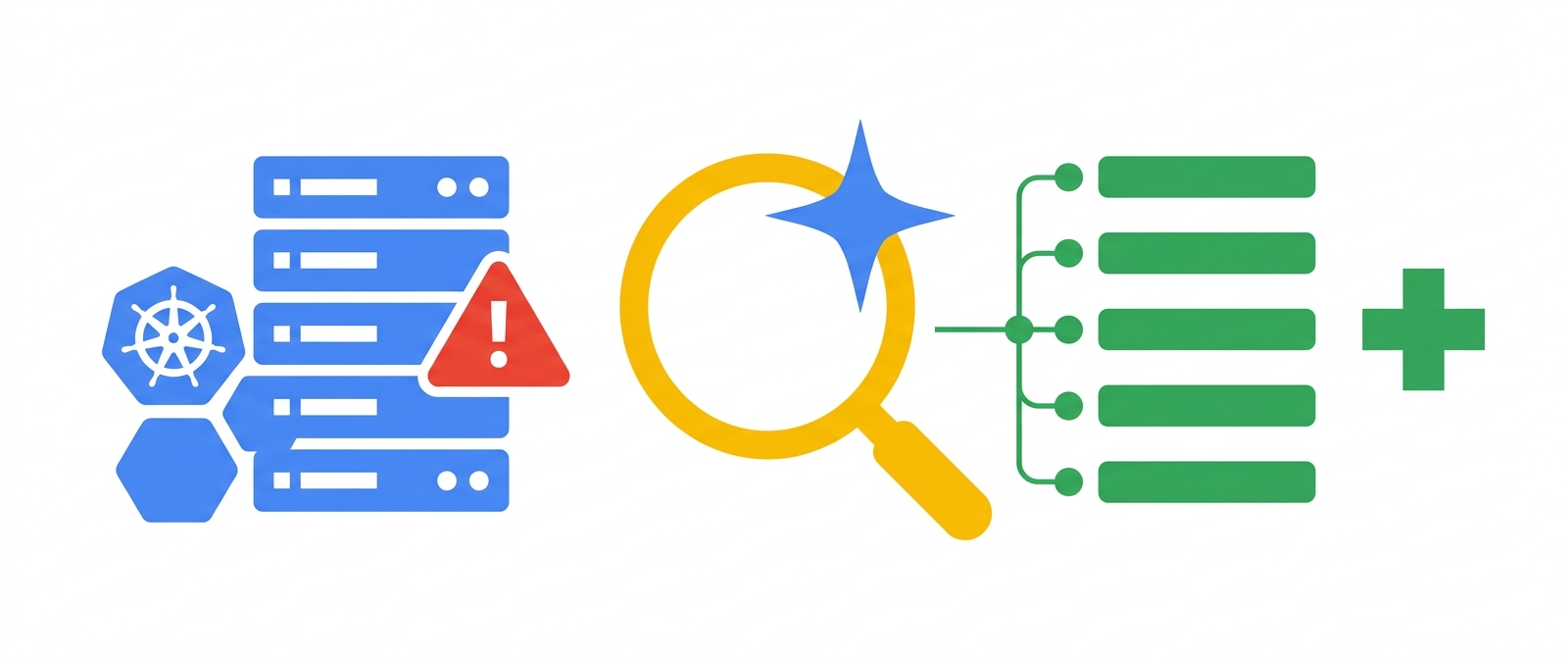
When an on-call engineer gets paged at 2 AM for a degraded payment service, the hardest part of incident triage is rarely fixing the YAML manifest. Instead, the bottleneck is correlating telemetry across three different control loops: transient Kubernetes Pod events that expire after an hour, application stack traces in Cloud Logging, and vertical autoscaling actions emitted by the control plane.
Consider a common failure mode on Google Kubernetes Engine (GKE): a latency spike triggers an out-of-memory (OOMKilled) termination while the Vertical Pod Autoscaler (VPA) attempts an in-place resize (InPlaceOrRecreate) that gets capped by node capacity or GKE Autopilot compute ratio constraints. Diagnosing that sequence manually requires stitching together kubectl describe pod, container exit codes, and container.googleapis.com/vpa-controller decision logs.
With the release of Gemini 4 Argon and the open-source Google Kubernetes Engine MCP server, platform teams can deploy an in-cluster incident triage agent that autonomously queries Kubernetes state, inspects KCP_VPA control plane logs, identifies the root cause, and generates a verified remediation patch.
In this article, I will walk through the architecture of a read-only Gemini 4 Argon incident triage agent on GKE, show how to configure least-privilege RBAC and Workload Identity Federation for GKE, and demonstrate how the agent correlates live cluster telemetry through the Model Context Protocol (MCP).
Why incident triage requires multi-hop tool reasoning
Single-turn log summarization falls short during real Kubernetes incidents because the first symptom is almost never the root cause. A CrashLoopBackOff status on a Pod tells you only that the kubelet is delaying restarts; it does not tell you whether the failure stems from an expired secret, a failed readiness probe during JVM initialization, or a memory limit that VPA could not resize in place.
Gemini 4 Argon's long-horizon tool calling allows an agent to execute a structured diagnostic workflow across multiple MCP tools before forming a hypothesis:
- Trigger ingest: An incoming alert webhook from Cloud Monitoring delivers the initial incident context, affected namespace, and alert threshold to the in-cluster triage agent.
- Kubernetes API inspection: The agent calls
list_k8s_eventsandget_k8s_resourcethrough the GKE MCP server to pull active events, Pod termination reasons, and deployment spec history. - Workload telemetry: The agent queries container stdout/stderr logs via
get_k8s_logsto capture application stack traces and unhandled exceptions. - Control plane log correlation: The agent queries
query_vpa_decision_logsagainst Cloud Logging to evaluateKCP_VPAdecisions, checking whether autoscaling recommendations were capped or throttled. - Remediation synthesis: The agent compiles a root-cause report and generates a suggested YAML diff delivered to an on-call Slack channel or GitOps pull request for human review.
To keep the cluster safe from unintended mutations during an active outage, the triage agent operates under a strict separation of duties:
| Operational phase | Access level | Mechanism | Security boundary |
|---|---|---|---|
| Telemetry discovery | Read-only (get, list, watch) | GKE MCP server + Kubernetes ClusterRole | Denies create, patch, delete, and access to Secret payloads |
| Control plane log correlation | Read-only (roles/logging.viewer) | Cloud Logging API via Workload Identity | Scoped to k8s_container, k8s_pod, and vpa-controller logs |
| Remediation proposal | Zero direct cluster write access | Structured Markdown report and YAML diff | Requires human approval or GitOps pipeline validation before apply |
Preparing the cluster and control plane logging
For the triage agent to inspect vertical autoscaling decisions alongside standard workload logs, enable VPA decision logging (KCP_VPA, available in Public Preview on GKE 1.36.0-gke.1601000 and later) on your GKE Autopilot or GKE Standard cluster. On GKE Autopilot clusters, Vertical Pod Autoscaling is enabled by default; on GKE Standard clusters, ensure --enable-vertical-pod-autoscaling is also enabled.
When updating --logging on an existing cluster, always include your existing logging components (such as SYSTEM and WORKLOAD) so you do not overwrite active settings:
export PROJECT_ID="production-ai-platform"
export PROJECT_NUMBER=$(gcloud projects describe "${PROJECT_ID}" --format="value(projectNumber)")
export LOCATION="us-central1"
export CLUSTER_NAME="commerce-production-cluster"

# Check currently enabled logging components first
gcloud container clusters describe "${CLUSTER_NAME}" \
    --location="${LOCATION}" \
    --project="${PROJECT_ID}" \
    --format="value(loggingConfig.componentConfig.enableComponents)"

# Enable SYSTEM, WORKLOAD, and KCP_VPA logs
gcloud container clusters update "${CLUSTER_NAME}" \
    --location="${LOCATION}" \
    --project="${PROJECT_ID}" \
    --logging=SYSTEM,WORKLOAD,KCP_VPA
Hardening RBAC and Workload Identity for the triage agent
Never grant an AI agent cluster-admin permissions or read access to Kubernetes Secret objects. Create a dedicated sre-triage namespace and a ClusterRole that grants read-only visibility into workloads, events, HPA/VPA policies, and custom compute classes while explicitly excluding secrets.
Save the following manifest as triage-agent-rbac.yaml:
apiVersion: v1
kind: Namespace
metadata:
  name: sre-triage
---
apiVersion: v1
kind: ServiceAccount
metadata:
  name: gemini-triage-sa
  namespace: sre-triage
---
apiVersion: rbac.authorization.k8s.io/v1
kind: ClusterRole
metadata:
  name: gemini-readonly-triage-role
rules:
- apiGroups: [""]
  resources: ["pods", "pods/log", "events", "services", "nodes", "namespaces", "configmaps"]
  verbs: ["get", "list", "watch"]
- apiGroups: ["events.k8s.io"]
  resources: ["events"]
  verbs: ["get", "list", "watch"]
- apiGroups: ["apps"]
  resources: ["deployments", "statefulsets", "daemonsets", "replicasets"]
  verbs: ["get", "list", "watch"]
- apiGroups: ["autoscaling"]
  resources: ["horizontalpodautoscalers"]
  verbs: ["get", "list", "watch"]
- apiGroups: ["autoscaling.k8s.io"]
  resources: ["verticalpodautoscalers"]
  verbs: ["get", "list", "watch"]
- apiGroups: ["cloud.google.com"]
  resources: ["computeclasses"]
  verbs: ["get", "list", "watch"]
---
apiVersion: rbac.authorization.k8s.io/v1
kind: ClusterRoleBinding
metadata:
  name: gemini-readonly-triage-binding
subjects:
- kind: ServiceAccount
  name: gemini-triage-sa
  namespace: sre-triage
roleRef:
  kind: ClusterRole
  name: gemini-readonly-triage-role
  apiGroup: rbac.authorization.k8s.io
Apply the RBAC manifest and bind the gemini-triage-sa ServiceAccount to the Gemini platform, GKE Viewer, and Cloud Logging Viewer IAM roles via Workload Identity Federation:
kubectl apply -f triage-agent-rbac.yaml

for ROLE in roles/aiplatform.user roles/container.viewer roles/logging.viewer; do
  gcloud projects add-iam-policy-binding "${PROJECT_ID}" \
      --member="principal://iam.googleapis.com/projects/${PROJECT_NUMBER}/locations/global/workloadIdentityPools/${PROJECT_ID}.svc.id.goog/subject/ns/sre-triage/sa/gemini-triage-sa" \
      --role="${ROLE}" \
      --condition=None
done
Implementing the Gemini 4 Argon + MCP incident triage loop
The triage agent connects Gemini 4 Argon (gemini-4-argon) to an in-process gke-mcp session alongside a dedicated tool for querying container.googleapis.com/vpa-controller decision logs in Cloud Logging.
Here is the core implementation (triage_agent.py):
import asyncio
import os
from google import genai
from google.genai import types
from google.cloud import logging as cloud_logging
from mcp import ClientSession, StdioServerParameters
from mcp.client.stdio import stdio_client

PROJECT_ID = os.environ["GOOGLE_CLOUD_PROJECT"]
LOCATION = os.environ.get("VERTEX_LOCATION", "us-central1")
MODEL_ID = os.environ.get("GEMINI_MODEL_ID", "gemini-4-argon")

genai_client = genai.Client(vertexai=True, project=PROJECT_ID, location=LOCATION)
logging_client = cloud_logging.Client(project=PROJECT_ID)


def query_vpa_decision_logs(
    cluster_name: str, namespace: str, workload_name: str, limit: int = 10
) -> list[dict]:
    """Queries GKE KCP_VPA control plane logs for a specific workload to inspect resize or eviction decisions.

    Args:
        cluster_name: Name of the GKE cluster.
        namespace: Kubernetes namespace of the target workload.
        workload_name: Name of the target Deployment or workload.
        limit: Maximum number of log entries to return.
    """
    log_filter = (
        'resource.type="k8s_control_plane_component" '
        f'AND resource.labels.cluster_name="{cluster_name}" '
        f'AND logName="projects/{PROJECT_ID}/logs/container.googleapis.com%2Fvpa-controller" '
        f'AND jsonPayload.target.namespace="{namespace}" '
        f'AND jsonPayload.target.name="{workload_name}"'
    )
    entries = logging_client.list_entries(
        filter_=log_filter,
        order_by=cloud_logging.DESCENDING,
        max_results=limit,
    )
    results = []
    for entry in entries:
        payload = entry.payload if isinstance(entry.payload, dict) else {}
        results.append({
            "timestamp": str(entry.timestamp),
            "operation": payload.get("operation"),
            "state": payload.get("state"),
            "reason": payload.get("reason"),
            "confidence": payload.get("confidence"),
        })
    return results


async def investigate_workload_incident(cluster_name: str, namespace: str, workload_name: str) -> str:
    """Connects Gemini to the GKE MCP server and Cloud Logging to diagnose a failing workload."""
    server_params = StdioServerParameters(
        command="gke-mcp",
        args=[],
        env=os.environ.copy(),
    )

    async with stdio_client(server_params) as (read_stream, write_stream):
        async with ClientSession(read_stream, write_stream) as mcp_session:
            await mcp_session.initialize()

            prompt = (
                f"Investigate the degraded Deployment '{workload_name}' in namespace '{namespace}' "
                f"on GKE cluster '{cluster_name}'. "
                "1. List recent Kubernetes events and inspect the Deployment and Pod statuses. "
                "2. Check the container termination exit codes and recent Pod logs. "
                "3. Query VPA decision logs using query_vpa_decision_logs to see if an in-place resize "
                "or eviction occurred or was skipped. "
                "4. Provide a concise root-cause timeline and a git-ready YAML patch."
            )

            config = types.GenerateContentConfig(
                system_instruction=(
                    "You are a senior GKE Site Reliability Engineer. Always verify Pod status, exit codes, "
                    "Kubernetes events, and VPA decision logs before proposing a fix. Never guess when "
                    "telemetry can be queried via your tools."
                ),
                tools=[mcp_session, query_vpa_decision_logs],
                automatic_function_calling=types.AutomaticFunctionCallingConfig(
                    maximum_remote_calls=8
                ),
                temperature=0.1,
            )

            response = await genai_client.aio.models.generate_content(
                model=MODEL_ID,
                contents=prompt,
                config=config,
            )
            return response.text
By passing both mcp_session and query_vpa_decision_logs into tools, the google-genai SDK automatically discovers the GKE MCP server tools (list_k8s_events, get_k8s_resource, get_k8s_logs) and orchestrates the multi-step investigation up to the configured maximum_remote_calls limit. Passing env=os.environ.copy() to StdioServerParameters ensures the gke-mcp subprocess inherits in-cluster Kubernetes service environment variables (KUBERNETES_SERVICE_HOST and KUBERNETES_SERVICE_PORT) and GOOGLE_CLOUD_PROJECT.
Verifying the diagnosis on an OOMKilled workload
To see what the triage agent captures in practice, suppose the checkout-service Deployment in the payments namespace starts restarting with exit code 137 (OOMKilled) while managed by a VerticalPodAutoscaler in InPlaceOrRecreate mode.
When triggered, Gemini 4 Argon executes four tool calls in sequence and produces a structured diagnostic report:
Root-cause summary for Deployment payments/checkout-service:
1. Pod status & exit code: Pod checkout-service-7c9d8b6f4-x82lp terminated with reason OOMKilled (exit code 137) at 06:14:22 UTC after memory usage reached its 1Gi limit.
2. Kubernetes events: BackOff restarting failed container; InPlaceResizeFailed event reported on node gke-commerce-pool-4a91f.
3. VPA control plane logs (KCP_VPA):
   - Operation: APPLY_RECOMMENDATION_IN_PLACE | State: FAILED | Confidence: HIGH
   - Reason: Recommended memory target (2Gi) exceeded maxAllowed policy bound (1Gi) defined in VerticalPodAutoscaler checkout-service-vpa.
4. Recommended remediation: Raise resourcePolicy.containerPolicies[0].maxAllowed.memory in checkout-service-vpa from 1Gi to 3Gi so VPA can apply high-confidence in-place memory resizes without triggering OOM terminations.
You can independently verify the agent's finding using kubectl and gcloud:
# Verify the VPA resource policy cap on the cluster
kubectl get vpa checkout-service-vpa -n payments -o yaml

# Inspect the corresponding KCP_VPA log entry in Cloud Logging
gcloud logging read "resource.type=\"k8s_control_plane_component\" AND resource.labels.cluster_name=\"${CLUSTER_NAME}\" AND logName=\"projects/${PROJECT_ID}/logs/container.googleapis.com%2Fvpa-controller\" AND jsonPayload.target.name=\"checkout-service\"" \
    --project="${PROJECT_ID}" \
    --limit=3 \
    --format=json
Operational guardrails and trade-offs
When running an AI-assisted triage agent inside your production GKE environment, apply these operational safeguards:
- Keep remediation out-of-band: Even with Gemini 4 Argon's strong reasoning accuracy, an autonomous agent should not directly run
kubectl applyor mutate resource limits during an active incident. Have the agent open a pull request against your GitOps repository (managed by Config Sync or Argo CD) so human operators can review the diff. - Scrub sensitive payloads from Pod logs: Application containers occasionally log PII or bearer tokens in stack traces during crashes. Configure a log-scrubbing filter before forwarding raw
pods/logoutput to the model API, and ensure your Gemini platform data governance policies disable prompt logging where required. - Bound tool-call iterations during alert storms: If a node outage triggers 50 Pod alerts simultaneously, firing 50 parallel multi-turn Gemini 4 Argon investigations will exhaust both your Kubernetes API server client QPS limits and Gemini platform token quotas. Deduplicate alerts by owner reference (
DeploymentorStatefulSet) and cap each investigation to a maximum of 8 tool-calling turns.
Next steps
Combining Gemini 4 Argon with the GKE Model Context Protocol server and structured control plane logs (KCP_VPA) turns multi-system incident correlation from a 30-minute manual scavenger hunt into an automated, auditable workflow.
To deploy this pattern on your clusters, explore the open-source Google Kubernetes Engine MCP server repository, read the GKE VPA decision logs documentation, and review Workload Identity Federation for GKE for zero-key IAM authentication.
Comments
More Blog
View alldevchallengeCongrats to the Hacktoberfest Open-Source AI Challenge Week 2: Side Hustle Winners!
We're excited to announce the winners of the Hacktoberfest Open-Source AI Challenge Week 2: Side...
J
JemaiBuilding a Multimodal, Suggestion-Based AI Writing Coach with Gemini and Google Docs
When we use generative AI to proofread our daily writing—whether technical reports, business...
T
Tanaikeai926 Steps, Two Lobotomies, and Zero Nudges: Flight-Testing the Commitment Machine Across Gemini, Claude, and GPT-OSS
A 2026 Harvard study of 718 companies found that AI agents write 30% more code and close zero additional tickets because review times jump 49%. Here is what happened when I put my 1986 Commitment Machine into live production across Gemini, Claude, and GPT-OSS.
R
Randal L. SchwartzclaudeTwo ways to build with Claude models on Google Cloud!
Choose Claude Models on Google Cloud (Google managed) for in-boundary security, regional data...
J
Jen HarveydevchallengeCongrats to the Sanity Challenge Winners!
We are thrilled to announce the winners of the Sanity Challenge, our partnership with Sanity built...
J
JemgeminiBuilding a Multi-Agent Token Usage Widget in Under 500 KB
How we built a 483 KB zero-WebKit macOS Universal Binary and a single-file Ubuntu HUD with...
J
JimmyLiaoReady-made automations for this
Workflows from the Neura Market marketplace related to this Midjourney resource
- Automated WhatsApp Group Weekly Team Reports with Gemini AI Summarizationn8n · $24.99 · Related topic
- Automated Reservation System with Telegram, Google Gemini AI, and Google Sheetsn8n · $9.99 · Related topic
- Automated Lead Generation & Contact Enrichment with Hunter.io and Perplexity AIn8n · $24.99 · Related topic
- Automated Website Audit & Personalized Outreach with Lighthouse and GPT-4n8n · $24.99 · Related topic