

Findle Inventory
FreemiumScan inventory, sync sites, chat for restock lists.
About Findle Inventory
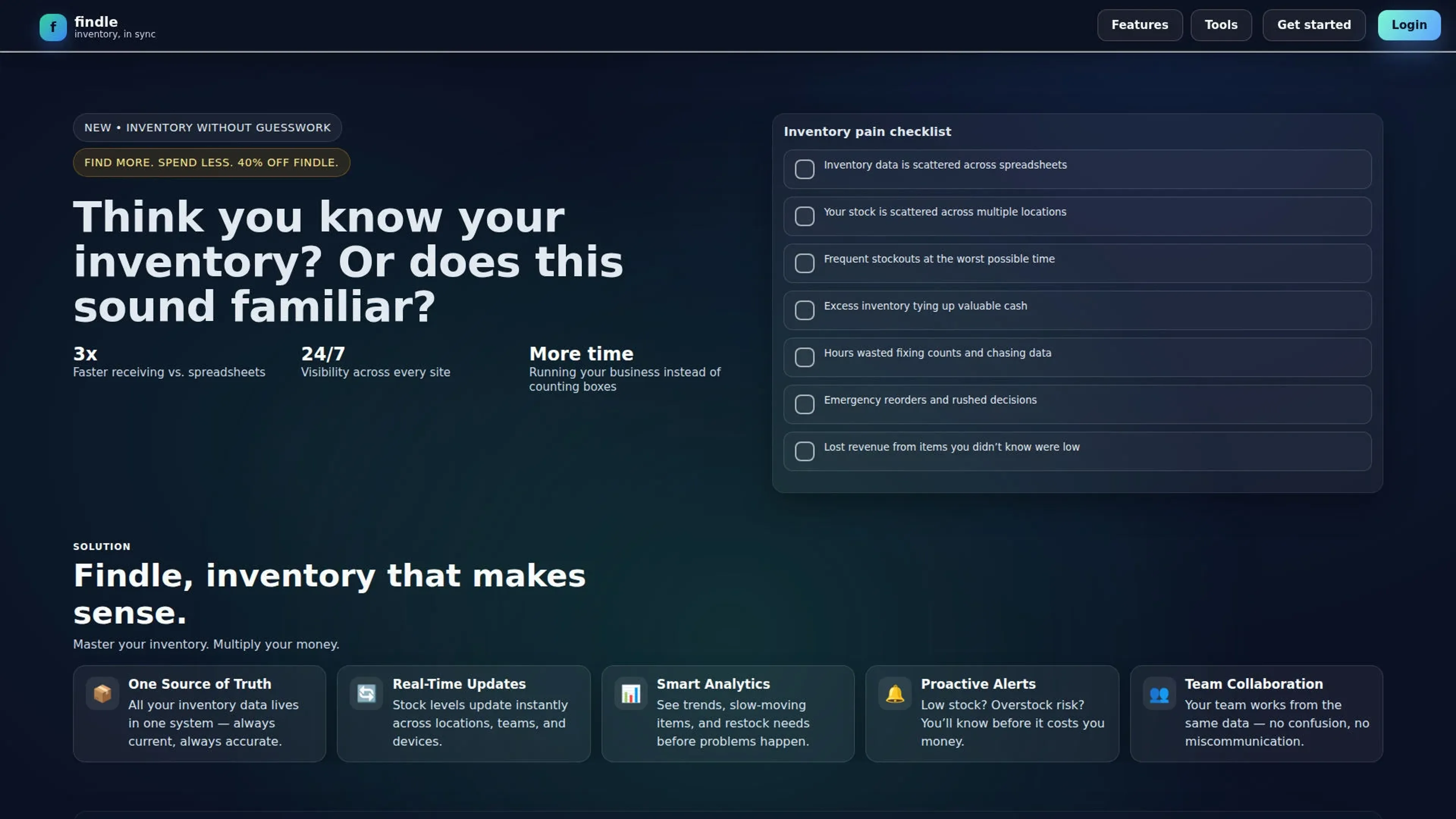
Findle Inventory is a web-based inventory management tool built to keep inventory counts accurate across locations, teams, and devices. It positions itself as “inventory without guesswork,” aiming to replace spreadsheet chaos with live visibility, analytics, forecasting signals, and proactive alerts. It also includes an integrated, inventory-native chat assistant that can answer questions and draft actions based on real-time counts.
Key Features
- One Source of Truth: Stores inventory data in a single system that stays current and consistent across the workspace.
- Real-Time Updates: Updates stock levels instantly across locations, teams, and devices as counts change.
- Inventory Visibility: Shows live counts by location, item, and owner for clearer operational control.
- Barcode + QR Scanning: Supports fast receiving and inventory moves using a camera-based scanning flow.
- Analytics & Forecasting: Surfaces trends, slow-moving items, usage signals, and runout indicators to guide restock timing.
- Proactive Alerts: Flags low stock and overstock risk before they create costly surprises.
- Chat with Inventory: Lets users ask for stock by SKU, location, or supplier and generate restock lists, runout ETAs, and transfer drafts.
- Integrations & API: Offers API access for connecting systems or scripting workflows, with custom reporting tied to higher tiers.
- Utility Lab Tools: Provides no-login tools for barcodes, QR codes, purchase orders, and invoices with export-ready PDFs.
Pros
- Faster Receiving: Claims faster receiving compared to spreadsheets, supported by scanning and structured receiving workflows.
- Always-On Visibility: Promotes 24/7 visibility across sites, which helps teams stay aligned on counts.
- Actionable Signals: Combines forecasting signals, analytics, and alerts so operators can react earlier instead of doing emergency reorders.
- Inventory-Native Chat: The assistant can draft restock lists and transfer drafts from live counts, which is genuinely a cool time-saver.
Cons
- Free Plan User Limit: The Free tier is limited to 1 user, which can restrict collaboration.
- Pro Plan User Limit: The Pro tier includes 3 users, which may be tight for larger teams.
- API And Custom Reporting Are Tiered: API access and custom reporting are reserved for Enterprise.
Use Cases
- Multi-Location Operators: Keeping each site in sync automatically while maintaining location-level visibility.
- Warehouse And Stockroom Teams: Speeding up receiving and inventory moves through scanning and live counts.
- Retail Operations: Tracking stock by item and location while relying on alerts to reduce stockouts.
- Small Business Owners: Spending less time fixing counts and chasing data, and more time running the business.
- Uncommon Use Cases: Used by makerspaces to track shared tools and components; adopted by small event teams to manage gear across storage locations.
Pricing
Free: $0 per month; includes 1 user, a single workspace, core inventory features, and email support. Pro: $29 per month; includes 3 users, analytics and charts, and priority support. Enterprise: $79 per month; includes unlimited users, custom reporting, API access, and dedicated success support. Disclaimer: Please note that pricing information may not be up to date. For the most accurate and current pricing details, refer to the official Findle Inventory website.
What Makes It Unique
Findle Inventory pairs real-time inventory sync with an inventory-native chat assistant that can answer stock questions and draft operational actions like restock lists, runout ETAs, and transfer drafts. It also adds a no-login utility lab for barcodes, QR codes, purchase orders, and invoices, which is a practical bonus for operators who just need the output fast.
Ratings
Accuracy and Reliability: 3.5/5 Ease of Use: 3.8/5 Functionality and Features: 3.6/5 Performance and Speed: 3.7/5 Customization and Flexibility: 3.3/5 Data Privacy and Security: 3.4/5 Support and Resources: 3.5/5 Cost-Efficiency: 3.9/5 Integration Capabilities: 3.5/5 Overall Score: 3.6/5
Key Features
Pros & Cons
- Faster Receiving: Claims faster receiving compared to spreadsheets, supported by scanning and structured receiving workflows.
- Always-On Visibility: Promotes 24/7 visibility across sites, which helps teams stay aligned on counts.
- Actionable Signals: Combines forecasting signals, analytics, and alerts so operators can react earlier instead of doing emergency reorders.
- Inventory-Native Chat: The assistant can draft restock lists and transfer drafts from live counts, which is genuinely a cool time-saver.
- Free Plan User Limit: The Free tier is limited to 1 user, which can restrict collaboration.
- Pro Plan User Limit: The Pro tier includes 3 users, which may be tight for larger teams.
- API And Custom Reporting Are Tiered: API access and custom reporting are reserved for Enterprise.
Best For
Alternatives to Findle Inventory
AiCogni
Unleash the Power of AI Communication with AiCogni
Aiwizard
Automate customer conversations, improve satisfaction, and analyze performance with AI-powered chatbot agents.
BrightBot
Versatile Chatbot Solution for Seamless Customer Interaction
KITT By LiveKit
KITT by LiveKit: Real‑time multimodal AI for live voice, video, and text
AI.LS
Master AI and ML with AI Learning Studio!
Olympia
Empower Your Business with Olympia's AI-Powered Consultants