

LM Studio
FreeManage, integrate, and test local language models efficiently.
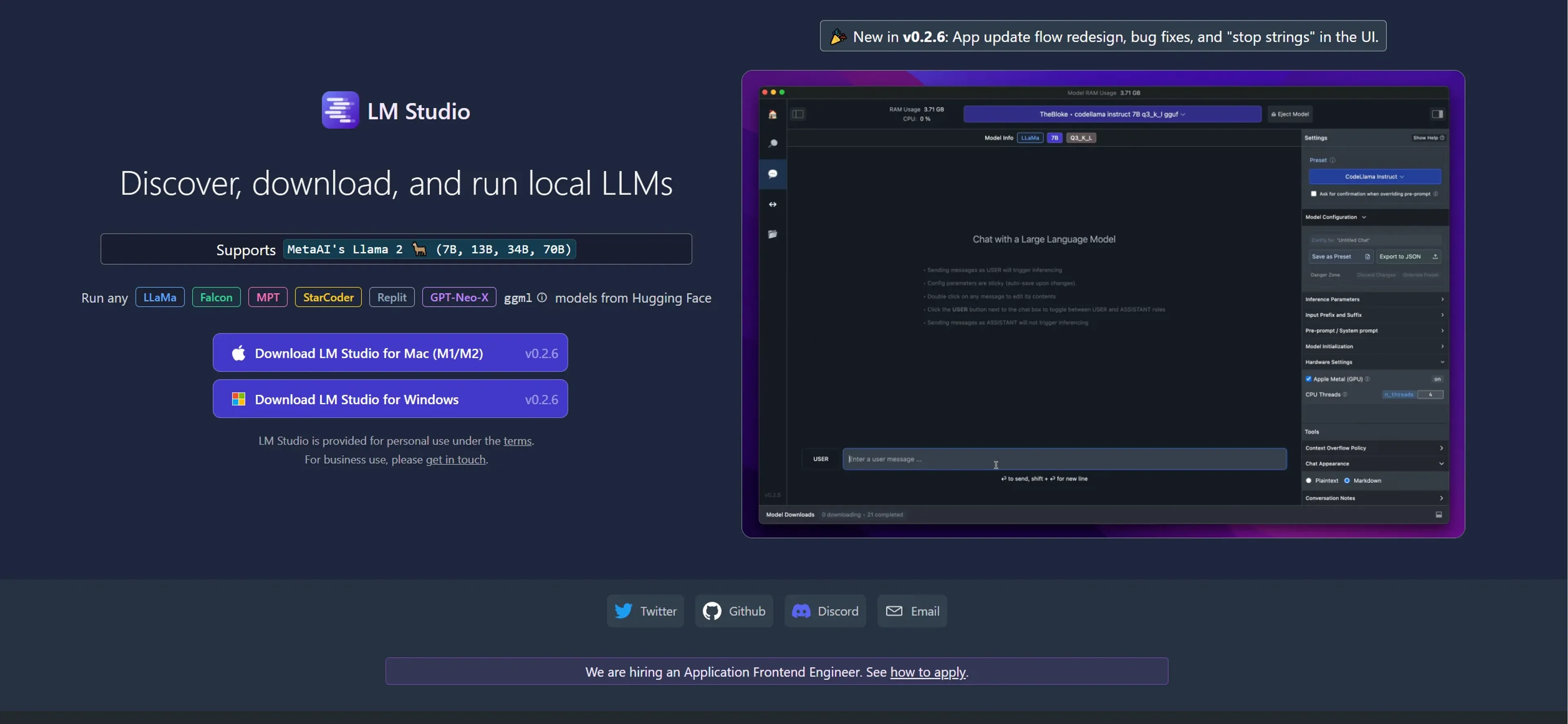
About LM Studio
LM Studio is an innovative tool designed to streamline the process of discovering, downloading, and running local large language models (LLMs). As a technology enthusiast and professional reviewer, I've explored numerous AI tools, but LM Studio particularly stands out due to its focus on enhancing user accessibility to powerful language models. This platform is especially suited for developers, data scientists, and AI researchers looking for efficient ways to implement and test language models without extensive infrastructure.
Key Features
- Local Model Management: Allows users to easily manage and switch between different LLMs on their local machine.
- Seamless Integration: Designed to integrate smoothly with existing development environments to enhance productivity.
- User-Friendly Interface: Offers an intuitive interface that simplifies the complex processes involved in managing LLMs.
- Real-Time Testing and Validation: Provides tools for real-time performance testing and validation of language models.
Pros
- Enhanced Control: Users maintain full control over the language models, including customization and configuration.
- Privacy and Security: Running models locally ensures that sensitive data does not leave the user's environment.
- Cost Efficiency: Reduces the need for expensive cloud computing resources.
- Support for Multiple Models: Compatible with a variety of language models, facilitating experimentation and deployment.
Cons
- Resource Requirements: Requires significant local machine resources, which may not be feasible for all users.
- Initial Setup Complexity: The initial setup might be challenging for those without a technical background.
- Limited Scalability: While efficient for local testing, scaling for large-scale applications might require additional infrastructure.
Use Cases
- AI Researchers: Employing the tool for developing and refining new language models.
- Software Developers: Integrating advanced language capabilities into software applications.
- Academic Institutions: Utilized in computer science departments for educational purposes.
- Tech Startups: Leveraging the tool to quickly prototype and test AI features in new products.
- Uncommon Use Cases: Used by hobbyists and tech enthusiasts for personal AI projects; also seen in use at hackathons for rapid development cycles.
Pricing
Free Tier: LM Studio offers a basic free version that is quite robust for individual users and small projects. Pro Tier: Advanced features and support are available starting at $50 per month. Disclaimer: Please note that pricing information may not be up to date. For the most accurate and current pricing details, refer to the official LM Studio website.
What Makes It Unique
LM Studio stands out by providing a user-friendly platform that simplifies the complexities of running and managing large language models locally. Its commitment to privacy and security by allowing local operations sets it apart in an industry where cloud-based solutions dominate.
Ratings
Accuracy and Reliability: 4.5/5 Ease of Use: 4.0/5 Functionality and Features: 4.8/5 Performance and Speed: 4.6/5 Customization and Flexibility: 4.7/5 Data Privacy and Security: 5.0/5 Support and Resources: 4.3/5 Cost-Efficiency: 4.4/5 Integration Capabilities: 4.2/5 Overall Score: 4.55/5
Key Features
Pros & Cons
- Enhanced Control: Users maintain full control over the language models, including customization and configuration.
- Privacy and Security: Running models locally ensures that sensitive data does not leave the user's environment.
- Cost Efficiency: Reduces the need for expensive cloud computing resources.
- Support for Multiple Models: Compatible with a variety of language models, facilitating experimentation and deployment.
- Resource Requirements: Requires significant local machine resources, which may not be feasible for all users.
- Initial Setup Complexity: The initial setup might be challenging for those without a technical background.
- Limited Scalability: While efficient for local testing, scaling for large-scale applications might require additional infrastructure.
Best For
Alternatives to LM Studio
AiCogni
Unleash the Power of AI Communication with AiCogni
Aiwizard
Automate customer conversations, improve satisfaction, and analyze performance with AI-powered chatbot agents.
BrightBot
Versatile Chatbot Solution for Seamless Customer Interaction
KITT By LiveKit
KITT by LiveKit: Real‑time multimodal AI for live voice, video, and text
AI.LS
Master AI and ML with AI Learning Studio!
Olympia
Empower Your Business with Olympia's AI-Powered Consultants