

Overchat AI
FreemiumUnlock Productivity with Overchat AI's All-in-One Platform
About Overchat AI
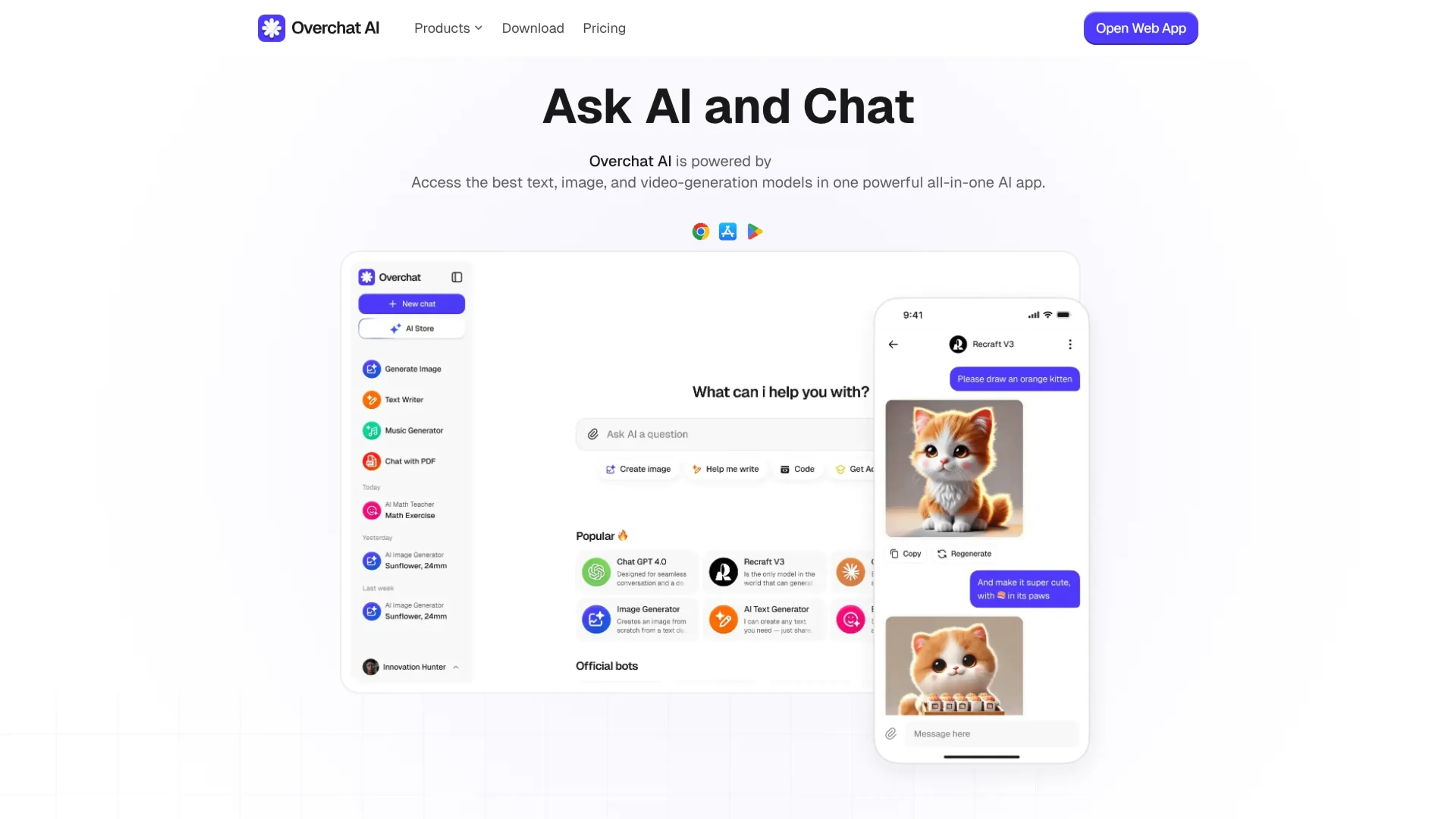
Overchat AI is an all‑in‑one “AI super app” that brings many leading text, image, and video models into a single interface. Instead of juggling separate subscriptions for ChatGPT, Claude, Gemini, DeepSeek, Grok, and others, users can chat, write, generate images, and create short videos inside one environment. It targets people who want powerful models, but prefer one login, one billing setup, and a privacy‑conscious wrapper around the underlying AI providers.
Key Features
- Multi‑model hub: Access advanced models such as GPT‑4o and GPT‑5.x, Claude 4.x Sonnet, Gemini 3 Pro, DeepSeek V3, Llama 4, Mistral, and Grok‑4.1, all selectable per chat or task.
- Text, image, and video generation: Supports GPT‑Image‑1, Nano Banana, FLUX, Stable Diffusion, Recraft, Seedream, plus video tools like Sora 2, Veo 3.1, Kling, Runway, and more.
- Task‑specific AI tools: Built‑in utilities for writing, paraphrasing, summarizing, translation, product descriptions, scripts, essays, email, math and homework solving, PDF chat, and various AI detectors.
- Prebuilt chatbots: Dozens of role‑based bots such as AI Writer, Career Coach, Math AI, and travel or brainstorming assistants to skip manual prompt crafting.
- Cross‑platform access: Web app live today, with Android and iOS apps available and desktop apps plus browser extensions listed as “coming soon.”
- Privacy and security stack: AES‑256 encryption, SSL, GDPR and CCPA compliance, and a “no usage tracking” stance for chat histories across platforms.
Pros
- One subscription for many frontier models: Very attractive for users who want GPT, Claude, Gemini, and more without separate accounts.
- Strong creative toolkit: Image‑to‑image, style filters, photo editing, and video generators make it appealing for designers, social creators, and marketers.
- Good language coverage: Supports 25+ languages, so non‑English users are not treated as an afterthought.
- Security‑forward messaging: Clear encryption claims, regulatory compliance, and explicit statements about not tracking chats.
Cons
- Interface density: The sheer number of tools and models can feel overwhelming for beginners.
- Model availability dependencies: Access depends on upstream providers; some models or features may vary by region or change over time.
- Usage limits still exist: Even with “unlimited chat,” image and video credits, or specific model caps, can confuse users expecting totally open‑ended use.
Use Cases
- Content Creators and Solo Entrepreneurs: Using it to draft scripts, social captions, ad copy, thumbnails, and quick video concepts from one place.
- Marketing Teams and Agencies: Relying on multi‑model copywriting, image generation, and short‑form video tools to speed up campaign production.
- Students and Educators: Applying the homework solvers, PDF chat, and summarizers for studying, lesson prep, and quick explanations.
- Software Developers and Tech Professionals: Tapping into coding‑aware models plus documentation summarization and AI detectors for faster experimentation.
- Uncommon Use Cases: Adopted by librarians building in‑house research helpers; used by HR teams to prototype internal policy chatbots and training content.
Pricing
Free: $0. Includes 20 credits per day, 20 daily accesses to basic models, GPT-4o, ChatGPT 4.1 Nano, limited trial image generation, and basic model-driven smart writing, translation, and summary. Pro Access: $59.99 per year. Includes unlimited AI chat, access to basic models (GPT-4o mini and DeepSeek V3), access to advanced models (GPT-5.1, Claude 4.5 Sonnet, Gemini 3 Pro, Llama 4, Mistral, and Grok-41), image generation (GPT-Image-1, Nano Banana Pro, Flux 2, and Seedream 4), and advanced custom chatbots for writing, translation, summary, search, and ChatPDF. Disclaimer: Please note that pricing information may not be up to date. For the most accurate and current pricing details, refer to the official Overchat AI website.
What Makes It Unique
Overchat AI stands out by acting as a true “meta client” across many proprietary and open models, not just a wrapper around one vendor. It combines everyday productivity tools, creative image and video workflows, playful filters, and niche bots (from brainrot translators to attractiveness raters) in the same place. That mix of serious work features and fun utilities, paired with a strong privacy posture, gives it a distinct flavor among AI chat hubs.
Ratings
Accuracy and Reliability: 4.4/5 Ease of Use: 4.2/5 Functionality and Features: 4.8/5 Performance and Speed: 4.3/5 Customization and Flexibility: 4.1/5 Data Privacy and Security: 4.6/5 Support and Resources: 3.9/5 Cost-Efficiency: 4.7/5 Integration Capabilities: 3.5/5 Overall Score: 4.3/5
Key Features
Pros & Cons
- One subscription for many frontier models: Very attractive for users who want GPT, Claude, Gemini, and more without separate accounts.
- Strong creative toolkit: Image‑to‑image, style filters, photo editing, and video generators make it appealing for designers, social creators, and marketers.
- Good language coverage: Supports 25+ languages, so non‑English users are not treated as an afterthought.
- Security‑forward messaging: Clear encryption claims, regulatory compliance, and explicit statements about not tracking chats.
- Interface density: The sheer number of tools and models can feel overwhelming for beginners.
- Model availability dependencies: Access depends on upstream providers; some models or features may vary by region or change over time.
- Usage limits still exist: Even with “unlimited chat,” image and video credits, or specific model caps, can confuse users expecting totally open‑ended use.
Best For
Alternatives to Overchat AI
AiCogni
Unleash the Power of AI Communication with AiCogni
Aiwizard
Automate customer conversations, improve satisfaction, and analyze performance with AI-powered chatbot agents.
BrightBot
Versatile Chatbot Solution for Seamless Customer Interaction
KITT By LiveKit
KITT by LiveKit: Real‑time multimodal AI for live voice, video, and text
AI.LS
Master AI and ML with AI Learning Studio!
Olympia
Empower Your Business with Olympia's AI-Powered Consultants