

Perfect Wiki
FreemiumTransform Teams into a dynamic, AI-driven knowledge hub.
About Perfect Wiki
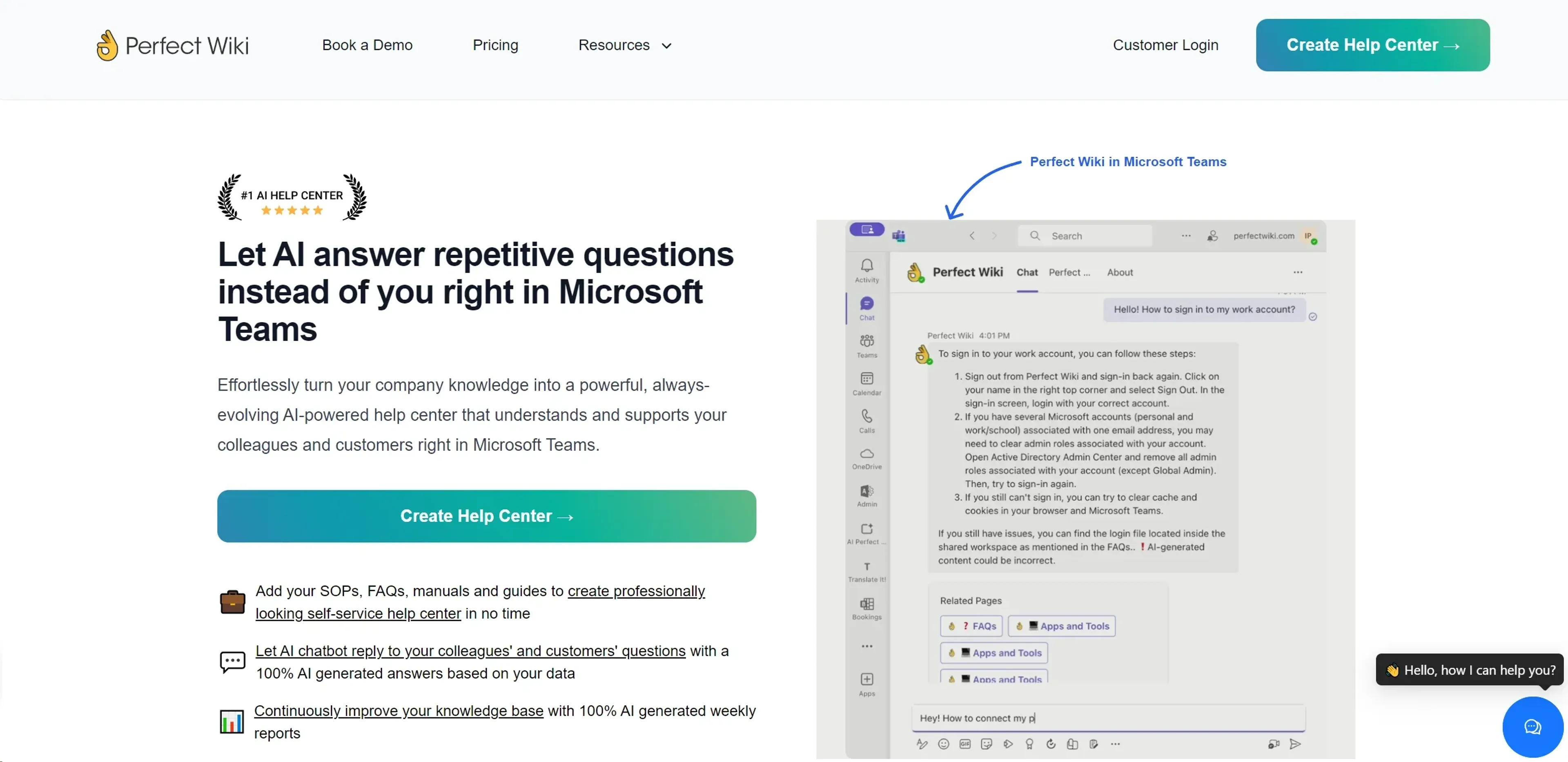
Perfect Wiki is a transformative tool designed to streamline knowledge management within organizations using Microsoft Teams. Its primary function is to convert repetitive inquiries and company knowledge into a dynamic, AI-powered help center. This not only enhances internal communication but also supports customer interaction by providing instant, AI-generated responses to common questions. Aimed at businesses looking to optimize their internal knowledge base, Perfect Wiki facilitates an efficient, seamless way to manage and share information right within the familiar interface of Microsoft Teams.
Key Features
- Microsoft Teams Integration: Perfectly embedded within Microsoft Teams, allowing users to access and manage knowledge without switching platforms.
- AI-Powered Responses: Utilizes AI to automatically answer questions posed by team members or customers, based on the existing knowledge base.
- Dynamic Knowledge Management: Enables the creation, editing, and organization of SOPs, FAQs, and manuals directly within Microsoft Teams.
- Advanced Analytics: Provides AI-generated weekly reports that analyze knowledge base usage and effectiveness, helping to identify gaps and popular content.
- Multi-Language Support: Offers the ability to interact and receive responses in multiple languages, enhancing usability for diverse teams.
Pros
- Enhanced Productivity: Reduces the time spent searching for information by providing instant answers to common questions.
- Cost-Effective: Minimizes the need for extensive training or external platforms with its integration into Microsoft Teams.
- User-Friendly Interface: Simple and intuitive design makes it easy for anyone in the organization to use.
- Scalability: Suitable for both small teams and large enterprises with varying levels of knowledge base needs.
Cons
- Platform Dependency: Primarily depends on Microsoft Teams, which may not be ideal for organizations not using this platform.
- Learning Curve: While generally user-friendly, initial setup and optimization of the AI features may require a learning period.
- Limited Customization Options: Some users might find the customization options for the interface and functionalities somewhat restricted.
Use Cases
- IT Departments: Streamlining documentation and quick access to tech support information.
- HR Teams: Managing employee handbooks, policies, and onboarding processes.
- Customer Support Teams: Providing fast responses to customer inquiries through integrated AI chatbots.
- Project Managers: Keeping project documentation and updates easily accessible to all team members.
- Non-Profits: Using it for organizing volunteer information.
- Educational Institutions: Managing administrative and curriculum guides.
Pricing
Pro Tier: Designed for small teams at $79 per month. Premium Tier: Tailored for growing businesses, offering additional features at $239 per month. Ultimate Tier: Best suited for large businesses, priced at $419 per month. Disclaimer: For the most accurate and current pricing details, refer to the official Perfect Wiki website.
What Makes It Unique
Perfect Wiki stands out due to its seamless integration with Microsoft Teams, a platform widely used by numerous organizations for communication and collaboration. This integration allows users to maintain workflow efficiency and leverage the familiar environment of Teams to manage and disseminate knowledge effectively. Its AI-driven functionality to automatically generate responses and reports based on user interaction further sets it apart, making it not just a tool for storing information, but a dynamic part of the organizational knowledge ecosystem.
Ratings
Accuracy and Reliability: 4.7/5 Ease of Use: 4.8/5 Functionality and Features: 4.6/5 Performance and Speed: 4.5/5 Customization and Flexibility: 4.2/5 Data Privacy and Security: 4.9/5 Support and Resources: 4.8/5 Cost-Efficiency: 4.7/5 Integration Capabilities: 4.9/5 Overall Score: 4.7/5
Key Features
Pros & Cons
- Enhanced Productivity: Reduces the time spent searching for information by providing instant answers to common questions.
- Cost-Effective: Minimizes the need for extensive training or external platforms with its integration into Microsoft Teams.
- User-Friendly Interface: Simple and intuitive design makes it easy for anyone in the organization to use.
- Scalability: Suitable for both small teams and large enterprises with varying levels of knowledge base needs.
- Platform Dependency: Primarily depends on Microsoft Teams, which may not be ideal for organizations not using this platform.
- Learning Curve: While generally user-friendly, initial setup and optimization of the AI features may require a learning period.
- Limited Customization Options: Some users might find the customization options for the interface and functionalities somewhat restricted.
Best For
Alternatives to Perfect Wiki
AiCogni
Unleash the Power of AI Communication with AiCogni
Aiwizard
Automate customer conversations, improve satisfaction, and analyze performance with AI-powered chatbot agents.
BrightBot
Versatile Chatbot Solution for Seamless Customer Interaction
KITT By LiveKit
KITT by LiveKit: Real‑time multimodal AI for live voice, video, and text
AI.LS
Master AI and ML with AI Learning Studio!
Olympia
Empower Your Business with Olympia's AI-Powered Consultants