

xeditai
FreemiumTurn multi-model chats into polished, structured documents.
About xeditai
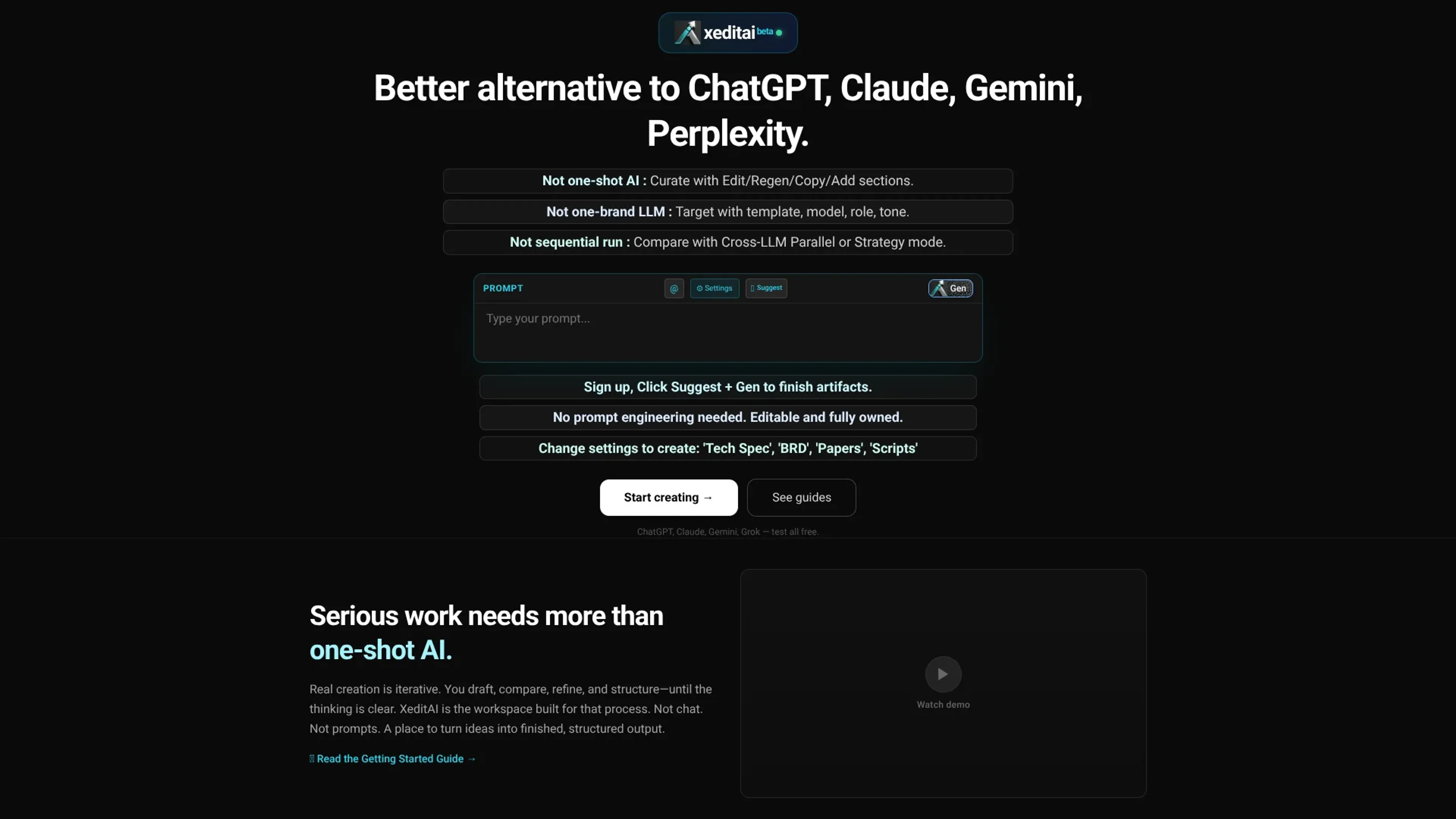
xeditai is a Gen AI studio that turns multi model chat into a structured writing workspace for specs, research, scripts, and other serious documents. It wraps leading models in a document first editor so users can generate, compare, and refine sections until work is ready to ship. Parallel and strategy modes add side by side comparisons, scoring, and synthesis across ChatGPT, Claude, Gemini, Grok, and more.
Key Features
- Document Workspace: Rich text editor with sections where AI generations stay fully editable and human controlled.
- Multi Model Support: Within one file, different sections can call GPT‑4o, Claude, Gemini, Grok, or open source models.
- Parallel and Strategy Modes: Run prompts across several models, then score, debate, and synthesize stronger drafts.
- Templates, Tones, and Export: Ready made structures for PRDs, BRDs, research, and scripts plus export to PDF, DOCX, and PPTX.
Pros
- Iterative Workflow: Designed for drafting, comparing, and refining, not one shot replies.
- Prompt Help Built In: Suggest and templates reduce the need for manual prompt crafting.
- Vendor Neutral Choice: Lets teams test and mix many commercial and open models in one place.
- Ready For Stakeholders: Cloud saved docs and clean exports make sharing specs and decks straightforward.
Cons
- New And Evolving: As a recent beta, ecosystem and integrations are still growing.
- Modes Require Learning: Parallel and strategy views add concepts casual chat users must absorb.
- Potential Model Costs: Heavy parallel use of frontier models may raise spend for teams.
Use Cases
- Founders and Startup Leaders: Using xeditai for specs, launch narratives, investor updates, and board materials.
- Product Managers and UX Teams: Creating PRDs, UX rationales, and release notes backed by multi model comparisons.
- Researchers and Analysts: Turning notes and references into structured papers, reviews, and argument driven summaries.
- Creators and Educators: Drafting scripts, lesson plans, and course content with tone and format controls.
- Uncommon Use Cases: Used by VC analysts to normalize pitch decks; Adopted by ops teams for SOPs.
Pricing
Free Access: Promotes a “Free to try” experience for exploring the core workspace. Disclaimer: Please note that pricing information may not be up to date. For the most accurate and current pricing details, refer to the official xeditai website.
What Makes It Unique
xeditai is unusual in treating multi model AI as collaborators inside one living document instead of separate chats. Parallel and strategy modes create an AI writers room feeling for teams that care about strong written output.
Ratings
Accuracy and Reliability: 4.4/5 Ease of Use: 4.0/5 Functionality and Features: 4.6/5 Performance and Speed: 4.1/5 Customization and Flexibility: 4.5/5 Data Privacy and Security: 4.0/5 Support and Resources: 4.0/5 Cost-Efficiency: 4.2/5 Integration Capabilities: 3.7/5 Overall Score: 4.2/5
Key Features
Pros & Cons
- Iterative Workflow: Designed for drafting, comparing, and refining, not one shot replies.
- Prompt Help Built In: Suggest and templates reduce the need for manual prompt crafting.
- Vendor Neutral Choice: Lets teams test and mix many commercial and open models in one place.
- Ready For Stakeholders: Cloud saved docs and clean exports make sharing specs and decks straightforward.
- New And Evolving: As a recent beta, ecosystem and integrations are still growing.
- Modes Require Learning: Parallel and strategy views add concepts casual chat users must absorb.
- Potential Model Costs: Heavy parallel use of frontier models may raise spend for teams.
Best For
Alternatives to xeditai
AiCogni
Unleash the Power of AI Communication with AiCogni
Aiwizard
Automate customer conversations, improve satisfaction, and analyze performance with AI-powered chatbot agents.
BrightBot
Versatile Chatbot Solution for Seamless Customer Interaction
KITT By LiveKit
KITT by LiveKit: Real‑time multimodal AI for live voice, video, and text
AI.LS
Master AI and ML with AI Learning Studio!
Olympia
Empower Your Business with Olympia's AI-Powered Consultants