

Dubs
FreeAI-powered video dubbing and subtitles for global reach.
About Dubs
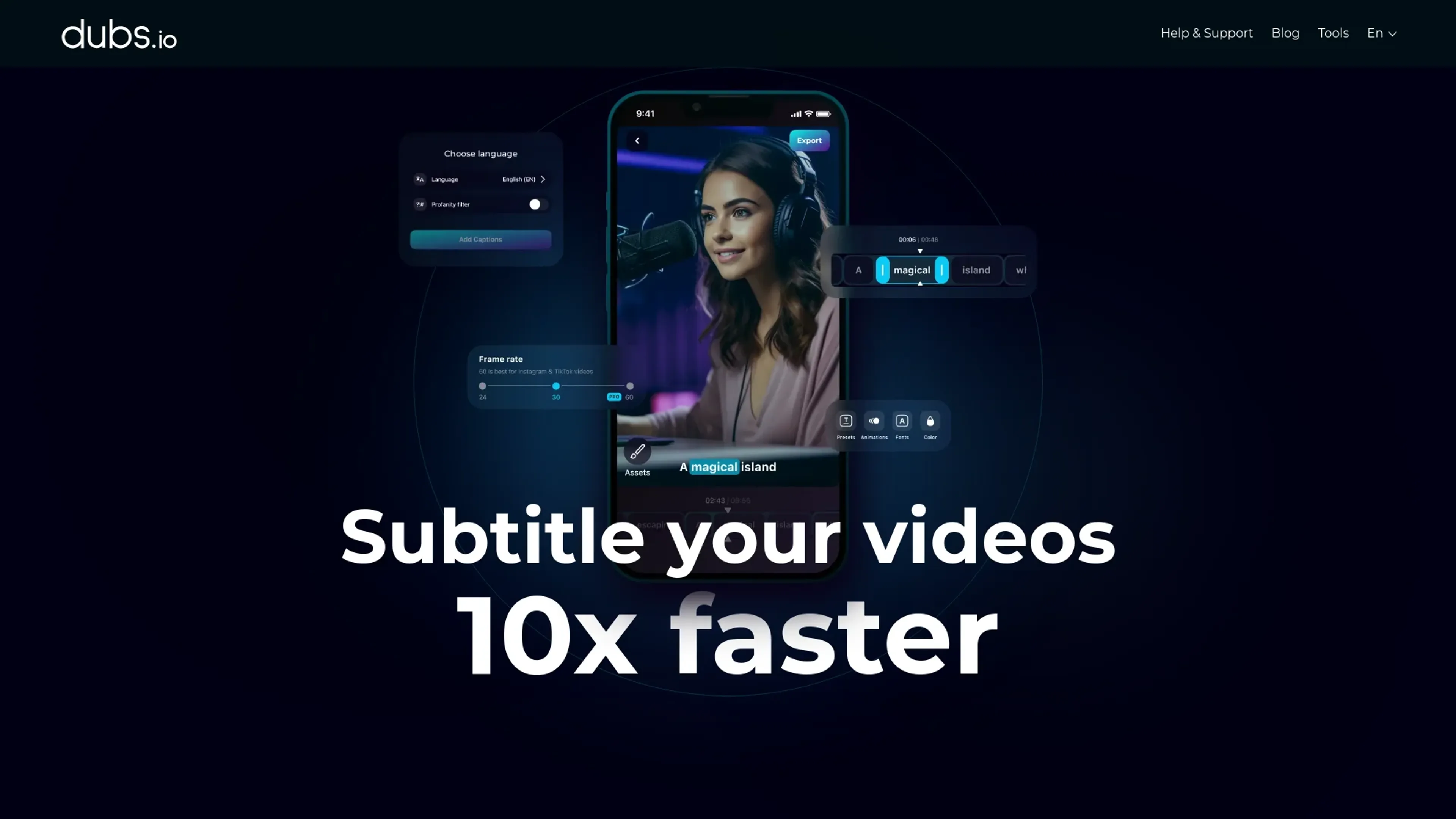
Dubs is a cutting-edge AI-powered tool designed to revolutionize the way content creators manage video subtitles and dubbing. This tool simplifies the process of generating accurate subtitles, translating video content, and even dubbing in multiple languages. Tailored for content creators, digital marketers, and educators, Dubs offers seamless integration of AI technology to enhance accessibility, engagement, and the global reach of video content.
Key Features
- AI Video Dubbing: No need for voice-over artists; dub your videos using AI technology across 100+ languages.
- Auto-Subtitle Generator: Quickly generate accurate subtitles with AI-driven speech recognition, boasting over 96% accuracy.
- Customizable Subtitles: Personalize your video subtitles with customizable fonts, sizes, colors, and positions for a unique viewing experience.
- Dynamic Animations: Add dynamic animations to your captions to capture viewer attention and increase engagement.
Pros
- Time Efficiency: Streamlines the subtitle and dubbing process, reducing the time spent on manual editing.
- Global Reach: Supports multiple languages, enabling content to be accessible to a worldwide audience.
- User-Friendly Interface: Intuitive design ensures ease of use for both beginners and experienced users.
- Creative Enhancement: Offers tools like teleprompters and script generators to boost creativity and productivity.
Cons
- Initial Learning Curve: Some users may need time to fully explore and utilize all advanced features.
- Platform Limitations: Primarily a mobile app, which may limit functionality for desktop users.
Use Cases
- Content Creators: Leveraging the tool for seamless video subtitle generation and dubbing.
- Digital Marketers: Utilizing AI dubbing to create multilingual marketing content.
- Educators: Employing the tool to make educational videos accessible to non-native speakers.
- Social Media Influencers: Using subtitles and animations to enhance video engagement.
- Uncommon Use Cases: Adopted by language tutors to create multilingual content; used by podcasters for video content expansion.
Pricing
Free Tier: Offers basic features like subtitle editing and video downloads. Pro Tier: Paid subscriptions available for more advanced features, with flexible plans ranging from weekly to yearly options. Disclaimer: Please note that pricing information may not be up to date. For the most accurate and current pricing details, refer to the official Dubs website.
What Makes It Unique
Dubs stands out with its AI-driven video dubbing feature, a game-changer for multilingual content production. Its ability to accurately generate subtitles and translate them into numerous languages sets it apart, making it an invaluable tool for creators looking to expand their audience globally.
Ratings
Accuracy and Reliability: 4.8/5 Ease of Use: 4.5/5 Functionality and Features: 4.7/5 Performance and Speed: 4.6/5 Customization and Flexibility: 4.4/5 Data Privacy and Security: 4.3/5 Support and Resources: 4.2/5 Cost-Efficiency: 4.1/5 Integration Capabilities: 4.0/5 Overall Score: 4.4/5
Key Features
Pros & Cons
- Time Efficiency: Streamlines the subtitle and dubbing process, reducing the time spent on manual editing.
- Global Reach: Supports multiple languages, enabling content to be accessible to a worldwide audience.
- User-Friendly Interface: Intuitive design ensures ease of use for both beginners and experienced users.
- Creative Enhancement: Offers tools like teleprompters and script generators to boost creativity and productivity.
- Initial Learning Curve: Some users may need time to fully explore and utilize all advanced features.
- Platform Limitations: Primarily a mobile app, which may limit functionality for desktop users.
Best For
Alternatives to Dubs
Readshark
Quick Book Summaries for Busy Professionals
QuestionAid
Effortlessly Generate Questions from Any Text with Question-AID
AI Art Apps Database
Access tutorials, software, and an artwork library to learn, create, and stay inspired with AI art.
FlashcardX
FlashcardX: Your AI-powered study companion to create flashcards effortlessly.
AixStock
Access practice tests, study guides, flashcards, interact with others, expert tutors, and get personalized feedback for mastery.
Jungle
Create flashcards in seconds, not hours