

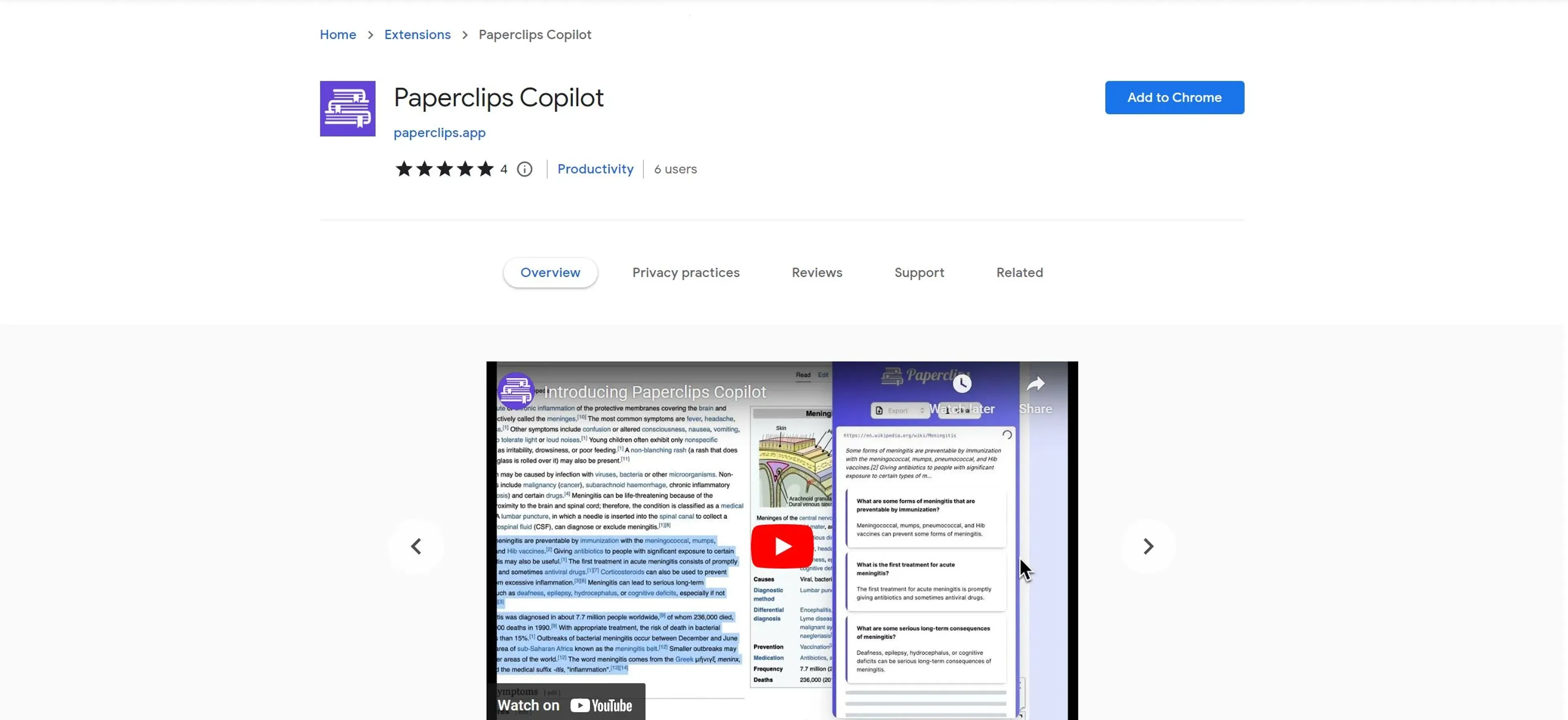
About Paperclips Copilot
Paperclips Copilot revolutionizes the creation of flashcards, offering an intelligent solution for students and professionals alike. Designed to streamline the process of flashcard generation, it simplifies studying by automatically creating flashcards from your course notes or any webpage. Whether you're a student trying to master a new subject or a professional looking to retain information efficiently, Paperclips Copilot ensures a seamless experience across various platforms.
Key Features
- Automatic Flashcard Generation: Paperclips Copilot uses advanced AI algorithms to transform notes or web content into high-quality flashcards effortlessly.
- Multilingual Support: The tool can generate flashcards in any language, matching the language of your notes for a personalized learning experience.
- Cross-Platform Compatibility: Easily export flashcards to popular platforms such as Anki, Quizlet, PDF, and CSV, enhancing flexibility in your study habits.
- Browser Extension: Available as a Chrome extension, allowing you to create flashcards directly from any webpage you visit without interrupting your workflow.
Pros
- Intuitive and User-Friendly: The interface is designed to be straightforward, making it easy for users of all skill levels to navigate.
- Time-Saving: Automates the flashcard creation process, significantly reducing the time needed to prepare study materials.
- Enhanced Learning: By generating flashcards from existing notes, it reinforces learning and aids memory retention.
- Versatile Export Options: Supports multiple file formats and platforms, catering to diverse user needs and preferences.
Cons
- Limited Customization: While effective, the automatic generation may lack the nuanced customization some users desire.
- Dependency on Internet Connection: Requires an active internet connection for full functionality, which might be a limitation in offline environments.
Use Cases
- Students: Utilizing the tool to generate study aids from lecture notes and online resources.
- Educators: Employing Paperclips Copilot to create supplemental materials for teaching.
- Researchers: Leveraging the tool to organize and memorize research findings.
- Language Learners: Using it to build vocabulary flashcards in multiple languages.
- Uncommon Use Cases:Corporate Trainers: Creating onboarding materials for employees.Librarians: Assisting patrons in learning new subjects through flashcards.
Pricing
Free Version: Access basic features with the free version available through the Chrome extension. Pro Version: Offers enhanced features and capabilities. For detailed pricing, please visit the official website. Disclaimer: Please note that pricing information may not be up to date. For the most accurate and current pricing details, refer to the official Paperclips Copilot website.
What Makes It Unique
Paperclips Copilot stands out with its ability to seamlessly integrate into your browsing experience, transforming any webpage into a potential study resource. Its unique capability to generate multilingual flashcards on the fly, combined with robust export options, makes it an invaluable tool for learners worldwide.
Ratings
Accuracy and Reliability: 4.5/5 Ease of Use: 4.8/5 Functionality and Features: 4.4/5 Performance and Speed: 4.6/5 Customization and Flexibility: 3.9/5 Data Privacy and Security: 4.2/5 Support and Resources: 4.0/5 Cost-Efficiency: 4.3/5 Integration Capabilities: 4.1/5 Overall Score: 4.4/5
Key Features
Pros & Cons
- Intuitive and User-Friendly: The interface is designed to be straightforward, making it easy for users of all skill levels to navigate.
- Time-Saving: Automates the flashcard creation process, significantly reducing the time needed to prepare study materials.
- Enhanced Learning: By generating flashcards from existing notes, it reinforces learning and aids memory retention.
- Versatile Export Options: Supports multiple file formats and platforms, catering to diverse user needs and preferences.
- Limited Customization: While effective, the automatic generation may lack the nuanced customization some users desire.
- Dependency on Internet Connection: Requires an active internet connection for full functionality, which might be a limitation in offline environments.
Best For
Alternatives to Paperclips Copilot
Readshark
Quick Book Summaries for Busy Professionals
QuestionAid
Effortlessly Generate Questions from Any Text with Question-AID
AI Art Apps Database
Access tutorials, software, and an artwork library to learn, create, and stay inspired with AI art.
FlashcardX
FlashcardX: Your AI-powered study companion to create flashcards effortlessly.
AixStock
Access practice tests, study guides, flashcards, interact with others, expert tutors, and get personalized feedback for mastery.
Jungle
Create flashcards in seconds, not hours