

Woord
FreemiumTransform text into high-quality, natural-sounding speech with AI-powered technology, featuring a wide range of voices and language support.
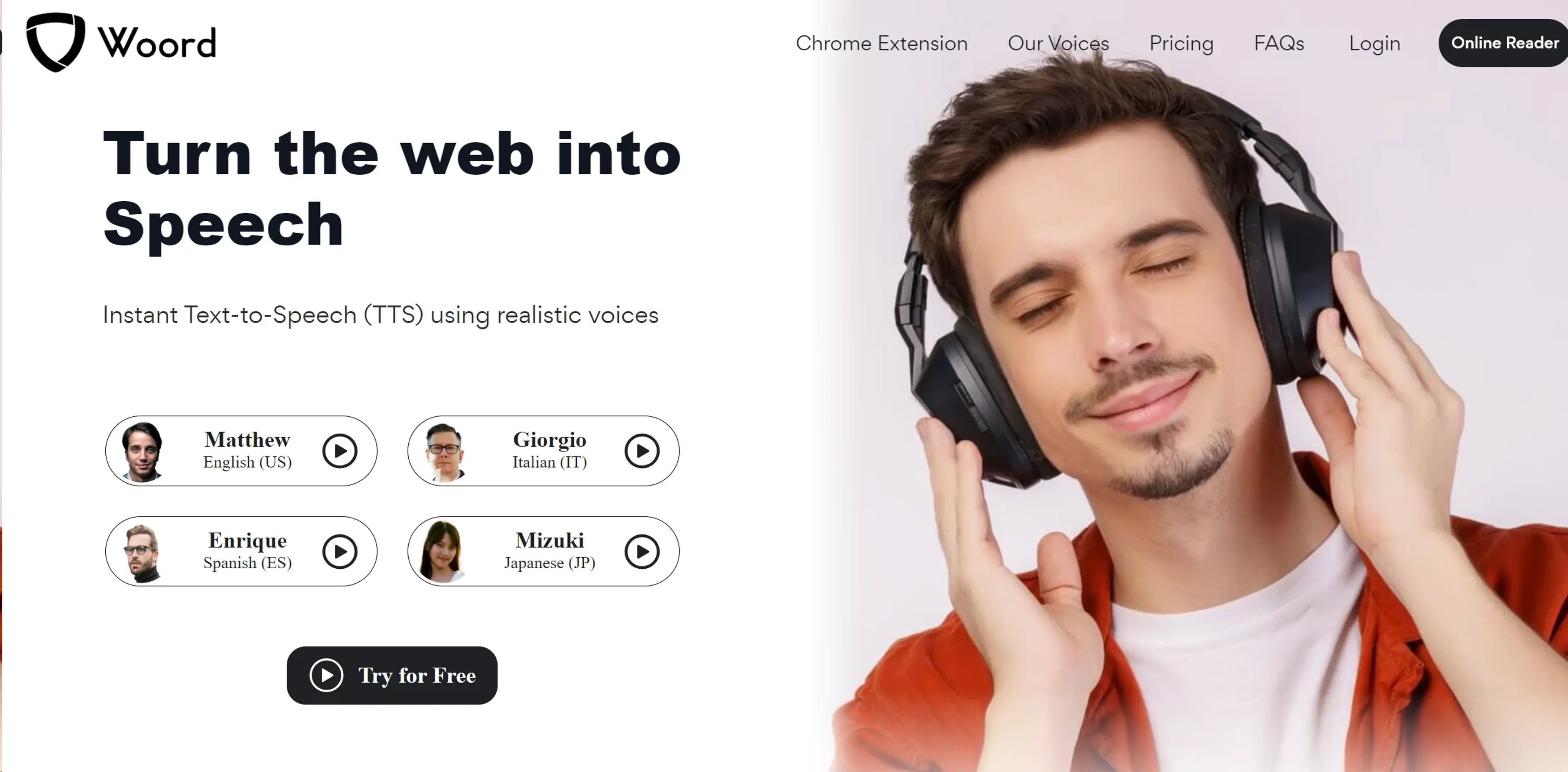
About Woord
Woord is an innovative Text-to-Speech (TTS) online tool that utilizes advanced AI technology to convert text into high-quality, natural-sounding speech. With a wide range of custom voices available in various languages, Woord offers a simple, efficient, and user-friendly solution for transforming any text content into audio. Whether it's blog posts, news, books, research papers, or any other text content, Woord provides a smooth and seamless conversion process.
Key Features
- Variety of Voices: Woord offers 50 voices in 21 different languages, with regional variations available for select languages like Canadian French, Brazilian Portuguese, and more.
- Unlimited Text-to-Speech Conversions: With Woord, users have the freedom to convert as much text content as they want into audio.
- Audio Creation and Redistribution: Woord allows users to download the created audio in MP3 format or host it with an HTML embed audio player, making it suitable for use in YouTube videos, e-Learning modules, or other commercial purposes.
- Smart Voice Technology: Leveraging AI technology, Woord emulates human-like, natural-sounding speech.
- API Access: Developers can harness Woord's API for custom integrations.
Pros
- Broad Language Support: Woord supports a wide range of languages, catering to a global audience.
- High-Quality Audio: The AI-powered TTS technology ensures the audio output is of high quality and sounds natural.
- Commercial Use: The audio files created can be used for commercial purposes, including YouTube videos, broadcasts, and e-Learning modules.
- User-Friendly Interface: Woord's intuitive design makes it easy for users to convert their text to speech.
Cons
- Character Limit: Woord has a character limit of up to 10,000 characters per audio for any plan.
- No Free Tier: Although Woord offers a 7-day free trial, there is no permanently free tier available.
Use Cases
- Content Creators: Leveraging Woord to convert their written content into audio format for podcasts or video narrations.
- E-Learning Platforms: Using the tool to create audio lessons or study materials.
- Visually Impaired Individuals: Utilizing Woord to convert digital text content into audio for easy consumption.
- Businesses: Employing Woord to create voiceovers for promotional videos or presentations.
- Uncommon Use Cases: Used by quiz game developers for generating narration; Adopted by public transportation systems for announcements.
Pricing
Woord offers four pricing plans: Starter: At $9.99 per month, users get 10 audios per month with 10,000 characters per audio. Basic: For $24.99 per month, users get 50 audios per month with 10,000 characters per audio. Advance: Priced at $49.99 per month, users get 125 audios per month with 10,000 characters per audio. Pro: For $99.99 per month, users get 300 audios per month with 10,000 characters per audio. Disclaimer: Please note that pricing information may not be up to date. For the most accurate and current pricing details, refer to the official Woord website.
What Makes It Unique
Woord stands out with its advanced AI technology for TTS conversion, offering a wide selection of natural-sounding voices in various languages. Its user-friendly interface, coupled with the ability to use the audio files for commercial purposes, sets it apart in the TTS tool market.
Ratings
Accuracy and Reliability: 4.5/5 Ease of Use: 4.7/5 Functionality and Features: 4.6/5 Performance and Speed: 4.5/5 Customization and Flexibility: 4.3/5 Data Privacy and Security: 4.2/5 Support and Resources: 4.0/5 Cost-Efficiency: 4.2/5 Integration Capabilities: 4.5/5 Overall Score: 4.4/5
Summary
Transform text into high-quality, natural-sounding speech with AI-powered technology, featuring a wide range of voices and language support. AI Categories: text to speech, education, research
Key Features
Pros & Cons
- Broad Language Support: Woord supports a wide range of languages, catering to a global audience.
- High-Quality Audio: The AI-powered TTS technology ensures the audio output is of high quality and sounds natural.
- Commercial Use: The audio files created can be used for commercial purposes, including YouTube videos, broadcasts, and e-Learning modules.
- User-Friendly Interface: Woord's intuitive design makes it easy for users to convert their text to speech.
- Character Limit: Woord has a character limit of up to 10,000 characters per audio for any plan.
- No Free Tier: Although Woord offers a 7-day free trial, there is no permanently free tier available.
Best For
Alternatives to Woord
Readshark
Quick Book Summaries for Busy Professionals
QuestionAid
Effortlessly Generate Questions from Any Text with Question-AID
AI Art Apps Database
Access tutorials, software, and an artwork library to learn, create, and stay inspired with AI art.
FlashcardX
FlashcardX: Your AI-powered study companion to create flashcards effortlessly.
AixStock
Access practice tests, study guides, flashcards, interact with others, expert tutors, and get personalized feedback for mastery.
Jungle
Create flashcards in seconds, not hours