

X-Pilot AI
FreemiumConvert documents into accurate, visual course videos.
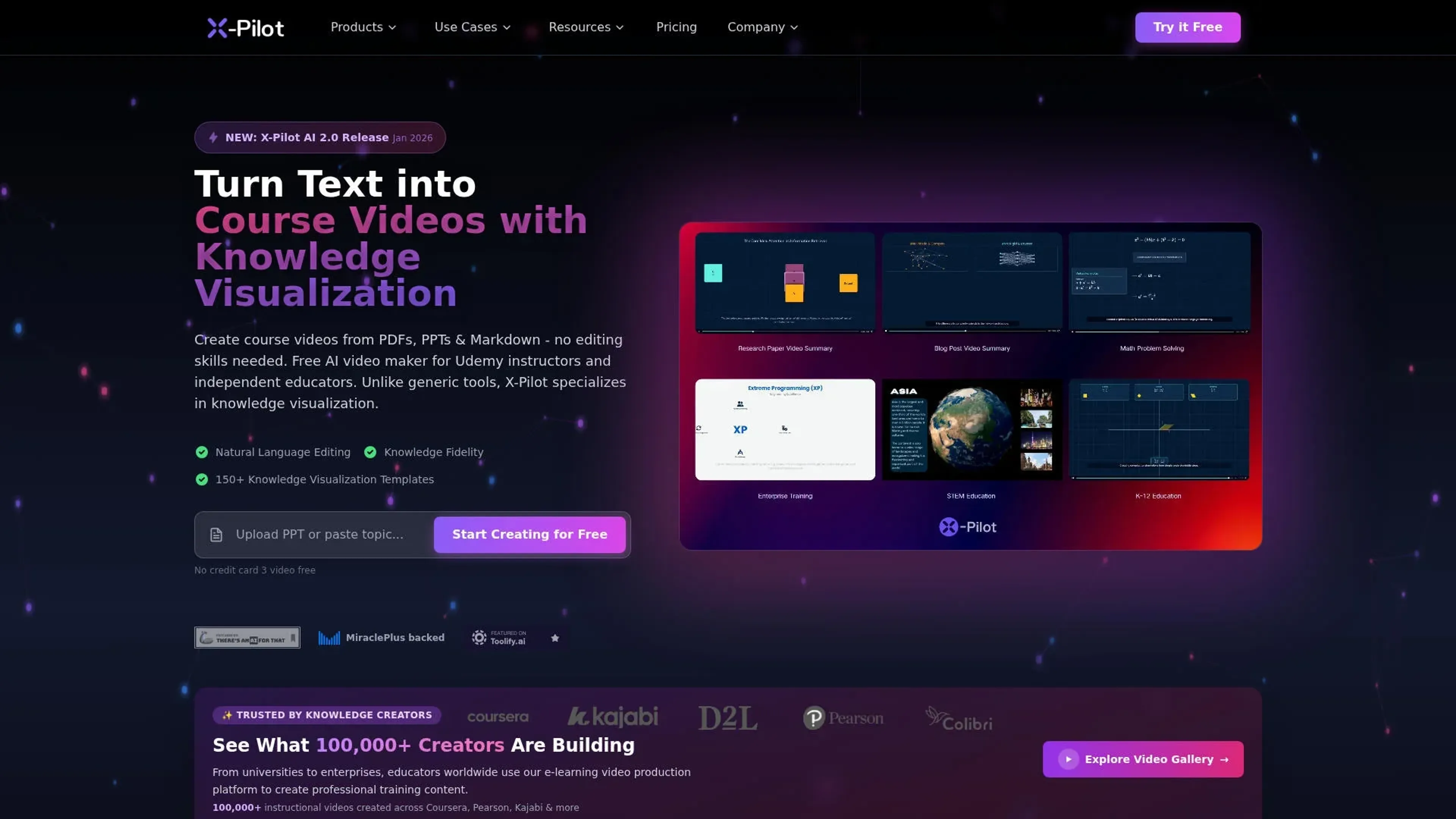
About X-Pilot AI
X-Pilot AI focuses on turning documents and text-based knowledge into structured educational videos with an emphasis on knowledge visualization rather than talking-head avatars. It ingests PDFs, PPTs, Word files, Markdown, URLs, and scripts, then uses AI to plan course outlines, scripts, visuals, and narration. The tool is aimed at Udemy instructors, academic staff, instructional designers, corporate training teams, and technical creators who want accurate, visually rich course content without learning traditional video-editing software.
Key Features
- Knowledge Visualization Engine and Motion Boxes: Maps concepts to thousands of reusable Motion Box templates that become charts, diagrams, timelines, and process visuals tailored to the script.
- Document-to-Course Conversion: Converts syllabi, textbooks, technical docs, and slide decks into multi-module video courses with chapters, quizzes, and learning paths generated automatically.
- Natural Language Video Editor: Lets users refine videos by typing instructions such as removing sections, adjusting pacing, or changing colors, instead of working on a timeline.
- Knowledge Fidelity Architecture: Uses a structured animation layer that ties each visual and narration segment directly to the source material, with a zero-hallucination guarantee aimed at high-stakes subjects.
- AI Narration and Branding Controls: Offers 50 plus languages, 200 plus AI voices, voice cloning, and brand controls for colors, logos, and formats including HD and 4K exports.
Pros
- Strong for instructional content: Built specifically for courses, tutorials, and corporate training where conceptual clarity and correctness outrank cinematic flair.
- Serious time savings: Users report producing course videos many times faster than manual recording and editing, especially when starting from existing documents.
- Low editing barrier: Natural language editing and prebuilt Motion Boxes reduce the need for timeline skills or motion-design experience.
- Document-first workflow: Fits how educators and experts already work, turning notes, syllabi, and technical documentation directly into video lessons.
Cons
- Less suited to on-camera branding: Creators seeking lifelike presenters or marketing-style spokesperson videos may find it narrower than avatar-focused tools.
- Template-driven visual style: While Motion Boxes are editable, courses from different creators can feel visually similar unless users spend time customizing.
- Limited public pricing detail: Public information emphasizes free generation and paid HD export, but clear rate tables for heavier or team usage are not easy to find.
Use Cases
- Course Instructors and Online Educators: Building Udemy, Teachable, and Kajabi courses from syllabi, textbooks, and slide decks.
- Academic Faculty and Universities: Turning lecture notes and research into MOOCs and flipped-classroom videos while keeping academic rigor intact.
- Corporate L&D and HR Teams: Producing onboarding, compliance, and skills-training modules at scale across distributed workforces.
- Developers and Technical Writers: Converting documentation, API guides, and code walkthroughs into explainer videos with syntax highlighting and architecture visuals.
- SaaS and Product Marketers: Creating product demos and feature explainers that walk through workflows without needing full video crews.
- Uncommon Use Cases: Used by vocational training centers in manufacturing and automotive sectors for SOP and safety content; adopted by solo knowledge bloggers repurposing long-form articles into micro-courses and shorts.
Pricing
Free Tier: Course outlines, scripts, and visual storyboards can be generated at no cost, with a limited monthly allowance of AI video creation minutes and no credit card required to start. Paid Export and Premium Usage: HD and 4K exports without watermark, longer runtime, and higher production volumes require a paid plan tied to exporting finished videos, though specific price points are not clearly published in the reviewed material. Disclaimer: Please note that pricing information may not be up to date. For the most accurate and current pricing details, refer to the official X-Pilot AI website.
What Makes It Unique
X-Pilot AI differentiates itself by centering on knowledge visualization and instructional logic instead of avatars or generic stock footage. Its structured animation layer and large Motion Box library are tuned for explaining ideas clearly, from quantitative finance to molecular biology, while preserving formulas and reasoning from the source. The blend of document-first ingestion, educational course generation, and natural language editing gives subject-matter experts something closer to an AI production team than a simple text-to-video toy.
Ratings
Accuracy and Reliability: 4.8/5 Ease of Use: 4.4/5 Functionality and Features: 4.6/5 Performance and Speed: 4.5/5 Customization and Flexibility: 4.2/5 Data Privacy and Security: 4.1/5 Support and Resources: 4.3/5 Cost-Efficiency: 4.6/5 Integration Capabilities: 3.8/5 Overall Score: 4.4/5
Key Features
Pros & Cons
- Strong for instructional content: Built specifically for courses, tutorials, and corporate training where conceptual clarity and correctness outrank cinematic flair.
- Serious time savings: Users report producing course videos many times faster than manual recording and editing, especially when starting from existing documents.
- Low editing barrier: Natural language editing and prebuilt Motion Boxes reduce the need for timeline skills or motion-design experience.
- Document-first workflow: Fits how educators and experts already work, turning notes, syllabi, and technical documentation directly into video lessons.
- Less suited to on-camera branding: Creators seeking lifelike presenters or marketing-style spokesperson videos may find it narrower than avatar-focused tools.
- Template-driven visual style: While Motion Boxes are editable, courses from different creators can feel visually similar unless users spend time customizing.
- Limited public pricing detail: Public information emphasizes free generation and paid HD export, but clear rate tables for heavier or team usage are not easy to find.
Best For
Alternatives to X-Pilot AI
Readshark
Quick Book Summaries for Busy Professionals
QuestionAid
Effortlessly Generate Questions from Any Text with Question-AID
AI Art Apps Database
Access tutorials, software, and an artwork library to learn, create, and stay inspired with AI art.
FlashcardX
FlashcardX: Your AI-powered study companion to create flashcards effortlessly.
AixStock
Access practice tests, study guides, flashcards, interact with others, expert tutors, and get personalized feedback for mastery.
Jungle
Create flashcards in seconds, not hours