

Kira
FreemiumCreate stunning designs with AI-enhanced tools.
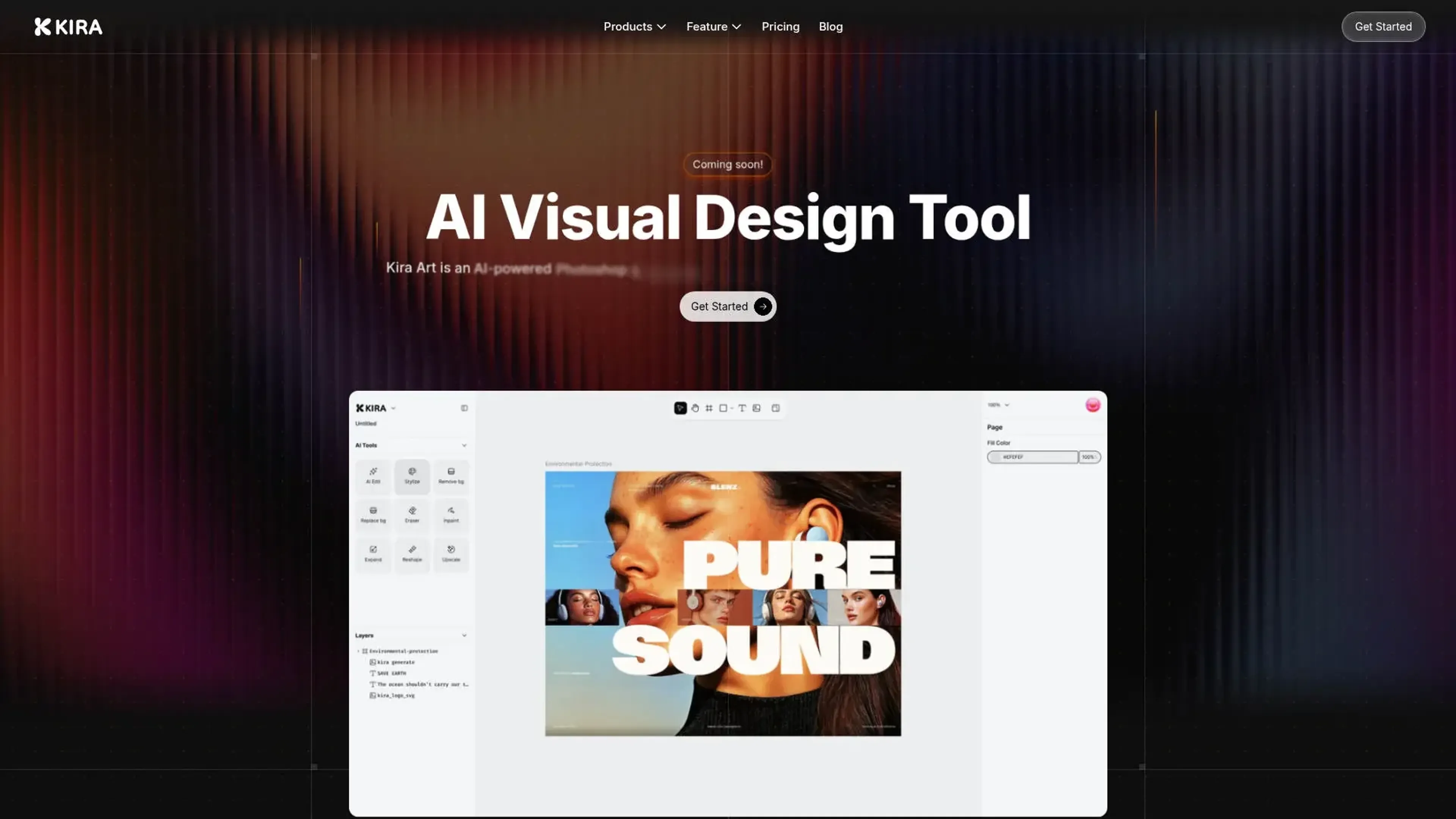
About Kira
Kira is an AI-driven visual design tool that positions itself as a sophisticated alternative to traditional software like Photoshop and Illustrator. Tailored for visual designers, Kira simplifies the creative process with its web-based platform, eliminating the need for cumbersome downloads or file saving. Whether you're crafting intricate designs or need a quick image enhancement, Kira offers a comprehensive suite of features to meet diverse design needs.
Key Features
- AI Integration: Kira is powered by advanced models including OpenAI and Flux, ensuring cutting-edge AI capabilities are at your fingertips.
- Web-Based Platform: Design from anywhere without the hassle of software installations, making it accessible on any device.
- Advanced Image Editing Tools: Includes color adjustments, blend modes, masks, and a lasso tool for precise editing.
- Vector and Raster Workspaces: Offers robust tools for both vector and raster designs, providing flexibility for various design projects.
Pros
- Accessibility: The web-based nature of Kira allows for easy access and collaboration from any device.
- AI-Powered Features: From image generation to AI erasing, Kira enhances creativity with minimal effort.
- User-Friendly Interface: An intuitive design that caters to both beginners and seasoned designers.
- Performance: Quick and lossless image upscaling ensures high-quality outputs.
Cons
- Learning Curve: New users may need some time to get accustomed to the full range of features.
- Integration Limitations: Currently, there might be limited support for integrating with other design tools.
- Feature Availability: Some advanced features are still in development and may not be immediately available.
Use Cases
- Graphic Designers: Utilizing Kira for both simple edits and complex design projects.
- Marketing Teams: Leveraging the tool for creating visually compelling campaign materials.
- Freelancers: Taking advantage of the AI-driven tools to streamline their workflow.
- Small Businesses: Using Kira for quick and professional-looking design needs.
- Uncommon Use Cases: Adopted by educational institutions for teaching design courses; Employed by event planners to create promotional materials.
Pricing
Basic: $9.90 per month. Includes 1,000 credits (around 200 image generations or edits using GPT-5, Nano Banana, or Seedream 4.0 models) and 1 artboard for creating and organizing images. Pro: $19.99 per month. Includes 2,000 credits (around 400 image generations), unlimited artboards, and access to GPT-5 “Thinking Mode” for smarter and more natural results. Max: $59.99 per month. Includes 6,000 credits (around 1,200 image generations), unlimited artboards, and GPT-5 “Thinking Mode” for advanced semantic image generation. Disclaimer: Please note that pricing information may not be up to date. For the most accurate and current pricing details, refer to the official Kira website.
What Makes It Unique
Kira distinguishes itself with its seamless integration of AI into a web-based design platform, offering a unique blend of accessibility and advanced features. Its ability to generate and edit images through natural language input sets it apart, making it a versatile tool for creative professionals.
Ratings
Accuracy and Reliability: 4.5/5 Ease of Use: 4.2/5 Functionality and Features: 4.0/5 Performance and Speed: 4.3/5 Customization and Flexibility: 3.8/5 Data Privacy and Security: 4.1/5 Support and Resources: 3.9/5 Cost-Efficiency: 4.0/5 Integration Capabilities: 3.7/5 Overall Score: 4.1/5
Key Features
Pros & Cons
- Accessibility: The web-based nature of Kira allows for easy access and collaboration from any device.
- AI-Powered Features: From image generation to AI erasing, Kira enhances creativity with minimal effort.
- User-Friendly Interface: An intuitive design that caters to both beginners and seasoned designers.
- Performance: Quick and lossless image upscaling ensures high-quality outputs.
- Learning Curve: New users may need some time to get accustomed to the full range of features.
- Integration Limitations: Currently, there might be limited support for integrating with other design tools.
- Feature Availability: Some advanced features are still in development and may not be immediately available.
Best For
Alternatives to Kira
WatermarkRemover IO
Are you looking for an AI tool that removes image watermarks easily? Have a look at WatermarkerRemover.io, with multiple formats and API access.
Recraft
Generate Flawless AI-Created Images for Free Using Recraft
Ai Art Generator, AI Art Maker
Generate custom artwork from text, customize it with colors and shapes, add text and layers for unique designs.
Decoherance
Decohere's Revolutionary AI Tools: Image & Video Generation and Beyond!
Midjourney
AI image generation via Discord
PuppiesAI
Generate adorable puppy images with advanced AI