

Magnific AI Image Generator
FreemiumCreate high-resolution, detailed images from prompts and photos.
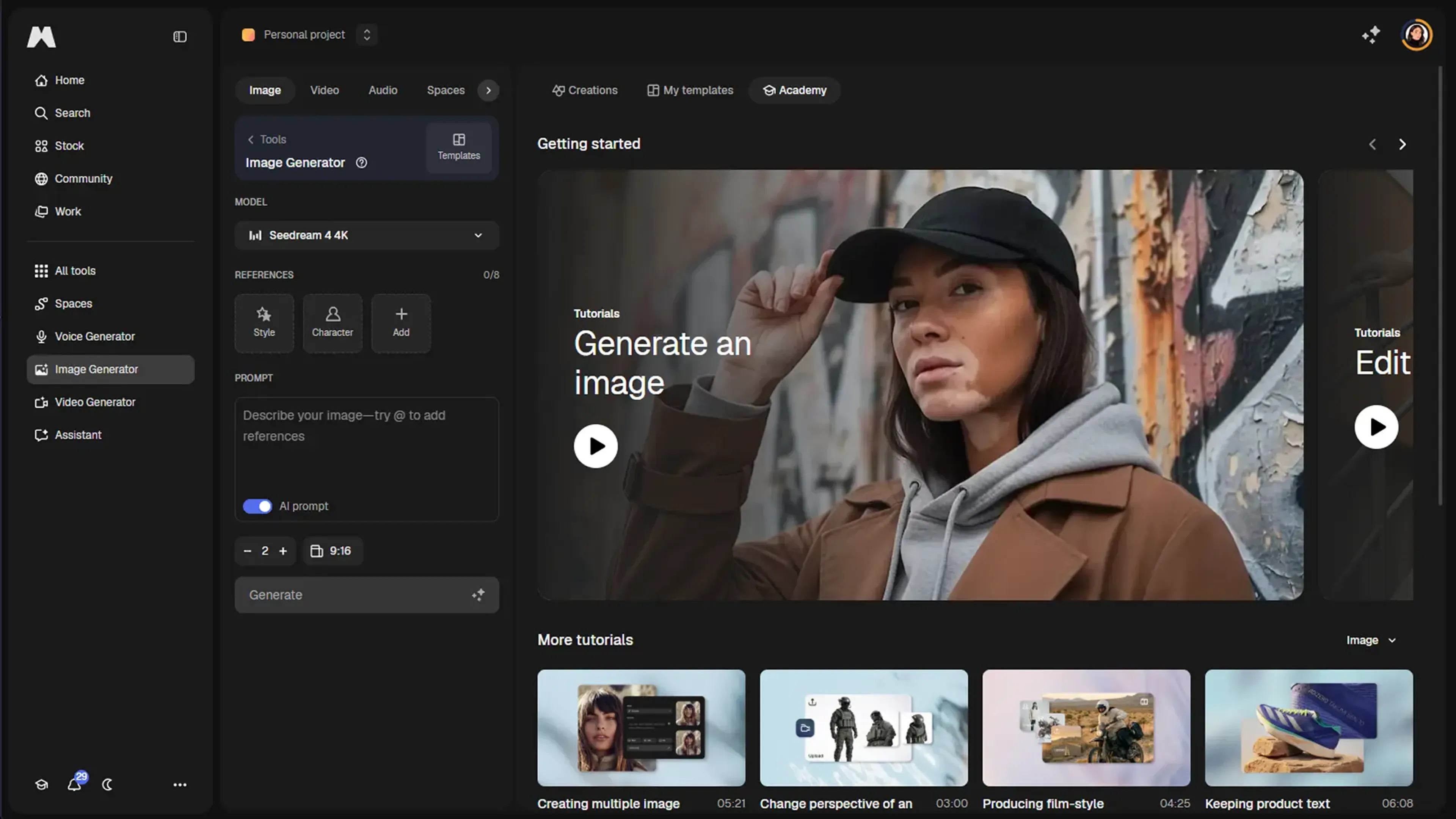
About Magnific AI Image Generator
Magnific (formerly Freepik) AI Image Generator is a creative image generation and enhancement tool built on the same technology that made Magnific’s AI upscaler popular with photographers, designers, and AI artists. It turns text prompts and existing images into high resolution visuals, inventing plausible detail instead of just stretching pixels. The focus is on professional grade imagery that holds up in large formats, with controls that let users balance realism against artistic reinterpretation rather than leaving everything to chance.
Key Features
- Text to image generation with detail focus: Creates images from natural language prompts while prioritising crisp textures and fine detail, which suits print, editorial, and commercial work more than purely experimental art styles.
- Integrated upscaling and enhancement: Uses the same generative engine as the Magnific upscaler so both generated and uploaded images can be pushed to much higher resolutions, with new structure and micro detail synthesized along the way.
- Creativity and fidelity controls: Offers sliders that govern how strictly the model follows the source image or prompt versus how freely it adds new elements, giving artists a handle on “how wild” the output can get.
- Relight and local refinements: Includes features such as Magnific Relight to change lighting after the fact, along with selective enhancement tools that reduce the need for complex manual masking in traditional editors.
- Developer friendly API options: Through the Magnific API, teams can wire in text driven generation (including a dedicated text to icon endpoint) with parameters for quality, guidance strength, and async webhooks suited to production systems.
Pros
- High perceived quality: Outputs tend to look sharp and detailed, often closer to meticulous retouching than to basic AI upscaling, which is why many professionals treat it as a finishing step for important images.
- Strong control over detail: Creativity and fidelity controls help keep key subjects, logos, or products recognisable while still letting the model enrich textures and backgrounds.
- Professional friendly toolset: High maximum resolutions, relighting, and restoration style options line up with the needs of photographers, agencies, and print focused designers.
- API and automation potential: The availability of icon and image generation via API makes it suitable for branded systems, design pipelines, and apps that need consistent visual output.
Cons
- Premium pricing: Subscription tiers are positioned above many general AI art tools, which can be a stretch for hobbyists or very cost sensitive creators.
- Detail “hallucination” risk: Because the model invents extra structure, it is a poor fit for forensic, scientific, or documentary uses where strict factual accuracy matters more than aesthetics.
- Learning curve for fine control: While basic prompting is simple, mastering sliders and parameters to get consistent, predictable results takes some practice.
Use Cases
- Professional photographers: Using it to upscale client work, rescue marginal shots, and generate complementary assets such as backdrops or stylised alternates for campaigns.
- AI artists and illustrators: Feeding in base renders from other models and refining them into high detail pieces suited to prints, covers, and galleries.
- Design and creative agencies: Producing campaign concepts, key visuals, and presentation ready imagery without always resorting to full photo shoots or 3D pipelines.
- E commerce and product teams: Enhancing catalog photos, generating lifestyle scenes, and preparing large, clean images for marketplaces and packaging.
- Uncommon Use Cases: Adopted by tabletop RPG creators for bespoke character and location art; explored by academic labs for visualising speculative scenarios in reports and talks.
Pricing
Premium: $20 per month; billed monthly, includes 20,000 credits per month, 250M+ premium stock assets, image/video/audio models, shared workflow spaces, editing tools, music and sound effects generation, commercial AI license, and 250M+ photos, videos, vectors, and PSDs. Premium+: $45 per month; billed monthly, includes 45,000 credits per month, unlimited use on selected models, everything in Premium plus top-up credits anytime, music rights, and early access to AI features. Pro: $280 per month; billed monthly, includes 300,000 credits per month, unlimited use plus 20% cheaper credits, everything in Premium+ plus early AI feature access. Business: $69 per seat per month; billed monthly, screenshot shows 2 users selected, with 90,000 credits per month total for the team, plus shared team credit pool, 8 parallel generations per user, 3-month credit rollover, basic legal indemnification, SSO and usage reporting, company-wide certifications, and shared team spaces and projects. Disclaimer: Please note that pricing information may not be up to date. For the most accurate and current pricing details, refer to the official Magnific AI Image Generator website.
What Makes It Unique
Magnific AI Image Generator sets itself apart by blending generative image creation with the ultra detailed upscaling approach that made Magnific well known. Instead of treating upscaling and prompting as separate steps, it treats the whole process as one continuous enhancement pass, controlled by creativity and fidelity sliders.
Ratings
Accuracy and Reliability: 4.4/5 Ease of Use: 4.2/5 Functionality and Features: 4.7/5 Performance and Speed: 4.3/5 Customization and Flexibility: 4.6/5 Data Privacy and Security: 4.1/5 Support and Resources: 4.0/5 Cost-Efficiency: 3.6/5 Integration Capabilities: 3.9/5 Overall Score: 4.2/5
Key Features
Pros & Cons
- High perceived quality: Outputs tend to look sharp and detailed, often closer to meticulous retouching than to basic AI upscaling, which is why many professionals treat it as a finishing step for important images.
- Strong control over detail: Creativity and fidelity controls help keep key subjects, logos, or products recognisable while still letting the model enrich textures and backgrounds.
- Professional friendly toolset: High maximum resolutions, relighting, and restoration style options line up with the needs of photographers, agencies, and print focused designers.
- API and automation potential: The availability of icon and image generation via API makes it suitable for branded systems, design pipelines, and apps that need consistent visual output.
- Premium pricing: Subscription tiers are positioned above many general AI art tools, which can be a stretch for hobbyists or very cost sensitive creators.
- Detail “hallucination” risk: Because the model invents extra structure, it is a poor fit for forensic, scientific, or documentary uses where strict factual accuracy matters more than aesthetics.
- Learning curve for fine control: While basic prompting is simple, mastering sliders and parameters to get consistent, predictable results takes some practice.
Best For
Alternatives to Magnific AI Image Generator
Recraft
Generate Flawless AI-Created Images for Free Using Recraft
Ai Art Generator, AI Art Maker
Generate custom artwork from text, customize it with colors and shapes, add text and layers for unique designs.
Decoherance
Decohere's Revolutionary AI Tools: Image & Video Generation and Beyond!
Midjourney
AI image generation via Discord
PuppiesAI
Generate adorable puppy images with advanced AI
MyPrint AI
Turn your photos into personalized art with MyPrint.ai. From portraits to custom prints, explore unique AI-generated designs. Fast delivery and satisfaction guaranteed.