
NanaImage
FreemiumEdit or generate consistent 4K images from text.
About NanaImage
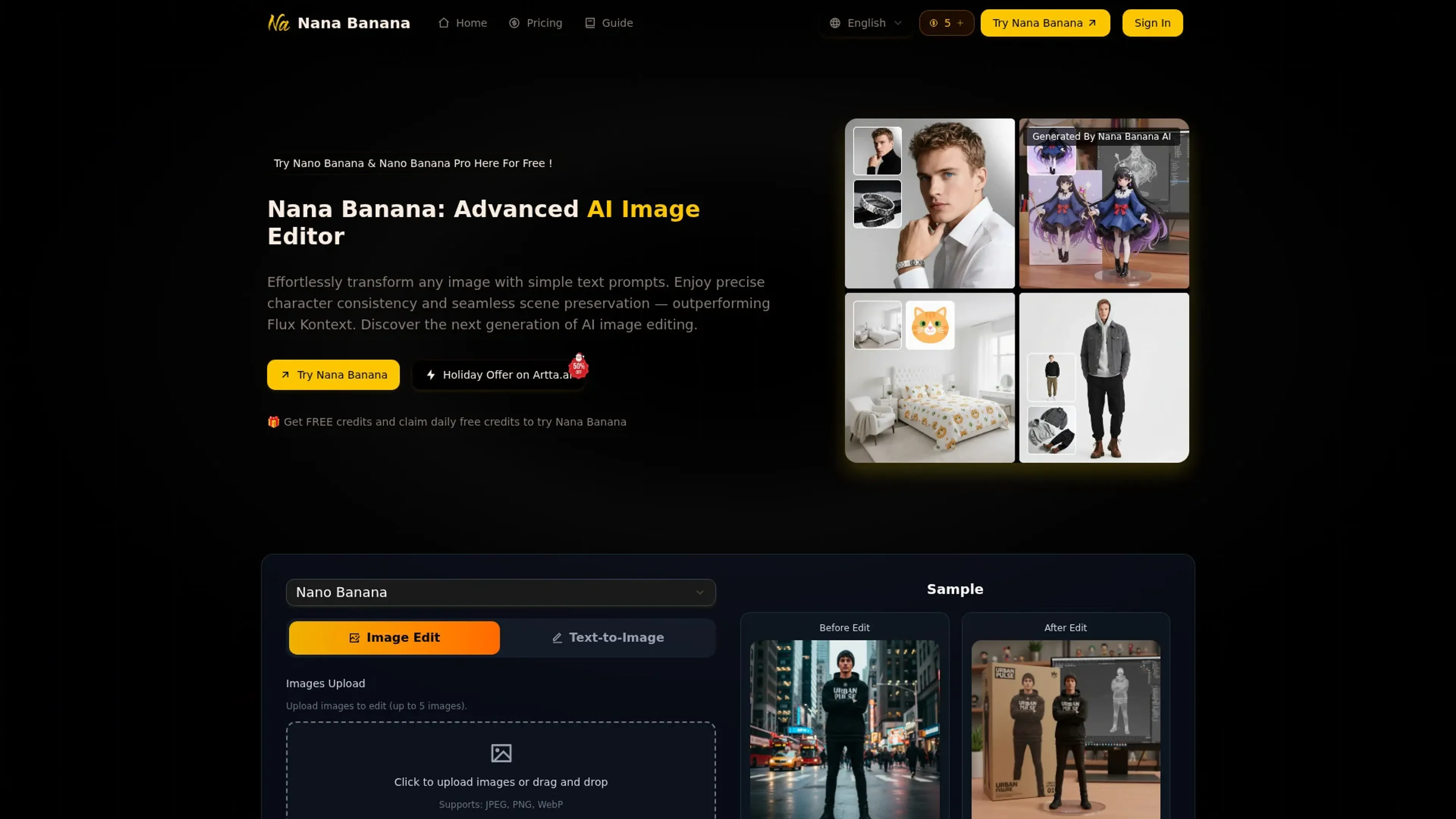
NanaImage, available at nanaimage.ai, provides browser-based access to the Nana Banana AI image editor for both text-to-image generation and image editing driven by natural-language prompts. Users can upload up to five images, describe the change in plain language, and get high‑resolution (up to 4K) results in under about ten seconds, complete with flexible aspect ratios and PNG or JPEG export. It targets creators, marketers, and everyday users who want precise character consistency and natural-looking edits without traditional photo-editing skills.
Key Features
- Natural-language editing: Understands detailed prompts similar to a conversational model, turning descriptions into precise visual changes.
- Character consistency engine: Keeps faces and characters stable across multiple images, useful for AI influencers, mascots, and story sequences.
- One-shot editing with scene preservation: Aims to get complex edits right in a single run while preserving original composition and lighting.
- Creative controls & Pro mode: Offers multi-image context, smart background generation, object add/remove tools, style transfer, and a Pro mode with 1K/2K/4K outputs and many aspect ratios.
Pros
- Strong prompt following: High alignment between written instructions and final output, including relatively complex, multi-part edits.
- Fast, high-quality results: Typical generations finish in under ten seconds with 4K+ resolution available in higher modes.
- Affordable credit model: Headline price around 0.05 dollars per generation with one free credit every 24 hours, significantly below many rivals.
- Creator-friendly licensing: Paid plans include commercial usage rights, watermark removal, and permanent cloud storage, which fits professional workflows.
Cons
- Credit-based mental overhead: Users must keep an eye on remaining credits and per-image usage, especially on smaller plans.
- Limited visible integrations: The site focuses on the web editor itself, with no obvious native plugins for tools like Figma or Photoshop yet.
- Newer brand: Although it advertises tens of thousands of users, it is still a relatively fresh entrant, so long-term stability and wider ecosystem support are evolving.
Use Cases
- Content creators and influencers: Using it to maintain consistent faces and outfits across social posts and AI persona shoots.
- Marketing and growth teams: Producing campaign visuals, ads, and UGC-style assets without waiting on full design cycles.
- E-commerce brands: Creating product photos, lifestyle scenes, and packaging mockups from a handful of base shots.
- Designers and creative studios: Rapidly concepting scenes, styles, and compositions before committing to manual retouching.
- Uncommon Use Cases: Used by solo SaaS founders to mock up landing-page imagery; adopted by teachers to generate quick, illustrative visuals for lessons.
Pricing
Daily Free Credit: Logged-in users can claim 1 free credit every 24 hours to test edits and workflows. Basic: $9.90 per month; includes up to 100 images per month, 100 credits, 30-day cloud storage, watermark removal, priority processing, and no commercial usage rights. Pro: $19.90 per month; includes up to 250 images per month, 250 credits, forever cloud storage, watermark removal, priority processing, and commercial usage rights. Max: $49.90 per month; includes up to 750 images per month, 750 credits, forever cloud storage, watermark removal, priority processing, and commercial usage rights. Pro Max: $85.90 per month; includes up to 1,800 images per month, 1,800 credits, forever cloud storage, watermark removal, priority processing, and commercial usage rights. Disclaimer: Please note that pricing information may not be up to date. For the most accurate and current pricing details, refer to the official NanaImage website.
What Makes It Unique
NanaImage stands out by combining GPT-like prompt comprehension with an editing pipeline tuned for character stability and context-aware changes rather than just one-off art generation. One-shot editing that tries to keep backgrounds and lighting intact, together with multi-image context and a smart background/object editor, gives creators a lot of control without complex masking or layering. Add the daily free credit and comparatively low per-image cost and it becomes an appealing option for people who create visuals every day but are not traditional retouchers.
Ratings
Accuracy and Reliability: 4.6/5 Ease of Use: 4.4/5 Functionality and Features: 4.5/5 Performance and Speed: 4.7/5 Customization and Flexibility: 4.2/5 Data Privacy and Security: 4.0/5 Support and Resources: 3.8/5 Cost-Efficiency: 4.6/5 Integration Capabilities: 3.5/5 Overall Score: 4.3/5
Key Features
Pros & Cons
- Strong prompt following: High alignment between written instructions and final output, including relatively complex, multi-part edits.
- Fast, high-quality results: Typical generations finish in under ten seconds with 4K+ resolution available in higher modes.
- Affordable credit model: Headline price around 0.05 dollars per generation with one free credit every 24 hours, significantly below many rivals.
- Creator-friendly licensing: Paid plans include commercial usage rights, watermark removal, and permanent cloud storage, which fits professional workflows.
- Credit-based mental overhead: Users must keep an eye on remaining credits and per-image usage, especially on smaller plans.
- Limited visible integrations: The site focuses on the web editor itself, with no obvious native plugins for tools like Figma or Photoshop yet.
- Newer brand: Although it advertises tens of thousands of users, it is still a relatively fresh entrant, so long-term stability and wider ecosystem support are evolving.
Best For
Alternatives to NanaImage
Recraft
Generate Flawless AI-Created Images for Free Using Recraft
Ai Art Generator, AI Art Maker
Generate custom artwork from text, customize it with colors and shapes, add text and layers for unique designs.
Decoherance
Decohere's Revolutionary AI Tools: Image & Video Generation and Beyond!
Midjourney
AI image generation via Discord
PuppiesAI
Generate adorable puppy images with advanced AI
MyPrint AI
Turn your photos into personalized art with MyPrint.ai. From portraits to custom prints, explore unique AI-generated designs. Fast delivery and satisfaction guaranteed.