

Painnt
FreemiumTransform photos into high-res art with 1000+ filters.
About Painnt
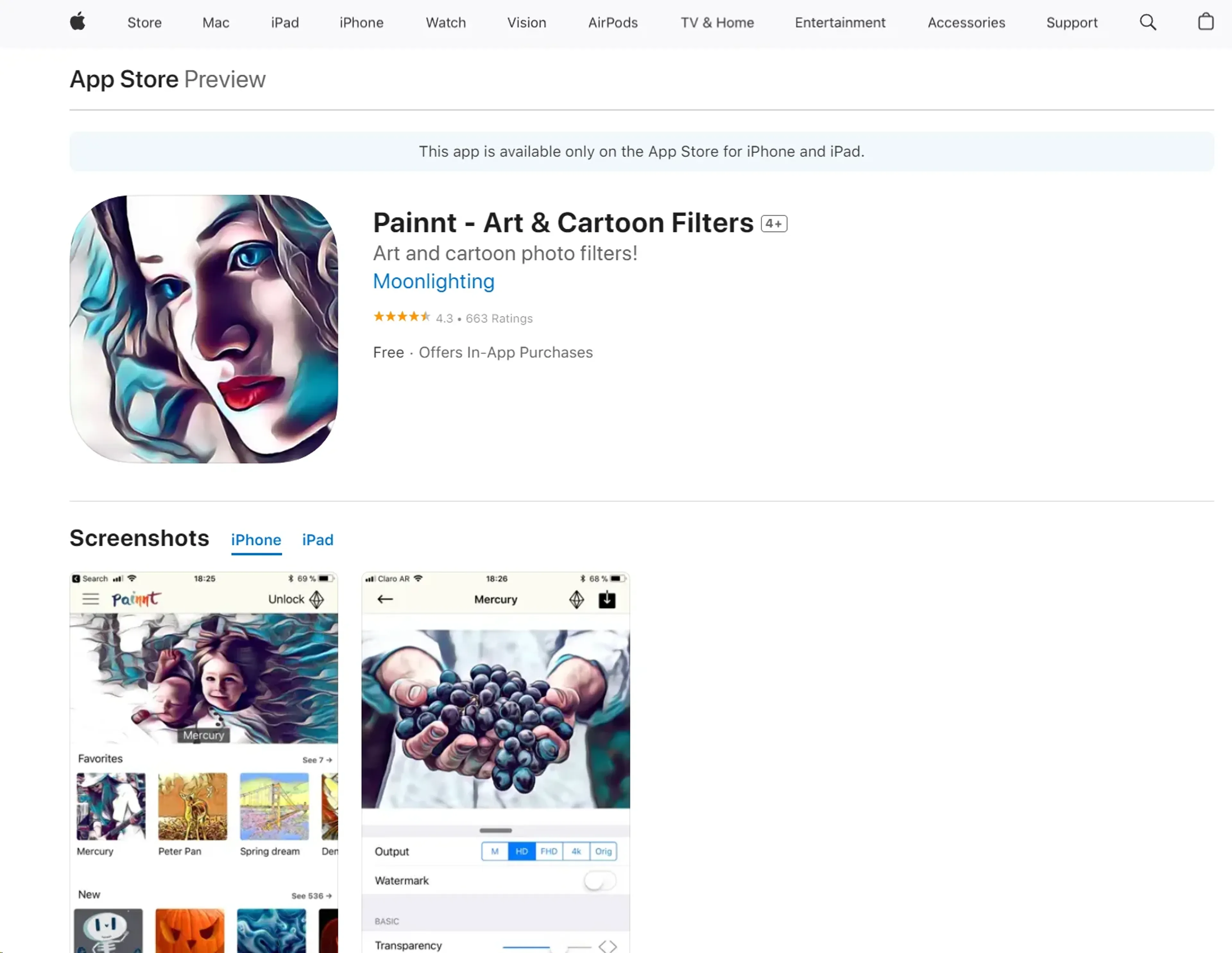
Painnt, developed by Moonlighting Apps LLC, is an innovative AI-driven tool designed to transform ordinary photos into extraordinary art pieces. It offers users the ability to apply over 1,000 filters ranging from classical to modern art styles, turning snapshots into high-resolution paintings. This tool is crafted for artists, photographers, designers, and anyone looking to add a unique, artistic touch to their digital images. With its user-friendly interface and powerful features, Painnt simplifies the process of digital art creation, making it accessible to both novices and professionals alike.
Key Features
- Extensive Filter Library: Choose from over 1,000 artistic filters, including styles like classical, comic book, abstract, and mosaics.
- High-Resolution Output: Render your artistic creations in stunning high resolution, suitable for both digital viewing and print.
- Real-Time Preview: Instantly preview effects and fine-tune settings to achieve the desired artistic output.
- Multi-Platform Availability: Painnt is available on multiple platforms including iOS, Android, Mac, and Windows, ensuring accessibility across different devices.
Pros
- Diverse Artistic Styles: Offers a vast selection of filters, allowing for endless creative possibilities.
- User-Friendly Interface: Designed to be intuitive, making it easy for users of all skill levels to navigate and use.
- High-Quality Results: Produces professional-grade artistic images that are both visually appealing and high in quality.
- Cost-Effective: Provides a cost-efficient way to create art without the need for expensive traditional art supplies.
Cons
- Performance Variation: Depending on the device, the app’s performance might vary, especially in rendering high-resolution outputs.
- In-App Purchases: Some premium filters require additional purchases, which might not be preferable for all users.
- Limited Offline Functionality: Requires an internet connection for maximum functionality, which might be limiting in areas without reliable internet access.
Use Cases
- Professional Photographers: Enhancing their photos to create visually striking images for exhibitions or sale.
- Digital Artists: Experimenting with different styles and textures to create unique digital artworks.
- Graphic Designers: Incorporating artistic elements into commercial projects like advertisements, posters, and brochures.
- Social Media Enthusiasts: Creating eye-catching posts that stand out on social media platforms.
- Uncommon Use Cases: Educational institutions use Painnt for teaching students about the intersection of technology and art; real estate agents use it to beautify property photos for listings.
Pricing
Free Tier: Users can explore basic functionalities and a selection of filters without any cost. Pro Tier: Advanced features and an expanded library of filters are available for a subscription fee starting at $4.99 per month. Disclaimer: For the most accurate and current pricing details, refer to the official Painnt website.
What Makes It Unique
Painnt sets itself apart with its comprehensive library of over 1,000 filters, allowing users to transform photos into artworks resembling the styles of famous painters and unique art movements. Its ability to render images in high resolution makes it a powerful tool for both digital and print media applications.
Ratings
Accuracy and Reliability: 4.5/5 Ease of Use: 4.7/5 Functionality and Features: 4.8/5 Performance and Speed: 4.3/5 Customization and Flexibility: 4.6/5 Data Privacy and Security: 4.2/5 Support and Resources: 4.5/5 Cost-Efficiency: 4.7/5 Integration Capabilities: 4.1/5 Overall Score: 4.54/5
Key Features
Pros & Cons
- Diverse Artistic Styles: Offers a vast selection of filters, allowing for endless creative possibilities.
- User-Friendly Interface: Designed to be intuitive, making it easy for users of all skill levels to navigate and use.
- High-Quality Results: Produces professional-grade artistic images that are both visually appealing and high in quality.
- Cost-Effective: Provides a cost-efficient way to create art without the need for expensive traditional art supplies.
- Performance Variation: Depending on the device, the app’s performance might vary, especially in rendering high-resolution outputs.
- In-App Purchases: Some premium filters require additional purchases, which might not be preferable for all users.
- Limited Offline Functionality: Requires an internet connection for maximum functionality, which might be limiting in areas without reliable internet access.
Best For
Alternatives to Painnt
WatermarkRemover IO
Are you looking for an AI tool that removes image watermarks easily? Have a look at WatermarkerRemover.io, with multiple formats and API access.
Recraft
Generate Flawless AI-Created Images for Free Using Recraft
Ai Art Generator, AI Art Maker
Generate custom artwork from text, customize it with colors and shapes, add text and layers for unique designs.
Decoherance
Decohere's Revolutionary AI Tools: Image & Video Generation and Beyond!
Midjourney
AI image generation via Discord
PuppiesAI
Generate adorable puppy images with advanced AI