

crawler.sh
PaidCrawl sites fast, extract Markdown and SEO insights.
About crawler.sh
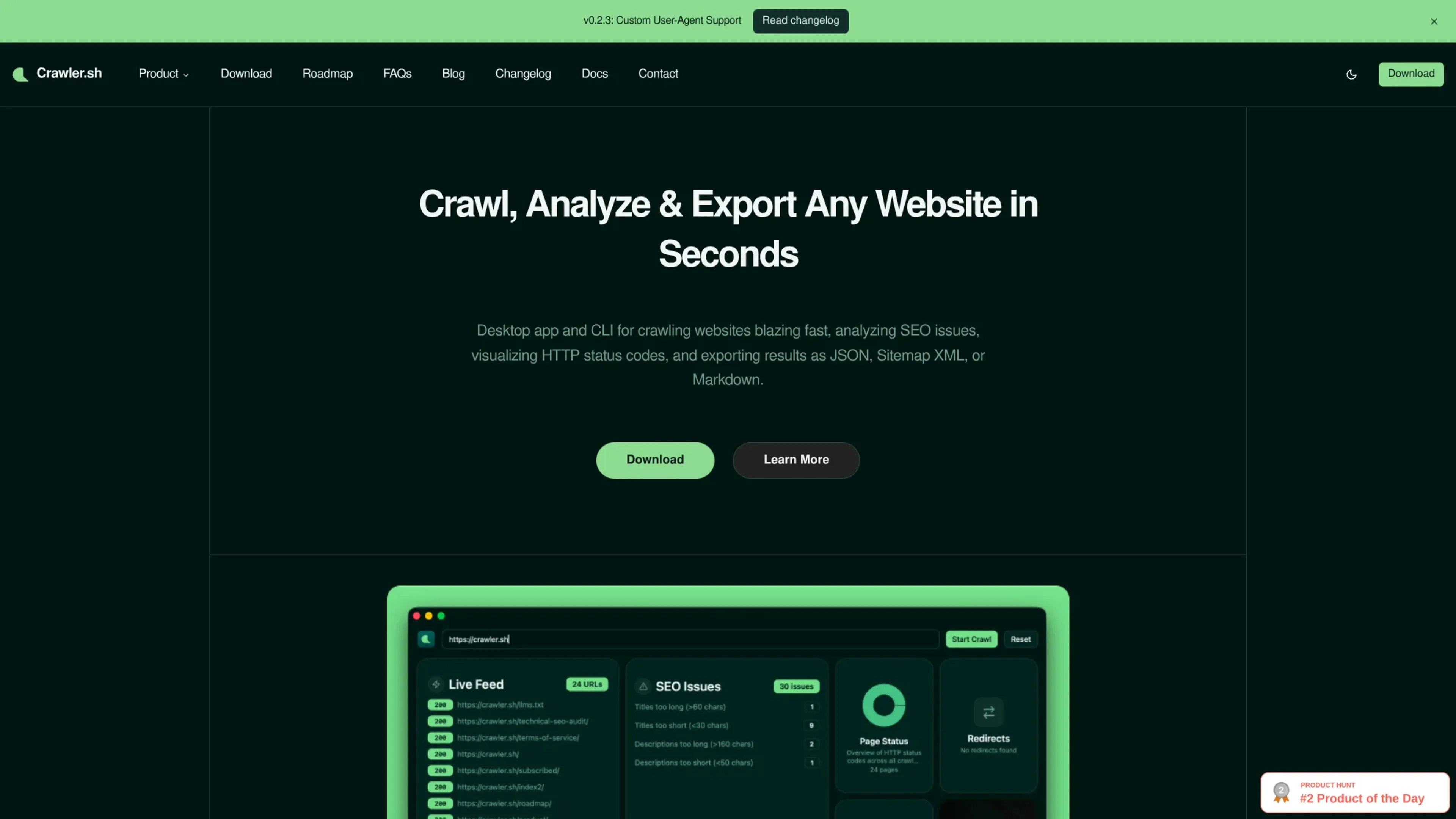
crawler.sh focuses on one job: crawling websites quickly from a local machine, then turning that crawl into structured data for SEO audits, content archiving, and sitemaps. It comes as both a desktop app and a command line tool, so it works for technical SEOs, developers, and marketers who prefer a visual dashboard.
Key Features
- High-speed site crawling: Crawls entire domains in seconds with configurable concurrency, depth limits, and polite delays so users can tune performance without hammering servers.
- Content extraction to Markdown: Automatically isolates main article content on each page and converts it to clean Markdown, with word count, author byline, and excerpt for consistent downstream use.
- Automated SEO analysis: Runs 16 checks per URL to flag missing titles, duplicate meta descriptions, noindex tags, thin content, long URLs, and similar issues, then exports them as CSV or human-readable TXT.
- Multiple export formats: Streams crawl results as NDJSON for pipelines, or exports as JSON arrays, Sitemap XML that follows W3C guidelines, and Markdown content archives.
- Desktop dashboard and CLI: The CLI provides crawl, info, export, and SEO subcommands, while the desktop app adds a visual dashboard, real-time crawl feed, SEO issues panel, and per-URL content previews.
- Local-first, privacy-friendly design: All crawling and analysis happen on the user’s own machine, which is appealing for sensitive sites, pre-release environments, or proprietary content.
Pros
- Fast and configurable: High-speed crawling with fine-grained control over concurrency and depth suits everything from tiny blogs to large content sites.
- Great for AI and data workflows: Clean Markdown, NDJSON, and JSON outputs make it easy to plug website content into LLM pipelines, analytics jobs, or custom scripts.
- Local-first privacy: Keeping crawls and extracted content on the user’s machine reduces exposure for internal or staging sites.
- Dual interface: CLI fans get powerful scripting options, and less technical users still have an approachable desktop UI with visual status cards and feeds.
- SEO-focused out of the box: The built-in 16-check SEO audit saves time versus writing custom rules for common on-page issues.
Cons
- No hosted SaaS version: Users must run it locally, which might be less convenient for teams that prefer browser-based tools or cloud scheduling.
- Limited native integrations: There is no direct one-click connection to analytics suites, project management tools, or popular SEO platforms.
- Niche feature set: It focuses on crawling and on-page checks, so users needing backlink analysis, keyword tracking, or rank monitoring will still need other tools.
Use Cases
- SEO agencies and consultants: Auditing client sites, exporting issue lists, and generating fresh sitemaps before handing off recommendations.
- In-house marketing and SEO teams: Monitoring corporate sites for broken links, missing pages, and regressions after deployments.
- Developers and technical SEOs: Automating crawls via the CLI to feed CI pipelines, content migrations, or custom QA scripts.
- Content operations and archivists: Converting large sets of articles into Markdown for backups, migrations, or ingestion into knowledge bases and LLM systems.
- Uncommon Use Cases: Used by product teams to crawl staging environments before releases; adopted by researchers who need structured text corpora from public websites for machine learning experiments.
Pricing
CLI Tool: $99 per year; includes crawl, info, export, and SEO subcommands, NDJSON/JSON/Sitemap XML outputs, content extraction with Markdown output, and 16-category SEO analysis with CSV/TXT export. Desktop Pro: $99 per year; includes a visual dashboard with 8 interactive cards, real-time crawl feed with status badges, SEO issues panel with per-URL details, and content archive export as Markdown. Disclaimer: Please note that pricing information may not be up to date. For the most accurate and current pricing details, refer to the official crawler.sh website.
What Makes It Unique
crawler.sh stands out by combining high-speed crawling, clean Markdown extraction, and structured exports in a local-first package. Many crawlers focus on raw URL discovery or purely SEO dashboards, while this tool leans hard into machine-friendly outputs. NDJSON streaming and Markdown content archives are particularly attractive for teams building AI or data pipelines around web content.
Ratings
Accuracy and Reliability: 4.4/5 Ease of Use: 4.0/5 Functionality and Features: 4.2/5 Performance and Speed: 4.8/5 Customization and Flexibility: 3.8/5 Data Privacy and Security: 4.7/5 Support and Resources: 3.9/5 Cost-Efficiency: 4.3/5 Integration Capabilities: 3.5/5 Overall Score: 4.2/5
Key Features
Pros & Cons
- Fast and configurable: High-speed crawling with fine-grained control over concurrency and depth suits everything from tiny blogs to large content sites.
- Great for AI and data workflows: Clean Markdown, NDJSON, and JSON outputs make it easy to plug website content into LLM pipelines, analytics jobs, or custom scripts.
- Local-first privacy: Keeping crawls and extracted content on the user’s machine reduces exposure for internal or staging sites.
- Dual interface: CLI fans get powerful scripting options, and less technical users still have an approachable desktop UI with visual status cards and feeds.
- SEO-focused out of the box: The built-in 16-check SEO audit saves time versus writing custom rules for common on-page issues.
- No hosted SaaS version: Users must run it locally, which might be less convenient for teams that prefer browser-based tools or cloud scheduling.
- Limited native integrations: There is no direct one-click connection to analytics suites, project management tools, or popular SEO platforms.
- Niche feature set: It focuses on crawling and on-page checks, so users needing backlink analysis, keyword tracking, or rank monitoring will still need other tools.
Best For
Alternatives to crawler.sh
Prompt Attack
Track and analyze customer engagement, leverage predictive analytics, and optimize marketing campaigns with powerful segmentation.
Brandmate
Elevate Your Brand's Image with Brandmate AI!
Contlo.AI
AI-Powered Digital Marketing Solutions for Small Businesses
Fliz AI
Discover Fliz AI, an innovative platform that enhances marketing efforts through AI-powered automation. Boost conversions, personalize campaigns, and optimize your strategy with ease.
Hot Reach AI
Personalized AI-Generated First Lines for Cold Emails
InfoMail
Enhanced Email Marketing with Infomail AI