

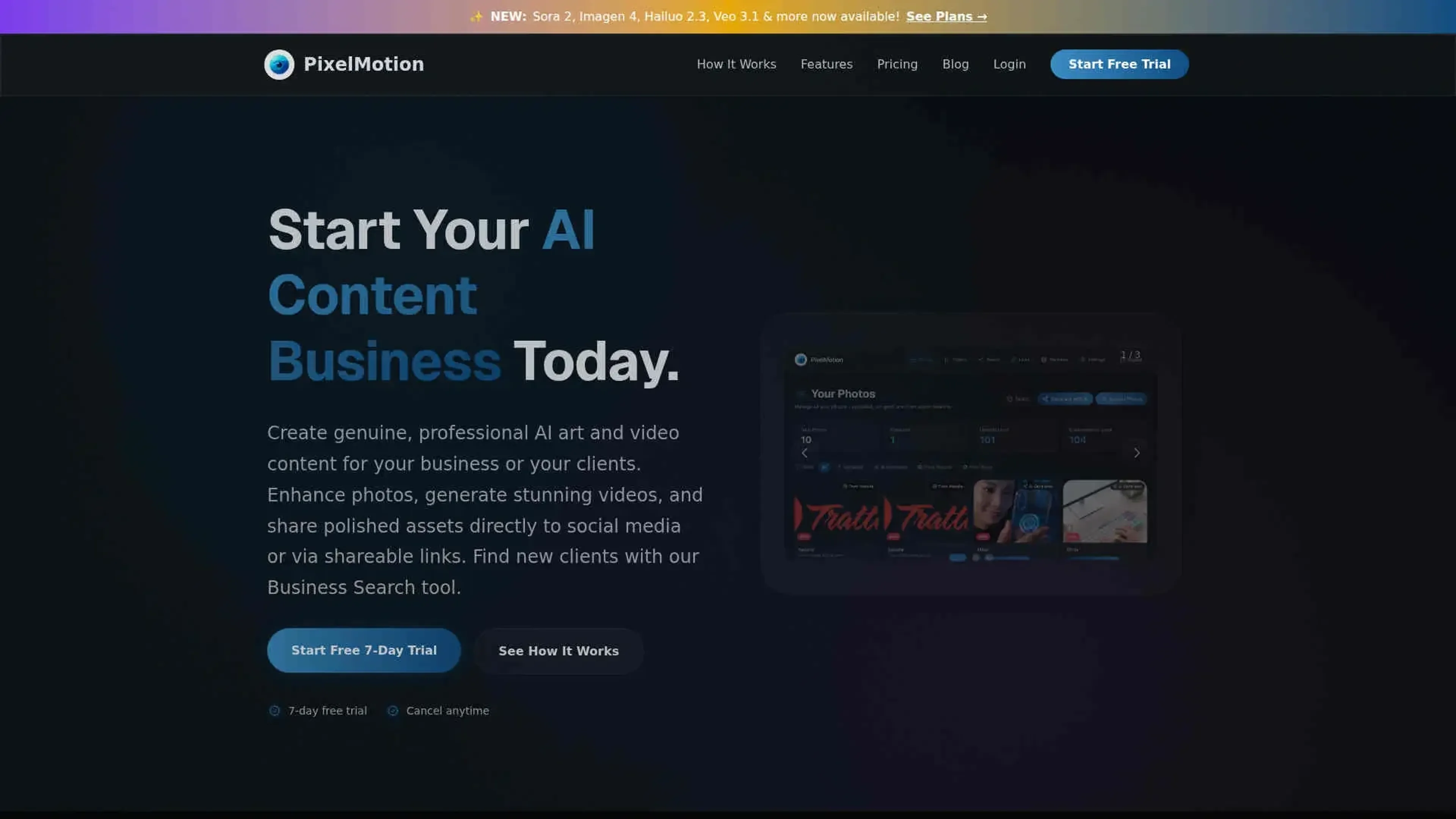
About PixelMotion
PixelMotion focuses on turning existing photos and website imagery into polished marketing videos and enhanced assets using multiple AI models. It serves freelancers, agencies, and small businesses that want to create social and ad content in minutes, from URL or upload through to posting on YouTube and TikTok.
Key Features
- Website Scraping and Business Search: Crawls business URLs, pulls images in real time, and includes a Business Search tool to find prospects by type and location.
- AI Quality Scoring and Tagging: Scores each photo from 0 to 100, writes descriptions, recommends platforms, and auto categorizes assets for faster selection.
- Photo Enhancement Suite: Offers several AI upscalers and restoration models such as Crystal Upscaler, Magic Refiner, Real-ESRGAN, and GFPGAN to clean and sharpen images.
- Multi Model Video Generation and Delivery: Uses 11 video models including Sora 2, Veo 3.1, Luma Ray2, and Runway Gen-3 to turn photos or text prompts into short videos, then posts directly to YouTube, TikTok, or shareable links with basic analytics.
Pros
- End to End Workflow: Covers the path from URL or photo upload through enhancement, video generation, and distribution in a single tool.
- Model Choice for Quality vs Cost: Lets users pick between lighter and premium models so they can balance quality and credit usage.
- Strong Fit for Client Work: Portfolio pages, view tracked links, and watermark free exports on higher tiers suit freelancers and agencies.
- Scales Batch Production: Website scraping, AI scoring, and batch runs help handle large sets of product or brand images efficiently.
Cons
- Credit Model Complexity: Different credit costs per model and feature can make budgeting less intuitive for new users.
- Limited Direct Integrations: Native posting is centered on YouTube and TikTok, so other channels still require manual or third party tools.
- No Full Timeline Editor: Power users who want detailed cuts, multi track audio, or advanced grading still need a separate editor.
Use Cases
- Freelance Content Creators: Producing promo videos, shorts, and upgraded imagery for local businesses and personal brands.
- Marketing and Growth Teams: Turning website and product photos into ads for social platforms and performance campaigns.
- Creative and Media Agencies: Standardizing scraping, enhancement, and delivery workflows across many client accounts.
- Small and Mid Sized Businesses: Converting product or service photos into regular social content without hiring in house editors.
- Uncommon Use Cases: Used by real estate photographers for quick property highlight reels, and by B2B consultants to scrape prospect sites and attach personalized AI generated intro videos to proposals.
Pricing
Free Trial: 7 day free trial with no credit card required. Starter: $29 per month; includes 300 credits per month (~100 enhancements or ~60 videos), 2 video models, 2 photo enhancement models, 1 website to scrape, 30-day file storage, posting to YouTube and TikTok, shareable links with analytics, and watermark on outputs. Professional: $79 per month; includes 800 credits per month (~270 enhancements or ~65 premium videos), 6 video models, 5 photo models, 5 websites with organization, 90-day file storage, no watermark, priority processing, and creative profiles for brand consistency. Premium: $199 per month; includes 2,500 credits per month (~830 enhancements or ~70 ultra videos), all 11 video models, all 9 photo models, unlimited websites, 180-day file storage, no watermark, highest priority processing, and creative profiles for brand consistency. Disclaimer: Please note that pricing information may not be up to date. For the most accurate and current pricing details, refer to the official PixelMotion website.
What Makes It Unique
PixelMotion stands out by tying prospecting and production together: users can discover businesses, scrape their sites, score and enhance images, then generate and deliver sample videos from the same dashboard. The focus on running a content business, not just creating assets, shows up in features like Business Search, contact extraction, client portfolios, and a single credit pool shared across photo and video work.
Ratings
Accuracy and Reliability: 4.3/5 Ease of Use: 4.6/5 Functionality and Features: 4.7/5 Performance and Speed: 4.5/5 Customization and Flexibility: 4.1/5 Data Privacy and Security: 4.0/5 Support and Resources: 4.2/5 Cost-Efficiency: 4.4/5 Integration Capabilities: 4.0/5 Overall Score: 4.3/5
Key Features
Pros & Cons
- End to End Workflow: Covers the path from URL or photo upload through enhancement, video generation, and distribution in a single tool.
- Model Choice for Quality vs Cost: Lets users pick between lighter and premium models so they can balance quality and credit usage.
- Strong Fit for Client Work: Portfolio pages, view tracked links, and watermark free exports on higher tiers suit freelancers and agencies.
- Scales Batch Production: Website scraping, AI scoring, and batch runs help handle large sets of product or brand images efficiently.
- Credit Model Complexity: Different credit costs per model and feature can make budgeting less intuitive for new users.
- Limited Direct Integrations: Native posting is centered on YouTube and TikTok, so other channels still require manual or third party tools.
- No Full Timeline Editor: Power users who want detailed cuts, multi track audio, or advanced grading still need a separate editor.
Best For
Alternatives to PixelMotion
Prompt Attack
Track and analyze customer engagement, leverage predictive analytics, and optimize marketing campaigns with powerful segmentation.
Brandmate
Elevate Your Brand's Image with Brandmate AI!
Contlo.AI
AI-Powered Digital Marketing Solutions for Small Businesses
Fliz AI
Discover Fliz AI, an innovative platform that enhances marketing efforts through AI-powered automation. Boost conversions, personalize campaigns, and optimize your strategy with ease.
Hot Reach AI
Personalized AI-Generated First Lines for Cold Emails
InfoMail
Enhanced Email Marketing with Infomail AI