

WebWave
FreemiumAI-powered website builder with drag-and-drop design freedom.
About WebWave
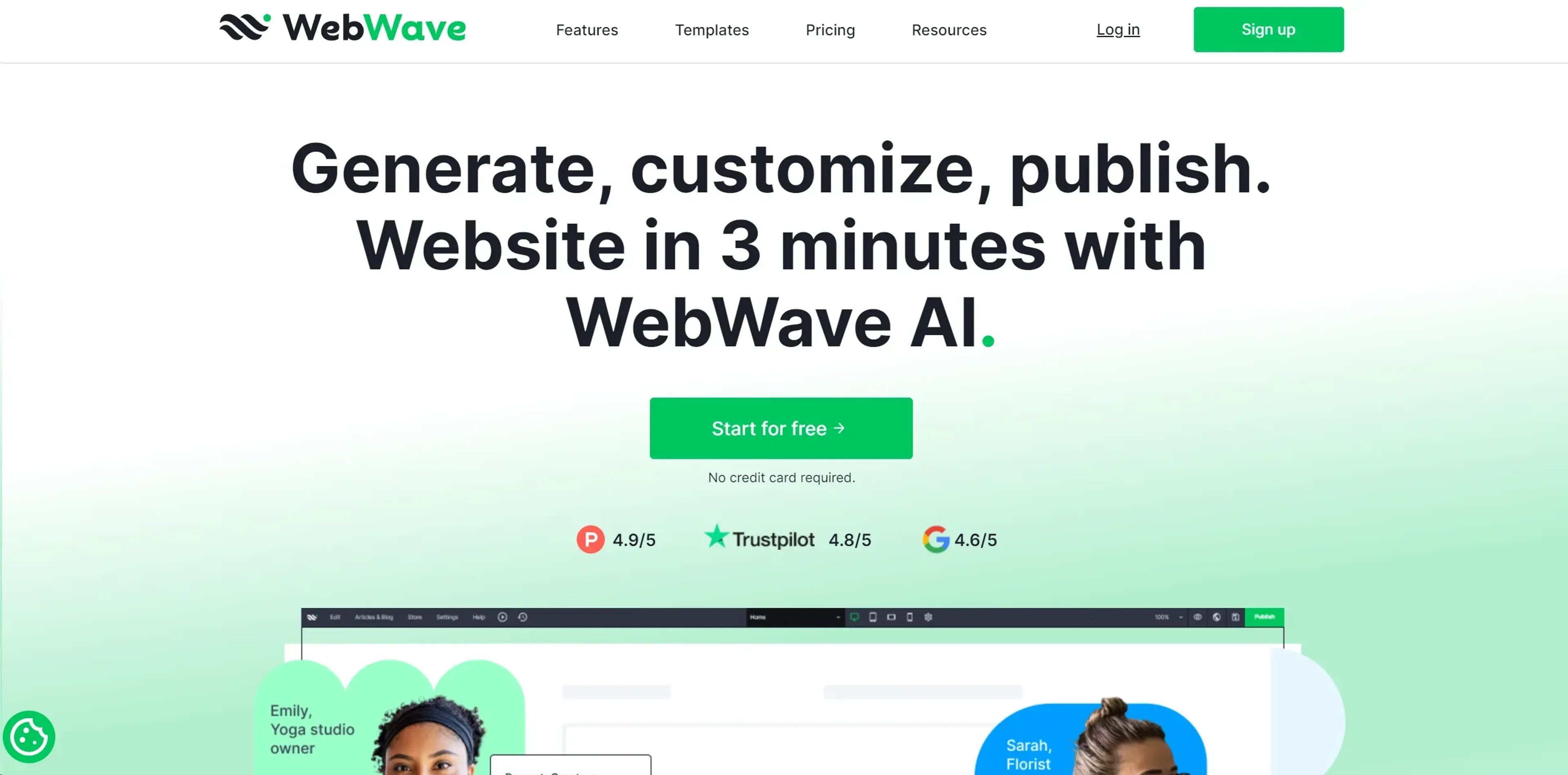
WebWave is a groundbreaking website builder that transforms the way individuals and businesses create websites. Offering a unique blend of design freedom and advanced AI-driven functionalities, WebWave empowers users to craft custom websites without needing to write a single line of code. Designed for creative professionals, entrepreneurs, and anyone looking to establish an online presence, it simplifies the web design process while maintaining high-quality, professional results.
Key Features
- Drag-and-Drop Editor: WebWave's intuitive interface allows users to effortlessly design websites using its drag-and-drop functionality, providing creative freedom without the complexity of coding.
- AI Design Suggestions: The tool leverages artificial intelligence to provide design suggestions and improvements, ensuring that each website is visually appealing and user-friendly.
- Responsive Design: Automatically adjusts website layouts for optimal viewing across different devices, enhancing user experience on mobile, tablet, and desktop.
- SEO Optimization Tools: Built-in SEO features help improve website visibility on search engines, driving more organic traffic to users' sites.
Pros
- Unmatched Design Flexibility: Users have complete control over their website's look and feel, enabling highly personalized designs.
- Streamlined Workflow: The combination of AI and intuitive design tools significantly accelerates the website creation process.
- Comprehensive Support: Offers extensive resources and customer support to assist users at every stage of their website-building journey.
- Cost-Effective Solutions: Provides competitive pricing plans that cater to a wide range of budgets, making professional web design accessible to all.
Cons
- Learning Curve for Beginners: While the tool is user-friendly, newcomers to web design may initially find the array of options overwhelming.
- Limited Third-Party Integrations: Currently, the platform supports a smaller selection of plugins and integrations compared to some competitors.
Use Cases
- Freelance Designers: Utilizing WebWave to create custom websites for clients with diverse needs.
- Small Business Owners: Employing the tool to establish and manage their online presence with ease.
- Marketing Professionals: Leveraging WebWave's SEO features to enhance digital marketing campaigns.
- Educators and Trainers: Using the platform to build educational websites and online courses.
- Uncommon Use Cases:
- Adopted by non-profit organizations to develop donation and awareness sites.
- Utilized by hobbyists to create personal project portfolios.
Pricing
Free Tier: Offers a free plan with essential features to get started on WebWave. Premium Plan: Starting at approximately $3.5 per month, providing access to advanced features and custom domain hosting. Business Plan: Available for around $5 per month, catering to users with more extensive website needs. Disclaimer: Please note that pricing information may not be up to date. For the most accurate and current pricing details, refer to the official WebWave website.
What Makes It Unique
WebWave stands out with its unique combination of complete design freedom and AI-driven efficiency. Unlike many other website builders that limit customization, WebWave allows users to position elements anywhere on the canvas, akin to graphic design software. This flexibility, coupled with AI-enhanced design suggestions, positions WebWave as a leader in the web design industry, making it particularly appealing to users who value creativity and precision.
Ratings
Accuracy and Reliability: 4.7/5 Ease of Use: 4.2/5 Functionality and Features: 4.5/5 Performance and Speed: 4.3/5 Customization and Flexibility: 4.8/5 Data Privacy and Security: 4.6/5 Support and Resources: 4.4/5 Cost-Efficiency: 4.5/5 Integration Capabilities: 3.9/5 Overall Score: 4.4/5
Key Features
Pros & Cons
- Unmatched Design Flexibility: Users have complete control over their website's look and feel, enabling highly personalized designs.
- Streamlined Workflow: The combination of AI and intuitive design tools significantly accelerates the website creation process.
- Comprehensive Support: Offers extensive resources and customer support to assist users at every stage of their website-building journey.
- Cost-Effective Solutions: Provides competitive pricing plans that cater to a wide range of budgets, making professional web design accessible to all.
- Learning Curve for Beginners: While the tool is user-friendly, newcomers to web design may initially find the array of options overwhelming.
- Limited Third-Party Integrations: Currently, the platform supports a smaller selection of plugins and integrations compared to some competitors.
Best For
Alternatives to WebWave
Prompt Attack
Track and analyze customer engagement, leverage predictive analytics, and optimize marketing campaigns with powerful segmentation.
Brandmate
Elevate Your Brand's Image with Brandmate AI!
ReplyPilot
ReplyPilot automates your social media replies using AI. Analyze and personalize text, image, and video responses across multiple platforms.
TextIt
Build, launch, and manage SMS and messaging flows with TextIt. Ideal for outreach, surveys, and communication at any scale.
Contlo.AI
AI-Powered Digital Marketing Solutions for Small Businesses
Fliz AI
Discover Fliz AI, an innovative platform that enhances marketing efforts through AI-powered automation. Boost conversions, personalize campaigns, and optimize your strategy with ease.