

PicWish
FreemiumTransform images effortlessly with AI: background removal, enhancement, art creation.
About PicWish
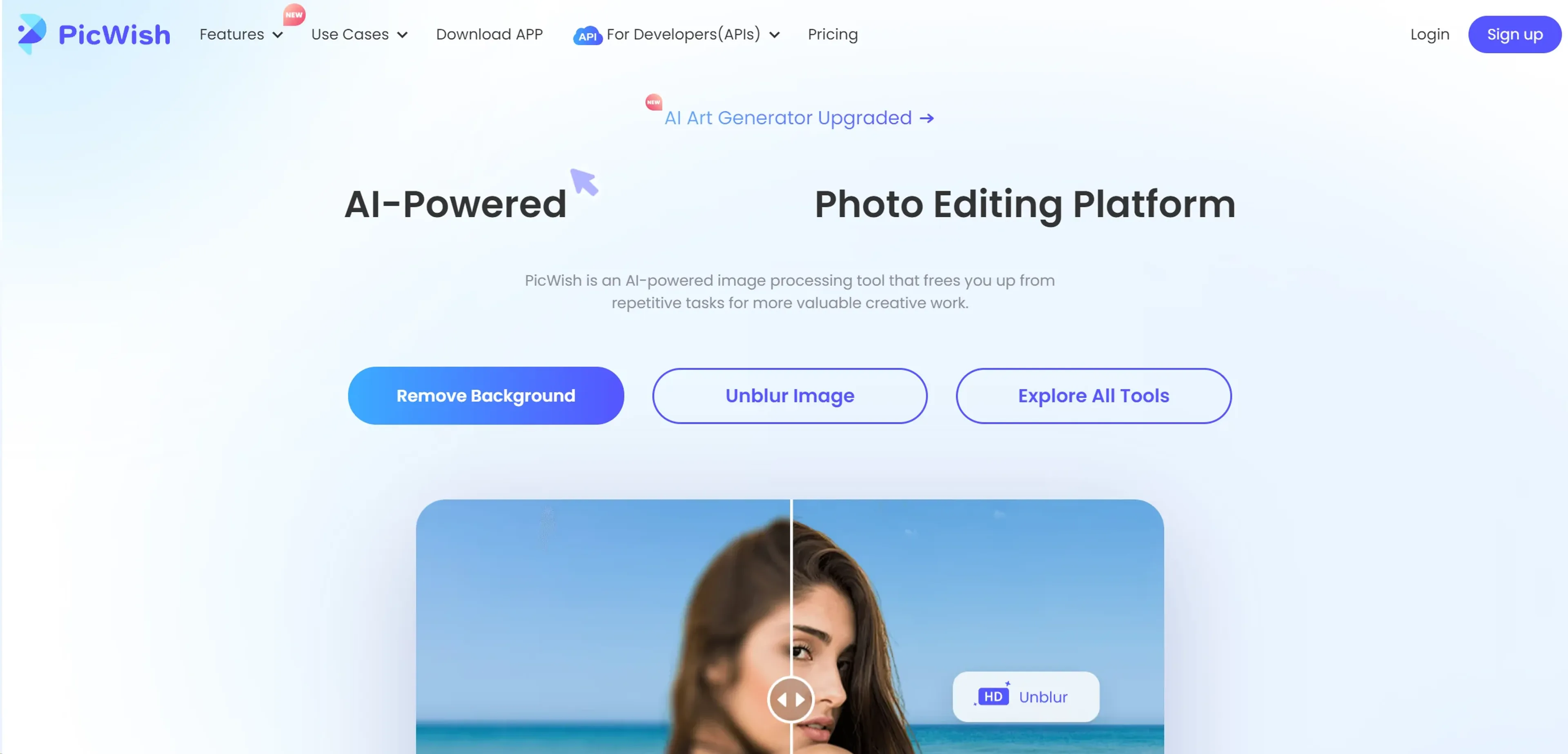
In the ever-evolving landscape of digital imagery, PicWish emerges as a beacon for both novices and professionals seeking to refine their visual content. At its core, PicWish is an AI-powered image processing tool designed to liberate users from the monotony of repetitive tasks, thereby unlocking more time for creative endeavors. From removing backgrounds with precision to enhancing photo quality and beyond, PicWish stands out as the ultimate companion for photo editing. As someone who has dabbled in various photo editing tools, I found PicWish's offerings particularly compelling for their simplicity, efficiency, and the sheer quality of output.
Key Features
- Background Remover: Offers a quick and seamless way to remove backgrounds from images, providing clean cutouts in seconds.
- Photo Enhancer: Automatically improves image resolution, making photos crisper and more detailed.
- AI Art Generator: Turns imagination into art by creating beautiful images using artificial intelligence within seconds.
- Photo Retouch: Utilizes Magic Retouch to remove blemishes while keeping the background intact, perfect for portrait enhancements.
- Image to Text: Simplifies the extraction of text from images, automating what could otherwise be a tedious manual process.
- Face Enhancement: Ensures portraits are always at their best by unblurring and enhancing facial features.
- Photo Colorizer: Brings black and white photos to life by adding color, thus awakening cherished memories.
Pros
- Ease of Use: Intuitive interface that requires no learning curve, making it accessible for users of all skill levels.
- Boost Productivity: The AI delivers professional-quality results swiftly, regardless of task complexity.
- Unleash Creativity: Rich toolset encourages creative photo editing without the need for extensive technical knowledge.
- Free Trial Available: Users can explore the functionalities before committing to a subscription, offering a taste of its capabilities without upfront costs.
Cons
- Feature Overload for Beginners: New users might find the array of features overwhelming at first glance.
- Limited Advanced Editing Tools: While excellent for basic to intermediate tasks, professionals might seek more in-depth editing options.
- Subscription Model: Access to premium features requires a subscription, which might not suit all budgets.
Use Cases
- PicWish caters to a diverse audience, from individual enthusiasts to professionals across various sectors. Its user base includes:
- E-commerce Businesses: Enhancing product images for online listings.
- Digital Marketing Agencies: Creating visually appealing content for campaigns.
- Social Media Managers: Crafting engaging posts for platforms like Instagram and Facebook.
- Graphic Designers: Streamlining their design process with efficient editing tools.
- Uncommon Use Cases: Educators incorporating it into marketing courses and freelance photographers optimizing their editing workflow.
Pricing
Free Tier: Users can start with a free trial, experiencing the basic functionalities of PicWish. Pro Tier: For access to advanced features, the Pro Tier pricing begins at a competitive rate. Disclaimer: Please note that pricing information may fluctuate. For the most accurate and current details, refer to the official PicWish website.
What Makes It Unique
PicWish distinguishes itself with a robust AI that simplifies complex editing tasks into straightforward, quick actions. Its ability to deliver professional-quality results with minimal effort sets it apart, making high-level photo editing accessible to a broader audience.
Ratings
Accuracy and Reliability: 4.8/5 Ease of Use: 4.7/5 Functionality and Features: 4.5/5 Performance and Speed: 4.6/5 Customization and Flexibility: 4.3/5 Data Privacy and Security: 4.7/5 Support and Resources: 4.5/5 Cost-Efficiency: 4.6/5 Integration Capabilities: 4.4/5 Overall Score: 4.6/5
Summary
Transform images effortlessly with AI: background removal, enhancement, art creation. AI Categories: image editing, design generators, e-commerce
Key Features
Pros & Cons
- Ease of Use: Intuitive interface that requires no learning curve, making it accessible for users of all skill levels.
- Boost Productivity: The AI delivers professional-quality results swiftly, regardless of task complexity.
- Unleash Creativity: Rich toolset encourages creative photo editing without the need for extensive technical knowledge.
- Free Trial Available: Users can explore the functionalities before committing to a subscription, offering a taste of its capabilities without upfront costs.
- Feature Overload for Beginners: New users might find the array of features overwhelming at first glance.
- Limited Advanced Editing Tools: While excellent for basic to intermediate tasks, professionals might seek more in-depth editing options.
- Subscription Model: Access to premium features requires a subscription, which might not suit all budgets.
Best For
Alternatives to PicWish
TableFlow
UseChatGPT
Automatically generate text, translate from any website, and summarize complex information effortlessly.
CyberArk
Identify privileged accounts, protect against breaches, ransomware, and insiders, monitor system activity for potential threats.
AI Shopify Product Reviews
Boost Sales Instantly With Automated Social Proof
Thisfursonadoesnotexist.com
Free Essay Generator
AI Essay Writer: Write, Edit, Cite in One Place