

Workflow
FreemiumStreamline creative projects with AI error detection and visual management.
About Workflow
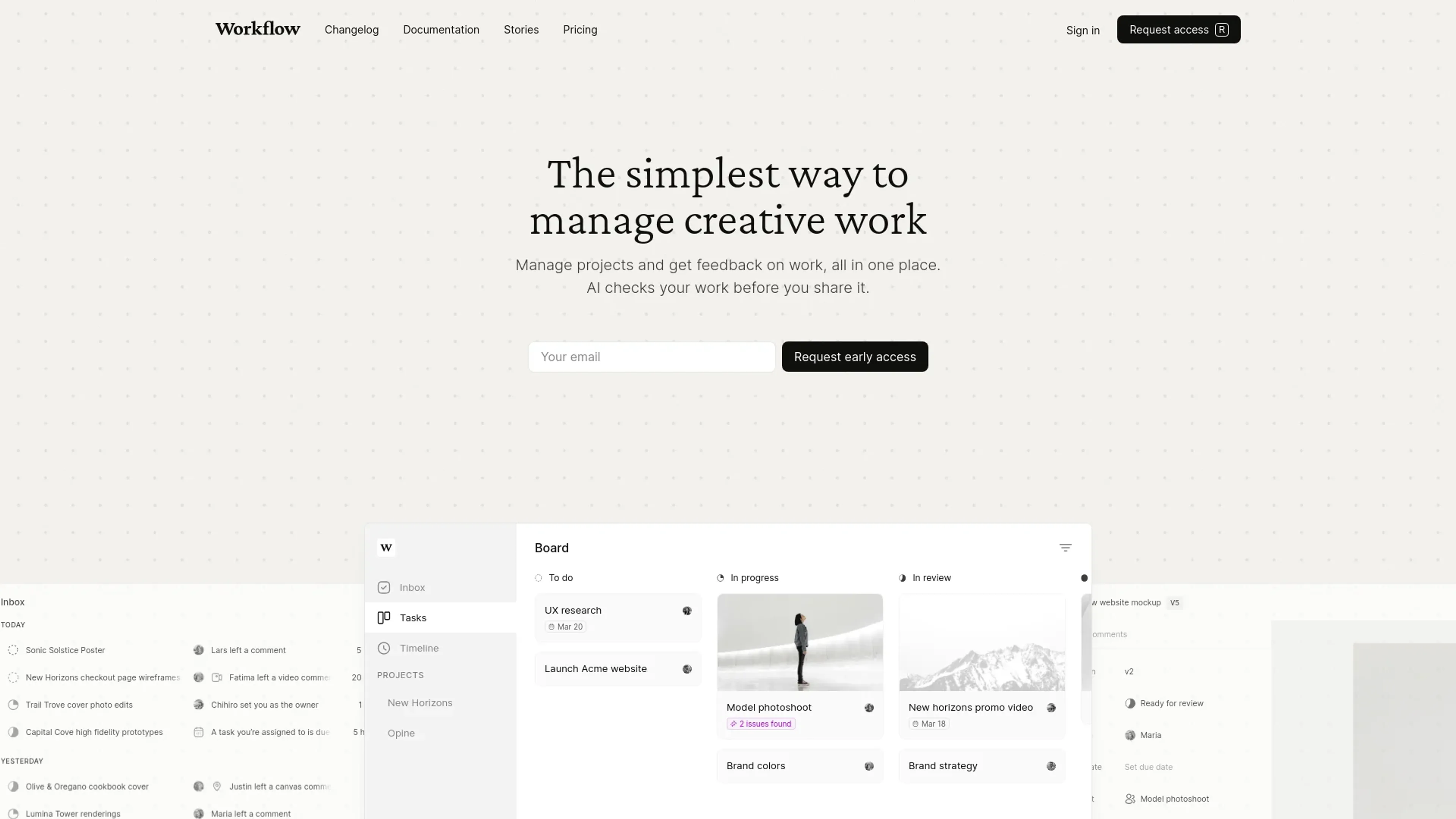
Workflow revolutionizes the way creative professionals manage their projects by streamlining project management and feedback processes. It incorporates advanced AI features to ensure creative assets meet the highest standards before sharing. Targeted at designers, project managers, and creative teams, Workflow simplifies the management of tasks, timelines, and collaborative efforts, all within a visually appealing and user-friendly interface.
Key Features
- AI-Powered Error Detection: Workflow's AI checks creative assets for inconsistencies in padding, alignment, text readability, and more, saving hours and maintaining consistency.
- Visual Workspace: Replace traditional project management tools with Workflow's visual workspace, tailored for creative projects.
- Figma Integration: Seamlessly upload work directly from Figma and sync comments, ensuring smooth collaboration.
- Version Control: Keep track of all your asset versions, compare revisions, and save changes effortlessly.
- Comprehensive Feedback System: Collect and view feedback in context across various file types, including live websites, Figma files, images, videos, and PDFs.
Pros
- Time Efficiency: AI-powered error detection significantly reduces the time spent on manual reviews and corrections.
- Enhanced Collaboration: Real-time feedback and visual project management tools enhance team collaboration and communication.
- User-Friendly Interface: The intuitive design makes it easy for both team members and clients to navigate and use.
- Version Control: The ability to compare and track asset versions simplifies the revision process and ensures consistency.
Cons
- Initial Learning Curve: New users may require some time to familiarize themselves with the advanced features.
- Limited Third-Party Integrations: While Workflow supports many popular tools, it may not integrate with every third-party platform out there.
Use Cases
- E-commerce Businesses: Managing product imagery and promotional content.
- Digital Marketing Agencies: Creating and managing campaign assets.
- Social Media Managers: Creating and reviewing engaging social media content.
- Graphic Designers: Efficient design project management and feedback collection.
- Uncommon Use Cases: Educational institutions teaching design principles; freelance photographers for streamlined editing and client feedback.
Pricing
Free Tier: Experience Workflow with a limited free trial. Disclaimer: Pricing information may not be up to date. For the most accurate and current pricing details, refer to the official Workflow website.
What Makes It Unique
Workflow stands out with its AI-powered error detection, ensuring quality and consistency in creative projects. Its ability to provide real-time feedback and manage visual workspaces sets it apart from traditional project management tools.
Ratings
Accuracy and Reliability: 4.8/5 Ease of Use: 4.5/5 Functionality and Features: 4.7/5 Performance and Speed: 4.6/5 Customization and Flexibility: 4.4/5 Data Privacy and Security: 4.9/5 Support and Resources: 4.5/5 Cost-Efficiency: 4.3/5 Integration Capabilities: 4.2/5 Overall Score: 4.6/5
Key Features
Pros & Cons
- Time Efficiency: AI-powered error detection significantly reduces the time spent on manual reviews and corrections.
- Enhanced Collaboration: Real-time feedback and visual project management tools enhance team collaboration and communication.
- User-Friendly Interface: The intuitive design makes it easy for both team members and clients to navigate and use.
- Version Control: The ability to compare and track asset versions simplifies the revision process and ensures consistency.
- Initial Learning Curve: New users may require some time to familiarize themselves with the advanced features.
- Limited Third-Party Integrations: While Workflow supports many popular tools, it may not integrate with every third-party platform out there.
Best For
Alternatives to Workflow
PlugSugar
Automate conversations, answer questions with Web Search plugin, and customize ChatGPT experience using powerful AI plugins.
100DaysOfAI Challenge
Respage
Automate lead acquisition, interact with potential leads, and capture lead information and preferences.
Travel Plan AI
Your personal AI guide for unforgettable journeys.
3D Avataaars Generator
Create custom avatars for storytelling, game development, and marketing campaigns with ease.
AnimateDiff