

Imagine
FreemiumChat your app idea into a deployed product.
About Imagine
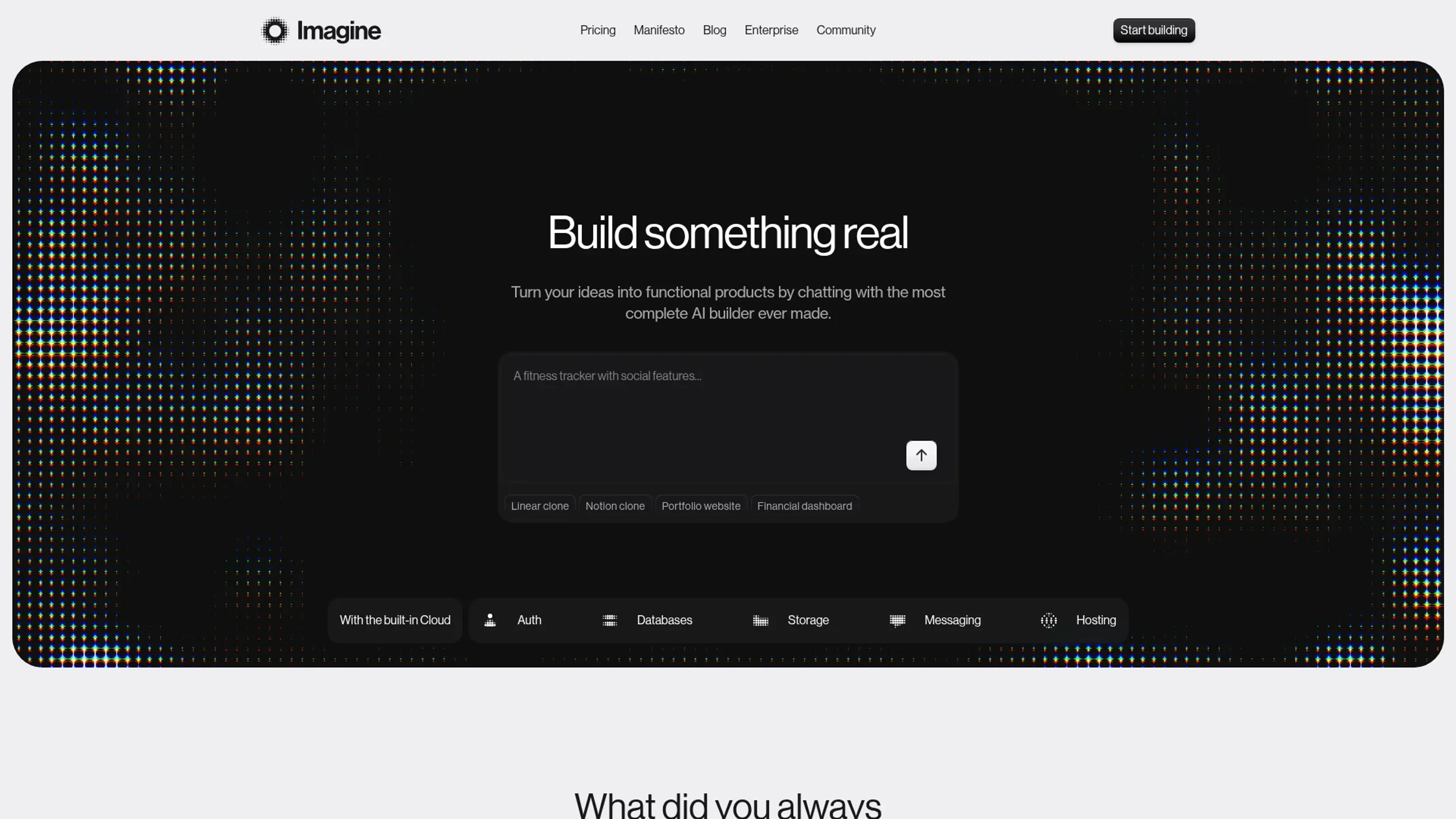
Imagine is an AI-driven app builder that turns natural language prompts into running, full-stack web applications. Users describe what they want, then an AI agent designs the frontend, wires up the backend, and deploys everything on Appwrite Cloud infrastructure. Instead of juggling separate tools for UI, database, authentication, and hosting, teams work inside one environment aimed at real products rather than throwaway prototypes.
Key Features
- Conversational product builder: Chat with an AI agent to define features, flows, and data, then regenerate or refine screens and logic in context.
- Full-stack on Appwrite Cloud: Auth, databases, storage, and hosting are provisioned automatically, so generated apps run on real cloud primitives from day one.
- Production-focused AI architecture: An agent system using Anthropic models targets clean, maintainable code that follows common engineering patterns and best practices.
- Security and compliance baked in: Encryption, DDoS protection, and support for GDPR, SOC 2, HIPAA, and CCPA help teams meet stricter requirements without extra tooling.
Pros
- Ships working products quickly: Generates both frontend and backend, so users can reach a usable deployed app in hours, not weeks.
- Approachable for non-developers: Natural language prompts reduce the need for deep coding skills, while developers can still review and extend code.
- Single platform instead of a tool chain: Replaces the usual mix of code generator, backend as a service, and hosting provider with one coherent system.
- Serious security posture for small teams: Built-in protections and compliance features bring enterprise-style safeguards to side projects and early-stage startups.
Cons
- No code export yet: Users cannot take the generated code to another host, which creates platform dependence.
- Some features still “coming soon”: Notifications and realtime sync are advertised but not fully available, limiting certain collaboration-heavy apps.
- Credit limits on free tier: Five credits per day can feel restrictive for heavy experimentation with larger projects.
Use Cases
- Indie hackers and solo founders: Testing SaaS ideas, dashboards, and niche tools without hiring engineers at the outset.
- Startup product and growth teams: Spinning up marketing sites, signup flows, and simple internal tools directly on production infrastructure.
- Developer teams inside SMEs: Replacing spreadsheets and ad hoc scripts with small internal apps that still respect security and compliance needs.
- Agencies and studios: Building client prototypes and admin panels fast, then iterating live with stakeholders during workshops.
- Uncommon Use Cases: Used by hackathon organizers to give teams instant full-stack scaffolding, adopted by operations or support staff to prototype tools before formal engineering work begins.
Pricing
Free: $0 per month; includes 5 credits per day, unlimited custom domains, SEO optimization, 5 GB bandwidth, 2 GB storage, one database per project, built-in CDN, built-in DDoS protection, and community support. Pro: $25 per month; includes everything in Free plus 100 credits per month, unlimited custom domains, SEO optimization, 1 TB bandwidth, 100 GB storage, unlimited databases, built-in CDN, premium DDoS protection, removable Imagine branding, and email support. Enterprise: Custom pricing; includes uptime SLAs, advanced security with SSO, audit logs and compliance support, a dedicated account manager, 24/7 priority support, private Slack channel, onboarding and enterprise training, advanced observability, SOC 2, HIPAA and BAA compliance, Single Sign-On, activity logs, and custom backup policies. Disclaimer: Please note that pricing information may not be up to date. For the most accurate and current pricing details, refer to the official Imagine website.
What Makes It Unique
Many AI builders generate UI or one-off snippets; this one is tightly coupled to Appwrite services, so every project maps directly to real auth, databases, and storage rather than mock APIs. The focus on production readiness, from Anthropic-based code generation to serious security and compliance, pushes it beyond “toy” app generators. For teams that like the idea of chatting with an AI to create software yet still want credible infrastructure underneath, that combination is fairly rare.
Ratings
Accuracy and Reliability: 4.3/5 Ease of Use: 4.6/5 Functionality and Features: 4.2/5 Performance and Speed: 4.4/5 Customization and Flexibility: 4.0/5 Data Privacy and Security: 4.7/5 Support and Resources: 3.9/5 Cost-Efficiency: 4.5/5 Integration Capabilities: 3.6/5 Overall Score: 4.2/5
Key Features
Pros & Cons
- Ships working products quickly: Generates both frontend and backend, so users can reach a usable deployed app in hours, not weeks.
- Approachable for non-developers: Natural language prompts reduce the need for deep coding skills, while developers can still review and extend code.
- Single platform instead of a tool chain: Replaces the usual mix of code generator, backend as a service, and hosting provider with one coherent system.
- Serious security posture for small teams: Built-in protections and compliance features bring enterprise-style safeguards to side projects and early-stage startups.
- No code export yet: Users cannot take the generated code to another host, which creates platform dependence.
- Some features still “coming soon”: Notifications and realtime sync are advertised but not fully available, limiting certain collaboration-heavy apps.
- Credit limits on free tier: Five credits per day can feel restrictive for heavy experimentation with larger projects.
Best For
Alternatives to Imagine
Forms.app
Transform Your Form Creation Process with forms.app
Aigur Client
The Ultimate Platform for Building and Managing AI Flows.
Magick
Unlock the Future of AI Development with Magick
Floneum
Securely Build AI Workflows and Extend Capabilities with Floneum
Draftbit
Easily create and customize mobile apps, including push notifications and analytics, without coding.
Aspen
Effortlessly create AI-powered web apps using Aspen's no-code platform.