

Sferal
FreemiumDescribe workflows, get internal apps and agents.
About Sferal
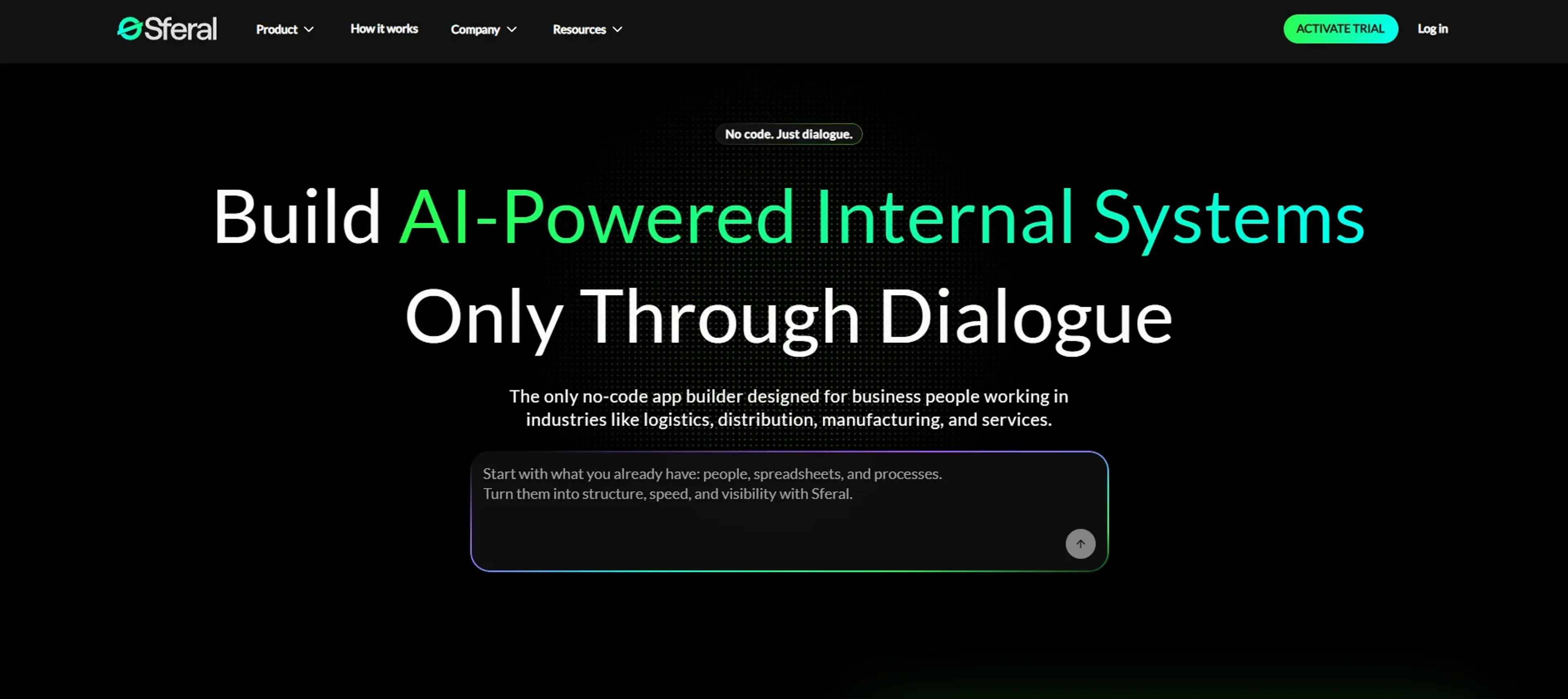
Sferal helps operations-heavy companies build AI-powered internal systems and agents through plain-language dialogue instead of code. Aimed at logistics, distribution, manufacturing, and service businesses that still juggle spreadsheets, email, and messaging apps, it turns conversational briefs into working apps, dashboards, and AI agents that sit on secure infrastructure with governance, analytics, and integrations to existing tools.
Key Features
- Conversational no-code builder: Users describe the app or workflow in natural language while the system clarifies requirements, proposes structure, and generates pages, forms, and business logic in real time.
- AI agent studio and marketplace: Teams create agents from documents, spreadsheets, videos, or live systems, or start from marketplace templates, then give each agent a defined role such as quote responder, document processor, or HR screener.
- Multi-LLM orchestration: Sferal routes tasks across multiple large language models, picking the most suitable model for each job, which helps balance quality, speed, and cost.
- Integrated front-end, back-end, and database: Every app includes the UI, backend logic, secure APIs, and structured data storage by default, plus debugging tools and automated security checks.
- Enterprise security and deployment options: Dedicated virtual machines, role-based access control, login and session management, audit logs, and both cloud and on-prem deployment choices suit stricter IT environments.
- Connectors and data ingestion: Integrates with CRMs, ERPs, HR and finance tools, and ingests PDFs, emails, and spreadsheets so agents operate on current business data instead of isolated exports.
- Governance and observability: A central console shows all agents and workflows, their usage, spend, and ROI, giving leadership the control tower they usually miss in DIY automation efforts.
Pros
- Business-user first design: Built explicitly for operations, logistics, and service teams that do not have product managers or dedicated developers.
- Plain-language build process: Non-technical staff can talk through what they want and let the AI propose data models and interfaces, which feels far closer to a working conversation than to a traditional app builder.
- From quick wins to complex workflows: Organizations can start with a single high-impact agent, then expand into cross-department workflows without switching platforms.
- Security and governance built in: Dedicated environments, granular access control, and auditability support companies that care deeply about compliance and risk.
- Proof points and industry focus: Case studies in logistics and manufacturing show clear savings in time, headcount, and SLA penalties, which helps justify investment.
Cons
- Opaque public pricing: There is no detailed pricing grid with usage limits, so most teams need to talk to sales or use the ROI calculator to estimate spend.
- Best fit for mid-sized and larger organizations: Very small teams may find the orchestration, governance, and deployment options more than they practically need.
- Learning curve for process design: Coding is removed, but teams still must articulate workflows, decisions, and data clearly, which can require internal process work.
Use Cases
- Logistics and Distribution Companies: Automating transport dispatch, routing, schedule updates, and quote replies while keeping teams aligned.
- Manufacturers and Industrial Firms: Building inventory dashboards, production trackers, maintenance coordination, and quality documentation flows.
- Professional Services and Agencies: Running client portals, project tracking, and automated reporting that pull data from multiple systems.
- HR, Talent, and People Ops Teams: Deploying CV screening agents, onboarding flows, performance review tools, and employee self-service portals.
- Finance and Admin Departments: Handling invoice and contract extraction, approval workflows, and profitability dashboards across projects and clients.
- Uncommon Use Cases: Used by board-level teams as live “command centers” for KPIs across several ERPs; Adopted by regional call centers to triage email and call volume with human-in-the-loop agents.
Pricing
Free Trial: A 7-day trial lets organizations build internal apps and experiment with AI agents before choosing a subscription. Disclaimer: Please note that pricing information may not be up to date. For the most accurate and current pricing details, refer to the official Sferal website.
What Makes It Unique
Sferal stands out by combining conversational internal-app building with an AI agent OS in one place. Instead of stitching together a no-code UI tool, an automation tool, and a separate AI service, teams get agents, orchestration, full-stack apps, governance, and security on a single foundation that is explicitly tuned for heavy operations like logistics and manufacturing. For business users, it feels less like configuring “yet another tool” and more like describing how the company should work and watching that description harden into systems.
Ratings
Accuracy and Reliability: 4.4/5 Ease of Use: 4.2/5 Functionality and Features: 4.7/5 Performance and Speed: 4.5/5 Customization and Flexibility: 4.6/5 Data Privacy and Security: 4.6/5 Support and Resources: 4.1/5 Cost-Efficiency: 4.3/5 Integration Capabilities: 4.6/5 Overall Score: 4.4/5
Key Features
Pros & Cons
- Business-user first design: Built explicitly for operations, logistics, and service teams that do not have product managers or dedicated developers.
- Plain-language build process: Non-technical staff can talk through what they want and let the AI propose data models and interfaces, which feels far closer to a working conversation than to a traditional app builder.
- From quick wins to complex workflows: Organizations can start with a single high-impact agent, then expand into cross-department workflows without switching platforms.
- Security and governance built in: Dedicated environments, granular access control, and auditability support companies that care deeply about compliance and risk.
- Proof points and industry focus: Case studies in logistics and manufacturing show clear savings in time, headcount, and SLA penalties, which helps justify investment.
- Opaque public pricing: There is no detailed pricing grid with usage limits, so most teams need to talk to sales or use the ROI calculator to estimate spend.
- Best fit for mid-sized and larger organizations: Very small teams may find the orchestration, governance, and deployment options more than they practically need.
- Learning curve for process design: Coding is removed, but teams still must articulate workflows, decisions, and data clearly, which can require internal process work.
Best For
Alternatives to Sferal
Forms.app
Transform Your Form Creation Process with forms.app
Aigur Client
The Ultimate Platform for Building and Managing AI Flows.
Magick
Unlock the Future of AI Development with Magick
Floneum
Securely Build AI Workflows and Extend Capabilities with Floneum
Draftbit
Easily create and customize mobile apps, including push notifications and analytics, without coding.
Aspen
Effortlessly create AI-powered web apps using Aspen's no-code platform.