

AI Perfect Assistant
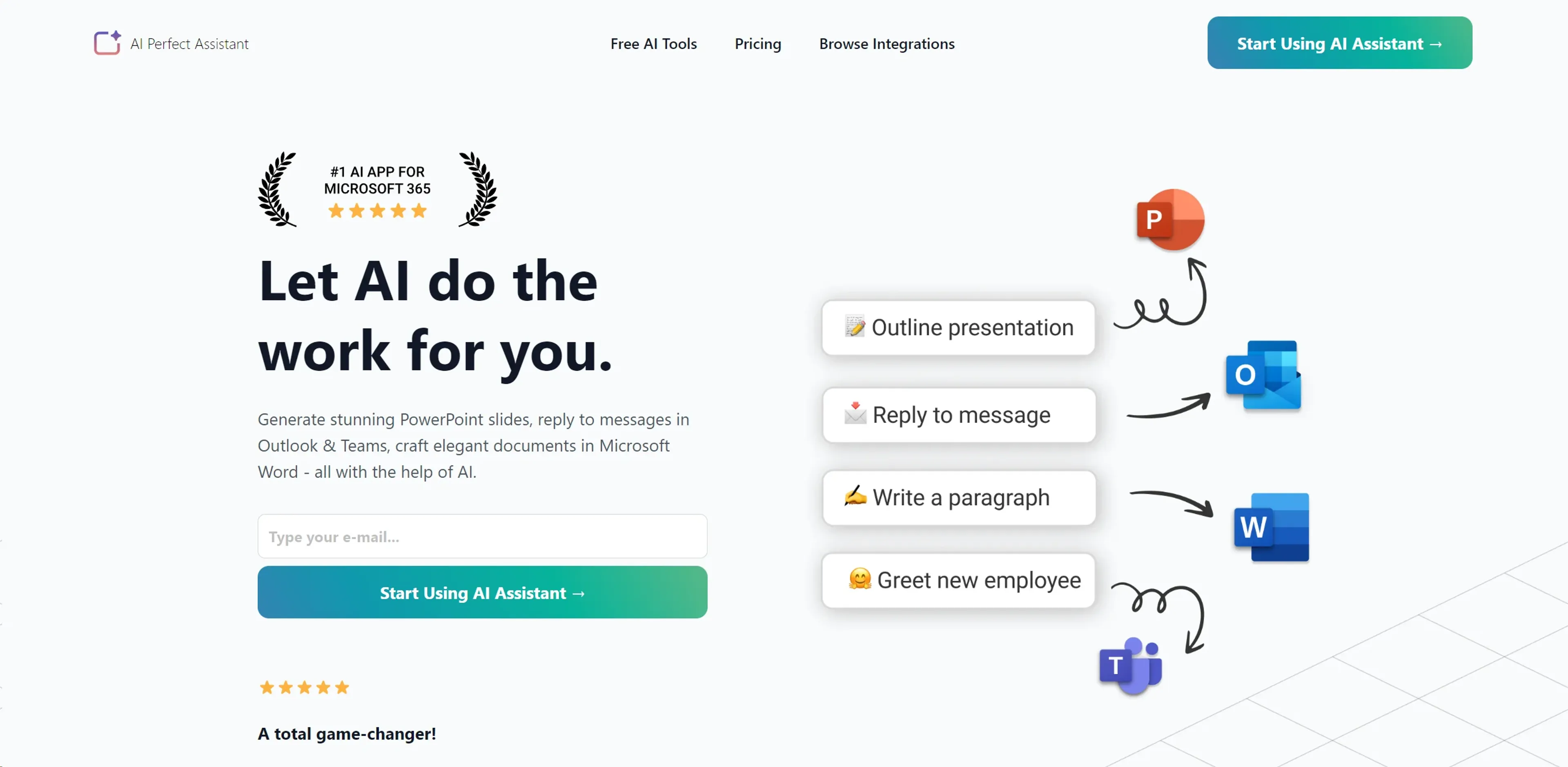
FreemiumAutomate Office tasks, content creation, and communication with AI efficiency.
About AI Perfect Assistant
In today's fast-paced world, efficiency and productivity are key to staying ahead, and AI Perfect Assistant is at the forefront of this revolution. This tool is designed to streamline your workflow by automating mundane tasks across various Microsoft Office applications and more. From generating stunning PowerPoint slides to crafting elegant documents in Microsoft Word, and even replying to messages in Outlook & Teams, AI Perfect Assistant leverages artificial intelligence to make your work easier and more productive. As someone always on the lookout for ways to enhance efficiency, I found AI Perfect Assistant to be a game-changer, especially for professionals and businesses aiming to cut down on time-consuming tasks.
Key Features
- Microsoft Office Integration: Seamlessly works with PowerPoint, Word, Outlook, and Teams to automate tasks.
- Content Generation: Offers over 40 AI tools for creating presentations, email messages, chat messages, and more.
- Language Tools: Includes features for grammar checking, language simplification, paraphrasing, and translation.
- Customizable Templates: Provides prompt templates with adjustable language preferences, writing styles, and tones.
- Browser and Telegram Integration: Available as a Chrome Extension and a Telegram Web App for enhanced accessibility.
Pros
- Enhanced Productivity: Significantly reduces the time spent on creating documents, presentations, and communications.
- Ease of Use: The intuitive interface and seamless integration make it user-friendly, even for beginners.
- Versatility: Suitable for a wide range of tasks, from professional writing to casual chats.
- Affordable Pricing: Offers a free version and cost-effective subscription plans for advanced features.
Cons
- Learning Curve: Some users may need time to familiarize themselves with the full range of tools and features.
- Token Limits: The free and lower-tier plans have limitations on the number of tokens available for use.
- Internet Dependency: Requires a stable internet connection for optimal performance.
Use Cases
- E-commerce Businesses: Employing the tool to generate product descriptions and email marketing content.
- Content Creators: Using it to streamline the writing process for blogs, social media posts, and video scripts.
- Corporate Professionals: Leveraging it to create presentations, draft reports, and manage email communications efficiently.
- Educational Institutions: Incorporating it into teaching methodologies for content creation and language learning.
- Uncommon Use Cases: Freelancers using it to enhance their productivity; Non-profits utilizing it for grant writing and communication.
Pricing
Free Tier: Start with basic features and a limited monthly token allowance. Pro Tier: $9.99 per month for additional tokens and features. Premium Tier: $29.99 per month for extensive tokens, full integration capabilities, and professional support. Disclaimer: Pricing information is accurate as of the last update. For the latest details, please visit the AI Perfect Assistant website.
What Makes It Unique
AI Perfect Assistant sets itself apart with its deep integration into Microsoft Office applications, providing a unique blend of convenience and functionality. The ability to automate a wide range of tasks, from content creation to language translation, directly within the apps we use daily, is a significant advantage. Its user-friendly interface and the breadth of tools available make it an indispensable asset for anyone looking to enhance their productivity and efficiency.
Ratings
Accuracy and Reliability: 4.5/5 Ease of Use: 4.8/5 Functionality and Features: 4.7/5 Performance and Speed: 4.6/5 Customization and Flexibility: 4.5/5 Data Privacy and Security: 4.4/5 Support and Resources: 4.3/5 Cost-Efficiency: 4.7/5 Integration Capabilities: 4.8/5 Overall Score: 4.6/5
Key Features
Pros & Cons
- Enhanced Productivity: Significantly reduces the time spent on creating documents, presentations, and communications.
- Ease of Use: The intuitive interface and seamless integration make it user-friendly, even for beginners.
- Versatility: Suitable for a wide range of tasks, from professional writing to casual chats.
- Affordable Pricing: Offers a free version and cost-effective subscription plans for advanced features.
- Learning Curve: Some users may need time to familiarize themselves with the full range of tools and features.
- Token Limits: The free and lower-tier plans have limitations on the number of tokens available for use.
- Internet Dependency: Requires a stable internet connection for optimal performance.
Best For
Alternatives to AI Perfect Assistant
AutoSlide
Transform ideas into polished AI-generated presentations in seconds with AutoSlide.
ChatBA
Revolutionize Your Slide Creation with ChatBA AI!
PresentationGPT
Revolutionize Your Presentation Creation with AI Power.
Smallppt
Effortless AI-Powered Presentation and Mind Map Creation.
HireAra
Revolutionize recruitment with AI-driven CV formatting and enhanced presentation.

Sessions
Transform meetings with AI, HD video, interactive tools, analytics.