

Ghost
FreemiumCreate stunning presentations with AI-driven design suggestions.
About Ghost
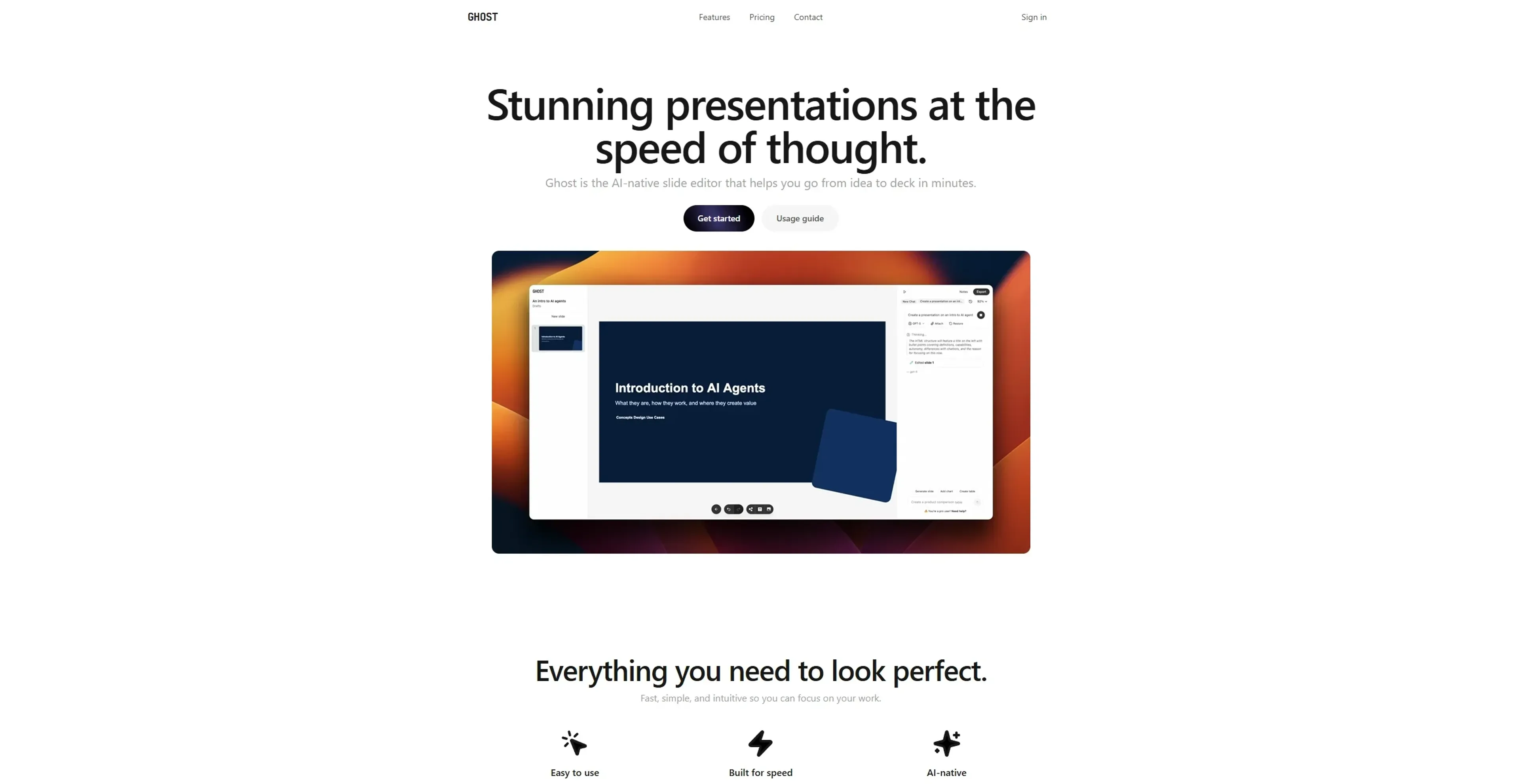
Ghost is your go-to AI agent for creating stunning presentations. Whether you're a business professional, educator, or creative, Ghost offers a streamlined way to craft visually appealing and effective presentations. By combining advanced AI with user-friendly interfaces, Ghost simplifies the process of designing slides, allowing users to focus on their message rather than the minutiae of design.
Key Features
- AI-Driven Design Suggestions: Ghost uses AI to offer intelligent design recommendations, ensuring each slide looks professional and polished.
- Template Variety: Access a vast library of templates tailored for different industries and presentation types.
- Real-Time Collaboration: Collaborate with team members in real-time, making it easy to gather feedback and make edits on the fly.
- Multimedia Integration: Easily incorporate images, videos, and other multimedia elements to enhance your presentation's impact.
Pros
- Time Efficiency: Significantly reduces the time needed to create high-quality presentations.
- User-Friendly: The intuitive interface is accessible to users of all skill levels.
- Professional Results: Produces presentations that look like they were crafted by a professional designer.
- Collaboration Features: Facilitates teamwork and collective input, crucial for team projects.
Cons
- Learning Curve: Some users may require time to fully utilize advanced features.
- Limited Customization: While templates are plentiful, customization options may be restricted for those looking for highly unique designs.
Use Cases
- Corporate Professionals: Utilize Ghost for crafting compelling business presentations.
- Educators: Employ the tool to create engaging educational materials and lectures.
- Freelancers: Use Ghost to present proposals and portfolios to clients.
- Creative Agencies: Leverage the tool for developing client pitches and project showcases.
- Uncommon Use Cases: Adopted by NGOs for impactful fundraising presentations; Used by tech startups to streamline investor pitch decks.
Pricing
Free: $0 per month. Includes unlimited slides, GPU-accelerated editor, and basic creation and export features. Starter: $9.99 per month per user. Adds 20 GPT-5 mini messages, 20 GPT-5 nano messages, and 3 GPT-5 messages. Pro: $19.99 per month per user. Expands to 40 GPT-5 mini messages, 40 GPT-5 nano messages, and 10 GPT-5 messages, with everything from Starter included. Disclaimer: Please note that pricing information may not be up to date. For the most accurate and current pricing details, refer to the official Ghost website.
What Makes It Unique
Ghost stands out with its AI-driven design capabilities, making it an excellent tool for those who need professional-grade presentations without the fuss. Its ability to suggest design elements based on content context ensures that each slide not only looks good but also communicates effectively.
Ratings
Accuracy and Reliability: 4.5/5 Ease of Use: 4.7/5 Functionality and Features: 4.6/5 Performance and Speed: 4.4/5 Customization and Flexibility: 4.0/5 Data Privacy and Security: 4.3/5 Support and Resources: 4.2/5 Cost-Efficiency: 4.5/5 Integration Capabilities: 4.1/5 Overall Score: 4.4/5
Key Features
Pros & Cons
- Time Efficiency: Significantly reduces the time needed to create high-quality presentations.
- User-Friendly: The intuitive interface is accessible to users of all skill levels.
- Professional Results: Produces presentations that look like they were crafted by a professional designer.
- Collaboration Features: Facilitates teamwork and collective input, crucial for team projects.
- Learning Curve: Some users may require time to fully utilize advanced features.
- Limited Customization: While templates are plentiful, customization options may be restricted for those looking for highly unique designs.
Best For
Alternatives to Ghost
ChatBA
Revolutionize Your Slide Creation with ChatBA AI!
Smallppt
Effortless AI-Powered Presentation and Mind Map Creation.
PresentationGPT
Revolutionize Your Presentation Creation with AI Power.
AutoSlide
Transform ideas into polished AI-generated presentations in seconds with AutoSlide.

HireAra
Revolutionize recruitment with AI-driven CV formatting and enhanced presentation.

Sessions
Transform meetings with AI, HD video, interactive tools, analytics.