

Pandada AI
FreemiumTurn messy data into clear, decision-ready reports.
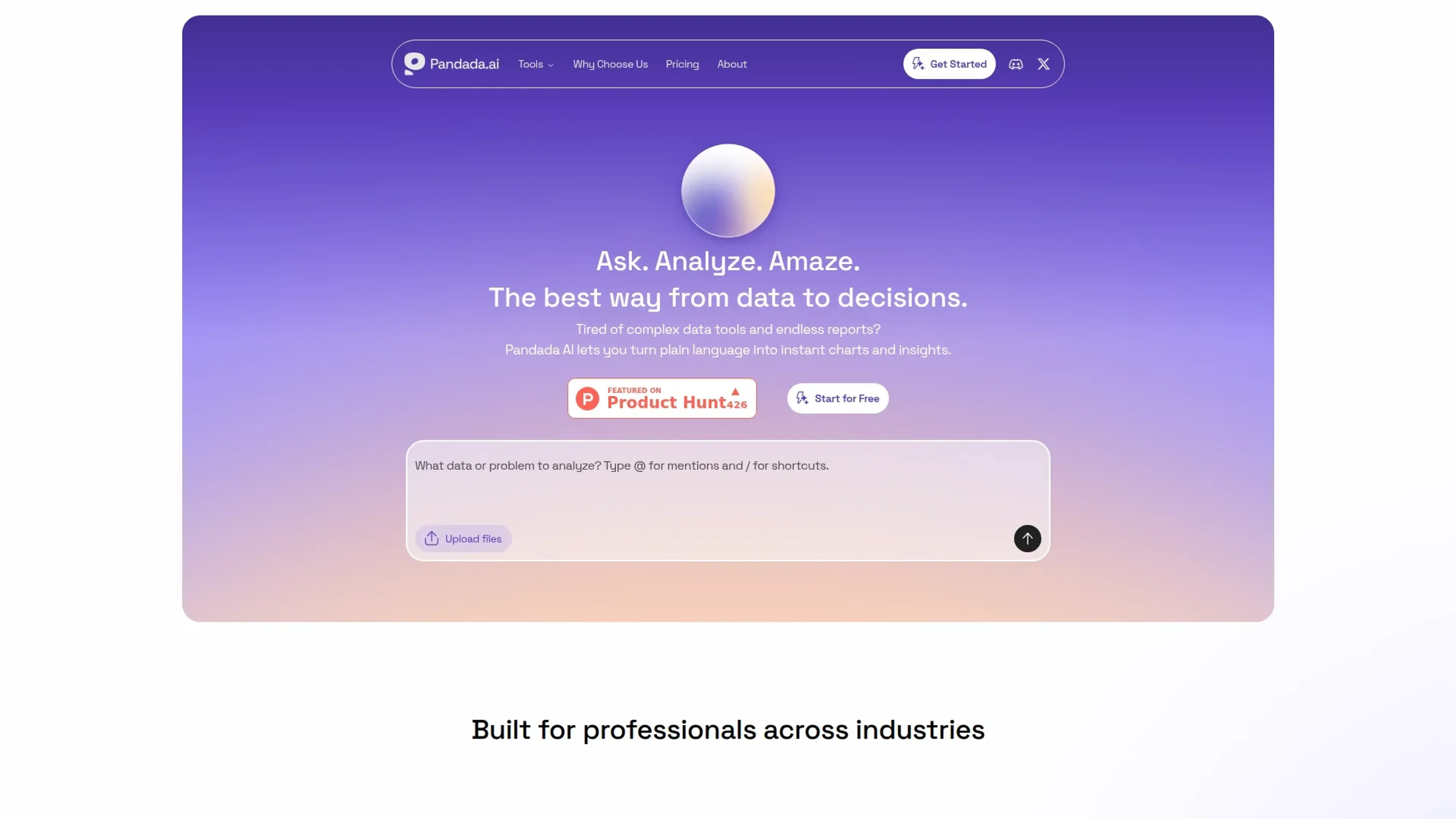
About Pandada AI
Pandada AI turns messy business data into analysis, insights, and ready-to-share reports and presentations. It focuses on helping both non-technical operators and data professionals move from raw CSVs, Excel files, PDFs, and even photos of data to decision-ready narratives and visuals. Branded around the promise of going “From Data to Decisions with AI,” it aims to shorten the entire data-to-insight pipeline for small and growing teams.
Key Features
- File-to-report automation: Upload spreadsheets, CSVs, PDFs, or images of tables and Pandada AI automatically produces structured reports and presentation-style outputs.
- Natural language analysis: Users ask plain-language questions about their data and receive narrative explanations, comparisons, and suggested follow-up views instead of raw query results.
- Decision-focused storytelling: The system emphasizes “McKinsey-level” insight summaries, surfacing key drivers, trends, and takeaways in business language rather than only charts.
- Multi-file handling: Designed to work with multiple messy files at once, letting users combine exports from different tools into one coherent analytical story.
Pros
- Friendly for non-technical roles: Operators, founders, and managers can upload familiar files and get plain-language narratives without learning SQL or BI tooling.
- Strong first-draft output: Quickly generates reports and slide-ready content that analysts or leaders can refine instead of starting from a blank page.
- Good for messy, real-world data: Designed with imperfect spreadsheets, inconsistent exports, and screenshots in mind, which fits how many small teams actually store data.
- Clear decision orientation: The product’s framing around “data wealth” nudges users toward business decisions and storytelling, not just descriptive stats.
Cons
- Limited public detail on governance: Information about access controls, compliance standards, and data residency is not prominent, which may slow enterprise adoption.
- Upload-centric model: Best suited to file-based workflows; organizations that rely on live data warehouses may want deeper native connections than are currently visible.
- Prompt sensitivity: Getting exactly the tone, depth, and chart mix desired will likely require some iteration and prompt experimentation.
Use Cases
- Startup founders and operators: Using Pandada AI to turn ad hoc financial and growth spreadsheets into investor-ready updates and board decks.
- Business analysts: Employing it to speed up exploratory analysis and quickly draft narrative summaries for stakeholders who prefer documents over dashboards.
- Finance and operations teams: Applying it to monthly actuals, forecasts, and operational logs to highlight cost outliers, trends, and performance shifts.
- Consultants and fractional executives: Using it as a quick way to understand incoming client data and produce polished slides with insight-heavy commentary.
- Uncommon Use Cases: Used by product managers to summarize survey exports and feature usage dumps; adopted by small nonprofit teams to analyze donation and impact spreadsheets without hiring a dedicated analyst.
Pricing
Basic: $0 per month; includes 5 AI chats per day, 5 web searches per day, 10 files per chat, 80 MB upload size per chat, 5 reports per day, and 100 MB storage. Plus: $19 per month; includes 500 AI chats per month, 500 web searches per month, 20 files per chat, 200 MB upload size per chat, 100 reports per month, and 1 GB storage. Disclaimer: Please note that pricing information may not be up to date. For the most accurate and current pricing details, refer to the official Pandada AI website.
What Makes It Unique
Many tools promise “chat with your data,” but Pandada AI pushes further toward consultant-style outputs: structured reports, narrative decks, and insight summaries that feel ready for clients or leadership. Its emphasis on messy, file-based inputs, support for images of data, and the idea of building “data wealth” make it especially attractive for teams that live in spreadsheets rather than data warehouses. For small companies that cannot justify a full BI stack or analytics hire, it offers a fast route from exported files to persuasive storytelling.
Ratings
Accuracy and Reliability: 4.0/5 Ease of Use: 4.4/5 Functionality and Features: 4.1/5 Performance and Speed: 4.2/5 Customization and Flexibility: 3.8/5 Data Privacy and Security: 3.5/5 Support and Resources: 3.9/5 Cost-Efficiency: 4.2/5 Integration Capabilities: 3.6/5 Overall Score: 4.0/5
Key Features
Pros & Cons
- Friendly for non-technical roles: Operators, founders, and managers can upload familiar files and get plain-language narratives without learning SQL or BI tooling.
- Strong first-draft output: Quickly generates reports and slide-ready content that analysts or leaders can refine instead of starting from a blank page.
- Good for messy, real-world data: Designed with imperfect spreadsheets, inconsistent exports, and screenshots in mind, which fits how many small teams actually store data.
- Clear decision orientation: The product’s framing around “data wealth” nudges users toward business decisions and storytelling, not just descriptive stats.
- Limited public detail on governance: Information about access controls, compliance standards, and data residency is not prominent, which may slow enterprise adoption.
- Upload-centric model: Best suited to file-based workflows; organizations that rely on live data warehouses may want deeper native connections than are currently visible.
- Prompt sensitivity: Getting exactly the tone, depth, and chart mix desired will likely require some iteration and prompt experimentation.
Best For
Alternatives to Pandada AI
ChatBA
Revolutionize Your Slide Creation with ChatBA AI!
Smallppt
Effortless AI-Powered Presentation and Mind Map Creation.
PresentationGPT
Revolutionize Your Presentation Creation with AI Power.
AutoSlide
Transform ideas into polished AI-generated presentations in seconds with AutoSlide.

HireAra
Revolutionize recruitment with AI-driven CV formatting and enhanced presentation.

Sessions
Transform meetings with AI, HD video, interactive tools, analytics.