

HiClip
FreemiumCreate shareable short clips from longer videos.
About HiClip
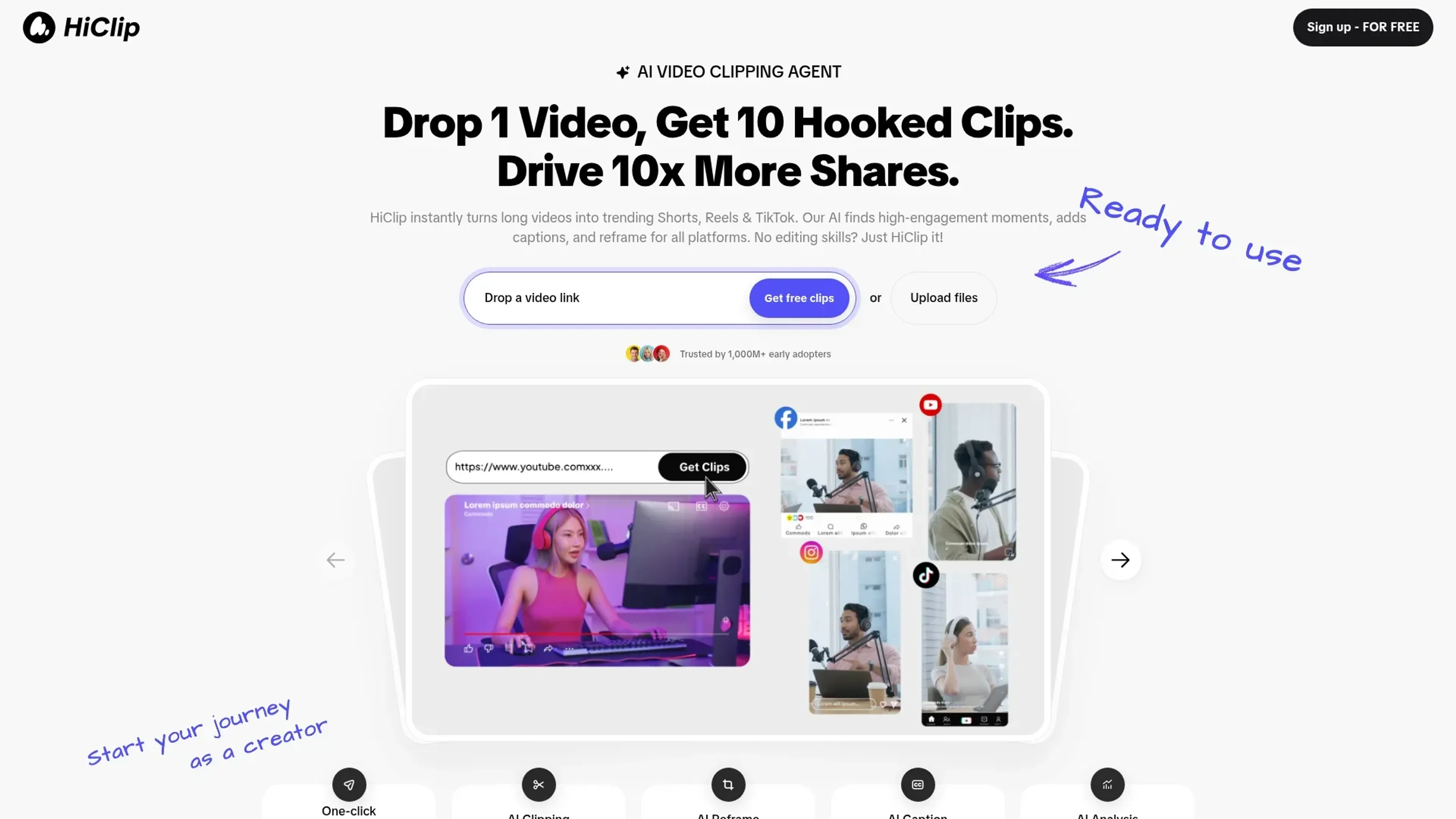
HiClip is a cutting-edge AI video clipping tool designed to transform lengthy videos into engaging short clips, perfect for social media platforms like TikTok, Instagram Reels, and YouTube Shorts. Tailored for content creators and marketers looking to amplify their reach, HiClip simplifies the process of video editing by automating the creation of high-engagement clips.
Key Features
- AI Clipping: Automatically extracts the most engaging moments from your videos, ensuring each clip captures attention.
- AI Reframe: Adjusts the video framing to suit different social media formats, making it easy to repurpose content across platforms.
- AI Caption: Generates captions with suggested trending hashtags, enhancing the discoverability of your content.
- Context-Aware Analysis™: Utilizes advanced algorithms to track engagement signals like visual dynamics, audio cues, and semantic context for optimal clip selection.
Pros
- Time Efficiency: Users report saving over 85% of their editing time, turning a 30-minute manual task into a 20-second automated process.
- User-Friendly: Designed for those with no editing skills, making video content creation accessible to everyone.
- Multi-Platform Support: Supports a variety of input formats and exports clips in over 10 presets tailored for different social media platforms.
- High Engagement: By focusing on high-engagement moments, the tool helps drive more shares and interactions on social media.
Cons
- Initial Learning Curve: New users might need some time to familiarize themselves with all the features.
- Limited Manual Control: While automation is a key selling point, users seeking detailed manual editing options might find it lacking.
- Platform Dependency: Relies heavily on social media trends, which might not suit all types of content or audiences.
Use Cases
- Content Creators: Turning long-form content into shareable snippets for increased engagement on social media.
- Digital Marketers: Leveraging the tool to create high-impact promotional clips quickly and efficiently.
- Social Media Influencers: Using HiClip to maintain a consistent presence across multiple platforms with minimal effort.
- Video Editors: Streamlining their workflow by automating repetitive tasks, allowing them to focus on creative aspects.
- Uncommon Use Cases: Utilized by educational platforms to create engaging short learning modules; Adopted by event organizers to quickly share highlights from live events.
Pricing
Starter: $9 per month. Includes no watermarks, 1 account per platform, and 2 hours of usage per month. Creator: $20 per month. Includes no watermarks, 6 accounts per platform, and 5 hours of usage per month. Team: $250 per month. Includes no watermarks, 20 accounts per platform, and 50 hours of usage per month. Disclaimer: Please note that pricing information may not be up to date. For the most accurate and current pricing details, refer to the official HiClip website.
What Makes It Unique
HiClip stands out with its proprietary Context-Aware Analysis™, which accurately identifies high-engagement moments in videos. This feature, combined with its ability to automate various editing tasks, sets it apart from traditional video editing software.
Ratings
Accuracy and Reliability: 4.8/5 Ease of Use: 4.6/5 Functionality and Features: 4.7/5 Performance and Speed: 4.9/5 Customization and Flexibility: 4.2/5 Data Privacy and Security: 4.5/5 Support and Resources: 4.4/5 Cost-Efficiency: 4.3/5 Integration Capabilities: 4.1/5 Overall Score: 4.5/5
Key Features
Pros & Cons
- Time Efficiency: Users report saving over 85% of their editing time, turning a 30-minute manual task into a 20-second automated process.
- User-Friendly: Designed for those with no editing skills, making video content creation accessible to everyone.
- Multi-Platform Support: Supports a variety of input formats and exports clips in over 10 presets tailored for different social media platforms.
- High Engagement: By focusing on high-engagement moments, the tool helps drive more shares and interactions on social media.
- Initial Learning Curve: New users might need some time to familiarize themselves with all the features.
- Limited Manual Control: While automation is a key selling point, users seeking detailed manual editing options might find it lacking.
- Platform Dependency: Relies heavily on social media trends, which might not suit all types of content or audiences.
Best For
Alternatives to HiClip
Chirper AI
Explore the AI-only social network revolution with Chirper.ai!
Bottler
Transform Your Social Networking with Bottler AI
Reply Boy
Elevate Your Twitter Engagement Using Reply Boy
Chat With Twitter Algorithm
'Chat With the Algorithm': Experience Interactive Conversations Based on Twitter's Algorithm
Snowball
Transform Your X Experience with Snowball's AI-Powered Platform
DebateAI
Participate, Argue, and Support at DebateAI.org