

PostBoost
FreemiumPostBoost — API-first, developer-friendly social media management with AI for 12+ platforms.
About PostBoost
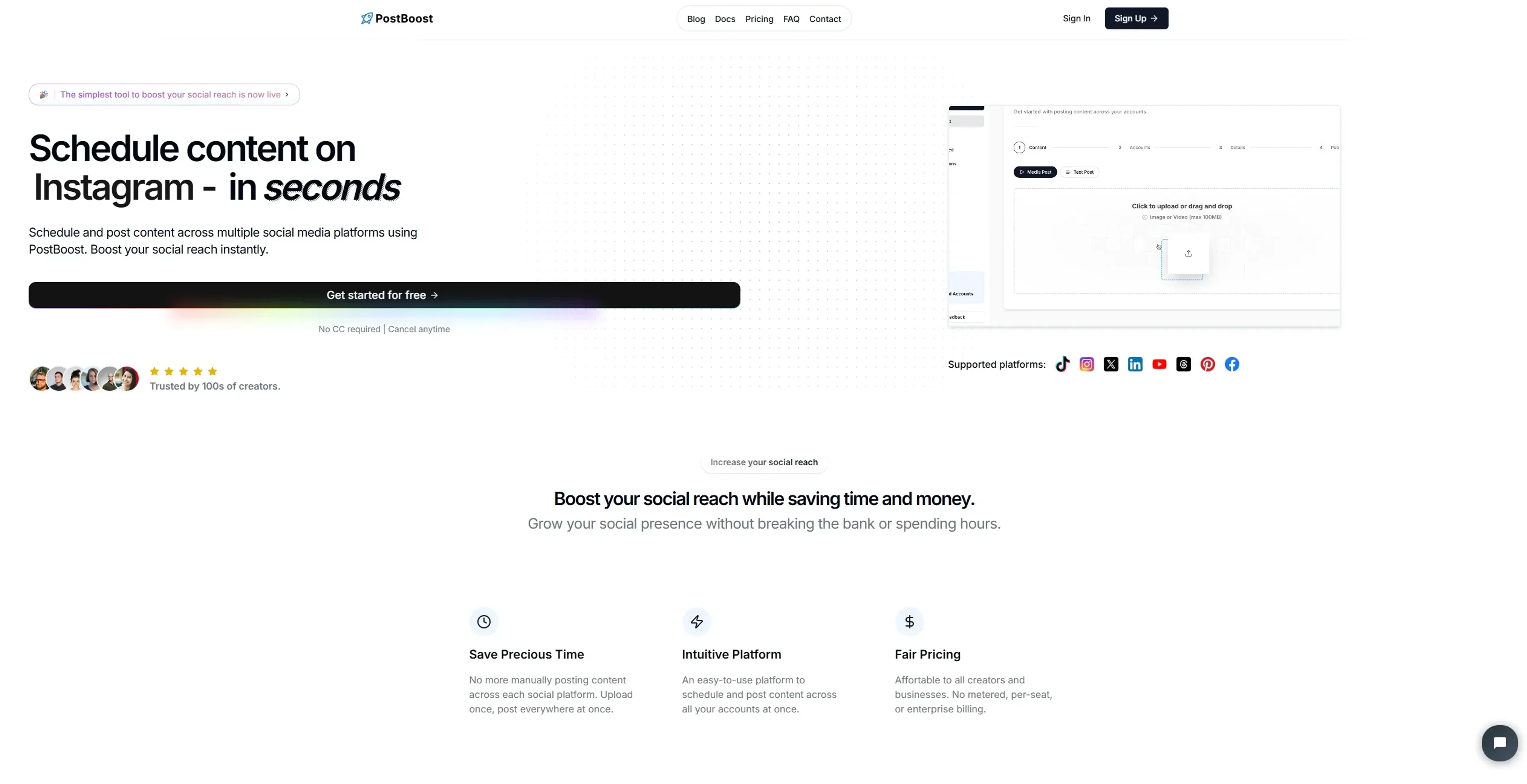
Post-Boost is a streamlined social media management tool designed to simplify the process of scheduling and posting content across multiple platforms. Targeted at content creators, businesses, and social media managers, this tool consolidates your social media efforts into a single, intuitive interface. With Post-Boost, you can effortlessly manage your social media presence, saving both time and money.
Key Features
- Cross-Platform Posting: Post-Boost supports posting on Instagram, TikTok, X/Twitter, LinkedIn, YouTube, Threads, Pinterest, and Facebook, allowing you to manage all your accounts in one place.
- Post Scheduling: Schedule your posts up to three months in advance, ensuring your content is timely and consistent across all platforms.
- Intuitive Interface: The user-friendly design makes it easy to upload content, select social accounts, customize post details, and schedule or publish posts.
- Account Management: Easily connect and manage multiple social media accounts with just one click, streamlining your workflow.
Pros
- Time Efficiency: Automates the posting process, reducing the need for manual updates across platforms.
- Cost-Effective: Offers a fair pricing model without complex billing structures, making it accessible for creators and businesses of all sizes.
- User-Friendly: The simple interface ensures even beginners can navigate and manage their social media presence with ease.
- Flexibility: Allows for customization of post details for different platforms, enhancing engagement with platform-specific audiences.
Cons
- Initial Learning Curve: While the interface is intuitive, users may need a brief period to familiarize themselves with all features.
- Limited Free Tier: The free tier allows for only a limited number of posts per month, which may not be sufficient for high-volume users.
Use Cases
- Social Media Managers: Managing multiple client accounts efficiently and effectively.
- Digital Marketing Agencies: Streamlining campaign management across various platforms.
- Content Creators: Maximizing reach by posting content consistently across multiple channels.
- Small Businesses: Enhancing online presence without the need for a dedicated social media team.
- Uncommon Use Cases: Used by educational institutions to manage official communications; adopted by event planners for promoting events across social media.
Pricing
7-day Free Trial: Users can get started at no cost and explore all Pro features for a full week before committing. Pro Plan: $29.99 per month. Includes unlimited connected accounts, unlimited posts, unlimited scheduled posts, and priority customer support. Disclaimer: Please note that pricing information may not be up to date. For the most accurate and current pricing details, refer to the official Post-Boost website.
What Makes It Unique
Post-Boost distinguishes itself with its all-in-one posting capability across multiple social media platforms, providing an efficient solution for those looking to expand their social reach without spending excessive time and resources. Its ability to schedule posts up to three months in advance is a standout feature for strategic content planning.
Ratings
Accuracy and Reliability: 4.5/5 Ease of Use: 4.8/5 Functionality and Features: 4.6/5 Performance and Speed: 4.7/5 Customization and Flexibility: 4.4/5 Data Privacy and Security: 4.3/5 Support and Resources: 4.2/5 Cost-Efficiency: 4.5/5 Integration Capabilities: 4.6/5 Overall Score: 4.5/5
Key Features
Pros & Cons
- Time Efficiency: Automates the posting process, reducing the need for manual updates across platforms.
- Cost-Effective: Offers a fair pricing model without complex billing structures, making it accessible for creators and businesses of all sizes.
- User-Friendly: The simple interface ensures even beginners can navigate and manage their social media presence with ease.
- Flexibility: Allows for customization of post details for different platforms, enhancing engagement with platform-specific audiences.
- Initial Learning Curve: While the interface is intuitive, users may need a brief period to familiarize themselves with all features.
- Limited Free Tier: The free tier allows for only a limited number of posts per month, which may not be sufficient for high-volume users.
Best For
Alternatives to PostBoost
Chirper AI
Explore the AI-only social network revolution with Chirper.ai!
Bottler
Transform Your Social Networking with Bottler AI
Reply Boy
Elevate Your Twitter Engagement Using Reply Boy
Chat With Twitter Algorithm
'Chat With the Algorithm': Experience Interactive Conversations Based on Twitter's Algorithm
Snowball
Transform Your X Experience with Snowball's AI-Powered Platform
DebateAI
Participate, Argue, and Support at DebateAI.org