

Spotter Studio
FreemiumStreamlines YouTube content ideation with data-driven insights.
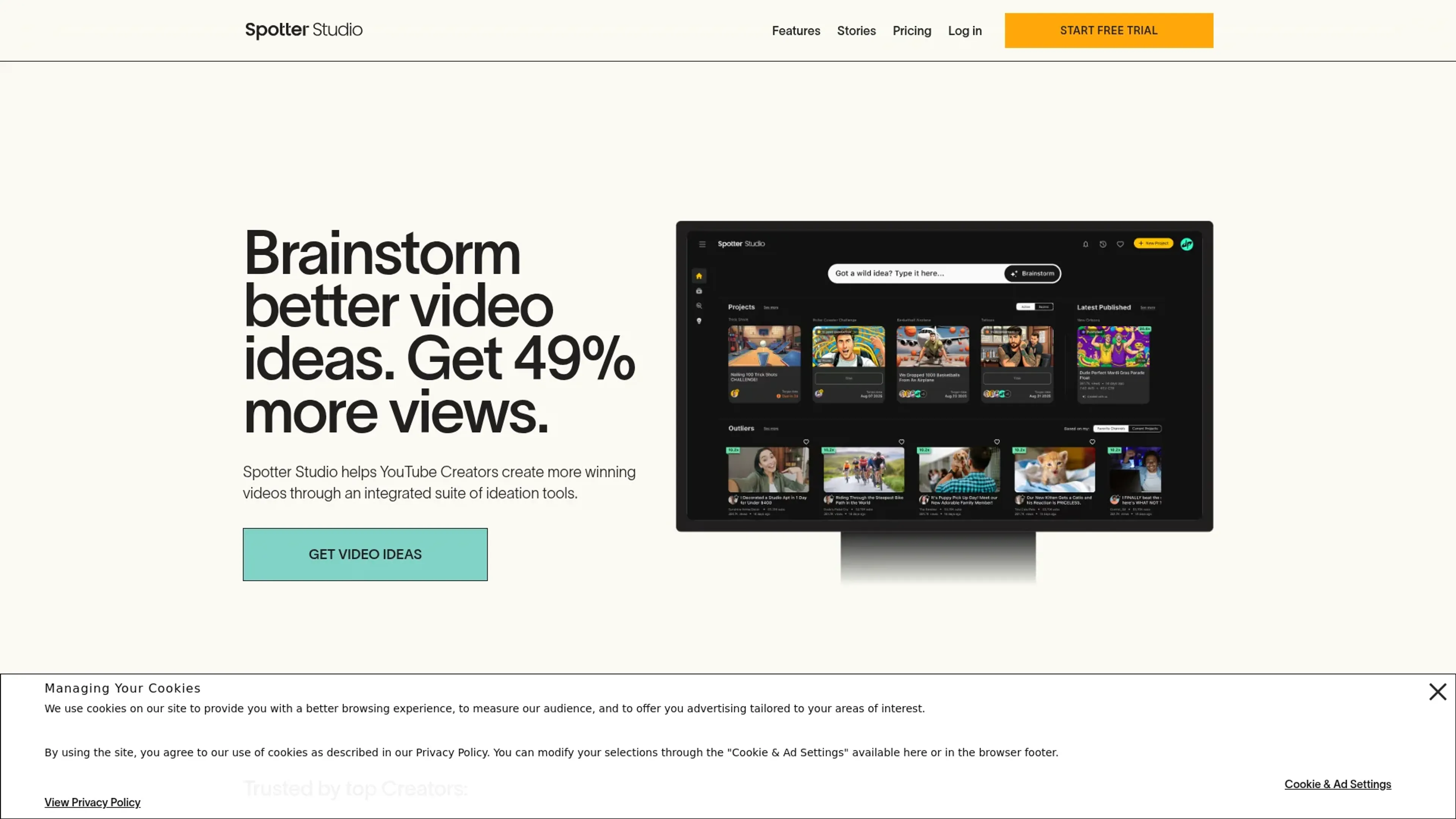
About Spotter Studio
Spotter Studio is an innovative all-in-one YouTube ideation suite designed to revolutionize the way creators conceptualize and produce their content. Tailored specifically for YouTube creators, Spotter Studio offers a comprehensive suite of tools that simplify the brainstorming, research, and planning processes. By integrating advanced data-driven insights and a user-friendly interface, Spotter Studio aims to help creators generate more engaging video ideas, ultimately increasing their viewership and enhancing their creative process.
Key Features
- Integrated Ideation Tools: Spotter Studio offers a suite of tools that help creators brainstorm and refine video ideas, ensuring they remain true to their creative voice.
- Data-Driven Insights: The platform provides powerful insights that allow creators to discover new concepts that resonate with their audience and attract new viewers.
- Project Management: Spotter Studio includes task management, project tracking, and team collaboration features that streamline the production process from pre-production to video launch.
- Personalized Experience: The tool delivers personalized ideation experiences based on a creator's channel and style, making it a valuable asset for creators looking to enhance their content strategy.
Pros
- Enhanced Creativity: Spotter Studio acts like a creative partner, enabling creators to generate unique and high-performing video concepts.
- Time Efficiency: The platform significantly reduces the time spent on brainstorming and planning, allowing creators to focus more on content production.
- Increased Viewership: Users have reported a 49% increase in video views, thanks to the tool's ability to optimize video ideation.
- User-Friendly Interface: The intuitive design ensures a seamless user experience, making it accessible even for less tech-savvy creators.
Cons
- Initial Learning Curve: New users may need some time to fully utilize all of Spotter Studio's advanced features.
- Limited Integration: As of now, Spotter Studio primarily supports YouTube creators, with limited integration for other platforms.
- Geographical Restrictions: The tool is currently available only for creators in specific countries, such as the United States, Canada, United Kingdom, Australia, and EU countries.
Use Cases
- YouTube Creators: The primary users, benefiting from enhanced video ideation and increased productivity.
- Content Strategists: Utilizing the tool to refine content strategies and optimize video performance.
- Digital Marketing Teams: Employing Spotter Studio to streamline video content planning and execution.
- Creative Agencies: Leveraging data-driven insights to develop impactful video campaigns.
- Uncommon Use Cases: Educational institutions using the tool for teaching digital marketing strategies; Independent filmmakers employing it for pre-production planning.
Pricing
Spotter Studio: $49 per month, includes unlimited AI-generated concepts, titles, and thumbnails, outlier video tracking, a collaborative project planner, the ability to invite 2 additional team members, 1 YouTube channel connection, and access to Brainstorm, Outliers, and Projects (with more features coming soon). Save 50% by paying yearly. Disclaimer: Please note that pricing information may not be up to date. For the most accurate and current pricing details, refer to the official Spotter Studio website.
What Makes It Unique
Spotter Studio stands out with its all-in-one ideation suite tailored specifically for YouTube creators. Its ability to provide personalized, data-driven insights that enhance video concepts is a game-changer for content creators. By integrating project management and collaboration features, Spotter Studio ensures a streamlined workflow, making it an indispensable tool for creators aiming to produce high-performing videos.
Ratings
Accuracy and Reliability: 4.5/5 Ease of Use: 4.3/5 Functionality and Features: 4.7/5 Performance and Speed: 4.4/5 Customization and Flexibility: 4.2/5 Data Privacy and Security: 4.6/5 Support and Resources: 4.3/5 Cost-Efficiency: 4.1/5 Integration Capabilities: 3.9/5 Overall Score: 4.4/5
Key Features
Pros & Cons
- Enhanced Creativity: Spotter Studio acts like a creative partner, enabling creators to generate unique and high-performing video concepts.
- Time Efficiency: The platform significantly reduces the time spent on brainstorming and planning, allowing creators to focus more on content production.
- Increased Viewership: Users have reported a 49% increase in video views, thanks to the tool's ability to optimize video ideation.
- User-Friendly Interface: The intuitive design ensures a seamless user experience, making it accessible even for less tech-savvy creators.
- Initial Learning Curve: New users may need some time to fully utilize all of Spotter Studio's advanced features.
- Limited Integration: As of now, Spotter Studio primarily supports YouTube creators, with limited integration for other platforms.
- Geographical Restrictions: The tool is currently available only for creators in specific countries, such as the United States, Canada, United Kingdom, Australia, and EU countries.
Best For
Alternatives to Spotter Studio
Chirper AI
Explore the AI-only social network revolution with Chirper.ai!
Bottler
Transform Your Social Networking with Bottler AI
Reply Boy
Elevate Your Twitter Engagement Using Reply Boy
Chat With Twitter Algorithm
'Chat With the Algorithm': Experience Interactive Conversations Based on Twitter's Algorithm
Snowball
Transform Your X Experience with Snowball's AI-Powered Platform
DebateAI
Participate, Argue, and Support at DebateAI.org