

SuperX
FreemiumWrite, test, schedule X posts that grow.
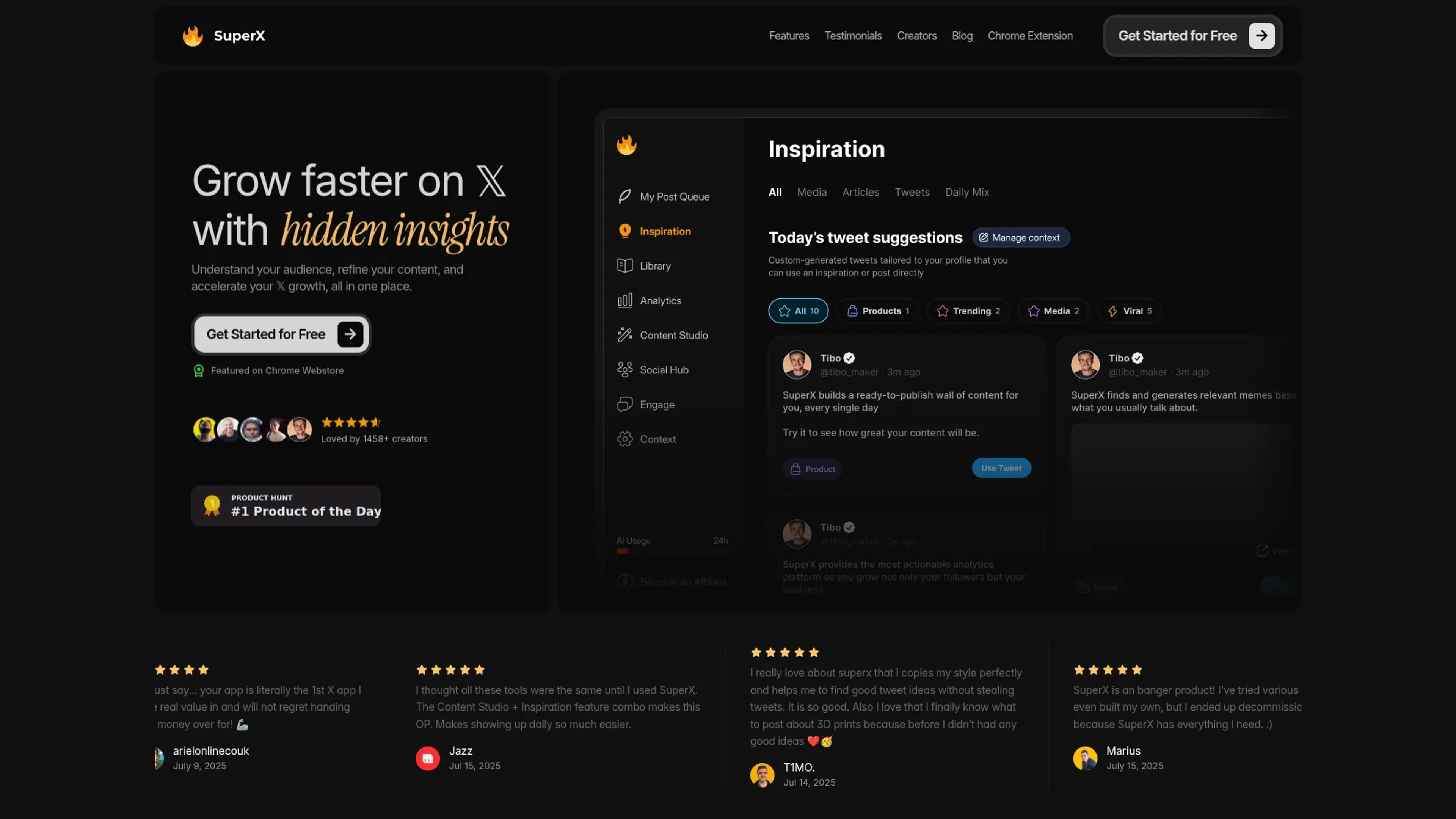
About SuperX
SuperX focuses on helping X (Twitter) creators grow faster with AI-assisted writing, analytics, and automation. Available as a web app and Chrome extension, it combines AI chat, content inspiration, algorithm-aware scheduling, and performance tracking in one place. The tool learns a creator’s voice, studies what performs well in their niche, and then uses that intelligence to suggest better posts and smarter posting strategies.
Key Features
- AI Chat Mode: Conversational interface that learns a creator’s tone and generates tweets, threads, and replies that sound like them, not a generic bot, with built-in web search and content-aware context.
- Advanced Inspiration Engine: Scans top-performing posts in a chosen niche, surfaces live trends, exposes tweet formats that work, and lets users save inspiring posts for later remixing.
- Supercharged AI Writer: Writing engine trained on high-performing X content that proposes hooks, thread structures, and polished copy tuned for engagement and scroll-stopping ideas.
- Rewrite with AI: Takes any draft and returns multiple rewrites in different tones and formats so creators can pick the strongest version without overthinking edits.
- Next-Gen Scheduler & Advanced Scheduler: Schedules tweets at data-backed best times, then layers on Auto Retweet, Auto Plug, and Auto Delete so content keeps working long after it is first posted.
- Automation + Analytics Dashboards: Performance reports rank and explain best tweets, track follower growth, and can automatically resurface winners to keep feeds active.
- SuperX Library & Semantic Search: Search a large library of viral tweets by topic, recency, and semantic meaning to see what is working right now and spot conversations worth joining.
- Algorithm Simulator: Runs draft tweets through a virtual audience, predicts engagement, and supports A/B testing of variations before hitting publish.
Pros
- End-to-end workflow: Covers ideation, drafting, rewriting, scheduling, and analytics inside a single tool tailored specifically to X.
- Strong personalization: Style-learning and “write in this tone” prompts help AI outputs stay close to the creator’s authentic voice.
- On-feed insights: Chrome extension overlays analytics and insights directly on profiles and posts while browsing X.
- Deep automation: Smart timing, auto reposting, and automated plugs and deletions significantly cut the manual grind of daily posting.
- Idea generation without copying: Inspiration and library features focus on formats and angles rather than straight tweet cloning.
Cons
- Platform focus: Primarily built for X with only Bluesky cross posting, so creators chasing many platforms may still need separate tools.
- Feature density: The mix of AI modes, simulators, schedulers, and rules can feel heavy for beginners who just want a simple queue.
- Account and data trust: As a third-party tool that posts and analyzes content, it requires comfort with connecting an X account and sharing performance data.
Use Cases
- Indie Hackers & Bootstrapped SaaS Founders: Sharing build-in-public updates, shipping faster, and turning followers into early adopters.
- Web Creators & Developers: Posting tutorials, hot takes, and product announcements while staying consistent in crowded feeds.
- Traders & Market Analysts: Turning market signals into fast commentary threads that keep them visible in finance niches.
- Content Creators & Influencers: Repurposing ideas, testing new formats, and maintaining daily engagement without burning out.
- Agency Social Media Managers: Managing founder and client accounts on X with AI-assisted drafting, approvals, and analytics.
- Newsletter & Info-product Creators: Using hooks, auto plugs, and advanced scheduling to drive subscribers and product clicks from threads.
- Uncommon Use Cases: Used by business schools running social media strategy courses; adopted by non-profit communications teams to test message variants before important campaigns.
Pricing
Pro: $39 per month; includes scheduling and auto-posting, optimized posting times, cross-post to Bluesky, 1,000 auto DMs per month, and 5 bulk DMs per day. Advanced: $39 per month (discounted from $49 per month); includes everything in Pro, plus SuperX Engage, AI Post Writer, AI Thread Writer, and Auto Retweet & Plug. Ultra: $199 per month; includes everything in Advanced, plus 2,000 posts per month, 4,000 AI credits per day, 2,500 auto DMs per month, and 100 bulk DMs per day. Disclaimer: Please note that pricing information may not be up to date. For the most accurate and current pricing details, refer to the official SuperX website.
What Makes It Unique
SuperX stands out through its tight focus on X combined with unusually rich AI depth. The Algorithm Simulator and SuperX Library give creators a way to study and “pre-test” ideas against simulated audience behavior instead of guessing. AI Chat Mode, rewrite tools, and the supercharged writer all center on one goal: sounding like the creator at their best, not like a generic assistant. Layer in advanced scheduling, automation rules, and a Chrome extension that brings insights directly into the X interface, and it feels less like a posting tool and more like a dedicated growth cockpit.
Ratings
Accuracy and Reliability: 4.2/5 Ease of Use: 4.6/5 Functionality and Features: 4.7/5 Performance and Speed: 4.5/5 Customization and Flexibility: 4.0/5 Data Privacy and Security: 4.1/5 Support and Resources: 4.0/5 Cost-Efficiency: 4.0/5 Integration Capabilities: 3.8/5 Overall Score: 4.2/5
Key Features
Pros & Cons
- End-to-end workflow: Covers ideation, drafting, rewriting, scheduling, and analytics inside a single tool tailored specifically to X.
- Strong personalization: Style-learning and “write in this tone” prompts help AI outputs stay close to the creator’s authentic voice.
- On-feed insights: Chrome extension overlays analytics and insights directly on profiles and posts while browsing X.
- Deep automation: Smart timing, auto reposting, and automated plugs and deletions significantly cut the manual grind of daily posting.
- Idea generation without copying: Inspiration and library features focus on formats and angles rather than straight tweet cloning.
- Platform focus: Primarily built for X with only Bluesky cross posting, so creators chasing many platforms may still need separate tools.
- Feature density: The mix of AI modes, simulators, schedulers, and rules can feel heavy for beginners who just want a simple queue.
- Account and data trust: As a third-party tool that posts and analyzes content, it requires comfort with connecting an X account and sharing performance data.
Best For
Alternatives to SuperX
Chirper AI
Explore the AI-only social network revolution with Chirper.ai!
Bottler
Transform Your Social Networking with Bottler AI
Reply Boy
Elevate Your Twitter Engagement Using Reply Boy
Chat With Twitter Algorithm
'Chat With the Algorithm': Experience Interactive Conversations Based on Twitter's Algorithm
Snowball
Transform Your X Experience with Snowball's AI-Powered Platform
DebateAI
Participate, Argue, and Support at DebateAI.org