

Vid.AI
PaidAI-driven tool simplifies video creation and editing.
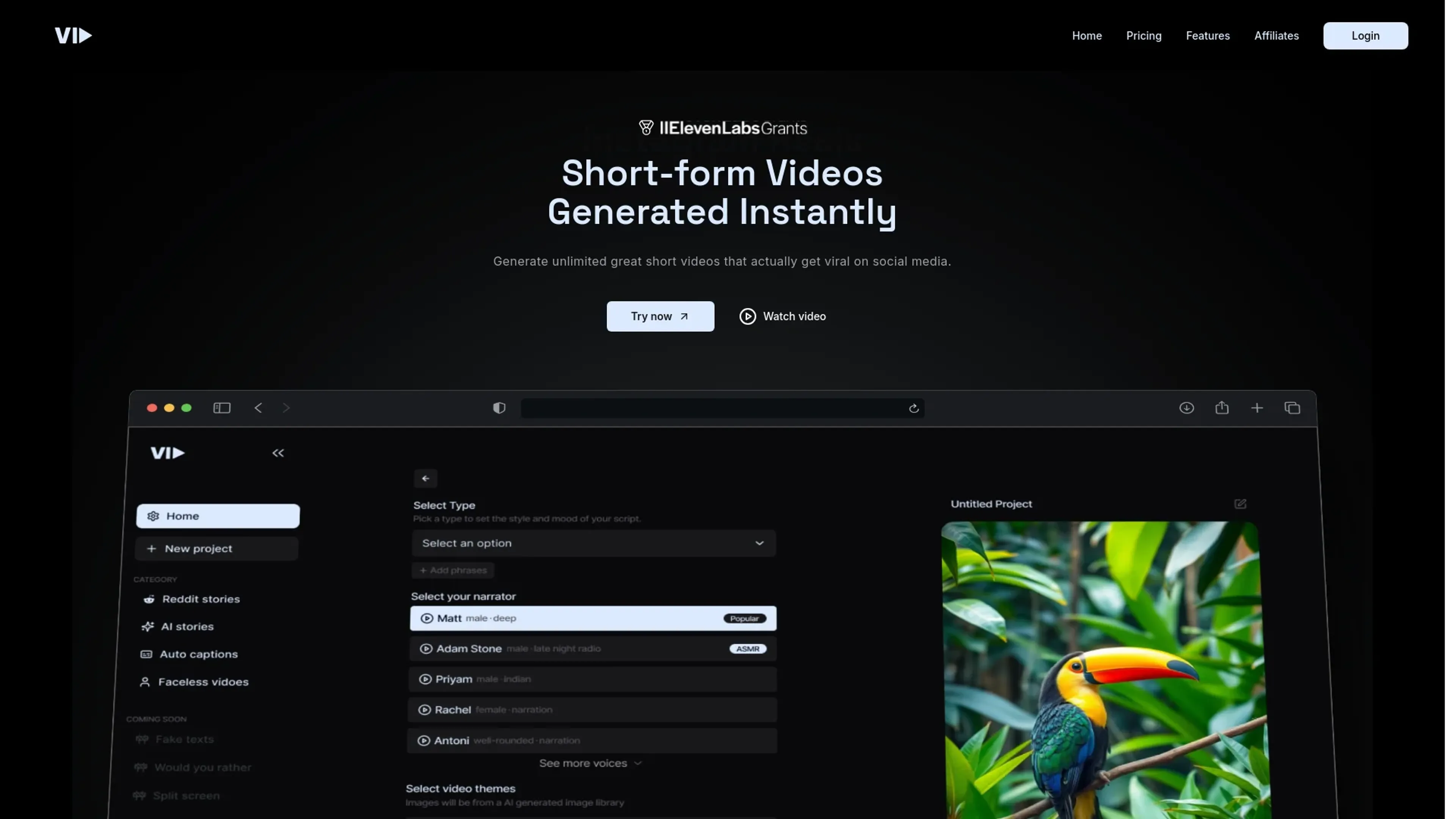
About Vid.AI
Vid.AI revolutionizes video creation and editing, offering cutting-edge AI-driven capabilities. Designed for content creators, marketers, and media professionals, it simplifies the process of generating high-quality video content with minimal effort. By leveraging advanced algorithms, Vid.AI aims to streamline video production, making it accessible even to those with limited technical expertise.
Key Features
- AI-Powered Editing: Utilizes machine learning to automate video editing processes, enhancing speed and precision.
- Template Library: Offers a vast collection of customizable templates suitable for various industries and purposes.
- Real-Time Collaboration: Facilitates seamless teamwork with features that allow multiple users to work on a project simultaneously.
- Advanced Analytics: Provides detailed insights into video performance, helping users optimize their content strategy.
Pros
- Time Efficiency: Significantly reduces the time required to produce professional-quality videos.
- User-Friendly Interface: Intuitive design ensures ease of use, even for beginners.
- Scalability: Suitable for projects of all sizes, from small-scale productions to large campaigns.
- Cost-Effective: Reduces the need for expensive video production resources and personnel.
Cons
- Initial Learning Curve: Some users may need time to fully understand all features and functionalities.
- Limited Third-Party Integrations: Currently supports a limited range of external applications and platforms.
- Occasional Software Bugs: Users have reported minor glitches that can interrupt workflow.
Use Cases
- Content Creators: Utilizing Vid.AI to produce engaging YouTube and social media videos.
- Marketing Agencies: Employing the tool to create compelling ad content and promotional videos.
- Education Professionals: Leveraging Vid.AI for creating online course materials and educational videos.
- Media Companies: Using the platform for news and entertainment video production.
- Uncommon Use Cases: Non-profit organizations using it for awareness campaigns; Fitness trainers creating instructional workout videos.
Pricing
Paid Tier: Set at $67 per month, providing access to all features and tools. Disclaimer: Please note that pricing information may not be up-to-date. For the most accurate and current pricing details, refer to the official Vid.AI website.
What Makes It Unique
Vid.AI stands out with its AI-driven editing capabilities, a game-changer for video production. Its ability to automate complex editing tasks sets it apart, making high-quality video creation accessible to all, regardless of technical skill level.
Ratings
Accuracy and Reliability: 4.5/5 Ease of Use: 4.7/5 Functionality and Features: 4.6/5 Performance and Speed: 4.4/5 Customization and Flexibility: 4.2/5 Data Privacy and Security: 4.3/5 Support and Resources: 4.1/5 Cost-Efficiency: 4.5/5 Integration Capabilities: 4.0/5 Overall Score: 4.4/5
Key Features
Pros & Cons
- Time Efficiency: Significantly reduces the time required to produce professional-quality videos.
- User-Friendly Interface: Intuitive design ensures ease of use, even for beginners.
- Scalability: Suitable for projects of all sizes, from small-scale productions to large campaigns.
- Cost-Effective: Reduces the need for expensive video production resources and personnel.
- Initial Learning Curve: Some users may need time to fully understand all features and functionalities.
- Limited Third-Party Integrations: Currently supports a limited range of external applications and platforms.
- Occasional Software Bugs: Users have reported minor glitches that can interrupt workflow.
Best For
Alternatives to Vid.AI
Chirper AI
Explore the AI-only social network revolution with Chirper.ai!
Bottler
Transform Your Social Networking with Bottler AI
Reply Boy
Elevate Your Twitter Engagement Using Reply Boy
Chat With Twitter Algorithm
'Chat With the Algorithm': Experience Interactive Conversations Based on Twitter's Algorithm
Snowball
Transform Your X Experience with Snowball's AI-Powered Platform
DebateAI
Participate, Argue, and Support at DebateAI.org