

Granola
FreemiumAutomatically turn meetings into searchable notes and tasks.
About Granola
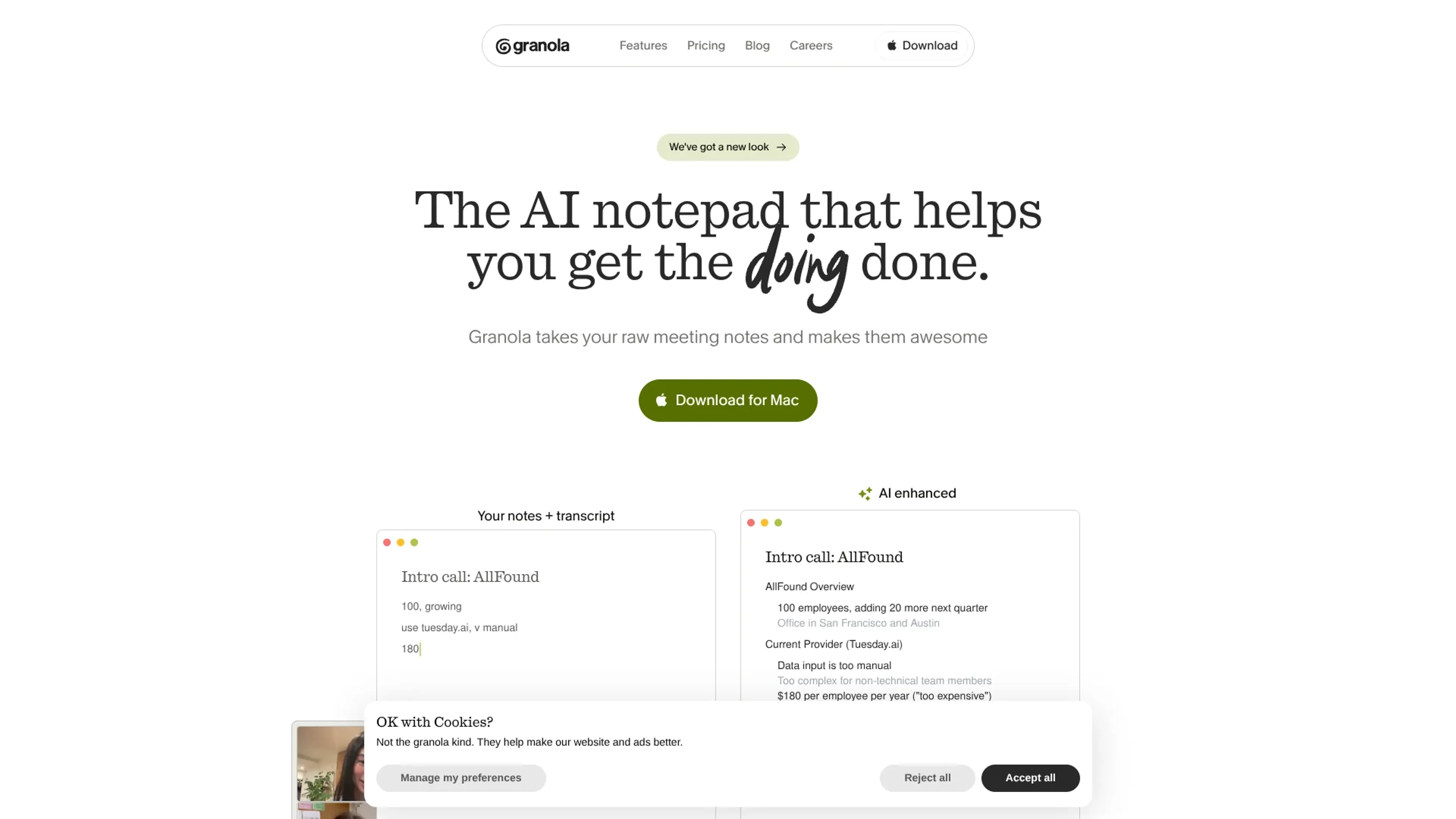
Granola is an AI notepad built for people who live in back‑to‑back meetings. It records your computer’s audio, pairs it with the notes you type, then uses modern language models to turn that raw material into structured summaries, action lists, and follow ups. Instead of a separate meeting bot, it behaves more like an upgraded Apple Notes that quietly does transcription and thinking in the background. The result is calmer meetings, better recall, and less admin work after every call.
Key Features
- AI Notepad With Live Transcription: Desktop and mobile apps capture your notes while transcribing meeting audio directly from your device, so it works with Zoom, Google Meet, Teams, and traditional phone calls.
- Automatic Note Enhancement: When a meeting ends, Granola merges your bullets with the transcript into organized documents, with sections such as key takeaways, decision drivers, objections, budget, and next steps.
- Meeting-Aware AI Chat: Built‑in chat can answer questions like “What did they say about timing?” or “Who joined this call?” by searching across recent meetings and their transcripts.
- Customizable Templates & Recipes: Teams can define templates for customer discovery, user interviews, 1:1s, standups, and more, so every meeting of a given type lands in a familiar format.
- Cross‑Platform & Mobile Support: Native apps for macOS, Windows, and iOS keep notes consistent, including on‑the‑go calls and mobile meetings.
- Integrations & One‑Click Sharing: Paid plans add integrations with tools such as Slack, Notion, HubSpot, Attio, and Zapier, plus quick sharing to email, CRM, ATS, and project tools.
Pros
- Human‑First Workflow: Encourages people to keep jotting their own thoughts while AI fills in the gaps and structure.
- No Meeting Bots: Transcribes from system audio, so there is no extra participant joining your calls or spooking guests.
- High‑Quality Meeting Summaries: Combining typed notes with transcripts produces more contextually accurate recaps than transcript‑only tools.
- Great For Product & Research Work: Templates and chat over transcripts fit discovery calls, user research, roadmap debates, and internal syncs especially well.
- Simple, Fast Interface: Feels more like a lightweight notes app than a bulky meeting suite, which keeps adoption friction low.
Cons
- Limited History On Free Plan: Basic users only see the last 30 days of notes inside the app, which can feel tight for heavy meeting schedules.
- Integrations Locked To Paid Tiers: Connections to Slack, Notion, Zapier, and CRMs require Business or Enterprise plans.
- No Dedicated Android App Yet: Mobile support is currently focused on iOS, which leaves Android‑first teams waiting.
Pricing
Basic: $0 per user per month; includes AI meeting notes, limited meeting history, AI chat within/across meetings, shared folders, customized note templates, multi-language support, and opt-out of model training any time. Business: $14 per user per month; includes everything in Basic plus unlimited meeting notes/history, access to advanced AI thinking models, advanced integrations (Attio, Notion, Slack, Hubspot, Affinity, Zapier), centralized billing & user management, and MCP integration in all apps. Enterprise: $35 per user per month; includes everything in Business plus enterprise-grade security & admin controls, SSO, priority support + usage analytics, API data access, org-wide auto-deletion periods, admin controls for meeting link sharing, team-wide opt-out of model training, and org-wide Granola usage notifications. Disclaimer: Please note that pricing information may not be up to date. For the most accurate and current pricing details, refer to the official Granola website.
What Makes It Unique
Granola sits in an interesting middle ground: it is not just an automatic notetaker, and not just a blank notebook. Its core idea of “your notes + transcript” keeps humans in the loop while still delivering AI‑polished documents seconds after a call. The lack of meeting bots keeps calls feeling normal, yet users still gain rich summaries, searchable transcripts, and meeting‑aware chat. Clear separation between original notes and AI output, plus opinionated templates for common meeting types, gives teams structure without feeling like they adopted a heavy new system.
Ratings
Accuracy and Reliability: 4.6/5 Ease of Use: 4.8/5 Functionality and Features: 4.4/5 Performance and Speed: 4.7/5 Customization and Flexibility: 4.2/5 Data Privacy and Security: 4.4/5 Support and Resources: 4.1/5 Cost-Efficiency: 4.3/5 Integration Capabilities: 4.2/5 Overall Score: 4.4/5
Key Features
Pros & Cons
- Human‑First Workflow: Encourages people to keep jotting their own thoughts while AI fills in the gaps and structure.
- No Meeting Bots: Transcribes from system audio, so there is no extra participant joining your calls or spooking guests.
- High‑Quality Meeting Summaries: Combining typed notes with transcripts produces more contextually accurate recaps than transcript‑only tools.
- Great For Product & Research Work: Templates and chat over transcripts fit discovery calls, user research, roadmap debates, and internal syncs especially well.
- Simple, Fast Interface: Feels more like a lightweight notes app than a bulky meeting suite, which keeps adoption friction low.
- Limited History On Free Plan: Basic users only see the last 30 days of notes inside the app, which can feel tight for heavy meeting schedules.
- Integrations Locked To Paid Tiers: Connections to Slack, Notion, Zapier, and CRMs require Business or Enterprise plans.
- No Dedicated Android App Yet: Mobile support is currently focused on iOS, which leaves Android‑first teams waiting.
Best For
Alternatives to Granola
Website Summary AI
One‑click AI summaries for any webpage or Gmail email—right in your browser.
Summarize with ChatGPT
Automatically generate summaries, save time and understand main points using an intuitive interface and multiple language support.
ConveyThis
Summarize articles instantly, customize length and intensity using an AI-powered algorithm.
Glasp YouTube Summarizer
Instant Summaries for YouTube Videos and Web Articles Right at Your Fingertips
Sumz AI
Convert long articles into succinct, clear summaries using Sumz AI.
Booknotes
Transform Your Reading with BooksAI's AI-Generated Book Summaries