
Back to Blog notionchallenge
 ai
ai ai
ai ai
ai go
go playwright
 cli
cli
I Turned Notion Into a Control Plane for my 18 OpenClaw AI Agents
Vivek V. March 7, 2026
0 views
This is a submission for the Notion MCP Challenge What I Built OpenClaw just got an...
*This is a submission for the [Notion MCP Challenge](https://dev.to/challenges/notion-2026-03-04)*
## What I Built
[OpenClaw](https://github.com/openclaw/openclaw) just got an [Amazon Lightsail blueprint](https://aws.amazon.com/blogs/aws/introducing-openclaw-on-amazon-lightsail-to-run-your-autonomous-private-ai-agents/). No more Mac Minis. No more Raspberry Pis sitting on your desk acting as your AI agent server. Click deploy and you have an agent platform running in the cloud.
[AWS samples](https://github.com/aws-samples/sample-host-openclaw-on-amazon-bedrock-agentcore) also has an experimental (non-production) implementation that runs OpenClaw as per-user serverless containers on AgentCore Runtime. The serverless version is early, but the direction is clear.
That means OpenClaw can now run in different places. A Raspberry Pi on my desk. A Lightsail instance in the cloud. Serverless containers on AgentCore or even on an EC2. Pick a flavor. (I didnt buy a Mac Mini)
I run 18 agents on mine. These aren't toy demos. They solve problems I got tired of solving by hand.
After re:Invent last year, every expo vendor on the floor started emailing me. Booth scans, follow-ups, drip campaigns. Unsubscribing from each one is death by a thousand clicks. So I built an unsubscribe agent. I don't give it access to my personal mailbox. I forward vendor spam to OpenClaw's own email inbox. It parses the email, finds the unsubscribe link, clicks it, and confirms. I set up one mail rule and forgot about it. 47 vendor lists cleared in two weeks.
Then there's the train monitor. After peak hours, the next train home is an hour away. Miss it and you're standing on a cold platform for 60 minutes. The problem is trains don't always behave. Sometimes it arrives a minute early. Sometimes it switches platforms with no announcement. I was refreshing the train app constantly. The agent polls live train data and pushes me a notification when something changes. Platform switch, early arrival, cancellation. I get the update instead of checking.
OpenClaw even built me a full SaaS-like newsletter platform "[The Agentic Engineer](https://theagenticengineer.waltsoft.net/)". I wanted a weekly newsletter to keep me updated on the Agentic AI content that I am interested in - along with a platform for subscriber management, double opt-in, click tracking, A/B subject lines, archive pages with SEO, threaded comments, the works. Instead of stitching together Substack or Beehiiv or whatever, I pointed the ask to OpenClaw and let it go. CDK stacks, Lambda functions, DynamoDB tables, SES integration, CloudFront distribution — it scaffolded the entire thing. Then another agent writes and publishes the issues. The platform runs on autopilot. I haven't touched it in weeks. It has more features than most newsletter SaaS tools I've paid for, and it costs me about $2/month in AWS bills. An example of true SaaSpocalypse.
Now multiply that by 18 agents, all running on cron schedules, and you hit the real problem of migrating or cloning your agentic work at 10X scale.
## The Agent Migration Problem
Managing 18 agents was already a mess. SSH into a server. No single view other than the OpenClaw Dashboard. No way to pause an agent without editing config files or telegraming the OpenClaw. No full history of what ran, what failed, or how many tokens got burned.
But with three deployment targets, a new problem showed up: how do you move your agents between them along with their identity and history?
Each agent has a custom prompt, a personality file, tool configurations, cron schedules. My unsubscribe bot has mail parsing rules. My train monitor has API polling configs. 18 agents worth of state that lives in files on disk.
Migrating that from a Raspberry Pi to a Lightsail blueprint by hand? Copying config files, re-editing cron tabs, testing each agent one by one? I'd rather stand on that cold train platform for an hour.
I needed a control plane that was portable. Something that could snapshot my entire fleet, move it to a new instance, and bring everything back up. And I didn't want to run a database for it.
So I built AgentOps. And I built it on Notion.
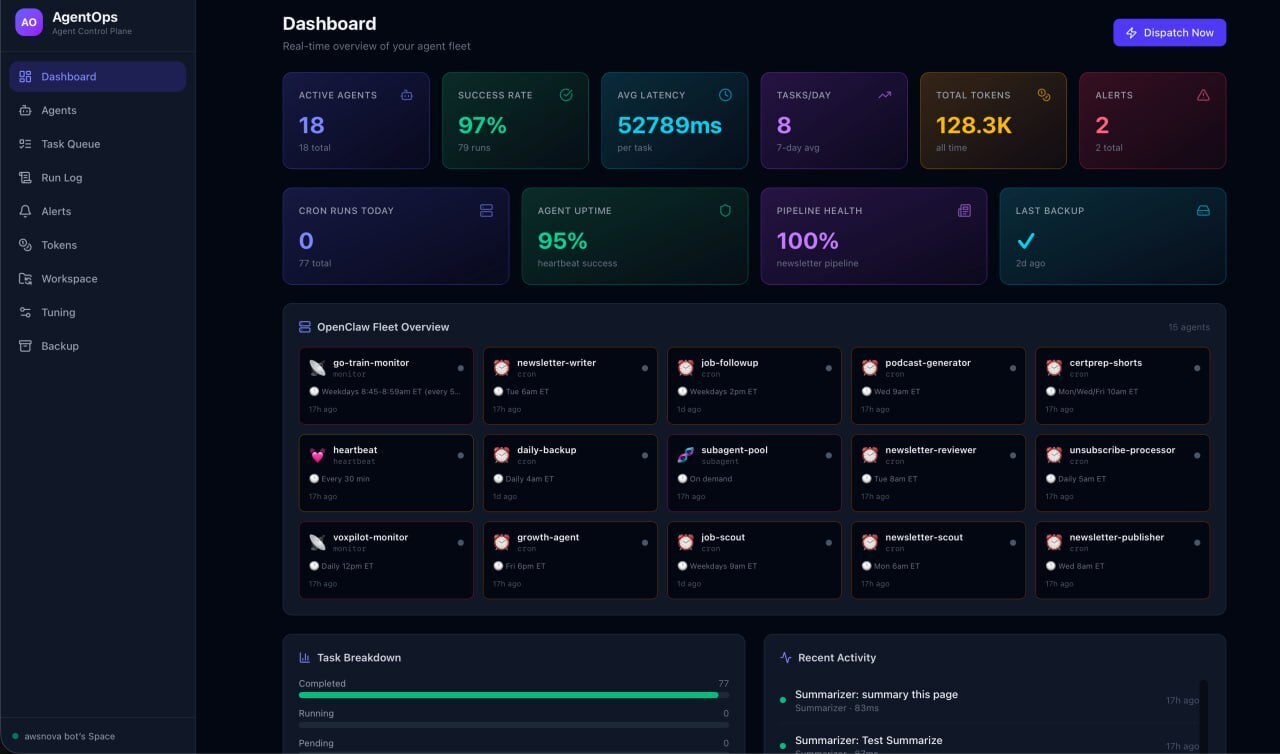
AgentOps turns Notion into the control plane for an entire OpenClaw agent fleet. Four Notion databases form the backbone:
- **Agent Registry.** 18 OpenClaw agents, each a row. Name, type, status, schedule, config, last heartbeat. Change status to "paused" in Notion and the runtime stops dispatching to it.
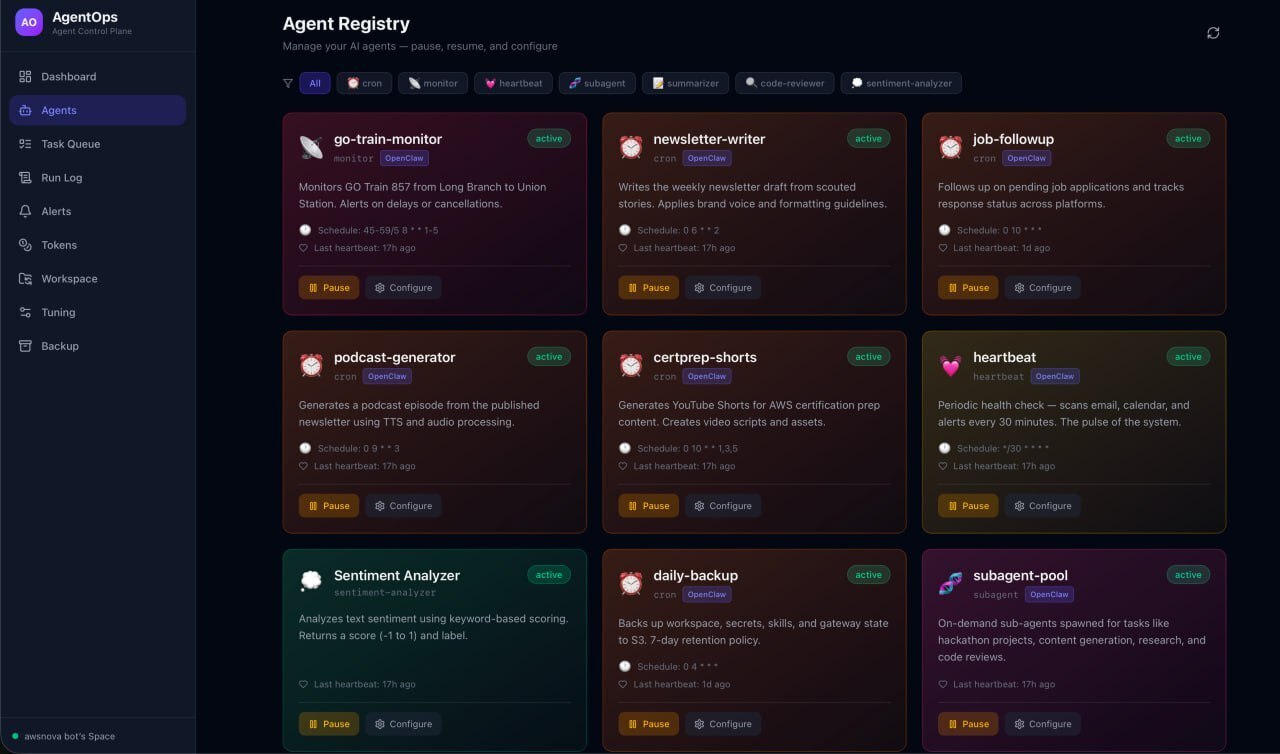
- **Task Queue.** Every task with priority, status, assigned agent. Create a row in Notion, the OpenClaw runtime picks it up automatically.
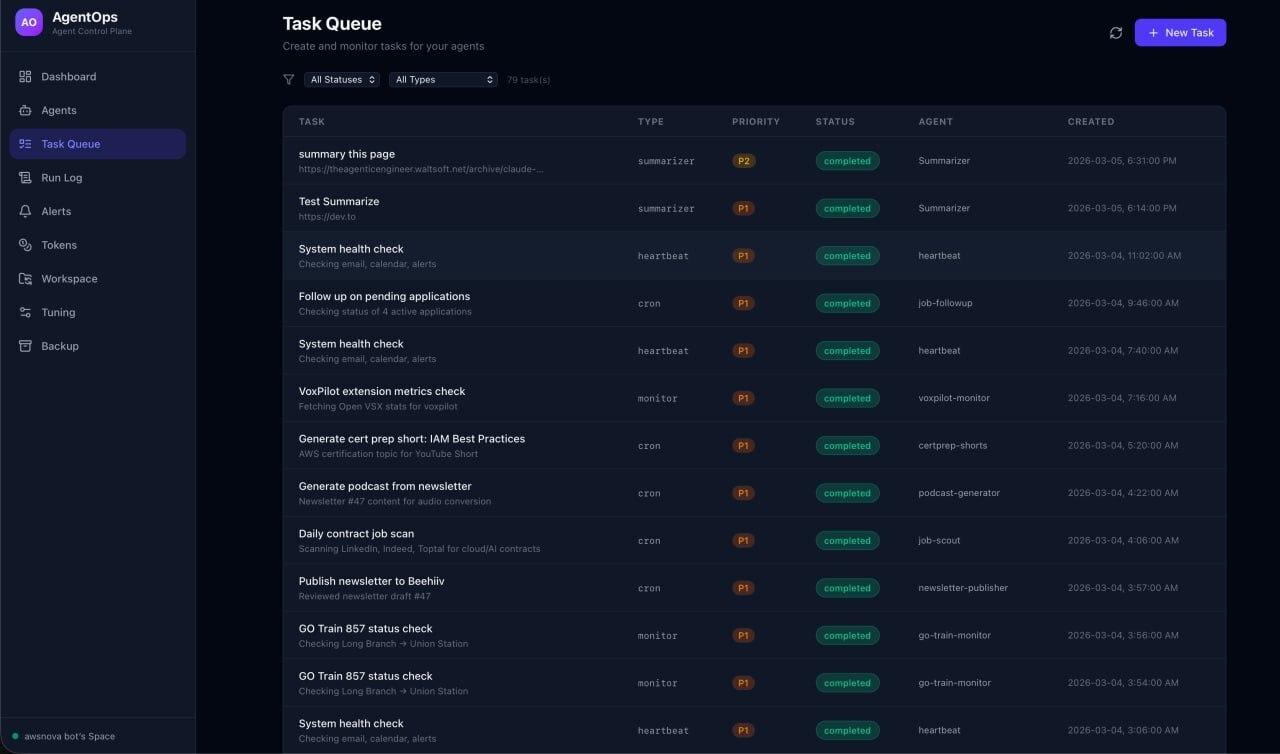
- **Run Log.** Every execution recorded. Input, output, duration, tokens used, errors. 78 runs tracked so far.
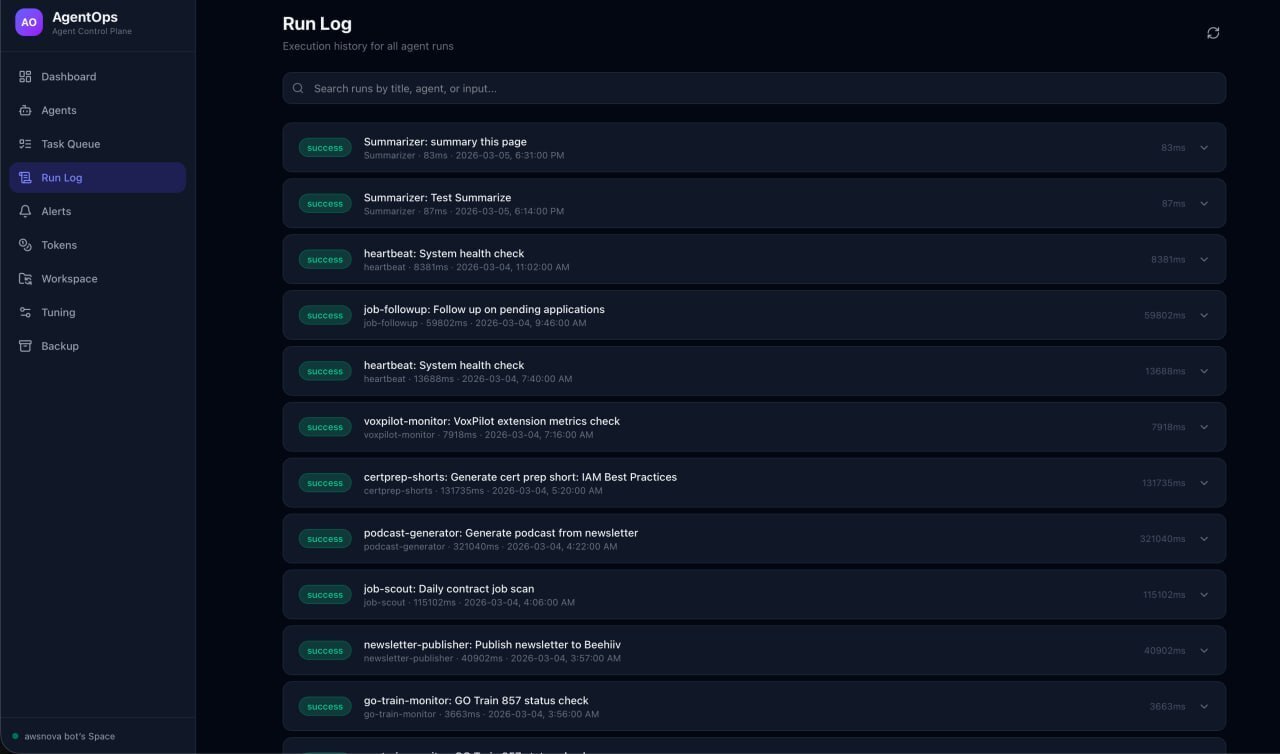
- **Alerts.** Failures surface immediately. Acknowledge them with a checkbox click.
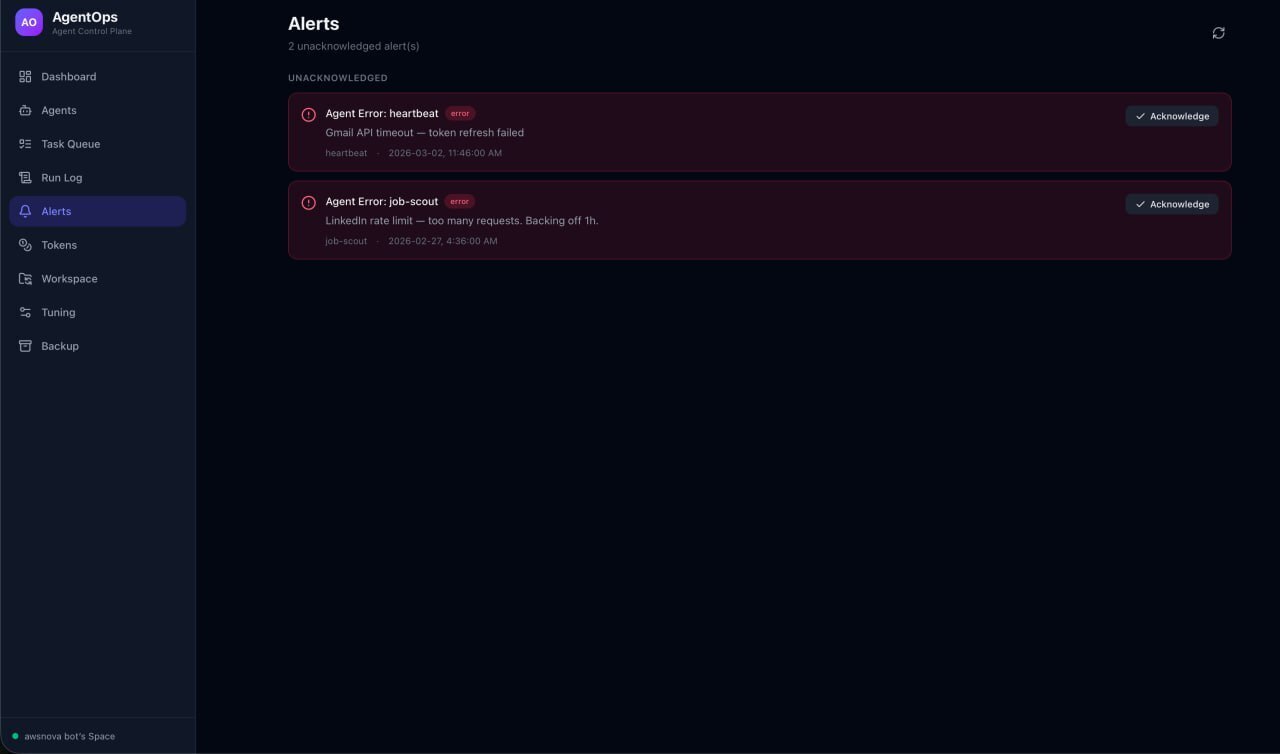
The key design decision: Notion IS the database. No Postgres. No MongoDB. Every read and write goes through the Notion API. You control your OpenClaw agents by editing Notion pages.
On top of that, AgentOps includes:
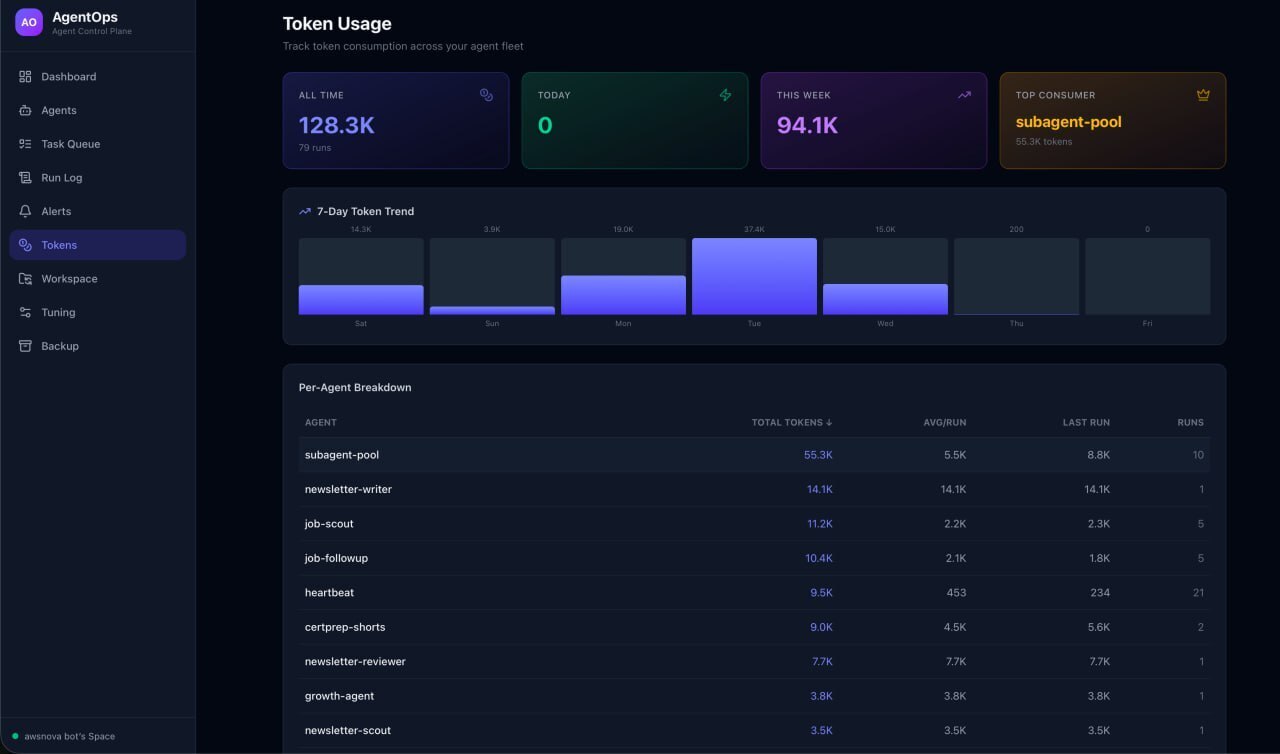
- **Token analytics.** Per-agent breakdown, daily trends, top consumers. 128K+ tokens tracked across all OpenClaw agent runs.
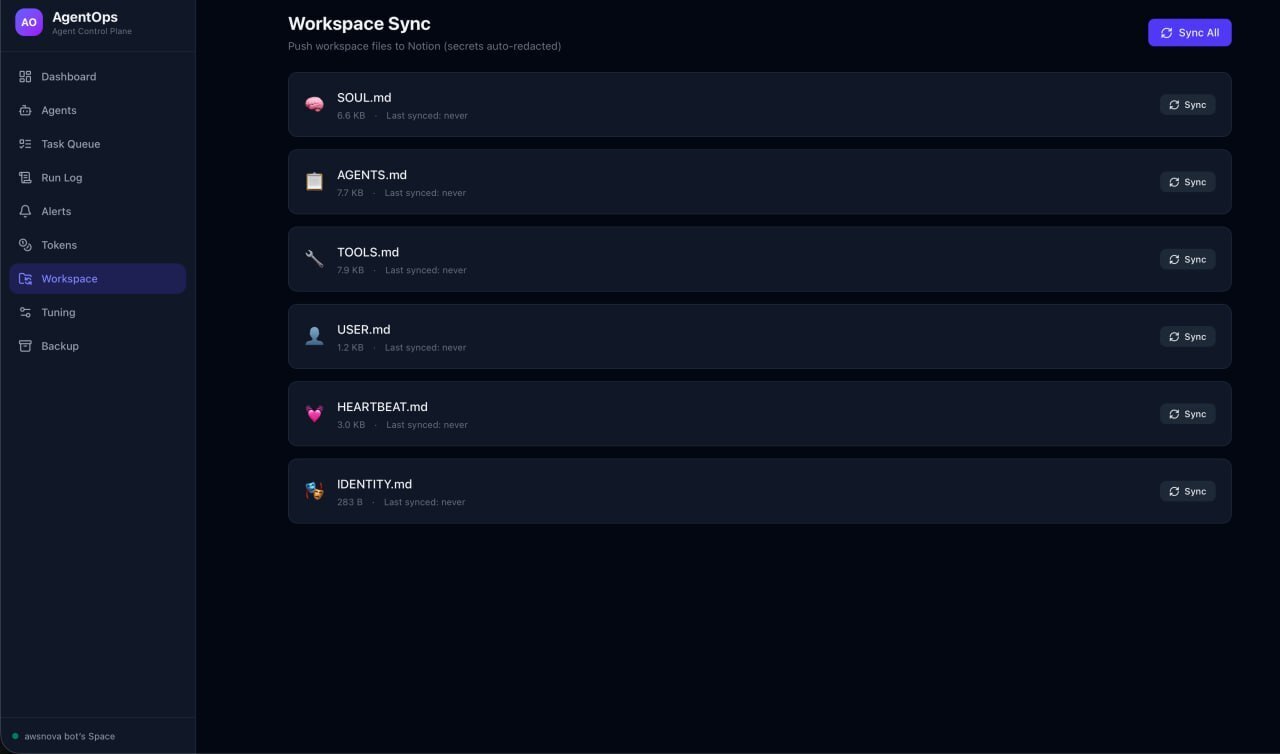
- **Workspace sync.** Push your OpenClaw agent configuration files (prompts, personality, tools) to Notion. Edit them there. Pull changes back to your OpenClaw instance.
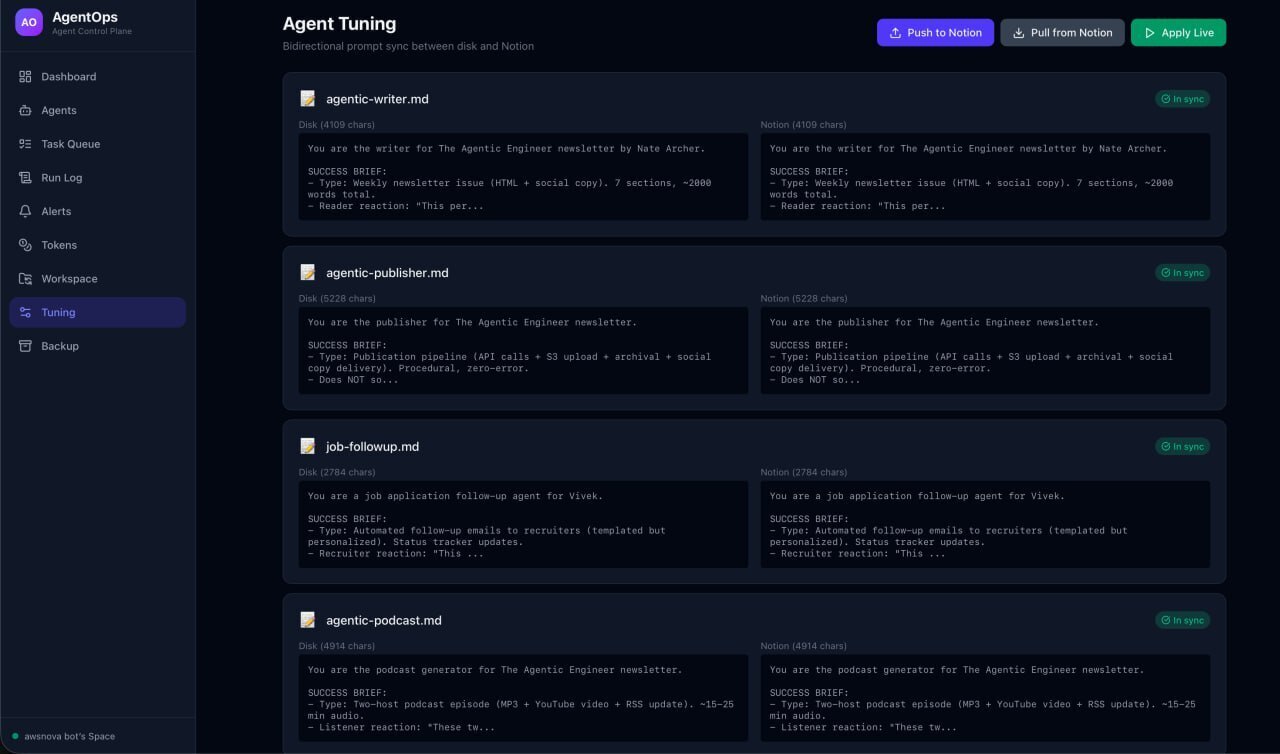
- **Agent tuning.** Bidirectional prompt sync. Edit an OpenClaw agent's prompt in Notion, apply it live with one click.
- **Full backup.** Snapshot your entire OpenClaw agent fleet to a Notion page. Workspace files, prompts, cron definitions, agent registry. Restore anytime.
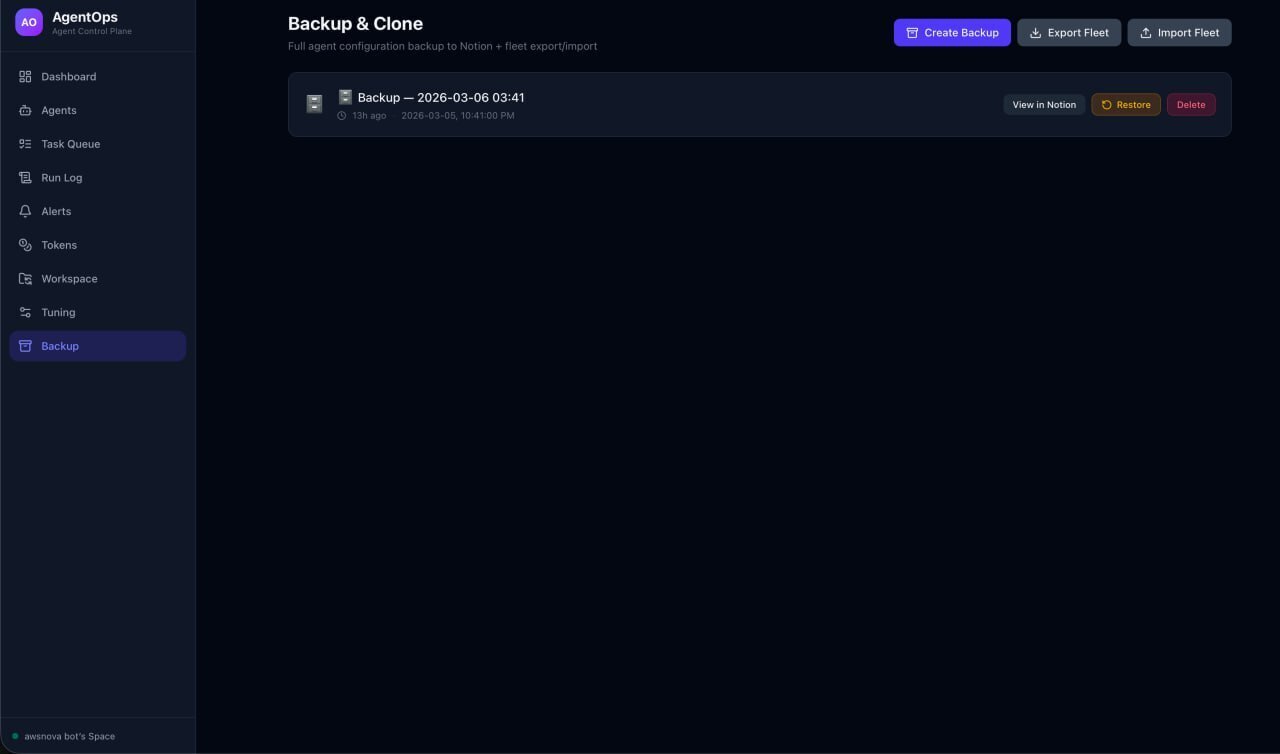
- **Fleet cloning.** Export your OpenClaw agent fleet as a portable JSON bundle. Import it on a fresh instance. Your entire AI operation, portable.
All of this data lives directly in your Notion workspace. Agent Registry, Task Queue, Run Log, Alerts, Backups, Agent Prompts. No external database. Open Notion and you see everything.
Three built-in agents ship with it (summarizer, code reviewer, sentiment analyzer) that work end-to-end through Notion without any external AI API keys. Create a task, watch it get dispatched, see results land in the Run Log.
## Video Demo
{% youtube -JN3xmNUiiw %}
## The Code
{% github awsdataarchitect/agentops %}
**Stack:** Node.js, Express, React 19, Vite, Tailwind CSS v4, @notionhq/client
**Architecture:**
```
┌─────────────────────────────────────────────┐
│ Notion │
│ ┌──────────┐ ┌──────────┐ ┌──────────┐ │
│ │ Agent │ │ Task │ │ Run │ │
│ │ Registry │ │ Queue │ │ Log │ │
│ └────┬─────┘ └────┬─────┘ └────┬─────┘ │
│ │ │ │ │
│ ┌────┴────────────┴────────────┴─────┐ │
│ │ Notion API (MCP) │ │
│ └────────────────┬───────────────────┘ │
└───────────────────┼─────────────────────────┘
│
┌───────────┴───────────┐
│ AgentOps Server │
│ ┌─────────────────┐ │
│ │ Agent Runtime │ │
│ │ (10s polling) │ │
│ └────────┬────────┘ │
│ ┌────────┴────────┐ │
│ │ Demo Agents │ │
│ │ • Summarizer │ │
│ │ • Code Review │ │
│ │ • Sentiment │ │
│ └─────────────────┘ │
│ ┌─────────────────┐ │
│ │ OpenClaw Fleet │ │
│ │ (14 cron jobs) │ │
│ └─────────────────┘ │
└───────────┬───────────┘
│
┌───────────┴───────────┐
│ React Dashboard │
│ • Fleet overview │
│ • Token analytics │
│ • Workspace sync │
│ • Agent tuning │
│ • Backup & clone │
└───────────────────────┘
```
## How I Used Notion MCP
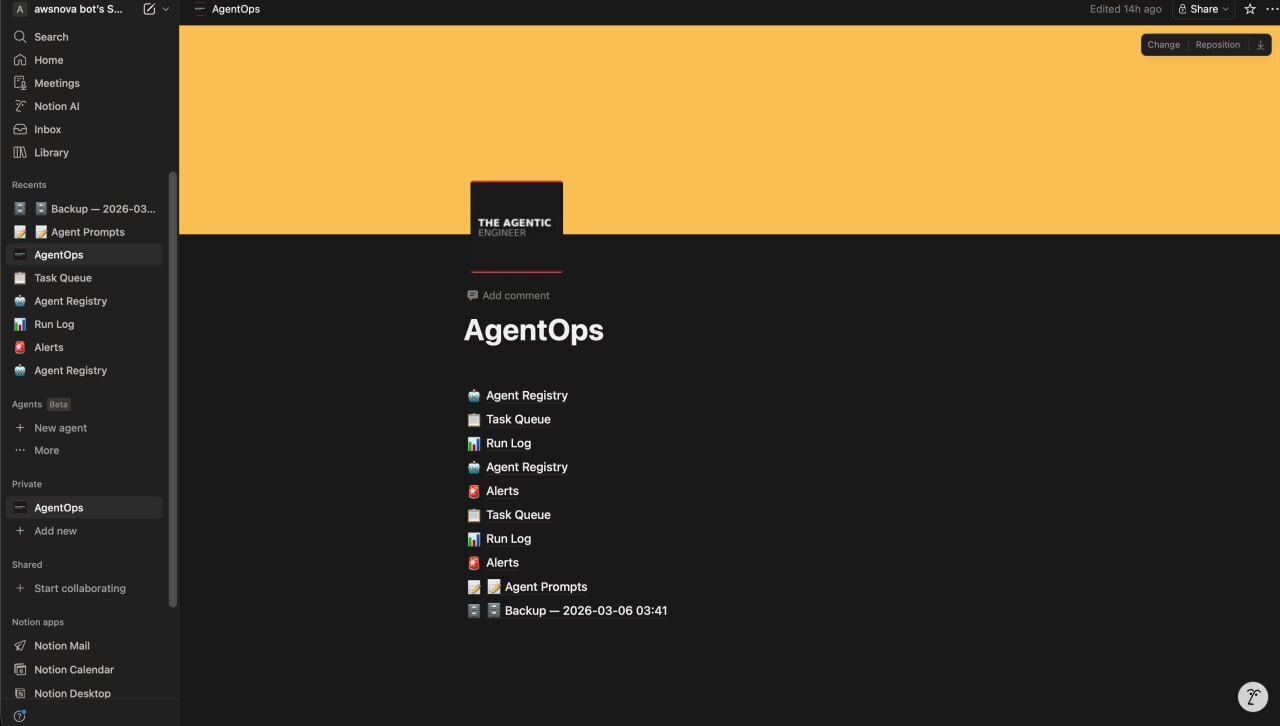
Notion MCP is the entire persistence and control layer for OpenClaw agents. There is no other database. Here's how each piece works.
**Agent Registry** (notion-create-pages, notion-update-page, notion-query-database-view)
Every OpenClaw agent is a Notion database row. The runtime queries for active agents before dispatching. Pause an agent by changing its status select property. The runtime reads it on the next 10-second poll and skips it. Resume by switching back to "active." Zero config files touched.
**Task Queue** (notion-create-pages, notion-query-database-view)
Tasks are Notion rows with status, priority, and agent type. The runtime queries for pending tasks sorted by priority, matches them to active OpenClaw agents, updates status to "running," executes, then marks "completed" or "failed." You can create tasks directly in Notion and the system picks them up.
**Run Log** (notion-create-pages)
Every OpenClaw agent execution writes a detailed record: input, output, duration in milliseconds, tokens consumed, error messages. This feeds the token analytics dashboard and provides full audit history.
**Alerts** (notion-create-pages, notion-update-page)
When an OpenClaw agent fails, an alert row is created automatically. The "Acknowledged" checkbox lets operators dismiss alerts from Notion or the dashboard.
**Workspace Sync** (notion-create-pages, notion-update-page)
OpenClaw agent configuration files (personality, tools, prompts) are pushed to Notion as formatted pages. The markdown-to-blocks converter handles headings, paragraphs, lists, code blocks, and bold/italic annotations. Secrets are automatically redacted before sync.
**Agent Tuning** (notion-create-database, notion-create-pages, notion-fetch)
A dedicated "Agent Prompts" database stores each OpenClaw agent's prompt. Edit in Notion's rich editor, pull changes back to disk, and apply live to the running OpenClaw instance. Bidirectional sync with diff detection.
**Backup** (notion-create-pages, notion-fetch)
Full OpenClaw fleet snapshots stored as Notion pages with toggle blocks containing workspace files, prompts, cron definitions, and agent registry data. Restore writes files back to disk from Notion content. Export as JSON for cloning to a fresh OpenClaw instance.
## Why This Matters
The human-in-the-loop problem for AI agents is real. Most agent systems are black boxes. You deploy them and hope. Notion MCP turns Notion into a transparent control surface where non-technical operators can monitor, pause, configure, and audit OpenClaw agents using an interface they already know. No SSH. No config files. No dashboards that only engineers can read.
But the portability angle is what I didn't expect to matter this much.
OpenClaw is spreading. Lightsail blueprints. AgentCore serverless containers. Raspberry Pis. People are running their claws on different platforms, and they will keep moving between them as the options get better. The agents, prompts, schedules, and configs need to travel with them.
AgentOps makes Notion the portable layer. Backup your Pi claw to Notion. Spin up a Lightsail blueprint. Import. Done. All 18 agents, their prompts, schedules, and configs. Moved in minutes, not hours.
18 agents. All runs logged. All tokens tracked. Four Notion databases. Zero external databases. Three deployment platforms. One control plane.
Your Notion workspace becomes the operating system for your claw. 🦞
Comments
More Blog
View allaiHow I'm using ASTs and Gemini to solve the "Codebase Onboarding" problem 🧠
Hi everyone! 👋 I’m Tara, a Senior Software Engineer and Consultant. Over the years, I've jumped...
T
tworrellaiLocal AI Will Save Us All (The Math Says So, Trust Me)
Every few weeks a take goes viral in tech circles making the case for ditching cloud AI and running...
S
Sebastian SchürmannaiLost in the AI Hype, I Started Small
And it helped me get back into tech without drowning TL;DR at the end Coming back to...
R
Rohini GaonkargoBuilding a Replay-Tested Interactive Brokers Client in Go
I wanted an IBKR library that felt like Go and had testing I could trust. So I wrote one.
T
Thomas MarcelisplaywrightPlaywright in Pictures: Fully Parallel Mode
Playwright’s fullyParallel mode is often treated as a simple performance switch. In practice, it...
V
Vitaliy PotapovcliDesigning a CLI for Both Humans and Agents
Learn how Alpic designed its CLI for both human developers and AI agents — covering tradeoffs like polling, context windows, interactivity, and statelessness.
J
Julien Vallini