
Back to Blog forem
forem gemma
gemma community
 ai
ai ai
ai githubactions
 ai
ai
Revamped RSS Feed Imports
Jon Gottfried March 9, 2026
0 views
You can now add multiple RSS feed imports, monitor their status, and assign each one to different...
You can now add multiple RSS feed imports, monitor their status, and assign each one to different default authors or organizations.
DEV (and Forem) have supported RSS feed imports for a long time. They are the primary way to automatically syndicate posts from an external blog into the DEV community, complete with proper canonical URL referencing to preserve your SEO ranking. Historically, each user was limited to one RSS feed that they could sync to DEV.
Let's check out the brand new upgraded functionality. If you head over to the RSS Import Feeds page under your Dashboard, you can add your first RSS feed from your (or your team's) external blog.
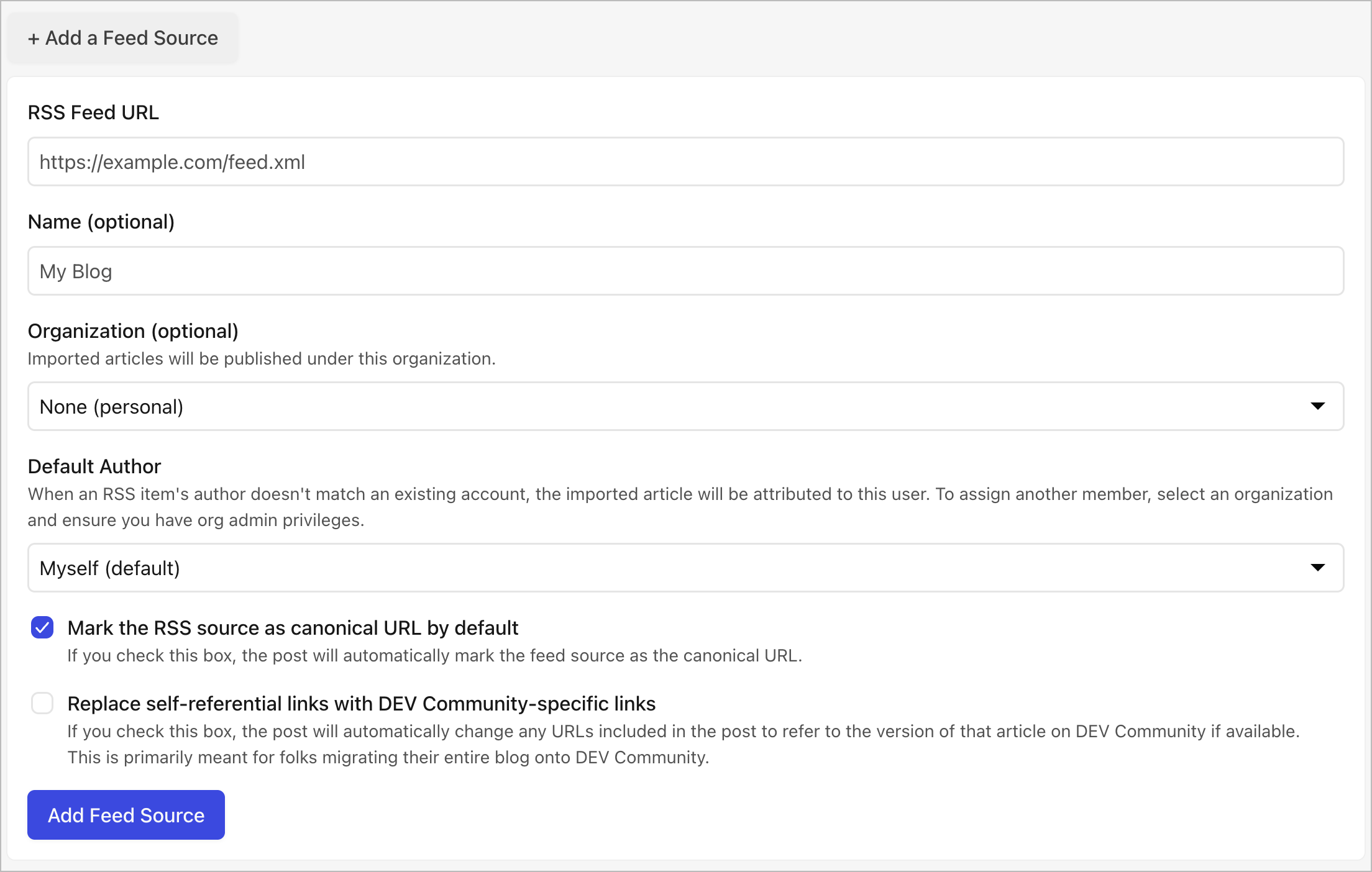
As part of the import process, you can set which organization on DEV these imported articles will be associated with. You can also set a default author. If the author of the imported post does not have an account on DEV, the article will be listed under your default author instead.
You still have the same two options as before, to Mark the RSS source as canonical URL by default (which we recommend doing for SEO purposes, unless you are fully moving your blog to DEV and shutting down the old version). You can also Replace self-referential links with DEV Community-specific links - this option will update URLs inline to point to the imported version of an article on DEV instead of the original version. This is useful if you're migrating your entire blog onto DEV.
Once you've added your Feed Source, a background job gets queued up to import your posts. Just refresh the page a few minutes later to see the status. If it was successful, you'll see a list of imported drafts under your Import History. You can also see which articles were skipped or errored out. If there's no new articles at all, it will be shown under the routine checks dropdown at the bottom of the page.
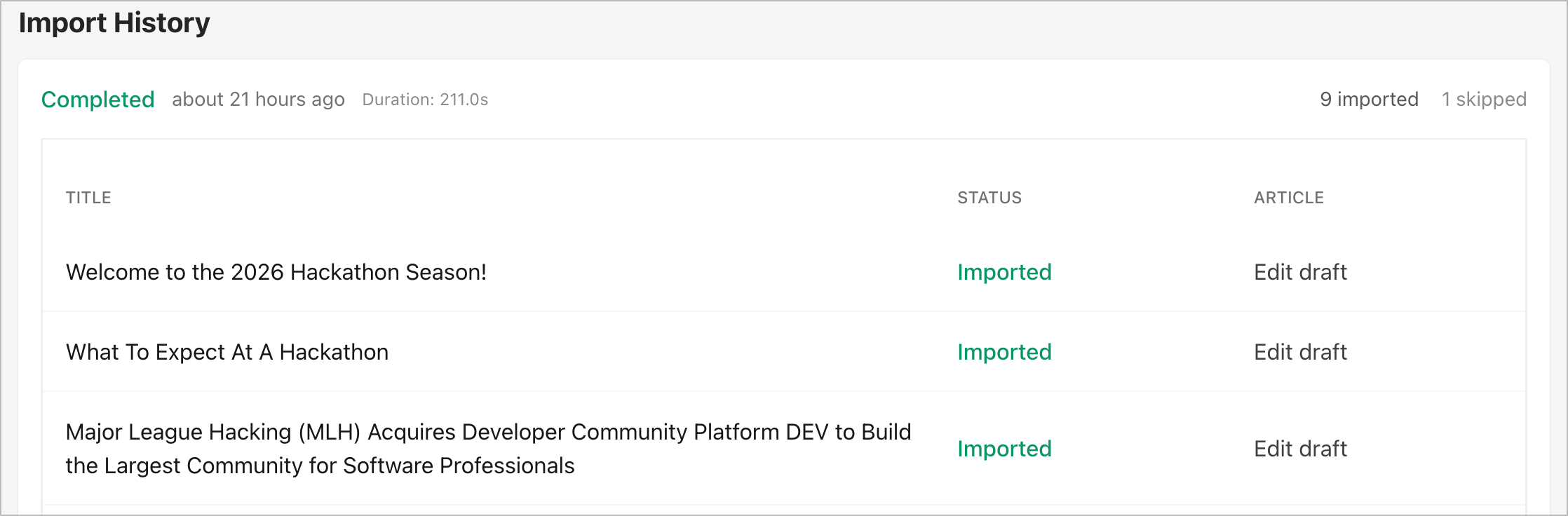
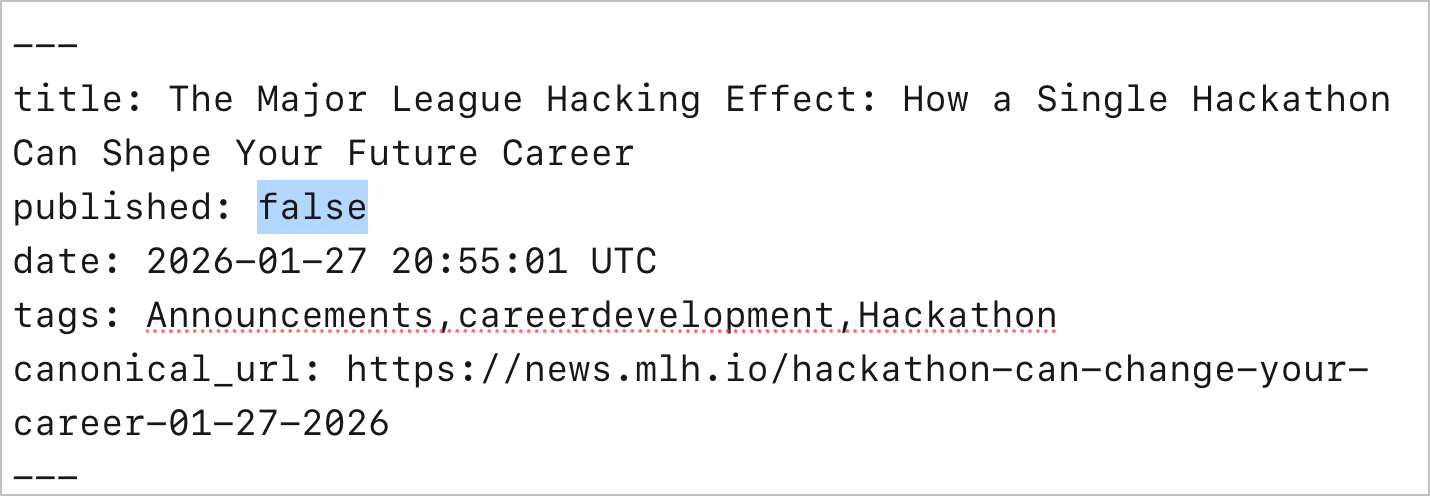
Go through each edited article, edit the draft, and publish your post. In some situations you may need to publish it by modifying the markdown published tag to be set to true instead of false. Saving it will then publish the post.
On published posts with canonical links, you'll see a linkback on the post author line.

We look forward to seeing y'all syndicate your blogs into the DEV community and to any feature feedback you have here!
Comments
More Blog
View allgemmaFive Gemma-4 models, one accelerator: what porting E2B 31B to AWS Inferentia2 taught me
I ported the whole Gemma-4 family — E2B, E4B, 12B, 31B, and the 26B-A4B MoE — to run on...
X
xbillcommunityHey DEV, I'm Tobore. Let's actually connect.
Hey DEV, I'm Tobore. Let's actually connect. I've been on here for a while now, mostly writing and...
L
Laurina AyarahaiI burned through thousands of AI tokens. Then a friend did it for free
(yep, kinda clickbait, just for the funsies 😊) At the beginning of the year, I relaunched my...
P
Paulo HenriqueaiClaude might be saturating your machine
My laptop was sitting idle with the fan at full tilt. Nothing was running that I knew of. The culprit...
S
Sidhant PandagithubactionsAutomated GitHub Code Reviews Using Google Gemini
I Built a Thing! TL;DR — Google Gemini-based Pull Request reviews and Issue Triaging for...
D
Darren "Dazbo" LesteraiWhat is an "agentic harness," actually?
I've been hearing the word "harness" thrown around a lot lately. I assumed it just meant "the IDE" or...
T
Tilde A. ThuriumReady-made automations for this
Workflows from the Neura Market marketplace related to this DeepSeek resource
- Automate Blog Content Creation with Notion MCP, DeepSeek AI, and WordPressn8n · $9.99 · Related topic
- Generate Multiple Language Blog Posts with OpenAI, Supporting Yoast & Polylangn8n · $14.99 · Related topic
- Automate Notion Status Alerts to Multiple Messaging Platformsn8n · $14.99 · Related topic
- Read RSS Feed from Two Different Sourcesn8n · $4.99 · Related topic