 Grok
GrokBack to Blog github
 ai
ai docker
 opensource
 azurefabric
 googlecloudplatform
 iac
iac
Let Dependabot Merge Its Own PRs
Nick Taylor March 7, 2026
0 views
Dependabot opens PRs automatically. That part most people have set up. But then those PRs just sit...
Dependabot opens PRs automatically. That part most people have set up. But then those PRs just sit there until you get around to reviewing and merging them. I had 6 open across one of my repos recently. None of them were risky. I just didn't feel like giving a review and approving, then merging.
If your CI passes and the update is a patch or minor version bump, there's not much to review. You're going to merge it. So why not let it happen automatically?
I've added this to two repos now and it's one of those small things that quietly removes friction from your day.
First, enable auto-merge on your repo
Before the workflow can do anything, you need to allow auto-merge in your repository settings. Go to e.g. https://github.com/yourorg-username/your-repo/settings/actions and scroll down to the Pull Requests section, and check Allow auto-merge.
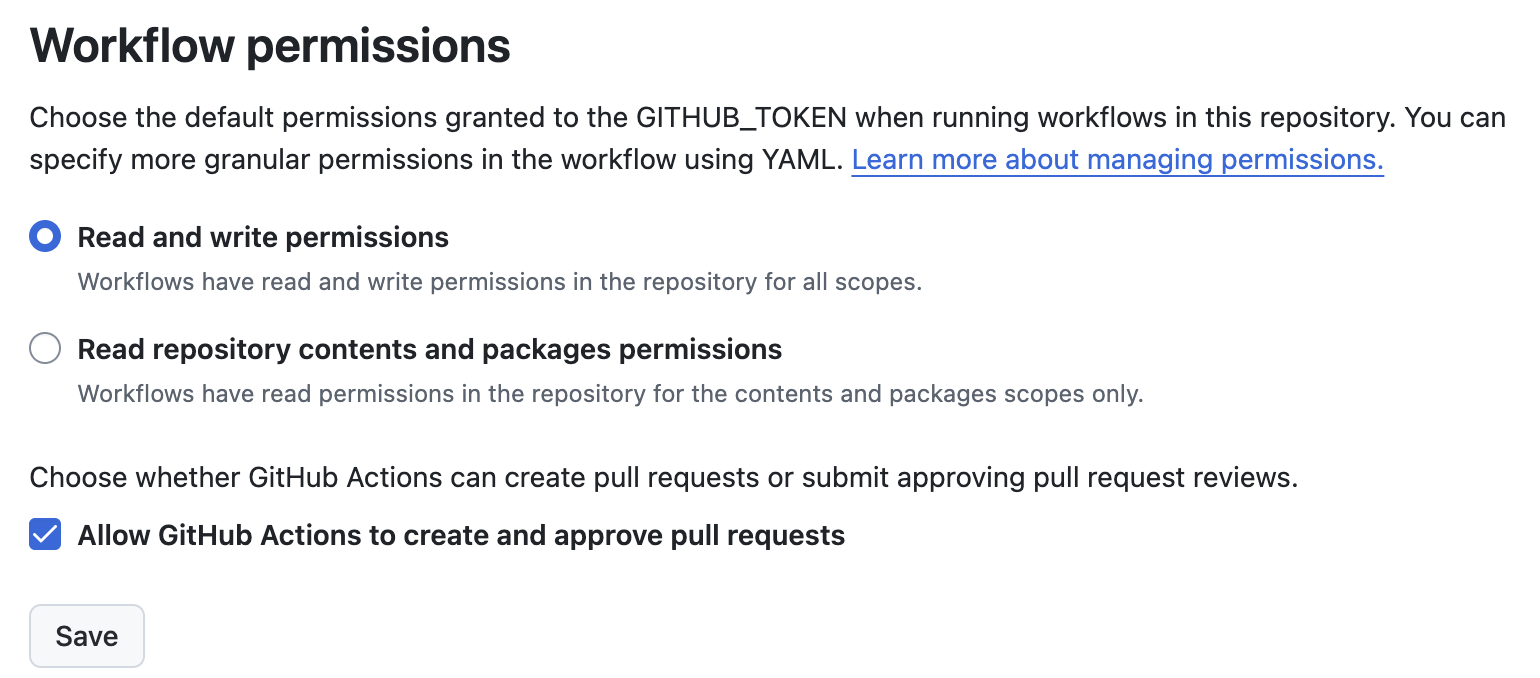
This isn't Dependabot-specific, but it is required for this to work. Without it, the gh pr merge --auto command in the workflow will fail. In fact this is what I do to automate using dev.to as a headless CMS for my blog!
{% embed https://dev.to/nickytonline/automate-and-merge-pull-requests-using-github-actions-and-the-github-cli-4lo6 %}
The workflow
Create .github/workflows/auto-merge-dependabot.yml in your repo:
name: Auto-merge Dependabot PRs

on: pull_request

permissions:
  contents: write
  pull-requests: write

jobs:
  auto-merge:
    runs-on: ubuntu-latest
    if: github.actor == 'dependabot[bot]'
    steps:
      - name: Approve PR
        run: gh pr review --approve "$PR_URL"
        env:
          PR_URL: ${{ github.event.pull_request.html_url }}
          GH_TOKEN: ${{ secrets.GITHUB_TOKEN }}

      - name: Enable auto-merge
        run: gh pr merge --auto --squash "$PR_URL"
        env:
          PR_URL: ${{ github.event.pull_request.html_url }}
          GH_TOKEN: ${{ secrets.GITHUB_TOKEN }}
The if: github.actor == 'dependabot[bot]' condition makes sure this only runs on Dependabot PRs, not every PR that comes in.
The two steps do exactly what they say: approve the PR, then enable auto-merge with squash. GitHub handles the actual merge once all your required checks pass.
Here's an example of it not auto-merging after auto-approval because checks failed.
{% embed https://github.com/nickytonline/nickytdotco/pull/809 %}
Note: GITHUB_TOKEN is automatically available in every GitHub Actions workflow, no setup needed on your end.
What it looks like
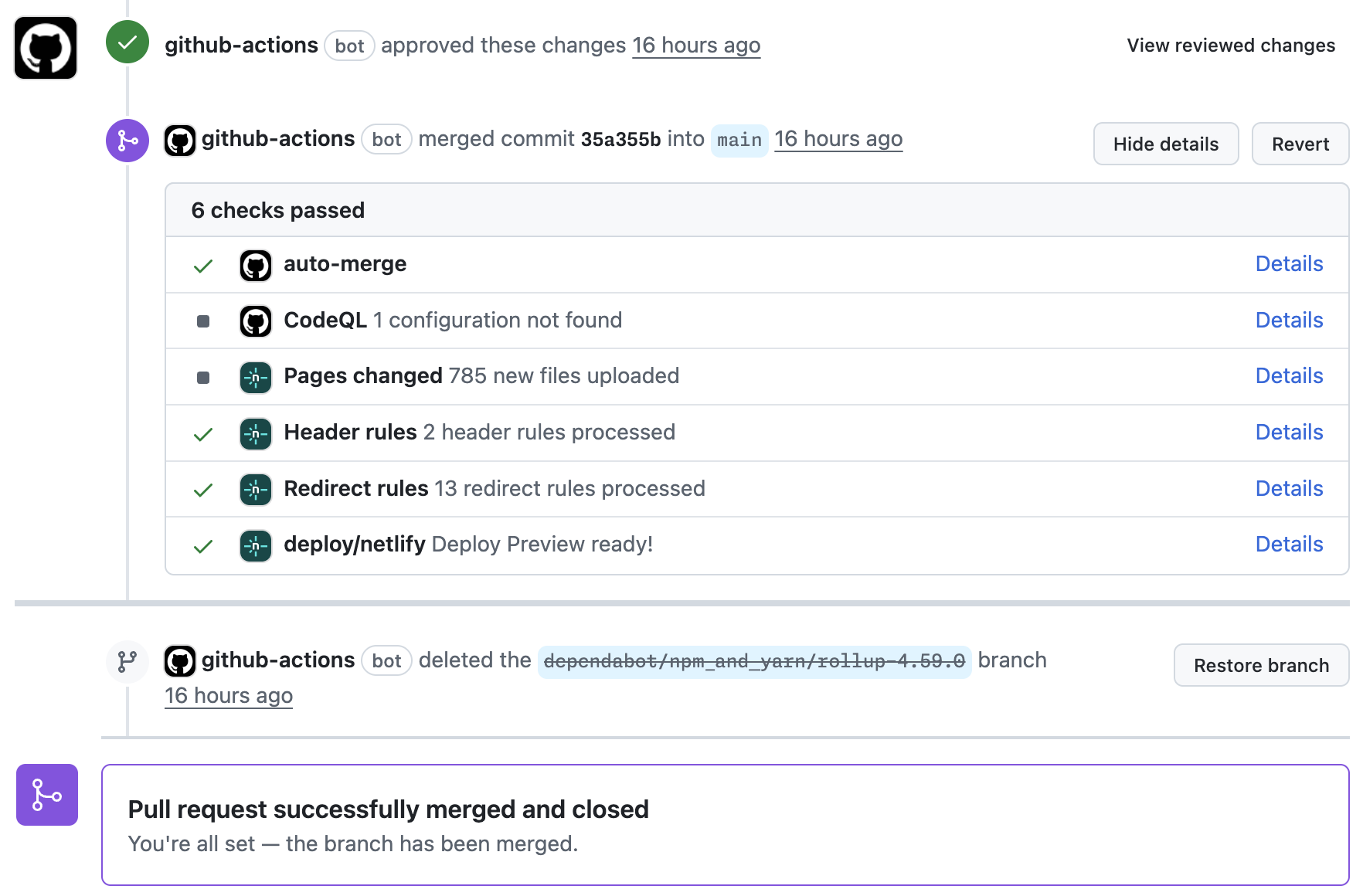
Once it's set up and a Dependabot PR comes in, you'll see the github-actions bot approve the PR and enable auto-merge. The PR then waits for your required checks to complete and merges itself when everything is green.
A note on safety
This setup is only as safe as your CI. If you don't have required checks configured, the PR can auto-merge the moment the workflow approves it. At a minimum you want a build check required, tests if you have them. Branch protection rules still apply. If a required check fails, the PR won't merge. The workflow isn't bypassing anything, it's just handling the approval and queuing up the merge for you.
Being more selective
This workflow approves and enables auto-merge on every Dependabot PR regardless of whether it's a patch, minor, or major update. If you want to be more selective, you can use the dependabot/fetch-metadata action to check the update type and only proceed for patch and minor updates. The GitHub docs on automating Dependabot cover that in more detail.
If you want to see a PR that went through this whole flow check out the PR below.
{% embed https://github.com/nickytonline/nickytdotco/pull/790 %}
This has taken a whole category of busywork off my plate for my personal site and my Clawspace project.
{% embed https://github.com/nickytonline/nickytdotco %}
{% embed https://github.com/nickytonline/clawspace %}
For work projects there would probably be some push back on this potentially, but if you have a really great CI/CD pipeline with checks, definitely consider doing this or at least having a discussion with your team.
If you want to stay in touch, all my socials are on nickyt.online.
Until the next one!
Comments
More Blog
View allaiSkills Are the New CLI
Every developer tool follows the same pattern: parse flags, run logic, print output. git commit -m...
H
Helder Burato Berto 1
dockerDuct tape enough services together and you can cache APT packages
APT repositories are just HTTP file servers, doesn't seem like something that should require a custom piece of software.
D
Devin H 1
opensourceHow We Use AWS CDK to Deploy OpenClaw for Enterprise Teams — API Key Management Without the Chaos
We wanted every employee in the company to use OpenClaw — not just engineers. Product managers...
C
C.K.SunazurefabricMCP Development with Python, and Azure Fabric
Leveraging Gemini CLI and the underlying Gemini LLM to build Model Context Protocol (MCP) AI...
X
xbillgooglecloudplatformMCP Development with Gemini CLI, Python, and Azure Functions
Leveraging Gemini CLI and the underlying Gemini LLM to build Model Context Protocol (MCP) AI...
X
xbilliacMCP Development with Python, and the Azure Container Instance
Leveraging Gemini CLI and the underlying Gemini LLM to build Model Context Protocol (MCP) AI...
X
xbill 2
Ready-made automations for this
Workflows from the Neura Market marketplace related to this Grok resource
- Build Custom Workflows Automatically with GPT-4o, RAG, and Web Searchn8n · $24.99 · Related topic
- Beginner Data Analysis: Merge, Filter & Summarize in Google Sheets with GPT-4on8n · $14.99 · Related topic
- Learn Workflow Logic with Merge, IF & Switch Operationsn8n · $14.99 · Related topic
- Get a Summary of Each Podcast in Your YouTube Playlist Daily, Automatically, and for Freen8n · $14.99 · Related topic