
Back to Blog cli
cli
 gemma
gemma community
 ai
ai ai
ai githubactions
 ai
ai
Azure Cloud Shell with Antigravity CLI
xbill May 26, 2026
0 views
This article covers the initial setup and configuration for the Antigravity CLI on the Azure Cloud...
title: Azure Cloud Shell with Antigravity CLI published: true series: agy date: 2026-05-26 14:18:48 UTC tags: cli,azurecloudshell,antigravitycli,azure canonical_url: https://xbill999.medium.com/azure-cloud-shell-with-antigravity-cli-26de63aa8217
This article covers the initial setup and configuration for the Antigravity CLI on the Azure Cloud Shell environment.
What is Antigravity CLI?
The Google Antigravity CLI is a lightweight Terminal User Interface (TUI) that allows developers to invoke, monitor, and interact with Google Antigravity AI agents directly from the command line. It pairs with Antigravity 2.0 to offer the same core agentic capabilities — like multi-step reasoning, tool calling, and sub-agents — without the overhead of a desktop application.
More information is available here:
Azure Cloud Shell
Azure Cloud Shell is a browser-based, authenticated terminal for managing Azure resources, accessible directly through the Azure portal, shell.azure.com, or the mobile app. It provides a preconfigured environment with Bash or PowerShell, eliminating local installation of tools. It runs on a temporary, secure, Linux-based host.
The full background information on the Cloud Shell is here:
https://azure.microsoft.com/en-us/get-started/azure-portal/cloud-shell
More information is available here:
Get started with Azure Cloud Shell
Why would I want Antigravity CLI on Azure? Isn’t that a Google Thing?
Yes- Antigravity CLI leverages the Google Cloud console and Gemini models but it is also platform agnostic. Many applications are already cross-cloud so this enables familiar tools to be run natively on Microsoft Azure.
Activating Azure Cloud Shell
The Azure Cloud Shell comes preinstalled on all Azure Accounts.
To access the shell — click the Terminal Icon in the upper right hand corner of the console:

Then activate the full shell:
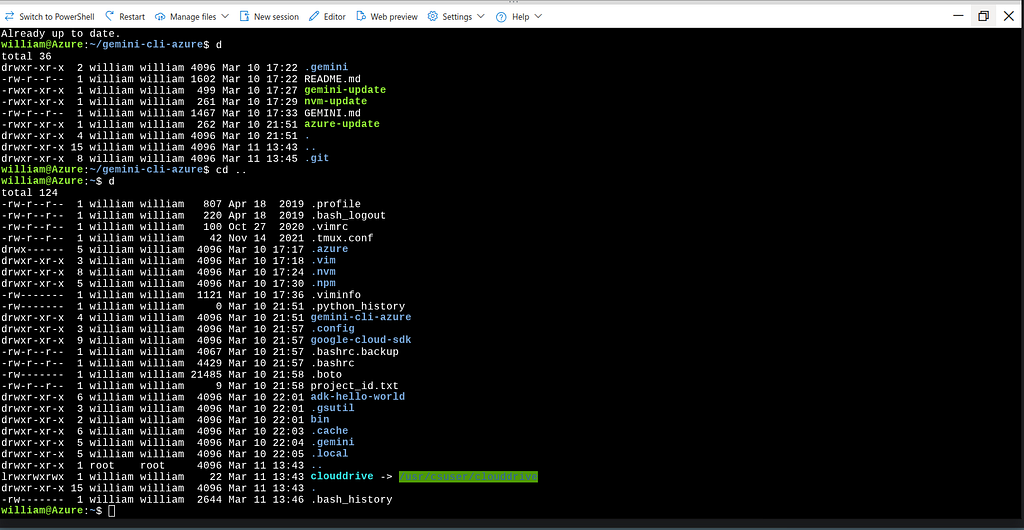
Note- the disk space in the environment is limited to 5GB- but this is sufficient for Antigravity CLI, Google Cloud Tools, and some customization.
Azure CLI
The Azure Command-Line Interface (CLI) is a cross-platform tool used to connect to Azure and execute administrative commands on Azure resources. It allows you to manage services like virtual machines, databases, and networking through a terminal using interactive prompts or scripts. [1, 2, 3]
More details are available here:
What is the Azure Developer CLI?
Download and Install agy CLI
The main Antigravity CLI download page is here:
For a terminal window/ shell install:
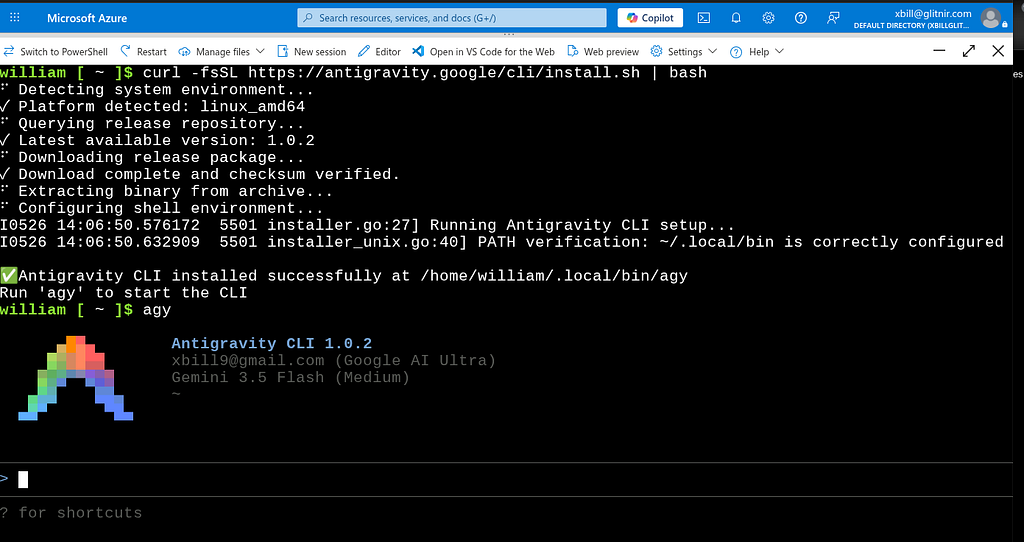
curl -fsSL https://antigravity.google/cli/install.sh | bash
This will start the installation process:
william [~]$ curl -fsSL https://antigravity.google/cli/install.sh | bash
⠋ Detecting system environment...
✓ Platform detected: linux_amd64
⠋ Querying release repository...
✓ Latest available version: 1.0.2
⠋ Downloading release package...
✓ Download complete and checksum verified.
⠋ Extracting binary from archive...
⠋ Configuring shell environment...
I0526 14:06:50.576172 5501 installer.go:27] Running Antigravity CLI setup...
I0526 14:06:50.632909 5501 installer_unix.go:40] PATH verification: ~/.local/bin is correctly configured in active PATH environment.

✅ Antigravity CLI installed successfully at /home/william/.local/bin/agy
Run 'agy' to start the CLI
william [~]$
Testing the Antigravity CLI Environment
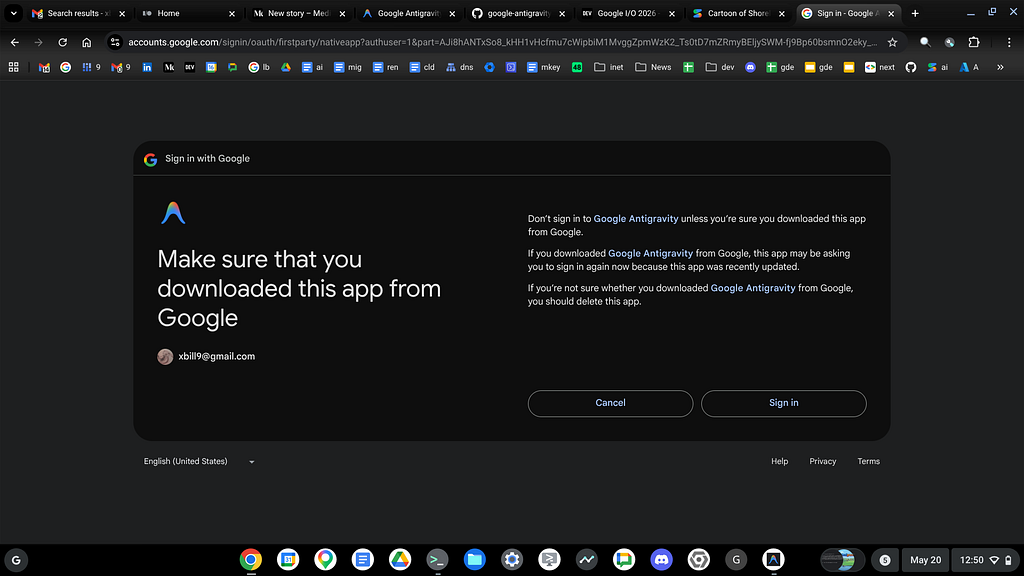
Once you have the package installed — you can test the startup of Antigravity CLI. You will need to authenticate with a Google Project or your Google Account:
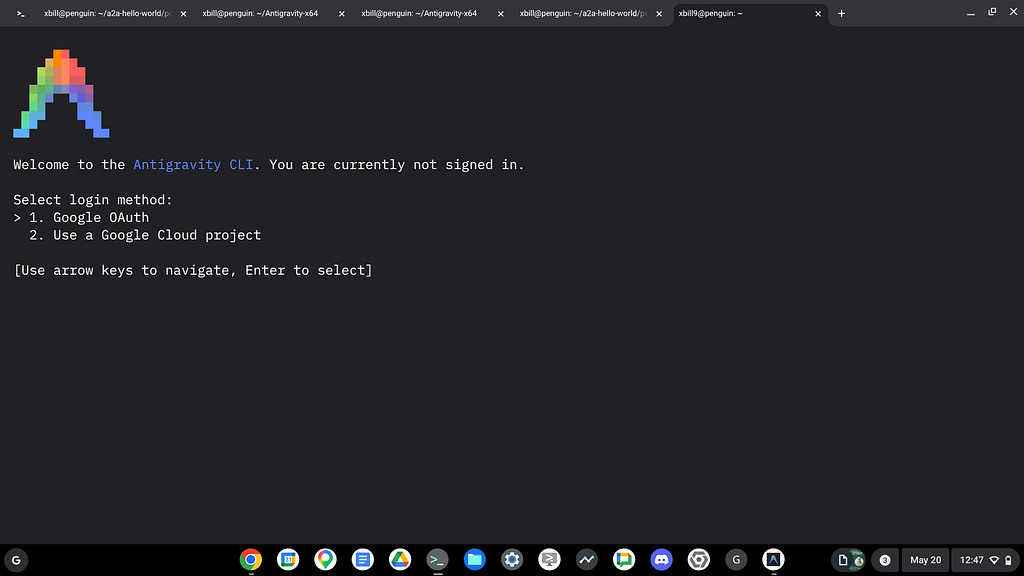
Then step through the process:
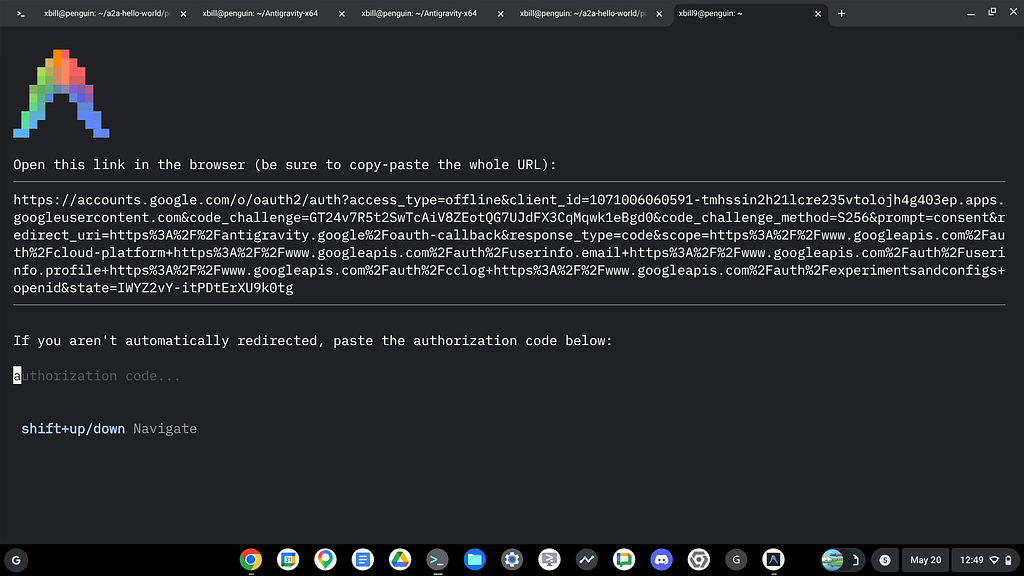
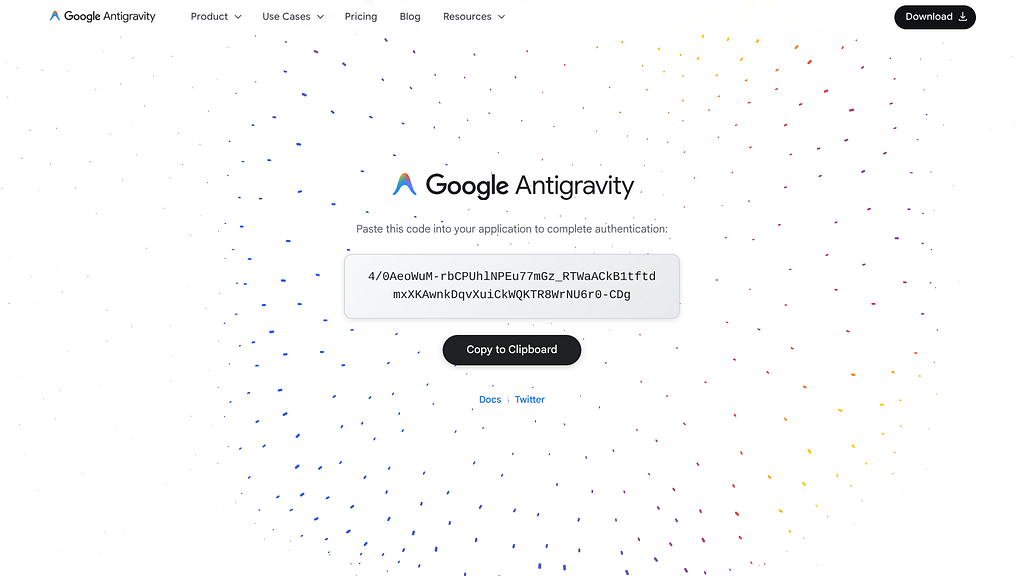
And finally the One time code:
Initial Configuration
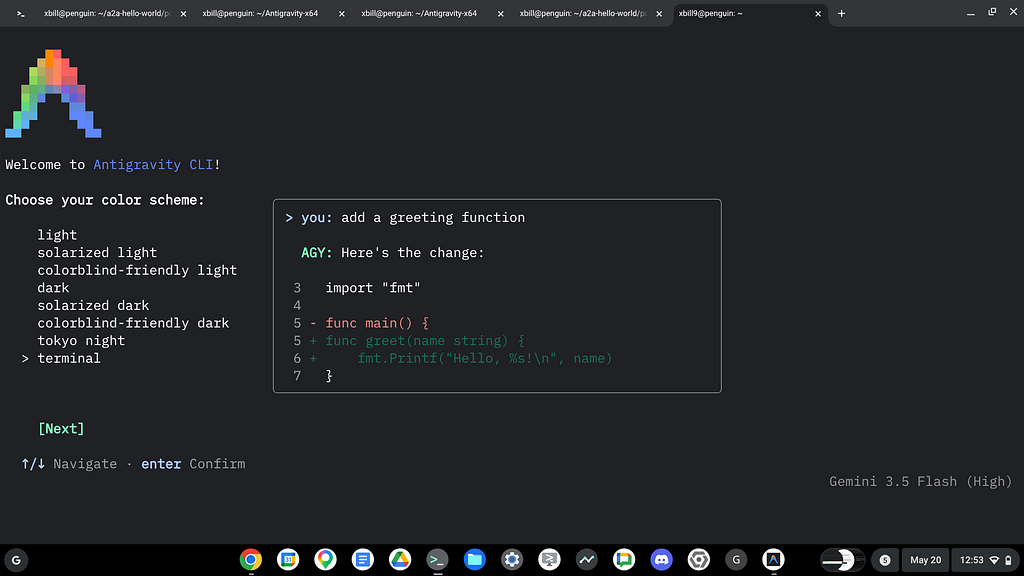
Once you have installed and authenticated. Step through initial configuration:
Are we There Yet!?!?
If all the stars align and you do the correct sacrifices to the pagan Gods then at this point you should be able to start up the agy CLI and get down to business.
The startup command is agy:
Run 'agy' to start the CLI
william [~]$ agy

      ▄▀▀▄ Antigravity CLI 1.0.2
     ▀▀▀▀▀▀ xbill9@gmail.com (Google AI Ultra)
    ▀▀▀▀▀▀▀▀ Gemini 3.5 Flash (Medium)
   ▄▀▀ ▀▀▄ ~
  ▄▀▀ ▀▀▄

────────────────────────────────────────────────────────────────────────────────────────────────────────────────────────────────────────
>
────────────────────────────────────────────────────────────────────────────────────────────────────────────────────────────────────────
? for shortcuts
All Right Already! Can you actually do something with Antigravity CLI?
Fire up that terminal window and get to work:
> what is the azure cloud shell?

● WebSearch(Azure Cloud Shell definition features) (ctrl+o to expand)

  Azure Cloud Shell is a browser-accessible, authenticated, and pre-configured terminal environment hosted by Microsoft in the cloud.
  It is designed to let you manage and administer your Azure resources directly from your web browser without needing to install the
  Azure CLI or PowerShell locally.

  ### Key Features & Capabilities:

  1. Browser-Based and Accessible:
      • It requires no local software installations or complex setups.
      • You can access it from virtually anywhere via the Azure Portal https://portal.azure.com, directly at https://shell.azure.com,
      through the Azure Mobile App, or via integrations like the VS Code Azure Account extension.
  2. Choice of Environment:
      • Bash: A Linux-based environment (running on a container) ideal for standard bash scripting and using tools like git , make ,
      etc.
      • PowerShell: A Windows-friendly administrative shell that includes Azure Drive ( Azure: ), allowing you to navigate your Azure
      resources as if they were directories on a filesystem.
  3. Pre-configured Tools and Languages:
      • It comes pre-installed with common command-line utilities ( kubectl , terraform , ansible , docker , helm , git , etc.).
      • Includes programming runtimes and compilers (such as Python, Node.js, .NET, Go, and Java).
      • Features built-in text editors (such as nano , vim , and a built-in web-based graphical editor based on Monaco).
  4. Automatic Authentication:
      • Because it is authenticated through your Azure Portal session, you are automatically logged in when the terminal starts,
      allowing you to run management commands immediately without entering credentials.
Get detailed Azure Cloud Shell information:
> use the az command tool to get environment information
● ListDir(/home/william)
● Bash(az version)
● Bash(az account show) (ctrl+o to expand)

  I ran the az CLI to gather your environment information:

  ### Azure CLI Version ( az version )

    {
      "azure-cli": "2.86.0",
      "azure-cli-core": "2.86.0",
      "azure-cli-telemetry": "1.1.0",
      "extensions": {
        "ml": "2.42.0",
        "ssh": "2.0.8"
      }
    }

  ### Active Subscription and Account Information ( az account show )

    {
      "environmentName": "AzureCloud",
      "homeTenantId": "40482c55-d00d-4c6d-8903-643d76a74b9c",
      "id": "3db3ce66-50b6-4d11-91ef-5950cf4039ed",
      "isDefault": true,
      "managedByTenants": [],
      "name": "Azure subscription 1",
      "state": "Enabled",
      "tenantId": "40482c55-d00d-4c6d-8903-643d76a74b9c",
      "user": {
        "cloudShellID": true,
        "name": "live.com#xbill@glitnir.com",
        "type": "user"
      }
    }

──────────────────────────────────────────────────────────────────────────────────────────────────────────
>
Get high level agy e nvironment info:
>
──────────────────────────────────────────────────────────────────────────────────────────────────────────
Antigravity CLI general commands shortcuts (←/→ or tab to cycle)
Antigravity CLI understands your codebase, makes edits with your permission,
and executes commands — right from your terminal.

Version 1.0.2
xbill9@gmail.com (Google AI Ultra)
Workspace: ~
Project: /home/william

Quick Reference
  / Type / to see available commands

Keyboard: ↑/↓ Navigate ←/→ Switch View esc Close

esc to cancel
You can switch between models:
>
──────────────────────────────────────────────────────────────────────────────────────────────────────────
Switch Model

  Gemini 3.5 Flash (Medium)
  Gemini 3.5 Flash (High)
> Gemini 3.5 Flash (Low) (current)
  Gemini 3.1 Pro (Low)
  Gemini 3.1 Pro (High)
  Claude Sonnet 4.6 (Thinking)
  Claude Opus 4.6 (Thinking)
  GPT-OSS 120B (Medium)
Get Context info:
>
──────────────────────────────────────────────────────────────────────────────────────────────────────────
└ Context Usage
□ □ □ □ □ □ □ □ □ □ □ □ □ □ □ □ □ □ □ □ □ Gemini 3.5 Flash (Low) · 0/1.0M tokens
□ □ □ □ □ □ □ □ □ □ □ □ □ □ □ □ □ □ □ □ □ (0.0%)
□ □ □ □ □ □ □ □ □ □ □ □ □ □ □ □ □ □ □ □ □ Estimated usage (awaiting generation)
□ □ □ □ □ □ □ □ □ □ □ □ □ □ □ □ □ □ □ □ □ ◉ User messages: 0 tokens (0.0%)
□ □ □ □ □ □ □ □ □ □ □ □ □ □ □ □ □ □ □ □ □ ◉ Agent responses: 0 tokens (0.0%)
□ □ □ □ □ □ □ □ □ □ □ □ □ □ □ □ □ □ □ □ □ ◉ Tool calls: 0 tokens (0.0%)
□ □ □ □ □ □ □ □ □ □ □ □ □ □ □ □ □ □ □ □ □ □ Free space: 1.0M (100.0%)

Related: /artifact · /skill · /rewind
Check your quota:
>
──────────────────────────────────────────────────────────────────────────────────────────────────────────
└ Model Quota

  Gemini 3.5 Flash (Medium)
  ███████████ ███████████ ███████████ ███████████ ███████████ 100%
  Quota available

  Gemini 3.5 Flash (High)
  ███████████ ███████████ ███████████ ███████████ ███████████ 100%
  Quota available

  Gemini 3.5 Flash (Low)
  ███████████ ███████████ ███████████ ███████████ ███████████ 100%
  Quota available

  Gemini 3.1 Pro (Low)
  ███████████ ███████████ ███████████ ███████████ ███████████ 100%
  Quota available

  Gemini 3.1 Pro (High)
  ███████████ ███████████ ███████████ ███████████ ███████████ 100%
  Quota available

  Claude Sonnet 4.6 (Thinking)
  ███████████ ███████████ ███████████ ███████████ ███████████ 100%
  Quota available

  Claude Opus 4.6 (Thinking)
  ███████████ ███████████ ███████████ ███████████ ███████████ 100%
  Quota available

  GPT-OSS 120B (Medium)
  ███████████ ███████████ ███████████ ███████████ ███████████ 100%
  (1–30 of 33 lines)
Summary
Antigravity CLI was introduced as a compliment to the existing GUI based IDE versions. Antigravity CLI was then installed to Azure Cloud Shell from the official Google sources. A sample query was tested and some common slash commands were highlighted.
Comments
More Blog
View allgemmaFive Gemma-4 models, one accelerator: what porting E2B 31B to AWS Inferentia2 taught me
I ported the whole Gemma-4 family — E2B, E4B, 12B, 31B, and the 26B-A4B MoE — to run on...
X
xbillcommunityHey DEV, I'm Tobore. Let's actually connect.
Hey DEV, I'm Tobore. Let's actually connect. I've been on here for a while now, mostly writing and...
L
Laurina AyarahaiI burned through thousands of AI tokens. Then a friend did it for free
(yep, kinda clickbait, just for the funsies 😊) At the beginning of the year, I relaunched my...
P
Paulo HenriqueaiClaude might be saturating your machine
My laptop was sitting idle with the fan at full tilt. Nothing was running that I knew of. The culprit...
S
Sidhant PandagithubactionsAutomated GitHub Code Reviews Using Google Gemini
I Built a Thing! TL;DR — Google Gemini-based Pull Request reviews and Issue Triaging for...
D
Darren "Dazbo" LesteraiWhat is an "agentic harness," actually?
I've been hearing the word "harness" thrown around a lot lately. I assumed it just meant "the IDE" or...
T
Tilde A. ThuriumReady-made automations for this
Workflows from the Neura Market marketplace related to this Perplexity resource
- Automate SEO-Optimized Blog Creation with GPT-4, Perplexity AI & Multi-Language Supportn8n · $24.99 · Related topic
- Automate SEO Blog Content Creation with GPT-4, Perplexity AI, and WordPressn8n · $24.99 · Related topic
- Automate SEO Blog Creation + Social Media with GPT-4, Perplexity, and WordPressn8n · $24.99 · Related topic
- Auto-Generate SEO Blog Posts with Perplexity, GPT, Leonardo & WordPressn8n · $14.99 · Related topic